AI video editor
with automatic captions.
Generate captions from your video, correct the words and make them your own. Trim clips, adjust framing and style subtitles in one editor for TikTok, Reels, Shorts and business videos.
7 days free. Cancel anytime. See trial details
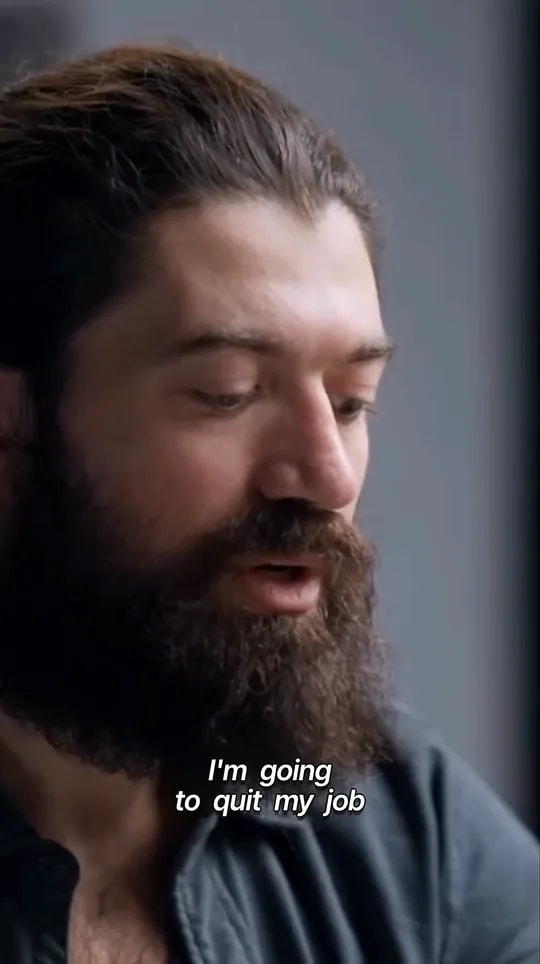
How the AI caption generator works
From spoken words to a finished video.
- 01
Drop in a video
Upload a recording or import a video link. Start with a short clip, a podcast or a webinar.
- 02
Generate and correct captions
Generate timed captions from speech, then correct names, technical terms and punctuation in the editor.
- 03
Style, edit and export
Choose your caption style, trim the video and adjust the framing. Review the finished clip before exporting.
Why creators use it
Automatic captions. An editable result.
Word-level timing
Start with captions aligned to the spoken words. Review timing alongside your video and adjust the result before export.
Turn a long recording into captioned clipsNative per platform
Choose a caption style and adjust its font, color, size and position for TikTok, Reels or Shorts.
Keep control of the edit
Correct a word, trim a pause or adjust the crop in the same timeline. Review what the AI generated before you publish.
Long recordings welcome
Use AI clipping to turn a podcast or webinar into shorter videos, then refine their captions in the editor.
Built per platform
One caption generator, styled for where you post.
TikTok
Add readable captions to vertical clips and preview the wording before sharing.
Explore templatesInstagram Reels
Caption the words spoken in your Reel, with styling and placement you can adjust.
Explore templatesYouTube Shorts
Prepare vertical videos with captions visible in the exported clip.
Explore templatesFacebook & LinkedIn
Use a restrained caption style for interviews, webinars and product explanations.
Explore templatesAfter captions
Keep editing without leaving the browser.
Caption styles
Explore caption looks and choose a starting point for your next video. Refine the style in the editor.
Browse stylesSRT editor
Fine-tune timing and export SRT files for YouTube, review, or downstream editing.
Open SRT editorFull video editor
Timeline editing, overlays, backgrounds, and exports. All in the same BlitzReels workflow.
Open editorFAQ
Frequently asked questions
- Can I edit a video and generate captions in the same tool?
- Yes. BlitzReels generates captions from your video's speech and keeps them editable alongside your video. Correct the wording, change the caption style, trim a clip and adjust its framing before exporting.
- Can I correct the AI captions?
- Yes. Review and edit the generated words, especially names and technical terms. You can also adjust caption timing and styling. Always review the result before publishing: background noise and overlapping speakers can affect transcription.
- When do automatic captions need a closer review?
- Slow down when one wrong word would change the meaning: medical, legal or financial claims, mixed-language speech, heavy jargon, noisy audio or overlapping speakers. Read those captions line by line against the audio before you export.
- Does this generate video subtitles or social post captions?
- This page is about on-screen captions generated from spoken audio. These captions appear in your video; they are different from the description or hashtags you write under a social post.
- Can I caption a podcast or webinar?
- Yes. Import your recording, use AI clipping to find shorter moments, then review each clip and its captions in the timeline editor. You can adjust the crop and caption placement for vertical or landscape output.
- Can I download captions as an SRT file?
- BlitzReels supports SRT caption export as well as video with captions burned in. Burned-in captions remain visible during playback; an SRT file keeps text and timing separate for another editor or a platform's subtitle track.
- Is a card required to try BlitzReels?
- Yes. A card starts your free 7-day trial, and nothing is charged today. The trial includes one video import or upload of up to 60 source minutes, 3 clips, 3 watermarked 720p exports of up to 3 minutes each, and 10 AI credits for generation. Your plan starts on day 8 unless you cancel before then.
Make your next video easier to follow.
Add a card at signup to start your free 7-day trial. Nothing is charged today. It includes one video import or upload of up to 60 source minutes, 3 clips, 3 watermarked 720p exports of up to 3 minutes each, and 10 AI credits for generation. Your plan starts on day 8 unless you cancel before then.