 Alternatives guide
7 DaVinci Resolve Alternatives, by Why You're Leaving
The best DaVinci Resolve alternative for cutting long videos into short clips is BlitzReels; for pro timeline editing it's Premiere Pro or Final Cut Pro, and for a free editor on an older computer it's Shotcut. CapCut and Filmora suit hands-on editing with built-in AI clip tools. Resolve itself stays hard to beat on price: free, or one Studio payment.
- Video Editors
- Reviewed November 4, 2026
At a glance
 DaVinci Resolve
 BlitzReels
- Cost over 12 months
- $0 free, or $236 once for Studio on sale ($295 list).$204 to $348 on Starter, by billing period.
- Cost over 36 months
- $0 free, or that same one Studio payment.$612 to $1,044 on Starter, by billing period.
- Find the moments
- Partly. You mark clips yourself; Studio 21.1 can have an AI assistant build a highlight edit.Yes. Ranks moments with a score out of 10.
- Auto captions
- Partly. Studio only; in free you type or import subtitles.Yes. On every plan, trial included.
Pick by the reason you're leaving Resolve
Prices and features come from each tool's official pages on November 4, 2026. BlitzReels comes first because it's ours, and it only does one of these jobs: short clips from long videos. If you want another full editor, go straight to the others.
- 1
BlitzReels
Automatic short clips from long videos
It ranks moments, adds captions and reframes to vertical in a browser, and you review each clip. It isn't a finishing editor. There's no free plan after the 7-day trial and no desktop app. Starter is $29 a month.
- 2
CapCut
Hands-on editing on a phone, browser or desktop
It has a free plan and a Long Video to Shorts tool that picks highlights, tracks subjects and adds captions. capcut.com lists Pro at USD 19.99, for reference only, with no billing period in the text we read.
- 3
Premiere Pro
Pro timeline editing inside Adobe's apps
Adobe's page now calls it Premiere and lists $22.99 a month on an annual plan billed monthly. Speech to Text and Auto Reframe are in the app. It's a subscription with a free trial.
- 4
Final Cut Pro
Mac and iPad editors who want a one-time option
Apple sells the Mac app for $299.99 once, or inside Apple Creator Studio at $12.99 a month or $129 a year. Automatic captions and reframing are built in. It runs only on Mac and iPad.
- 5
Filmora
Desktop editing with AI clip tools on credits
It runs on Windows and Mac, on yearly or perpetual plans. Smart Short Clips finds key moments and makes vertical videos, paid with AI credits. A perpetual license doesn't include future versions.
- 6
Clipchamp
Free editing in a browser or the Windows app
The free plan exports up to 1080p with no watermark and includes AI subtitles and silence removal. 4K export comes with a Microsoft 365 Personal or Family subscription.
- 7
Shotcut
A free editor for older computers
Free software for Windows 10 and 11, macOS 12 and later, and Linux. Resolve's Mac minimum is macOS 15 on Apple silicon. It can convert speech to subtitles, and its features list shows no automatic clip picking.
Reviewed November 4, 2026. Sources checked: DaVinci Resolve product pageResolve 21.1 Studio features list, September 2026 (PDF)Blackmagic Studio AI Sale pageBlackmagic: What's New in Resolve 21.1 (video)Editor's Guide to Resolve 20 (PDF)Resolve 20.2 New Features Guide (PDF)Resolve 21.1.2 release notes, republished by SAMDBBlackmagic forum: Studio activation answer
Pick DaVinci Resolve when
You finish videos yourself with color, effects and audio tools, your computer clears the minimums, and you'd rather not pay monthly. Start free, and buy Studio when you want auto captions and Smart Reframe.
Pick BlitzReels when
You clip long videos every week and want moments picked, captioned and reframed for you in a browser, and you accept a monthly bill and a credit limit.
Best next step
Cut three clips from one long video by hand in Resolve's free version and count your steps. Then run the same video through the BlitzReels trial, which allows one import and three clips, and compare.
What DaVinci Resolve looks like today
Public pages we captured on November 4, 2026. They show how DaVinci Resolve presents itself and its prices that day. They aren't a product test.
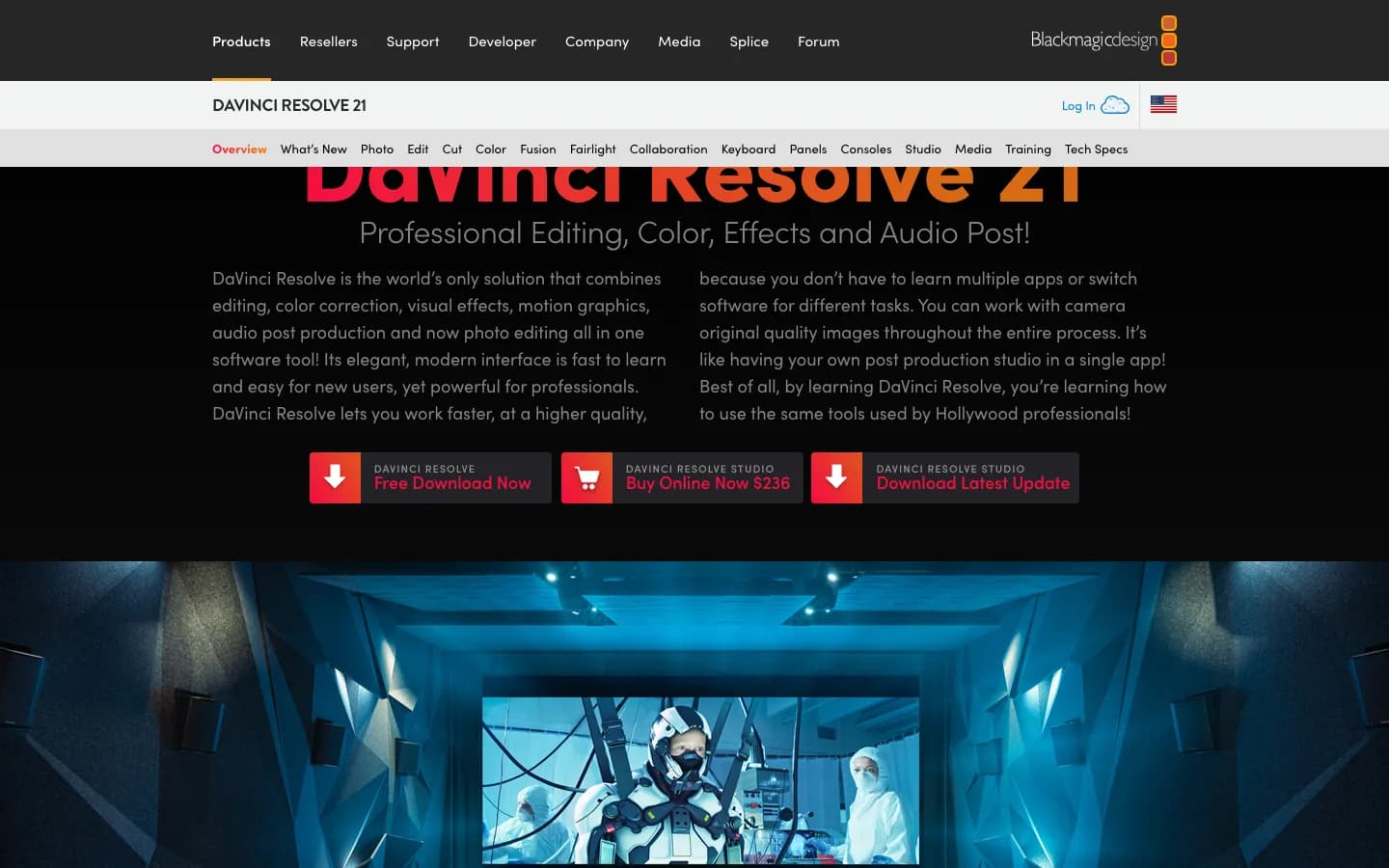
DaVinci Resolve homepage
blackmagicdesign.com, captured November 4, 2026.
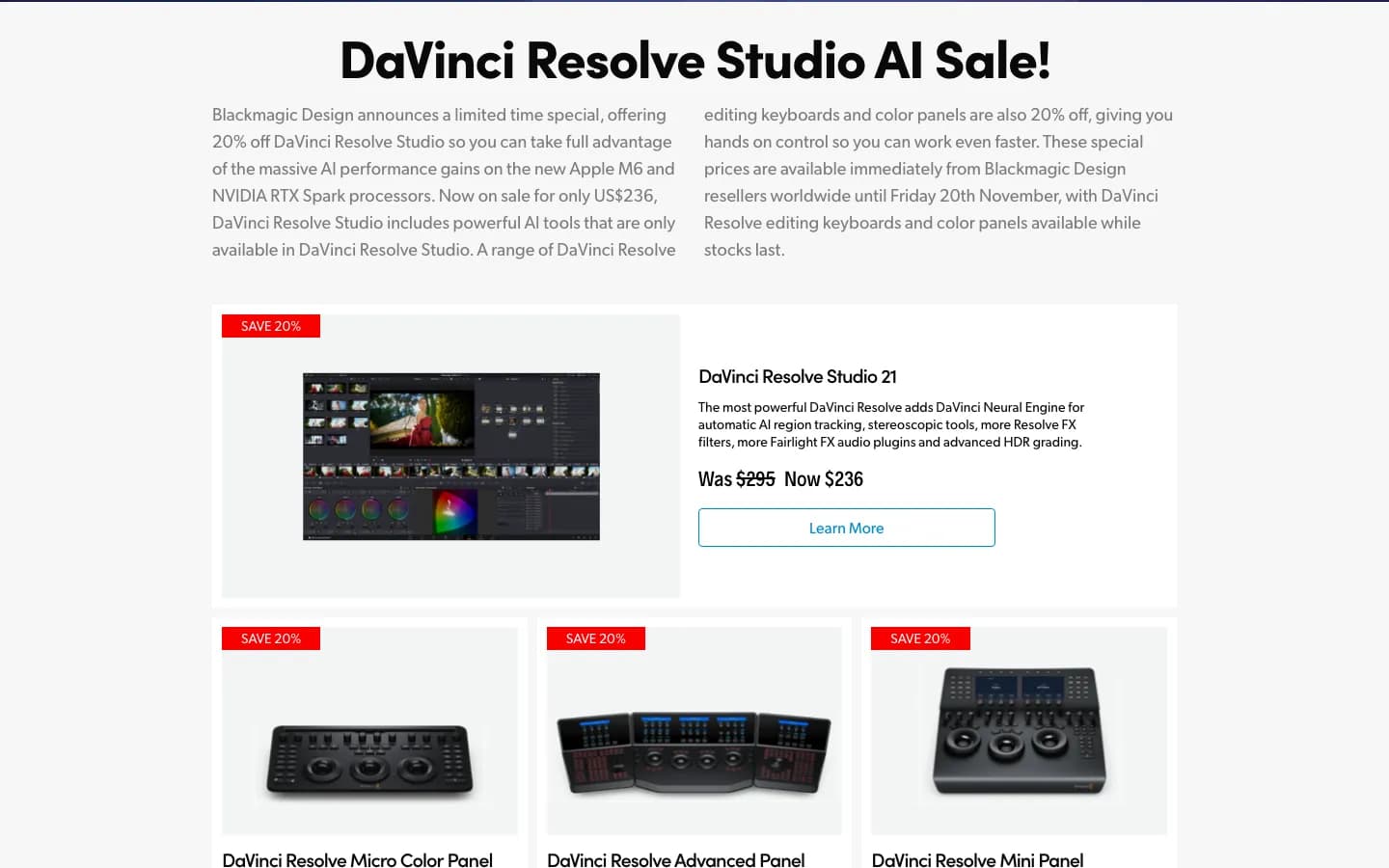
DaVinci Resolve pricing page
blackmagicdesign.com, captured November 4, 2026.

What is DaVinci Resolve?
DaVinci Resolve is Blackmagic Design's app for editing, color, visual effects, motion graphics, audio and, since version 21, photos. It runs on Mac, Windows and Linux, with a reduced iPad version. The free version handles virtually all 8-bit formats up to 60 fps and Ultra HD. Studio adds the Neural Engine AI tools, 10-bit formats, up to 120 fps and resolutions beyond 4K. You edit on your own machine, with footage on your own drives.
What is BlitzReels?
BlitzReels turns long videos into short clips. Paste a link or upload a file, and it ranks moments, adds editable captions and reframes to vertical, with each clip open in a browser timeline. Paid plans also include AI Studio for images, video, voice and music, plus a REST API, SDK, CLI and MCP. After the 7-day trial you need a paid plan, from $29 a month. It lacks a desktop app, dubbing and a remote recording studio.
DaVinci Resolve vs BlitzReels
Which short-form steps are free in Resolve, which need Studio, and what each route costs over 12 and 36 months, worked from public facts on November 4, 2026, and not a timing test.
| Feature | DaVinci Resolve | BlitzReels |
|---|---|---|
| Cost over 12 months | $0 free, or $236 once for Studio on sale ($295 list). | $204 to $348 on Starter, by billing period. |
| Cost over 36 months | $0 free, or that same one Studio payment. | $612 to $1,044 on Starter, by billing period. |
| Find the moments | Partly. You mark clips yourself; Studio 21.1 can have an AI assistant build a highlight edit. | Yes. Ranks moments with a score out of 10. |
| Auto captions | Partly. Studio only; in free you type or import subtitles. | Yes. On every plan, trial included. |
| AI vertical reframe | Partly. Smart Reframe is Studio only; in free you frame a vertical timeline by hand. | Yes. Speaker framing and two-speaker layouts, trial included. |
| Animated word captions | Partly. Subtitle animation is Studio only. | Yes. Animated caption styles you can edit. |
| Cut silences | Yes. Ripple Delete Silence has no Studio label in Blackmagic's guide. | Partly. On paid plans; locked on the trial. |
| Voice cleanup | Partly. Voice Isolation is Studio only; Dialogue Leveler is free. | Partly. Studio Sound on paid plans; locked on the trial. |
| Import a long video | Partly. Files from your drives; Blackmagic's pages list no paste-a-link import. | Yes. Links from YouTube, Vimeo, Instagram, TikTok, X and Facebook, or an upload. |
| Export and posting | Yes. Free exports reach Ultra HD at 60 fps, with uploads to YouTube, TikTok and X from Mac and Windows. | Partly. 720p with a watermark on the trial, up to 4K on Starter. Post to YouTube, TikTok and LinkedIn from Starter; schedule from Growth. |
| Runs on a modest computer | Partly. Mac minimum is 8 GB on Apple silicon; Windows is 16 GB and a 4 GB GPU, with more for AI tools. | Yes. Browser app with processing on our servers, but no desktop app. |
| Color, effects and audio finishing | Yes. Color, Fusion and Fairlight pages in both versions, with some tools held for Studio. | Partly. Color presets, LUTs and transitions in the timeline; no node compositing or audio post suite. |
Pros & Cons
Strengths and weaknesses of both tools.
DaVinci Resolve
Pros
- The free version edits, grades, adds effects and mixes audio up to Ultra HD at 60 fps for $0.
- Studio is one payment with no billing period shown, and a Blackmagic product manager says a key covers two systems.
- It uploads directly to YouTube, TikTok, X, Vimeo and Dropbox from Mac and Windows.
- There's no credit meter, because your own computer does the work.
Cons
- Auto captions, animated subtitles and Smart Reframe need Studio.
- The free version has no automatic moment picking.
- Windows needs at least 16 GB of RAM and a 4 GB GPU.
- The Editor's Guide for version 20 runs past 600 pages.
BlitzReels
Pros
- It ranks moments, with captions and AI reframing on every plan.
- It runs in a browser and imports links from YouTube, Vimeo, Instagram, TikTok, X and Facebook.
- Starter exports up to 4K with no watermark.
Cons
- It's the most expensive of these three routes: $612 to $1,044 on Starter over 36 months.
- Usage is metered. BlitzReels Starter costs $29 a month with 250 credits. A linked source uses 1 credit a minute, an upload uses 0.5, and exports use 3 credits per started minute. A 60-minute linked video with 10 one-minute clips uses 90 credits, so Starter covers about 2.8 a month.
- There's no free plan after the 7-day trial, which allows one import of up to 60 source minutes, three clips and three 720p watermarked exports.
- You wait on our servers, and processing a long video isn't instant. Imports can also fail and need a retry.
- It has no desktop app, dubbing or remote recording studio, and no Resolve timeline export.
Pricing Comparison
Side-by-side pricing for BlitzReels and DaVinci Resolve.
BlitzReels plans
- Starter
- $29/mo
- Growth
- $79/mo
- Agency
- $199/mo
DaVinci Resolve plans
- DaVinci Resolve
- $0, free download
- DaVinci Resolve Studio 21
- $236 one payment until Nov 20, 2026, then $295 list
- Studio upgrade on iPad
- In-app purchase, price not readable on Nov 4, 2026
What BlitzReels does differently from DaVinci Resolve
It picks the moments. BlitzReels ranks them with a score out of 10 and you review the picks. In Resolve's free version you find each one yourself.
Captions and AI reframing are on every plan, trial included. In Resolve both need Studio.
It runs in a browser and renders on our servers, so GPU and VRAM minimums don't apply. You do have to upload or link the footage.
What the extra money pays for: moment ranking, transcription, captions, reframing and rendering on our servers, plus credits for AI images, video, voice and music on paid plans. Blackmagic's features list shows speech generation but no image or video generation.
Common DaVinci Resolve Limitations
Tradeoffs to consider when comparing DaVinci Resolve
Auto captions and Smart Reframe need Studio. Blackmagic's September 2026 features list marks Subtitles and Transcriptions from Audio, Subtitle animation and Smart Reframe as Studio. In free you type subtitles or import a file, and you frame vertical shots by hand.
Picking moments is manual by default. Studio 21.1 can connect to Claude, Claude Code or ChatGPT Codex, and Blackmagic's demo asks one for a 3-minute highlight edit. That takes Studio plus an assistant account of your own.
Your computer does the work. The 21.1.2 release notes list 16 GB of RAM and a 4 GB GPU on Windows, 32 GB with Fusion, and 16 GB of VRAM for advanced AI tools. Macs need macOS 15 on Apple silicon.
There's a lot to learn. Blackmagic describes the interface as easy for new users, yet its Editor's Guide for version 20 has its index on page 619, and the app splits work across eight pages.
The free version stops at 8-bit formats, 60 fps and Ultra HD. Studio adds 10-bit formats, up to 120 fps, multiple GPUs, background rendering and the scripting API.
DaVinci Resolve or BlitzReels?
Stay with DaVinci Resolve if you edit and finish videos yourself: the free version costs $0, and over time one Studio payment costs less than any subscription, ours included. Move to BlitzReels only if finding moments, captioning and reframing every week is work you want off your plate, because you'll pay more each year and give up Resolve's finishing tools. If you only want a different editor, the other six tools here fit that job and BlitzReels doesn't.
How to try BlitzReels after DaVinci Resolve
- 1
Export the long edit from Resolve
You don't have to leave Resolve. Render the long video as one file, because BlitzReels doesn't open Resolve projects.
- 2
Upload it to the BlitzReels trial
Upload the file, or paste a link if the video is public. The trial needs no card and allows one import and three clips.
- 3
Review the picks
Check each clip's start, end, captions and framing in the browser timeline. For a grade or a mix, bring the rendered clip back into Resolve.
If short clips are why you're leaving Resolve
These pages cover the same job from other angles. Read them before you pay for anything, including Studio.
DaVinci Resolve Alternatives FAQ
Is DaVinci Resolve free?
Yes. DaVinci Resolve has a free version you download from Blackmagic Design. As of November 4, 2026, it handles virtually all 8-bit formats up to 60 fps and Ultra HD 3840 x 2160, and includes multi-user collaboration and HDR grading. Auto captions, Smart Reframe and the Neural Engine AI tools need the paid Studio version.
What is the DaVinci Resolve Studio price?
DaVinci Resolve Studio costs $236 until November 20, 2026, then lists at $295, according to Blackmagic's pages on November 4, 2026. That's all of DaVinci Resolve pricing: free, or Studio. The page shows one price and no billing period, B&H, a reseller, labels it a perpetual license, and a Blackmagic product manager says a key covers two systems.
Does DaVinci Resolve have auto captions and subtitles?
Auto captions are Studio only. Blackmagic's September 2026 features list marks Subtitles and Transcriptions from Audio, and Subtitle animation, as Studio, which cost $236 on sale and $295 list on November 4, 2026. Subtitle tracks themselves are in both versions, so in the free version you type each line or import a subtitle file.
Can DaVinci Resolve edit vertical video?
Yes. Blackmagic lists vertical timeline editing on the Edit page, and its Editor's Guide covers reformatting a timeline for other aspect ratios. The AI tool that reframes shots for you, Smart Reframe, is Studio only, so in the free version you position each shot by hand or with keyframes. BlitzReels reframes automatically on every plan.
What are the DaVinci Resolve system requirements?
Blackmagic's 21.1.2 release notes list macOS 15 on Apple silicon with 8 GB of memory, or 16 GB with Fusion or advanced AI tools. Windows needs 16 GB, or 32 GB with Fusion, and a GPU with 4 GB of VRAM, or 16 GB of VRAM for advanced AI tools. Linux needs Rocky Linux 8.6 and 32 GB.
Premiere Pro vs DaVinci Resolve: which should I pick?
Pick Resolve to avoid a subscription: it's free, or $236 once for Studio until November 20, 2026. Pick Premiere Pro if you already work in Adobe's apps: on November 4, 2026 it listed at $22.99 a month on an annual plan, about $828 over 36 months. Premiere includes Speech to Text and Auto Reframe in that price; Resolve keeps those for Studio.
DaVinci Resolve vs CapCut: which should I pick?
Pick CapCut for short-form tools out of the box: Long Video to Shorts picks highlights, tracks subjects and adds captions, and CapCut runs on a phone, in a browser and on desktop. Pick Resolve to finish by hand with its Color, Fusion and Fairlight pages. Both had free versions on November 4, 2026.
What is the best free alternative to DaVinci Resolve?
Shotcut fits a free desktop editor on an older computer: it supports macOS 12 and later, Windows 10 and Linux, and can turn speech into subtitles. Clipchamp fits a free browser editor, with 1080p exports, no watermark, AI subtitles and silence removal on November 4, 2026. BlitzReels isn't a free option, since its trial ends after 7 days.
Is BlitzReels cheaper than DaVinci Resolve?
No. On November 4, 2026, BlitzReels Starter cost $29 a month, or $17 a month billed yearly, which is $612 to $1,044 over 36 months. Resolve costs $0, or one Studio payment of $236 on sale and $295 list. On monthly billing, Starter passes $295 in month 11. The money pays for moment picking, captions, reframing and processing on our servers.
Other Alternatives

CapCut
Video Editors
CapCut is a video editor with phone, desktop and web versions, for creators who edit short videos by hand with templates, effects and captions.
Compare workflow
VEED
Video Editors
VEED (veed.io) is a browser video editor with subtitles, AI clips, dubbing, avatars and AI video generation, for creators and marketers who want one tool for many video jobs.
Compare workflow
Kapwing
Video Editors
Kapwing is a browser-based video platform with AI tools and a timeline editor, used by creators and teams for subtitles, dubbing, clips and shared editing.
Compare workflow
Descript
Video Editors
Descript is a text-based video and podcast editor where changing the transcript changes the video, with AI clips, Studio Sound, remote recording and an AI co-editor called Underlord, for creators who edit talking video.
Compare workflow
Filmora
Video Editors
Filmora is a Windows and macOS video editor from Wondershare for people who cut videos on a timeline with effects, templates and AI tools.
Compare workflow
Adobe Premiere
Video Editors
Adobe Premiere, called Premiere Pro until January 2026, is Adobe's subscription desktop video editor for people cutting long-form, client and film projects.
Compare workflowCreate
Create your next short-form video now.
Start with one raw clip or a long-form recording. BlitzReels gives you the captions, clipping, cleanup, and export tools in one place.
Create my first shortNew short-form project
Drop video or paste a URL
Upload source video
Clip, caption, reframe, clean up, export