---
title: "AI Video Generator for YouTube Shorts: Create Fast in 2026"
canonical: "https://blitzreels.com/blog/ai-video-generator-for-youtube-shorts"
---
# AI Video Generator for YouTube Shorts: Create Fast in 2026
URL: https://blitzreels.com/blog/ai-video-generator-for-youtube-shorts
Markdown URL: https://blitzreels.com/blog/ai-video-generator-for-youtube-shorts.md
Published: 2026-07-22
Author: BlitzReels
Learn how an AI video generator for YouTube Shorts streamlines creation. Select footage, auto-transcribe, add hooks, style captions, & export optimized
Tags: ai video generator, youtube shorts, short-form video, video editing, BlitzReels

Most creators hit the same wall at the same time. The footage is decent, the idea is clear, but the edit eats the afternoon, the captions are late, and the Short still gets swiped away before the point lands. An **AI video generator for YouTube Shorts** solves part of that problem fast, but the main challenge is making sure the shortcut doesn't flatten the clip into something forgettable.
YouTube's Shorts workflow is no longer experimental. YouTube launched Shorts globally in 2021 and later expanded creation tools for videos up to 60 seconds, which helped standardize mobile-first vertical publishing, while mid-2020s AI tools converged on a repeatable pattern of text or long-video input, automatic scene assembly, voice-over, captions, and **9:16** export [HeyGen's Shorts workflow overview](https://www.heygen.com/en-in/tool/ai-youtube-shorts-generator). The win isn't just speed. It's being able to turn one strong source asset into several publishable cuts without living in the timeline.
## Table of Contents
- [Why Choose an AI Video Generator for YouTube Shorts](#why-choose-an-ai-video-generator-for-youtube-shorts)
- [Manual editing wastes the parts AI can standardize](#manual-editing-wastes-the-parts-ai-can-standardize)
- [The market has moved past one-off generation](#the-market-has-moved-past-one-off-generation)
- [Preparing Your Source Footage for AI Processing](#preparing-your-source-footage-for-ai-processing)
- [Start with files the model can read cleanly](#start-with-files-the-model-can-read-cleanly)
- [Preserve what vertical editing destroys](#preserve-what-vertical-editing-destroys)
- [Automating Transcription and Smart Clipping](#automating-transcription-and-smart-clipping)
- [Let the transcript do the first pass](#let-the-transcript-do-the-first-pass)
- [Cut for momentum, not for completeness](#cut-for-momentum-not-for-completeness)
- [Crafting Engaging Hooks and Caption Styles](#crafting-engaging-hooks-and-caption-styles)
- [Hooks have to earn the first pause](#hooks-have-to-earn-the-first-pause)
- [Caption style has to survive mute viewing](#caption-style-has-to-survive-mute-viewing)
- [Setting Export Presets and Platform Optimization](#setting-export-presets-and-platform-optimization)
- [Match the file to the feed](#match-the-file-to-the-feed)
- [Use platform logic, not generic export habits](#use-platform-logic-not-generic-export-habits)
- [Rapid Publishing Workflow Tips](#rapid-publishing-workflow-tips)
- [Build a reusable release path](#build-a-reusable-release-path)
- [The review pass should be short and ruthless](#the-review-pass-should-be-short-and-ruthless)
- [Conclusion and Next Steps](#conclusion-and-next-steps)
## Why Choose an AI Video Generator for YouTube Shorts
A creator staring at a 62-second clip usually doesn't need more software, the creator needs fewer manual decisions. Trimming dead air, centering faces, timing captions, and reframing for vertical all consume time before the actual creative work even starts. An **AI video generator for YouTube Shorts** changes that workflow by auto-detecting segments, assembling a first cut, and pushing the edit toward platform-native formatting instead of forcing a traditional timeline process.
### Manual editing wastes the parts AI can standardize
Manual shorts editing is still useful for taste, but it's slow where it shouldn't be. The repetitive pieces are exactly what modern tools have learned to handle, especially when the input is a long video that can be repurposed into multiple Shorts-ready outputs [HeyGen's Shorts generator](https://www.heygen.com/en-in/tool/ai-youtube-shorts-generator). For teams that already create YouTube clips, webinars, or screen recordings, that means one asset can become a batch of clips instead of one polished export.
That shift matters because Shorts are consumed in a rapid scroll environment. AI tools now focus on **auto-reframing**, captions, and beat-synced cuts, not long intros or cinematic buildup [Vivideo's Shorts maker notes](https://vivideo.ai/solutions/youtube-shorts-maker). The practical result is simple, the editor spends less time arranging footage and more time deciding whether the opening earns attention.
> **Practical rule:** if the tool saves time but weakens the first frame, the shortcut is too expensive.
For creators comparing options, a useful reference point is [next-gen AI video software](https://submitmysaas.com/projects/viral-ai-video-maker) from SubmitMySaas, which sits in the same broader category of fast short-form creation tools.
### The market has moved past one-off generation
The strongest signal that this category has matured is consistency. By the mid-2020s, AI Shorts tools converged on a model built around long-video input, automatic scene assembly, and **9:16 export** [HeyGen's Shorts generator](https://www.heygen.com/en-in/tool/ai-youtube-shorts-generator). That tells buyers something important, these tools are no longer novelty toys, they're production systems.
For a creator or marketer, that means the decision isn't whether AI should be involved. It's where human judgment should stay in the loop. An article like [What Is AI Video](https://www.blitzreels.com/blog/what-is-ai-video) helps frame the broader category, but Shorts demand a tighter standard, because the edit has to survive on a small screen, in motion, with no patience from the viewer.
## Preparing Your Source Footage for AI Processing
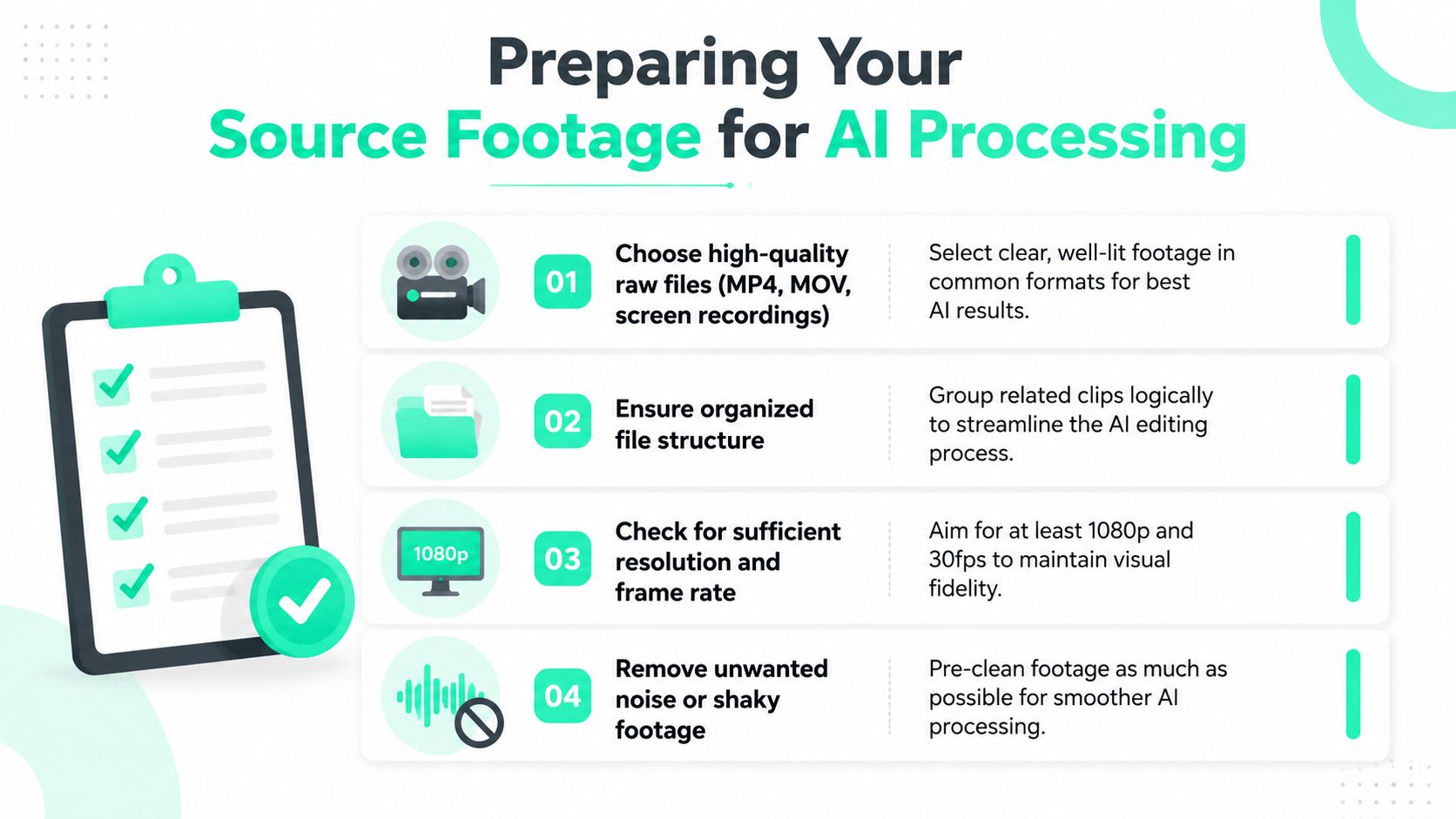
Garbage in still means cleanup later. AI editors work best when the source footage is readable, organized, and free of avoidable problems before upload. That starts with choosing files that preserve detail after reframing, because vertical crops punish messy source material fast.
### Start with files the model can read cleanly
MP4, MOV, and screen recordings are the safest starting points for AI processing because they're common, predictable, and easier to transcribe than oddball exports. When footage is sharp, well lit, and steady, the AI has a much easier time finding speech, visual boundaries, and moments worth clipping. That reduces the number of manual fixes later, especially when the clip will be reframed for a phone screen.
File structure matters more than most creators expect. Group related clips together, name them consistently, and keep source takes separate from exported drafts, because batch imports get messy when everything is called “final_final2.” A clean folder system is boring, but AI workflows reward boring.
### Preserve what vertical editing destroys
Vertical reframing cuts aggressively into the frame, so the source should carry enough visual detail to survive the crop. [BlitzReels' horizontal-to-vertical guide](https://www.blitzreels.com/blog/convert-horizontal-video-to-vertical) is useful here because it reflects the same practical reality, widescreen footage can be converted, but the composition has to leave room for the subject to stay visible.
Consistent audio helps too. When one section of a recording is muffled and another is loud, the transcript and clip selection both get harder to trust. Shaky footage creates a similar problem, not because the AI can't process it, but because the output feels less stable once the vertical crop magnifies motion.
> Clean footage doesn't just look better, it gives the editor fewer reasons to second-guess the transcript, the crop, or the final cut.
## Automating Transcription and Smart Clipping
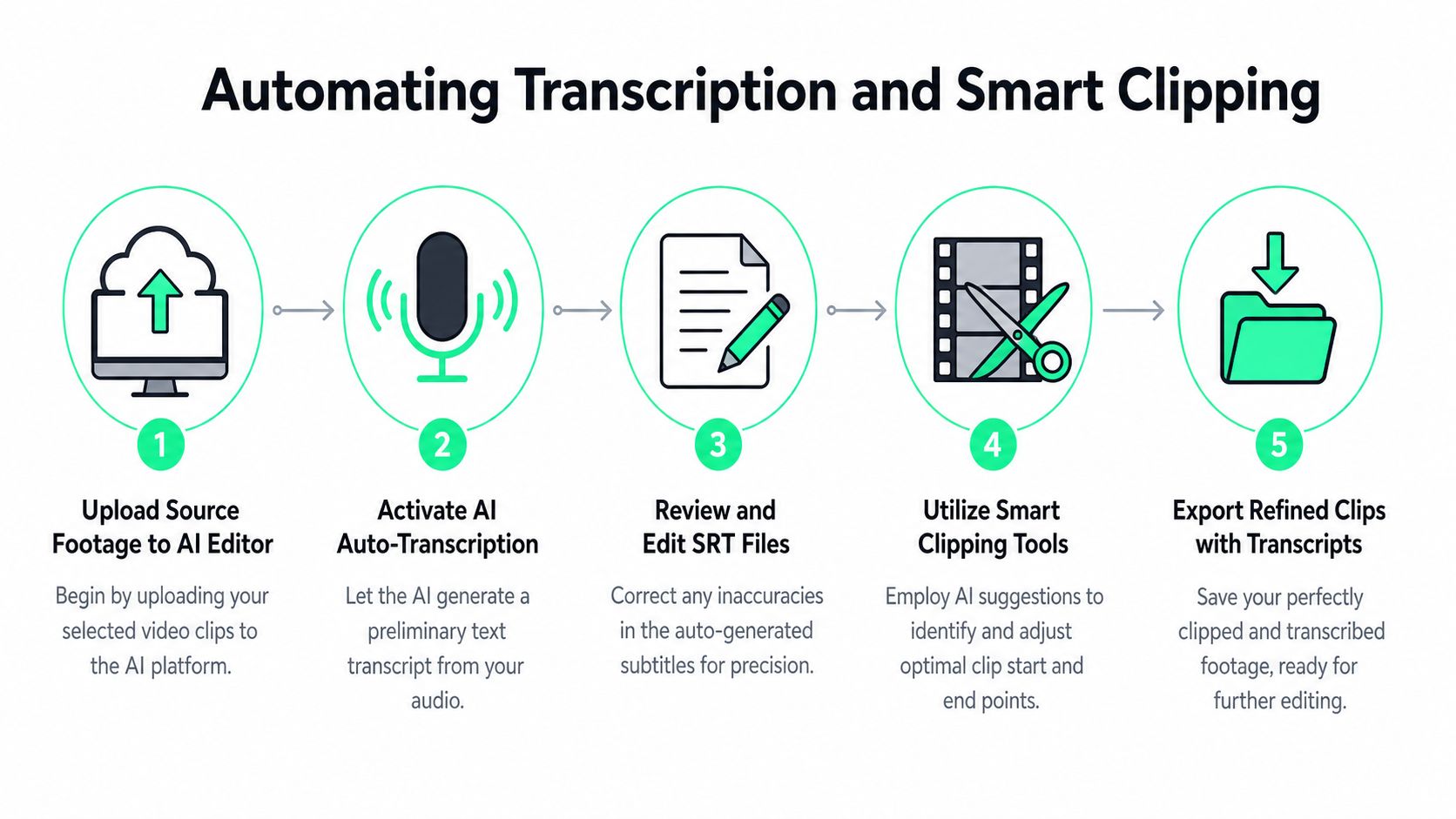
Hand-typing subtitles is where momentum dies. The more a creator scrubs through a timeline to find the exact sentence, the more the Short starts to feel manufactured instead of sharp. AI transcription changes that by turning the raw audio into editable text first, then using that text to identify the phrases that deserve to become clips.
### Let the transcript do the first pass
The cleanest workflow starts with upload, then auto-transcription, then a quick transcript review. [BlitzReels' transcription guide](https://www.blitzreels.com/blog/how-to-transcribe-video-to-text) fits neatly into that process because transcript editing is usually faster than timeline editing. Once the text is corrected, the editor can find the strongest phrases without rewatching every second of the source.
That matters because the opening window is tiny. One AI Shorts maker frames the first **1.3–1.8 seconds** as the period needed to stop the swipe, and that aligns with how Shorts are consumed [Vivideo's Shorts maker](https://vivideo.ai/solutions/youtube-shorts-maker). The first frame and the first line need to work before the viewer's thumb moves on.
### Cut for momentum, not for completeness
Long takes rarely belong in Shorts form. The more reliable pattern is to split the source into **3–8-second segments**, then stitch **3–6 clips** in editing before export, which keeps pacing tight and reduces cropping loss [AIEdit's YouTube Shorts AI guide](https://www.aiedit.pro/blog/youtube-shorts-ai-generator-guide-2026). That structure also helps the editor preserve a clear idea from shot to shot instead of letting the clip drift.
An embedded workflow like the YouTube Shorts creation path also shows how direct this can be. Users can open **Create**, use the sparkle-icon tools like **Backgrounds** or **Make me move**, preview the result, and then tap **Upload Short**. Google's help page also notes that **Make me move** only supports **single-person images**, which is a hard constraint worth planning around [YouTube Help](https://support.google.com/youtube/answer/15260303?hl=en).
## Crafting Engaging Hooks and Caption Styles
A Short can be technically correct and still feel dead. The difference usually sits in the opening line and the way the captions carry it. Viewers decide quickly whether the clip is about something worth stopping for, so hook choice and caption styling become part of retention, not decoration.
### Hooks have to earn the first pause
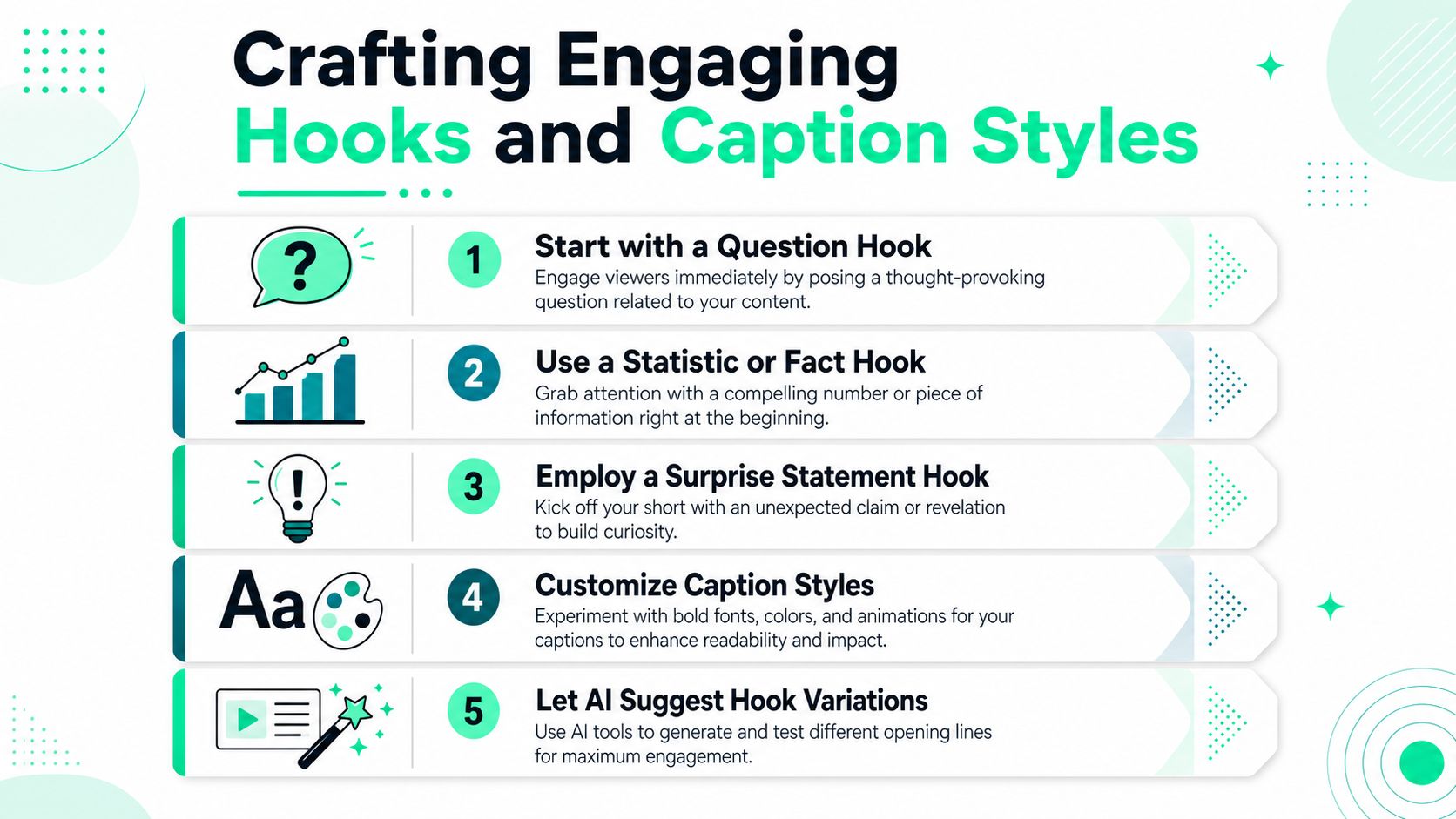
Shorts generated over **70 billion daily views** in 2024, while creators uploaded **20 billion** in 2023, which shows the key challenge isn't volume, it's whether the Short holds attention [YouTube's 2024 Shorts discussion](https://www.youtube.com/watch?v=xHyZWhpQUbg&vl=en). That's why a question hook, a surprising statement, or a sharp fact can outperform a soft intro that spends three seconds warming up.
The best opener depends on the content. Questions work when the viewer already has a problem in mind. A fact hook works when the clip can prove value immediately. Surprise statements work when the point is counterintuitive and the visual can back it up.
> The hook should clarify the promise in one beat, not explain the whole video.
### Caption style has to survive mute viewing
Caption styling matters because many viewers never turn the sound on. One guide notes that **85% of Shorts are watched on mute**, which makes on-screen text a core retention layer, not an accessibility afterthought [Scenith's Shorts generator notes](https://scenith.in/tools/youtube-shorts-ai-video-generator). That means bold type, clear contrast, and caption breaks that move with the sentence rhythm matter more than flashy effects.
Tools like [BlitzReels' scripts and hooks guide](https://www.blitzreels.com/guide/scripts-and-hooks) fit naturally here, because opening lines and caption phrasing should be designed together. If a title card is too long, or if emojis clutter the line, the Short starts to feel noisy instead of readable.
A good compromise is simple:
- **Keep the opening line short:** Let the first screen say one thing clearly.
- **Use bold selectively:** Make the key noun or phrase stand out, not every word.
- **Match motion to meaning:** If the clip is fast, the captions should feel alive, but not chaotic.
## Setting Export Presets and Platform Optimization
Export settings decide whether the Short looks crisp or compressed into mush. A good edit can still fail if the final render is cropped wrong, over-compressed, or too heavy for quick playback in the feed. The safest path is to lock the export around the platform, then work backward.
### Match the file to the feed
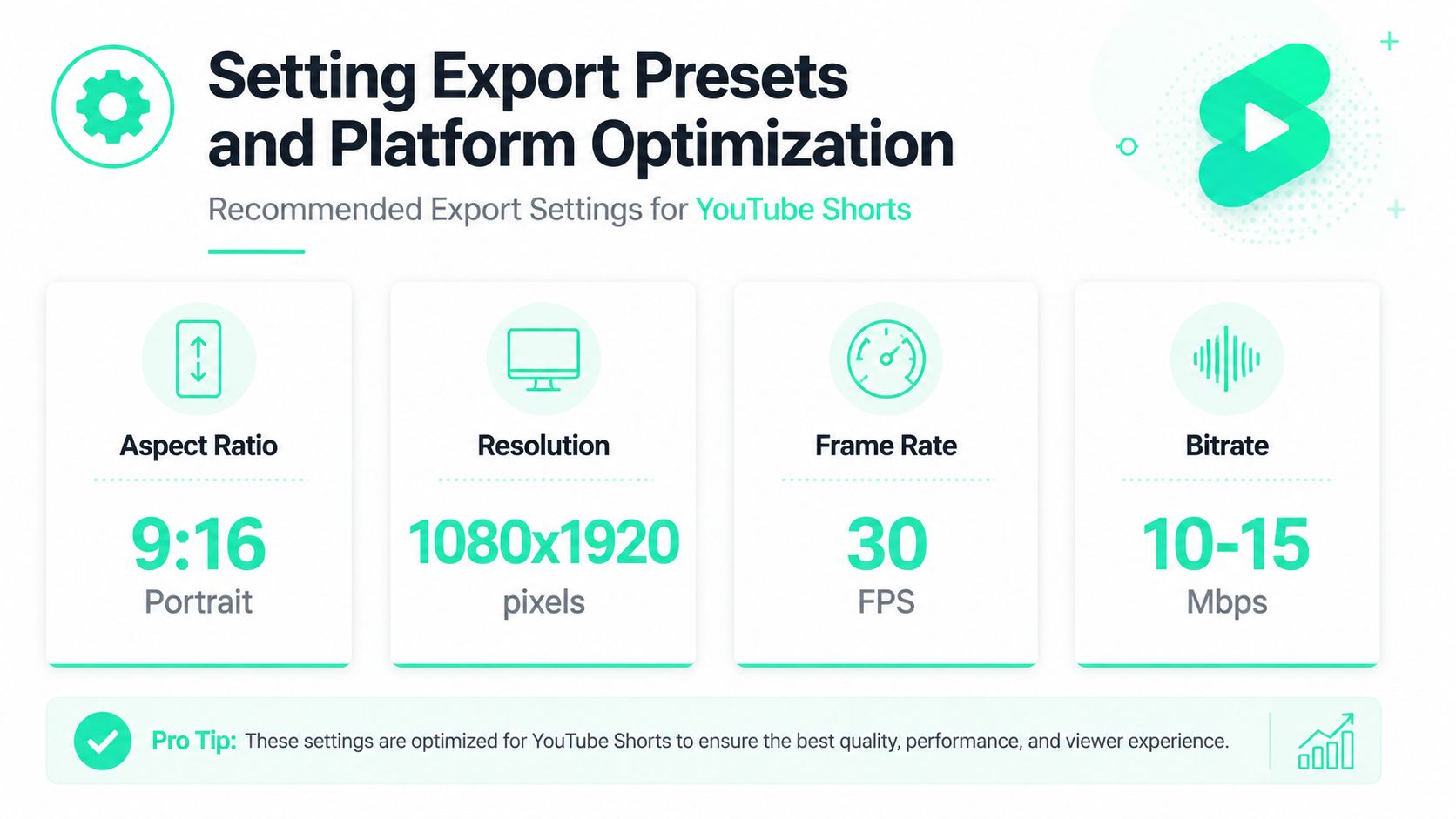
The most reliable workflow is to generate in **9:16 portrait**, keep segments at **3–8 seconds**, and stitch **3–6 clips** before exporting at **1080×1920**, **30 fps**, and **10–15 Mbps** bitrate [AIEdit's Shorts guide](https://www.aiedit.pro/blog/youtube-shorts-ai-generator-guide-2026). Those settings reflect the way Shorts are meant to be viewed, vertically, quickly, and with enough quality to keep text legible.
Compression is where many creators lose the polish they already earned in editing. A too-low bitrate can smear fine details, especially around faces and captions. A useful cleanup step is [BlitzReels' video compression tool for YouTube Shorts](https://www.blitzreels.com/tools/compress-video-for-youtube-shorts), which helps keep exports lean without forcing the edit to collapse visually.
### Use platform logic, not generic export habits
MP4 is often the cleaner practical choice for upload workflows, while MOV can make sense in source pipelines, but the bigger decision is whether the output stays phone-friendly. Hardware acceleration can speed render times on heavier projects, though it won't rescue a weak crop or oversized caption layer. The export needs to be built for the platform, not just for the editor's convenience.
A small but important detail is visual scale. Thumbnails, title cards, and any embedded text should be readable at arm's length on a phone, because that's where Shorts lives. If a caption style looks elegant on a desktop monitor but collapses in the mobile preview, it's the wrong style.
## Rapid Publishing Workflow Tips
Fast publishing matters because trends don't wait for a tidy edit. A Short that misses the moment can still perform later, but the workflow gets harder if every upload requires a custom timeline rebuild, a manual title pass, and three rounds of caption fixes. The creators who move quickly usually build a repeatable publishing stack instead of improvising from scratch.
### Build a reusable release path
Templates cut repeat work better than hero edits do. Reusing caption styles, title cards, and crop settings gives the editor a stable starting point, then the AI only needs to handle the new content. Batch queues help too, especially when several Shorts come from the same source recording or the same content theme.
A good fast path looks like this:
- **Pre-name the files:** Use a consistent format so the upload order stays clear.
- **Reuse caption presets:** Keep font, color, and placement stable across clips.
- **Export SRTs separately:** That makes cross-posting to other platforms less painful.
- **Check metadata once:** Titles and descriptions should be cleaned before the upload rush starts.
### The review pass should be short and ruthless
Many AI Shorts tools return a first render in **30–120 seconds**, with one implementation reporting **30–120 seconds depending on the model** [Scenith's generator overview](https://scenith.in/tools/youtube-shorts-ai-video-generator). That speed only matters if the final pass catches the obvious mistakes, because weak hooks and missing captions are still the main retention killers, especially since **85% of viewers watch on mute** [Scenith's Shorts generator notes](https://scenith.in/tools/youtube-shorts-ai-video-generator).
A three-part check is usually enough. The opening frame has to make sense instantly. The captions have to be readable without sound. The ending shouldn't feel like the clip ran out of breath. If those three pieces hold, the upload can move.
## Conclusion and Next Steps
An AI editor can make Shorts production much faster, but the main advantage comes from using that speed with discipline. Clean source footage, strong transcripts, tight hooks, and export settings matched to **9:16** playback are what keep the clip from looking like a rushed cut. The tools help most when they remove friction without removing judgment.
BlitzReels fits into that workflow as one option for short-form editing, with AI Studio for faceless videos, SRT editing, clipping, captioning, resizing, and repurposing across platforms. The next move is practical, not theoretical. Set up one template, batch the next five clips, and compare which openings keep viewers watching long enough to matter.
---
A CTA for [BlitzReels](https://blitzreels.com).