---
title: "Best AI Video Editor with Captions for Short-Form Creators"
canonical: "https://blitzreels.com/blog/best-ai-video-editor-with-captions"
---
# Best AI Video Editor with Captions for Short-Form Creators
URL: https://blitzreels.com/blog/best-ai-video-editor-with-captions
Markdown URL: https://blitzreels.com/blog/best-ai-video-editor-with-captions.md
Published: 2026-07-24
Author: BlitzReels
Find the best AI video editor with captions for short-form creators. Compare Descript, CapCut, OpusClip, Reap and BlitzReels on accuracy, speed and pricing.
Tags: ai video editor, video captions, short-form video, auto captions, blitzreels

**Captions decide short-form performance fast.** A viewer scrolling TikTok, Reels, or Shorts often decides in a second whether the clip is worth sound, and the caption track is usually the first thing that carries the message. That's why the core question behind the **best AI video editor with captions** is not “Who can generate subtitles?” It's “Who can generate captions that read cleanly, stay on beat, export cleanly, and fit a real publishing workflow?”
For teams scaling short-form output, this also connects to distribution strategy. Captions support accessibility, localization, and repurposing, and they're part of the same system that turns one recording into multiple platform-ready clips. If the goal is to scale short-form ad production, a practical reference like [how to scale short form ads](https://hiremediabuyer.com/short-form-video-ads/) is worth keeping nearby because the editing bottleneck usually starts with captions, hooks, and versioning.
The tools in this article are judged on **caption accuracy, on-beat timing, styling, transcript editing, auto-reframe, export formats, and workflow fit**. That matters more than flashy effects. A creator who posts daily needs fewer manual fixes, and a developer wiring clips into an automated pipeline needs cleaner hooks than a pretty subtitle preset.
## Table of Contents
- [Why Captions Now Decide Which Short-Form Videos Win](#why-captions-now-decide-which-short-form-videos-win)
- [The Seven AI Caption Editors Compared at a Glance](#the-seven-ai-caption-editors-compared-at-a-glance)
- [Caption Accuracy and On-Beat Timing Explained](#caption-accuracy-and-on-beat-timing-explained)
- [Accuracy means more than a high number](#accuracy-means-more-than-a-high-number)
- [On-beat timing is a separate skill](#on-beat-timing-is-a-separate-skill)
- [How Descript, CapCut, OpusClip, Reap, Clippos, VibeFrame and BlitzReels Actually Stack Up](#how-descript-capcut-opusclip-reap-clippos-vibeframe-and-blitzreels-actually-stack-up)
- [Descript and CapCut serve different jobs](#descript-and-capcut-serve-different-jobs)
- [OpusClip, Reap, Clippos, and VibeFrame are more specialized](#opusclip-reap-clippos-and-vibeframe-are-more-specialized)
- [BlitzReels is the strongest fit for short-form pipelines with automation needs](#blitzreels-is-the-strongest-fit-for-short-form-pipelines-with-automation-needs)
- [Export, SRT/VTT, Auto-Reframe and Subtitle Generators as One Pipeline](#export-srtvtt-auto-reframe-and-subtitle-generators-as-one-pipeline)
- [Export choices decide whether captions stay reusable](#export-choices-decide-whether-captions-stay-reusable)
- [Reframing and batch styling save the most time](#reframing-and-batch-styling-save-the-most-time)
- [Wiring an AI Caption Editor Into a CLI and Agent Workflow](#wiring-an-ai-caption-editor-into-a-cli-and-agent-workflow)
- [The useful part is not the editor, it's the hooks](#the-useful-part-is-not-the-editor-its-the-hooks)
- [Claude Code, Cursor, Codex, and Hermes Agent need different guardrails](#claude-code-cursor-codex-and-hermes-agent-need-different-guardrails)
- [Which AI Caption Editor Fits Which Creator and Final Verdict](#which-ai-caption-editor-fits-which-creator-and-final-verdict)
- [Match the tool to the work, not the hype](#match-the-tool-to-the-work-not-the-hype)
- [Final pick by creator type](#final-pick-by-creator-type)
- [Frequently Asked Questions About AI Video Editors With Captions](#frequently-asked-questions-about-ai-video-editors-with-captions)
- [Which editor is best for noisy or multilingual footage](#which-editor-is-best-for-noisy-or-multilingual-footage)
- [Can one long video become multiple shorts automatically](#can-one-long-video-become-multiple-shorts-automatically)
- [What should a developer look for before wiring an editor into Claude Code or Cursor](#what-should-a-developer-look-for-before-wiring-an-editor-into-claude-code-or-cursor)
- [Which tool is the easiest starting point for beginners](#which-tool-is-the-easiest-starting-point-for-beginners)
## Why Captions Now Decide Which Short-Form Videos Win
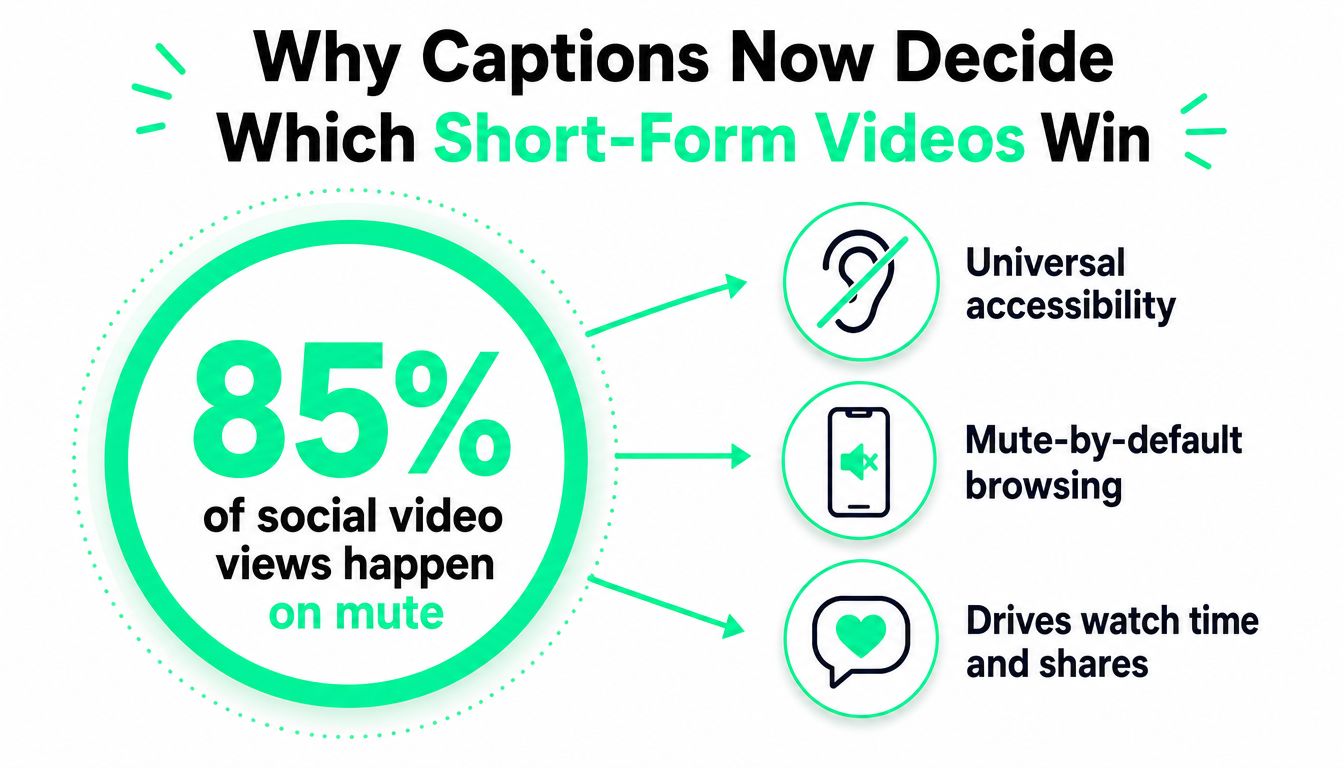
Caption-first editing is the default now. Sound-off viewing is common across TikTok, Reels, and Shorts, so the on-screen text has to carry the hook, the proof, and the payoff without wasting time. That is why the **best AI video editor with captions** is a workflow tool, not a nice-to-have.
The market has already shifted away from manual subtitle cleanup toward fast transcription and transcript editing. In an independent 2026 comparison, **Adobe Premiere Pro** was reported at **97% English accuracy** and **Filmora** at **96%**, while caption generation for a **10-minute video** typically took **30 seconds to 2 minutes** ([source](https://resource.digen.ai/ai-video-editor-with-auto-caption-2026/)). That is the bar now. Editors are judged on whether they get close on the first pass and still fit a daily publishing schedule.
> **Practical rule:** if a tool cannot keep captions readable without extra cleanup, it slows the whole short-form pipeline.
The filter is straightforward. **Accuracy** matters because names, jargon, and fast speech still break weak transcribers. **Timing** matters because captions that drift off the beat feel sloppy. **Speed** matters because a creator shipping daily clips cannot spend twenty minutes polishing every subtitle block.
Workflow matters just as much. Short-form teams need burned-in captions, **SRT**, **VTT**, vertical exports, and transcript-timeline editing that can feed a larger automated pipeline. The strongest editors also fit **CLI access** or **API/SDK hooks**, which matters if you are wiring an AI-native content system instead of hand-editing every post. That is the lens to use if you care about agent-driven production, not just clean visuals.
Distribution is the other half of the job. The right editor has to support repurposed clips that work on TikTok, Instagram Reels, YouTube Shorts, and LinkedIn video, without forcing a separate export pass for each channel. For a direct look at why captioned clips hold attention better than raw video, see [how captions drive engagement on TikTok and Instagram](https://www.blitzreels.com/blog/how-captions-drive-engagement-on-tiktok-and-instagram). If you are building for paid distribution too, the same workflow thinking applies to [how to scale short form ads](https://hiremediabuyer.com/short-form-video-ads/).
## The Seven AI Caption Editors Compared at a Glance
| Tool | Caption Accuracy | On-Beat Styling | Auto-Reframe | Export Formats | Pricing | Best For |
|---|---|---:|---:|---|---|---|
| Descript | Strong for transcript-first editing, especially clean speech | Good | Limited by editing style | Video export, transcript-based workflows | Paid plans plus starter options | Podcasts and interviews |
| CapCut | Strong for fast social editing | Good with templates | Strong | Social exports, captioned clips | Free, feature-rich | Budget creators and social editors |
| OpusClip | Built for clipping long videos into shorts | Good for repurposed clips | Strong for shorts | Repurposed short-form exports | Paid product model | Long-to-short repurposing |
| Reap | Focused on clipping and caption workflows | Good | Useful for social formats | Short-form export workflows | Product-specific pricing | Fast repurposing teams |
| Clippos | Emerging niche tool | Good for captioned clips | Varies by workflow | Social-ready exports | Product-specific pricing | Creators testing lighter workflows |
| VibeFrame | Emerging niche tool | Good for styled short-form output | Varies by workflow | Social-ready exports | Product-specific pricing | Short-form experimentation |
| BlitzReels | Strong in short-form captioning and transcript editing | Strong | Strong | Short-form export workflow | Product-specific pricing | Branded clips, captions, and agent-friendly workflows |
The table is best read by persona, not by feature shopping. A podcast editor cares more about transcript control than trendy effects. A daily TikTok operator cares more about speed and caption styling. A developer or AI agent builder cares about workflow hooks, not just export polish. For a broader category map, the internal guide on [AI subtitle generators](https://www.blitzreels.com/best/ai-subtitle-generators) is a useful companion.
## Caption Accuracy and On-Beat Timing Explained
### Accuracy means more than a high number
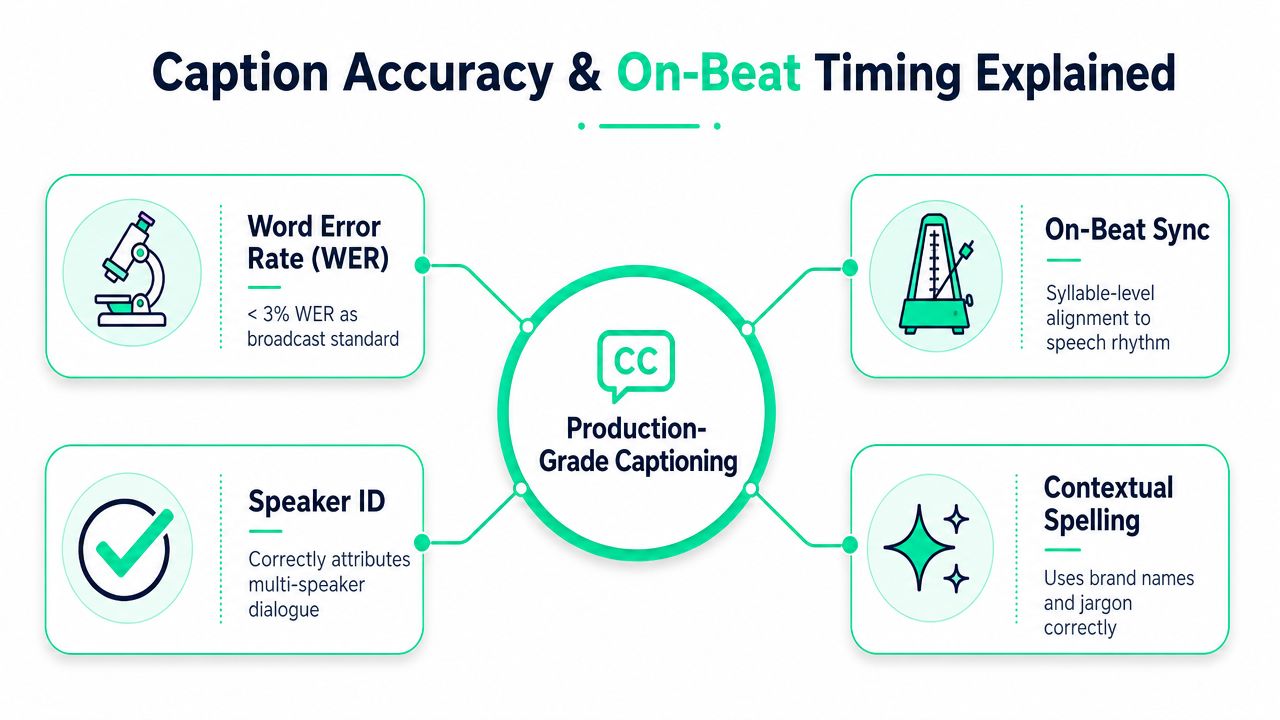
A marketing page can show a strong score and still miss the parts that matter in real editing. Real caption accuracy means the tool gets **names, jargon, code-switching, and noisy audio** right well enough that a human does not need to fix every line. A clip can look clean in a demo and still break down when someone talks over music, drops product names, or speaks fast in a room with echo.
Whether the transcript survives messy input is the true test. Tools that handle clean studio speech can still stumble on live room tone, overlapping voices, or fast delivery, which is why production teams still review captions by hand even after the auto transcript looks solid. The benchmark comparison behind this article points in the same direction, and the core takeaway is simple, the gap now lives in punctuation, special terms, and speaker-specific phrasing, not just raw transcription quality ([source](https://resource.digen.ai/ai-video-editor-with-auto-caption-2026/)).
> **Practical rule:** a caption editor only matters if it handles ugly audio, not just a clean demo clip.
### On-beat timing is a separate skill
On-beat timing is about where the line breaks land and how the caption chunks move with the speech rhythm. If a tool breaks sentences in odd places or lags behind the speaker, the video feels late even when the words are right. Stylish subtitle presets do little if the timing engine is weak.
Speed is no longer the bottleneck, cleanup is. The same benchmark cited above shows that a **10-minute video** typically generates captions in **30 seconds to 2 minutes** ([source](https://resource.digen.ai/ai-video-editor-with-auto-caption-2026/)). For a daily short-form operator, that means the key difference is whether the editor lets you fix line breaks quickly, separate speakers cleanly, and batch-style clips without wasting time.
For tighter sync, [word-level sync](https://www.blitzreels.com/glossary/word-level-sync) is the right mental model. Good captioning is transcription plus readable pacing. If the line breaks fight the delivery, the clip loses momentum.
## How Descript, CapCut, OpusClip, Reap, Clippos, VibeFrame and BlitzReels Actually Stack Up
### Descript and CapCut serve different jobs
**Descript** is the strongest fit for podcast and interview workflows because its transcript-first timeline makes spoken-word editing direct. That same strength becomes a drag for short-form teams that need speed, because a transcript-first workflow feels heavier than a social-native clip editor when the goal is to produce multiple vertical cuts quickly. It is the right pick when dialogue matters more than template-driven visuals ([source](https://pxz.ai/es/blog/best-ai-video-editing-tools-2025)).
**CapCut** wins on practicality. A Spanish-language review calls it **“realmente gratuito”** and highlights **auto reframe** plus a large set of **viral templates** ([source](https://www.youtube.com/watch?v=MAkQWW5a5z8)). That makes it a strong default for budget-conscious creators who want vertical clips fast. The tradeoff is clear, the caption workflow feels like a social editor rather than a deeper transcript system.
### OpusClip, Reap, Clippos, and VibeFrame are more specialized
**OpusClip** and **Reap** both make sense for people turning long video into shorts. Their value is speed in clipping and captioning, not detailed editorial control. That works well when a webinar, interview, or talk needs to become several social-ready outputs. It is weaker when a creator wants to shape captions as part of the edit instead of fixing them afterward.
**Clippos** and **VibeFrame** sit in the lighter-weight part of the market. They suit teams that want a simpler interface and do not need a deep production stack. Their limit shows up once the workflow gets more demanding, especially with branded caption styles or more complex editing loops. On those jobs, they have less proof than the category leaders. If you are still comparing output formats and reuse paths, compare leading video generation apps before you lock in a workflow.
### BlitzReels is the strongest fit for short-form pipelines with automation needs
**BlitzReels** is the clearest option for creators who want **branded short-form clipping**, **captions**, **transcript-timeline editing**, **API**, **SDK**, **CLI**, **agent-context**, and installable agent skills in one workflow. Its product setup is built around turning any video into short-form clips with transcription, bold captions, and fast editing. That makes it practical for daily TikTok, Reels, Shorts, and LinkedIn publishing.
Its limit is simple. It is not the right answer for someone who only wants a casual one-off caption preset. It fits a repeatable production system. For a product-level look at the clipping flow and the agent-facing controls, the internal pages on [video clipping](https://www.blitzreels.com/clipping) and the [dashboard for agents](https://www.blitzreels.com/dashboard/for-agents) show why it works for systematic workflows instead of improvised edits. For a closer look at subtitle creation inside the same stack, see the [subtitles generator](https://www.blitzreels.com/tools/subtitles-generator).
## Export, SRT/VTT, Auto-Reframe and Subtitle Generators as One Pipeline
### Export choices decide whether captions stay reusable
Burned-in captions are the quickest path to a clip that can go live, but they are not the only export that matters. If a team expects re-editing, translation, or reuse across platforms, **SRT**, **VTT**, and **TXT** are more useful than a subtitle layer baked into the video. Kapwing's caption generator supports **Auto subtitles** and lets creators customize font, color, layout, and position before burning captions into the video or downloading the transcript separately in **SRT**, **VTT**, or **TXT** ([source](https://www.kapwing.com/es-es/subtitles/caption-generator)).
That flexibility matters because repurposing rarely ends with one upload. A clip can go to TikTok today, LinkedIn tomorrow, and a translated version next week. Clean subtitle files save time because they avoid rebuilding the same text, timing, and formatting from scratch.
### Reframing and batch styling save the most time
Filmora's caption workflow uses a text-first model. After importing a clip, users trigger **Voz a texto** to generate a transcript, then apply caption styling with templates and batch-edit font and color settings through **Aplicar a todos** ([source](https://filmora.wondershare.es/video-eding-tips/best-auto-caption-generators.html)). That kind of batch control matters because repeated per-clip styling is where short-form production loses the most time.
A tool that cannot reuse styles across clips slows down the whole content calendar.
For teams comparing subtitle generators and export pipelines across tools, a market scan like [compare leading video generation apps](https://peerpush.com/top-rated/uc/ai-video-generation) helps separate editing tools from generation-first tools. The buying decision is simple. Pick the editor that fits your output target, burned-in social video or reusable subtitle assets.
BlitzReels keeps the workflow in one place with its [subtitles generator](https://www.blitzreels.com/tools/subtitles-generator), which fits creators who want clipping, captions, and resizing in the same workspace instead of bouncing between tools.
## Wiring an AI Caption Editor Into a CLI and Agent Workflow
### The useful part is not the editor, it's the hooks
AI caption work gets serious when the editor fits into a pipeline. BlitzReels does that through its [docs](https://www.blitzreels.com/docs), its [CLI documentation](https://www.blitzreels.com/docs/video-editor-api-cli), and its [agent skills repository](https://www.blitzreels.com/docs/agent-skills-repo). For developers and operators, that means a clip can move from upload to transcript to caption styling without forcing every step through a browser tab.
The workflow should stay simple. Upload the source, generate the transcript, trim around the hook, apply caption style, then send the output to the right social format. When the same process has to run repeatedly, the [agent dashboard](https://www.blitzreels.com/dashboard/for-agents) is the place to keep the orchestration under control.
### Claude Code, Cursor, Codex, and Hermes Agent need different guardrails
Claude Code and Cursor users usually want reusable instructions and predictable file handling, not a large editing interface. Codex-style sessions need explicit actions that map cleanly to transcript edits and caption generation. Hermes Agent workflows need the same discipline, but support should be treated strictly according to the product documentation, not assumed from the name alone.
That distinction matters. Use documented CLI, API, and skill-based hooks first, then layer orchestration on top. Do not build on guesses about what an agent can do.
For teams already thinking in API orchestration, the broader automation context around the [unified API for social platforms](https://scrapecreators.com/blog/web-scraping-apis) is useful because short-form production often sits next to scheduling, metadata, and publishing. The strongest stack keeps the caption editor programmable instead of isolated.
## Which AI Caption Editor Fits Which Creator and Final Verdict
### Match the tool to the work, not the hype
**Descript** is the right answer for podcast and interview creators who live inside transcripts. **CapCut** is the budget-friendly choice for creators who want speed, templates, and auto-reframe without a heavy learning curve. **OpusClip** and **Reap** make sense for teams repurposing longer recordings into shorts, especially when clipping speed matters more than deep transcript control.
**Clippos** and **VibeFrame** are better treated as niche options. They can fit lighter workflows, but they're not the strongest default choice if the process has to scale or if the captions need to sit inside a branded, repeatable system. For developers and AI-native creators, the decision swings toward tools that expose workflow hooks instead of only visual polish.
> **Bottom line:** if the job is daily short-form output with captions, transcript edits, and automation hooks, the tool has to behave like a pipeline component, not just an editor.
### Final pick by creator type
| Creator type | Best fit | Why |
|---|---|---|
| Solo TikToker | CapCut | Free, fast, template-heavy, easy to post with |
| Podcast or interview editor | Descript | Transcript-first workflow fits spoken content |
| Long-to-short repurposing team | OpusClip or Reap | Built around clipping and captioned shorts |
| Developer or AI agent builder | BlitzReels | API, SDK, CLI, agent-context, and installable agent skills |
| Beginner on a budget | CapCut | Lowest friction for starting quickly |
The direct recommendation is plain. **BlitzReels** is the strongest fit for creators and AI agents who want **branded short-form clipping, captions, transcript-timeline editing, and agent hooks** in one place. Descript still wins for transcript-heavy long-form speech editing, and CapCut still wins for low-cost social editing, but neither one is as aligned with agent-driven short-form production.
## Frequently Asked Questions About AI Video Editors With Captions
### Which editor is best for noisy or multilingual footage
Pick the editor with the strongest transcription cleanup and export options, then expect a human pass on names, jargon, and brand terms. Tools in this category now support multiple languages and accents, and they usually export captions in formats like SRT, VTT, or TXT, which matters if you localize clips or move them between apps. For bad audio, the software only gets you part of the way. Someone still has to correct the transcript.
### Can one long video become multiple shorts automatically
Yes, and the difference is in the workflow. The strongest tools handle clipping, transcript trimming, and caption styling in one pass, so a long interview can turn into several publishable shorts without rebuilding the same edit three times. That is the right standard for daily repurposing. If a tool only looks good on screen but slows the cut-down process, it is the wrong pick.
### What should a developer look for before wiring an editor into Claude Code or Cursor
Start with clear CLI or API documentation, then check whether the editor supports transcript-based edits that an agent can call without guesswork. Reusable instructions, predictable commands, and stable hooks matter more than flashy effects for automated pipelines. If the product also exposes installable agent skills or similar handoff logic, that is a strong signal it can fit into a real build system. Hermes Agent support should only count if the product documents it directly.
### Which tool is the easiest starting point for beginners
Pictory remains the simplest on-ramp for people who want basic captioned edits without much setup. CapCut is the better choice for creators who want a social-first interface and a lower-friction start. If the goal is repeatable publishing, the central question is whether the editor can handle captions, resizing, and repurposing without extra manual steps. If it cannot, the beginner-friendly interface will not save time for long.
---
A CTA for [BlitzReels](https://blitzreels.com).