---
title: "10 Content Creation Examples for Short-Form Video Success"
canonical: "https://blitzreels.com/blog/content-creation-examples"
---
# 10 Content Creation Examples for Short-Form Video Success
URL: https://blitzreels.com/blog/content-creation-examples
Markdown URL: https://blitzreels.com/blog/content-creation-examples.md
Published: 2026-07-23
Author: BlitzReels
Discover 10 actionable content creation examples for short-form creators and marketers—featuring hooks, repurposing templates, captions, and fast editing tips.
Tags: content creation examples, short-form content, video repurposing, social media marketing, BlitzReels

**Cut Through the Noise with Proven Short-Form Formats**. By the early 2020s, video had already become the dominant content format for many teams, with HubSpot noting it was the top content format for the third year in a row in 2022 and Wyzowl's 2022 video marketing data showing nearly **86% of businesses** investing in video said it was effective, according to the summary in the verified research. That shift matters because the best **content creation examples** are no longer static posts or long explanations, they're repeatable, mobile-first clips built for speed, hooks, captions, and platform-native pacing.
The creator economy now reflects that same shift at scale. One 2025 market summary estimated **more than 207 million content creators worldwide**, **162 million in the U.S.**, including **45 million professionals**, and placed the creator economy at **$127.65 billion today**, with a projection above **$528 billion by 2030**. Those figures explain why creators, founders, and small teams keep looking for formats they can batch, clip, reframe, resize, and repurpose quickly across TikTok, Instagram Reels, YouTube Shorts, LinkedIn, and beyond.
The fastest path is usually not inventing a new idea. It's turning one strong asset into multiple sharp examples, then matching the hook, caption, and cut style to the platform. BlitzReels fits that workflow by handling transcription, best-cut detection, on-beat captions, auto-reframing, cropping, resizing, and export, so a raw recording can become a short, platform-ready clip without a heavy editing cycle.
## Table of Contents
- [1. Hook-Driven Educational Clips](#1-hook-driven-educational-clips)
- [What makes it work in practice](#what-makes-it-work-in-practice)
- [2. Behind-the-Scenes Authenticity Videos](#2-behind-the-scenes-authenticity-videos)
- [Why raw footage feels more convincing](#why-raw-footage-feels-more-convincing)
- [3. Trending Audio and Trend-Jacking Clips](#3-trending-audio-and-trend-jacking-clips)
- [Fast publishing beats overthinking](#fast-publishing-beats-overthinking)
- [4. Carousel Multi-Part Story Series](#4-carousel-multi-part-story-series)
- [The structure that keeps people watching](#the-structure-that-keeps-people-watching)
- [5. Transformation and Before/After Clips](#5-transformation-and-beforeafter-clips)
- [Credibility comes from sameness in the setup](#credibility-comes-from-sameness-in-the-setup)
- [6. Quick Tips, Hacks and Life Advice Shorts](#6-quick-tips-hacks-and-life-advice-shorts)
- [Utility is the hook](#utility-is-the-hook)
- [7. React, Review and Commentary Clips](#7-react-review-and-commentary-clips)
- [Commentary should outweigh raw playback](#commentary-should-outweigh-raw-playback)
- [8. Carousel Text Overlay Quote and Affirmation Videos](#8-carousel-text-overlay-quote-and-affirmation-videos)
- [Design does the persuasion](#design-does-the-persuasion)
- [9. Duet, Stitch and Collab Format Videos](#9-duet-stitch-and-collab-format-videos)
- [Credit is part of the format](#credit-is-part-of-the-format)
- [10. Day-in-the-Life and Time-Lapse Montage Videos](#10-day-in-the-life-and-time-lapse-montage-videos)
- [Pacing turns routine into narrative](#pacing-turns-routine-into-narrative)
- [Comparison of 10 Content Formats](#comparison-of-10-content-formats)
- [Next Steps to Amplify Your Short-Form Workflow](#next-steps-to-amplify-your-short-form-workflow)
## 1. Hook-Driven Educational Clips
A strong educational clip earns attention before it earns trust. The first second has to promise a payoff, then the next few seconds have to prove the creator isn't wasting time. That's why this format works so well for **content creation examples**, especially when a long lesson is reduced to a fast, useful segment that can travel across TikTok, Reels, Shorts, and LinkedIn.
[BlitzReels' hook analysis guide](https://www.blitzreels.com/blog/the-science-of-scroll-stopping-video-hooks) fits this format because the opening needs to do the hardest job, get the viewer to stay. A finance creator can turn a dense investing explainer into a 20-second clip with a bold title card, a quick stat on screen, and a direct explanation. A marketing educator can do the same with a growth tactic, then use a clipped tutorial segment rather than starting from scratch.
### What makes it work in practice
> **Practical rule:** state the topic immediately, then earn the right to explain it.
That structure also matches expert guidance for quick posts, which recommends a **subhead, quick context, visual, evaluation, actionable takeaway** sequence, plus a clear next step at the end [QuickSprout's quick content template](https://www.quicksprout.com/templates-for-quick-and-easy-content-creation/). For short educational videos, that means the opener should name the concept, the middle should show the proof, and the closing should point to a next action or question.
BlitzReels helps by detecting the strongest **15 to 30 second** segment from a longer tutorial, then letting editors reframe for vertical viewing, add emoji callouts, and test several hooks from the same source. A tech expert showing a software shortcut can export one clip for Shorts, another for Reels, and a third version with different title-card wording for LinkedIn. The value is not only speed, it's repeatability.
- **Use the first frame as a title card:** Make the topic obvious before the viewer scrolls.
- **Cut the explanation into one idea:** One clip should teach one thing, not three.
- **Keep captions visible and bold:** Many viewers are watching muted.
- **Test multiple hooks:** The same source video can produce several angles if the opening changes.
- **Center the face and product:** Auto-centering avoids awkward framing when the source video is wide.
## 2. Behind-the-Scenes Authenticity Videos
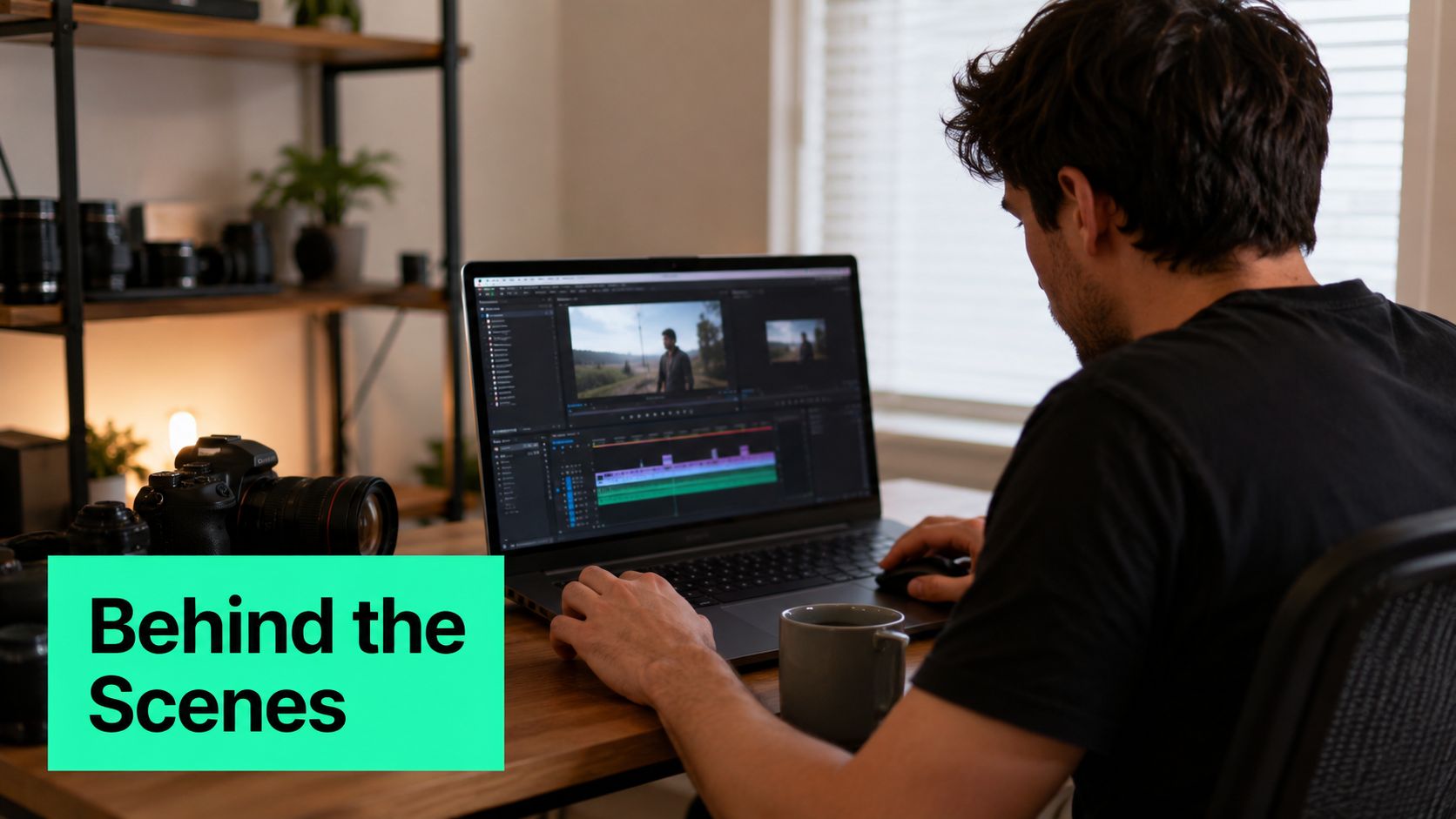
Behind-the-scenes clips work because polished content often feels distant. Raw footage does the opposite. It shows the viewer the actual process, the rough edges, and the human effort behind the final result, which is why these videos often perform well on TikTok, Instagram Reels, and YouTube Shorts.
A founder documenting startup progress day by day can make the work feel real instead of abstract. An artist showing a studio setup or an agency team walking through client work gives viewers a reason to care about the process, not just the outcome. The appeal is credibility, but the deeper value is emotional proximity.
### Why raw footage feels more convincing
The format benefits from being messy in the right ways. Small pauses, offhand commentary, and unglamorous workspaces make the clip feel observed rather than staged. That's also why title cards with labels like “Day 4,” “Packing Orders,” or “Client Review Morning” help the viewer orient quickly without overproducing the video.
For creators turning work sessions into content, BlitzReels can clip **20 to 45 second** moments from raw footage, add auto-captions for context, and compress files for faster upload while preserving quality. An e-commerce owner can film packing orders during the workday, then later turn that footage into several usable clips. A content creator can record a desk setup, then repurpose different parts into a workflow tour, a tool rundown, and a day-in-the-life post.
> The strongest BTS clips don't try to look effortless. They make effort visible.
Consistency matters too. Posting BTS content on a predictable day or time helps viewers anticipate the next update, especially in series-based workflows. In practical terms, that means the creator isn't just showing work, they're building a habit around it. The clip becomes a ritual, not a one-off post.
## 3. Trending Audio and Trend-Jacking Clips
Trending audio gives a short video a built-in rhythm, but a key advantage is timing. If the clip lands while the sound is still moving through feeds, the creator can pair a familiar audio cue with original visuals and ride the same attention wave. That's why trend-jacking has become a core move in **content creation examples** for fast-moving platforms.
[BlitzReels' viral video workflow guide](https://www.blitzreels.com/blog/how-to-make-videos-go-viral) is relevant here because speed matters more than polish. A marketer can drop product footage onto a trending “get ready with me” sound. A fitness creator can sync workout cuts to a rising beat. A service provider can showcase a transformation, a reveal, or a process clip with the right audio pattern.
### Fast publishing beats overthinking
This format rewards teams that already have footage ready to go. The best approach is usually to keep a folder of short clips, then assemble one version quickly when a trend starts gaining traction. BlitzReels' beat-detection helps align cuts to the music, while resize and export tools make it easier to publish the same concept to TikTok, Reels, and Shorts without rebuilding the edit each time.
A useful operational habit is to monitor platform trend surfaces daily, then clip and publish within the trend window. That doesn't mean chasing every sound. It means choosing a trend that fits the topic, the brand voice, and the visual material already on hand. A brand mascot dancing to a viral sound works only if the visual identity can handle that tone. A software company may do better with a subtle, text-led trend than a lip-sync joke.
- **Cut to the beat, not around it:** The rhythm should guide the edit.
- **Keep one main message:** Trend audio should support the content, not bury it.
- **Use bold captions:** The clip has to work even when sound is muted.
- **Prepare multiple versions early:** Quick-cut alternates give the editor options.
- **Save audio immediately:** If a track changes status later, the clip can become harder to reuse.
[Drumloop AI's tips for avoiding claims](https://www.drumloopai.com/blog/royalty-free-music-for-youtube-videos/) is a useful adjacent reference for creators who also need to think carefully about music usage and rights when building trend-based edits.
## 4. Carousel Multi-Part Story Series
A single clip can teach or entertain. A series can make viewers come back. Multi-part content is one of the most underrated **content creation examples** because it doesn't ask for one perfect video, it asks for a sequence with momentum. Each post earns the next one.
Podcast hosts can turn one episode into a short-form series. A founder can document a startup journey in daily updates. A course creator can tease each module across several clips. The format works because the audience gets a story arc, not just a standalone takeaway.
### The structure that keeps people watching
Series content needs continuity cues. That can be a repeated title card, a consistent visual frame, a numbered overlay, or the same opening phrase across episodes. A “Part 1 of 5” label is simple, but it reduces friction because the viewer knows the order. The viewer also knows the creator has more to say.
BlitzReels is especially useful when the source material is long. One webinar, podcast, or screen recording can be batch-edited into **5 to 10 short episodes** at once, with templates keeping the titles and timing consistent. That matters for teams that want speed without making every episode look random. A creator can schedule the episodes at the same time each day or a few times per week, then keep the CTA focused on the next installment.
A stronger series also balances cliffhanger and payoff. Each segment should give enough value to feel complete, while still leaving a thread open. That might be a question, an unresolved step, or a result the audience wants to see next. If the episode ends too cleanly, the next one feels optional. If it ends too abruptly, viewers feel manipulated.
> **Practical rule:** every episode should answer one question and raise one new one.
That rhythm makes the series feel intentional. It also turns repurposed content into a distribution system rather than a pile of clips.
## 5. Transformation and Before/After Clips
Transformation clips are built on proof. The viewer sees one state, then another, and the gap between the two creates curiosity. That's why this format is so effective for short-form storytelling, whether the subject is a fitness result, a design refresh, a room renovation, a plant growing from seed, or a broken codebase turning into a working product.
### Credibility comes from sameness in the setup
The strongest before/after clips keep the camera angle, lighting, and framing consistent. That makes the reveal feel believable, not exaggerated. A beauty brand showing product effects, a developer showing a bug fix, or a home organizer revealing new storage all benefit from that same visual discipline.
BlitzReels helps here with zoom and crop tools that keep the important change centered. A creator can add bold captioning like “Day 1 vs. Day 30,” then insert a fast montage of the steps in between so the transformation doesn't feel abrupt. That intermediate footage is useful because it shows process, not just outcome.
The caption should also name the timeline and the method. That doesn't need a numeric claim unless the creator can prove it, but it should be specific enough to be useful. If the clip shows a renovation, the viewer wants to know what changed. If the clip shows a fitness transformation, the viewer wants to know what routine or habit supported it. Transparency builds trust because the audience can see the path instead of guessing at it.
A dramatic music cue can strengthen the reveal, but the edit should still prioritize clarity. If the transformation isn't obvious in the first second after the reveal, the clip is working too hard. The point is to show change with minimal explanation.
## 6. Quick Tips, Hacks and Life Advice Shorts
Short advice videos work because they collapse value into a tiny window. A viewer doesn't need a backstory to appreciate a useful productivity shortcut, a money-saving idea, a cooking trick, or a cleaner way to handle a repeated task. That makes this one of the most adaptable **content creation examples** for creators who want utility without a long setup.
[BlitzReels' polished short-form video guide](https://www.blitzreels.com/blog/10-quick-pro-techniques-for-polished-short-form-videos) fits this format because the first two seconds matter more than the rest. The tip has to be front-loaded in the title card or opening caption. A screen recording showing a Mac shortcut, for example, doesn't need a long intro. It needs a clear promise and a visible demonstration.
### Utility is the hook
The best quick-tip clips are easy to understand even when muted. That means the main idea has to appear in text on screen, while the visuals reinforce the message. A cooking creator can show a prep shortcut. A career coach can share a job-search habit. A wellness creator can offer one small routine change that feels doable today.
BlitzReels helps by turning the opener into a strong title card, then layering bold captions and emoji callouts around the takeaway. Batch creation also matters. One topic can become **10 to 20 tips**, which can then be staggered over time instead of published all at once. That makes the workflow more efficient and gives the creator a broader content bank.
- **Lead with the tip immediately:** Don't bury the payoff.
- **Repeat the tip in text:** Muted viewers need redundancy.
- **Use large, readable fonts:** Small mobile screens punish clutter.
- **Vary the caption style:** Numbered lists, direct statements, and questions can all work.
- **Choose audio strategically:** Trending sound or silence can both work if the captions do the heavy lifting.
The strongest clips in this category feel useful the second they start. They also feel rewatchable because the viewer wants to catch the exact step, shortcut, or phrasing again.
## 7. React, Review and Commentary Clips
Reaction content works when perspective is the product. The creator isn't just showing a clip, product, or headline, they're filtering it. That makes react videos, reviews, and commentary clips valuable for building personality, authority, and community around a point of view.
A musician reacting to a new release, a tech reviewer breaking down a product announcement, or a business expert critiquing a startup pitch all use the same core mechanic. The viewer comes for the source material, but stays for the response. That's why these clips often spread well on TikTok, YouTube Shorts, and Reels.
[BlitzReels' voice-over workflow guide](https://www.blitzreels.com/blog/how-to-voice-over-a-video) is useful here because many reaction clips combine talking-head footage with source material. Split-screen and picture-in-picture framing keep faces centered while the original content remains visible. That matters because the reaction has to feel active, not pasted on.
### Commentary should outweigh raw playback
> **Practical rule:** the creator's reaction should be more than a decorative add-on.
That means the edit should protect the commentary ratio. If the source content takes over the screen for too long, the clip stops feeling like a reaction and starts feeling like a repost. Strong captions can help by flagging the key judgment, the surprising moment, or the line the creator wants the audience to notice.
This format also benefits from a decisive hook. A reviewer can open with a blunt position, then explain it in the next sentence. A critic can identify the flaw before the clip gets into the evidence. The audience doesn't need a warm-up. It needs a reason to care.
For teams repurposing commentary across ratios, resize and export options save time because the same reaction can be adapted for different placements. That makes the workflow practical for creators who want to respond quickly without re-editing the whole piece from scratch.
## 8. Carousel Text Overlay Quote and Affirmation Videos
Text-overlay videos are quiet, but they're not passive. These clips use typography, pacing, and background motion to create mood, which is why they work so well for motivational quotes, affirmations, mindfulness ideas, and self-help statements. On platforms like Instagram Reels, TikTok, and Pinterest, the format often performs because it's easy to absorb and easy to share.

### Design does the persuasion
The message has to be readable at mobile size. Large sans-serif type, clean spacing, and restrained movement make the text feel intentional rather than crowded. A calm background video, a subtle zoom, or a gentle crop gives the visual enough motion to keep the frame alive without distracting from the words.
BlitzReels' [quote video maker](https://www.blitzreels.com/tools/quote-video-maker) helps keep this format consistent across many posts. Templates make it easier to preserve styling, while the SRT editor can sync captions with the text overlay so the video feels redundant in a good way. That redundancy matters because some viewers read the overlay, while others follow the captions or the music beat.
Creators often batch **20 to 30 quote videos** from a small set of background visuals, then vary the text, timing, and color treatment. That's a smart workflow because the production burden stays low while the output stays fresh. A wellness creator can rotate between calming footage, a clean desk scene, and abstract motion instead of rebuilding each clip from scratch.
The strongest versions avoid feeling generic. A quote should be specific enough to feel chosen, not copied. An affirmation should sound like something a real person might use, not a poster slogan.
## 9. Duet, Stitch and Collab Format Videos
Duet, Stitch, and Collab formats work because they borrow momentum from someone else's content while adding a distinct point of view. The creator responds to a trend, extends an argument, or brings a new angle to an existing clip. That makes the format naturally social, which is why it can spread through community feedback loops on TikTok, Instagram, and related short-form surfaces.
Creators who disagree with a trend statement, react to misinformation, or build on another person's choreography all use the same principle. The original clip gives the audience context. The response gives them a reason to engage. That's also why timing matters. A quick reply while the original video still has momentum is usually more valuable than a delayed response after the conversation has cooled.
### Credit is part of the format
Tagging and crediting the original creator isn't just polite, it also helps the video feel grounded in the conversation it joined. The responding creator should keep the visual portion distinct enough that the audience can immediately tell who is speaking and what the reaction adds. A thin, low-effort overlay won't carry the format.
BlitzReels can help by cropping and reframing the reaction for vertical viewing, which is especially useful when the source video was recorded in another layout. That keeps the face centered and the response readable. Exporting in the right format also reduces friction when the same response needs to live on multiple platforms.
> A good duet or stitch doesn't chase visibility first. It earns relevance by saying something the original clip didn't.
That makes the format useful for experts too. A specialist can respond to bad advice, clarify a misconception, or expand a partial argument without starting from an empty screen. The creator still gets to ride the existing conversation, but the value comes from the analysis.
## 10. Day-in-the-Life and Time-Lapse Montage Videos
Day-in-the-life clips are compelling because they compress routine into motion. A full workday, training day, or family rhythm becomes a 30 to 60 second story with timestamps, quick cuts, and a clear sequence of events. That makes the format ideal for audiences who like process, productivity, and visual storytelling.
An entrepreneur's morning routine, a freelancer's home office workflow, or a creator's brain-to-post cycle can all become a clean montage. The appeal isn't only aspirational. It's also structural. Viewers like seeing how one task leads to the next, especially when the clip balances pace with enough detail to feel real.
### Pacing turns routine into narrative
BlitzReels is especially useful here because auto-detection can pick the strongest **5 to 8 moments** from raw footage, then the editor can compress the sequence into **30 to 45 seconds** with speed controls and beat-synced cuts. Adding clock graphics like “6:00 AM” or “9:00 PM” gives the montage a timeline without forcing the viewer to infer everything from context.
The best clips in this format also benefit from consistent color grading. A stable visual treatment makes the montage feel coherent, even if the source footage was shot across different spaces or times of day. A title card at the start helps too, especially when the day belongs to a specific person, role, or project.
This format becomes especially useful when a creator wants to show that work is happening without turning the post into a lecture. The video subtly communicates rhythm, effort, and repetition. That's enough to build familiarity, and familiarity often leads to stronger follow-up engagement.
## Comparison of 10 Content Formats
| Format | Implementation Complexity | Resource Requirements | Expected Outcomes | Ideal Use Cases | Key Advantages |
|---|---:|---|---|---|---|
| Hook-Driven Educational Clips | Medium, tight scripting and punchy edits | Moderate, camera, rapid editing, captions, B-roll | High engagement & completion; authority building | Tutorials, micro-lessons, software tips | Strong algorithm reach; easily repurposed |
| Behind-the-Scenes (BTS) Authenticity Videos | Low, minimal editing, candid capture | Low, smartphone, workplace access | Builds trust, parasocial connection, steady watch time | Brand humanization, process transparency, community building | Low production barrier; high authenticity |
| Trending Audio + Trend-Jacking Clips | Medium, fast audio-sync edits and timing | Low–Moderate, editing tools, trend monitoring | Rapid reach spikes; short-lived viral momentum | Viral campaigns, comedic/educational spins, promotions | Algorithm boost from trends; low barrier to virality |
| Carousel / Multi-Part Story Series | High, planning episodic arcs and hooks | Moderate, batch editing, scheduling tools | Increased repeat viewership; higher series watch time | Serialized storytelling, tutorials, course teasers | Builds habit/loyalty; repurposes long-form content |
| Transformation & Before/After Clips | Medium, staged shoots and precise reveals | Moderate–High, time, staging, consistent shooting | Strong engagement, social proof, conversion potential | Product demos, fitness, renovations, skill progress | Immediate visual proof; highly shareable |
| Quick Tips, Hacks & Life Advice Shorts | Low, single focused idea, simple edits | Low, phone, captions, brief demonstrations | High shareability and saves; positions authority | Productivity, money hacks, tech shortcuts, wellness tips | Easily batchable; high practical value |
| React, Review & Commentary Clips | Low, shoot reaction; edit split-screen or voiceover | Low, source content access, basic editing tools | Personality growth; moderate reach if unique | News commentary, product reviews, trend reactions | Low friction; taps trending content quickly |
| Carousel Text Overlay / Quote & Affirmation Videos | Low, template-driven text and visuals | Low, templates, stock visuals, music | Shareable in wellness niches; effective muted | Affirmations, motivational quotes, mindfulness content | Works muted; simple to batch-produce |
| Duet, Stitch & Collab Format Videos | Low–Medium, platform-specific setup and timing | Low, original clip access; sometimes permission | Cross-audience exposure; high engagement via networks | Collaborations, challenges, responses to creators | Cross-promotion; algorithm favors network effects |
| Day-in-the-Life & Time-Lapse Montage Videos | Medium, continuous capture and condensed editing | Moderate, many clips, time-lapse and editing tools | Relatable engagement; strong overall watch time | Routines, process documentation, lifestyle branding | Relatable storytelling; showcases process end-to-end |
## Next Steps to Amplify Your Short-Form Workflow
The strongest **content creation examples** are rarely the flashiest ones. They're the formats that a creator can repeat, adapt, and ship quickly without losing clarity. Short-form success comes from choosing the right container for the message, then tightening the hook, captions, cuts, and framing until the clip can travel cleanly across TikTok, Instagram Reels, YouTube Shorts, LinkedIn, and other platforms.
The best next move is to pick two or three formats that match the source material already on hand. A founder with weekly calls can build commentary and BTS clips. A coach with long tutorials can turn them into hook-driven educational cuts and quick tips. A brand with customer stories can build transformations, multi-part series, and collab-based responses from the same raw assets.
BlitzReels fits that workflow because it reduces friction in the parts that slow teams down most, transcription, clipping, reframing, captions, resizing, and export. The practical advantage isn't just speed. It's consistency. When the editing system is easier to repeat, the content calendar gets easier to sustain.
> **Practical rule:** batch the raw material first, then choose the format that gives each clip the cleanest job.
For a cleaner repurposing stack, creators can also compare workflow tools and alternatives through [AI solutions for content repurposing](https://speaknotes.io/blog/best-ai-tools-for-content-creators), especially when the goal is to turn one long recording into many platform-ready assets. The smartest teams don't wait for inspiration to strike. They build a repeatable process around hooks, templates, and fast editing, then improve the next batch based on what viewers watch and share.
---
A CTA for [BlitzReels](https://blitzreels.com).