---
title: "How to Clip Videos for Short-Form Platforms"
canonical: "https://blitzreels.com/blog/how-to-clip-videos"
---
# How to Clip Videos for Short-Form Platforms
URL: https://blitzreels.com/blog/how-to-clip-videos
Markdown URL: https://blitzreels.com/blog/how-to-clip-videos.md
Published: 2026-08-19
Author: BlitzReels
Learn how to clip videos into high-performing shorts for TikTok, Reels, and Shorts. Covers trimming, reframing, captions, hooks, and export settings.
Tags: video clipping, short-form video, TikTok clips, video repurposing, BlitzReels

A ten-minute interview, webinar, tutorial, or product demo can contain several useful short videos, yet the first export often feels flat. The editor cuts a section, uploads it, and discovers that the speaker is too small for a phone screen, the opening takes too long, and the captions cover the subject. Learning **how to clip videos** effectively means treating the cut as the beginning of the job, not the finished asset.
## Table of Contents
- [What Clipping Videos Actually Means in 2026](#what-clipping-videos-actually-means-in-2026)
- [Preparing Source Footage and Picking the Best Moments](#preparing-source-footage-and-picking-the-best-moments)
- [Shortcuts that save time](#shortcuts-that-save-time)
- [Trimming and Cutting With Precision](#trimming-and-cutting-with-precision)
- [Cut against sound and structure](#cut-against-sound-and-structure)
- [Reframing and Resizing for Vertical Platforms](#reframing-and-resizing-for-vertical-platforms)
- [Adding Captions, Hooks, and Title Cards](#adding-captions-hooks-and-title-cards)
- [Build the first seconds around the strongest line](#build-the-first-seconds-around-the-strongest-line)
- [Export Settings for TikTok, Reels, and Shorts](#export-settings-for-tiktok-reels-and-shorts)
- [Batch Clipping and Troubleshooting for Faster Publishing](#batch-clipping-and-troubleshooting-for-faster-publishing)
- [Troubleshooting before publishing](#troubleshooting-before-publishing)
## What Clipping Videos Actually Means in 2026
Video clipping comes from a long editing lineage. Early motion pictures appeared in **1895**, narrative editing developed through work such as *The Great Train Robbery* in **1903**, montage theory became influential through *Battleship Potemkin* in **1924**, and the Quadruplex videotape recorder introduced tape-to-tape editing in **1956**. Avid Media Composer arrived in **1989**, followed by Adobe Premiere in **1991**, helping move editing from physical cutting toward accessible software timelines. This history is summarized in [the history of video editing](https://www.vodpod.com/video-editing/history/).
That shift matters because today's clip is more than a shortened file. It's a **platform-native asset** rebuilt for vertical viewing, autoplay, sound-off scrolling, captions, and fast recognition. A useful definition of [video clipping](https://blitzreels.com/glossary/video-clipping) includes six connected stages:
1. **Ingest** the master footage and preserve the original audio.
2. **Score moments** using the transcript, waveform, and visual action.
3. **Trim** the segment into a self-contained story.
4. **Reframe** the image for a vertical phone display.
5. **Caption** the spoken idea and emphasize the hook.
6. **Export** a version sized and packaged for each platform.
Old clipping stopped after trimming. Current clipping fails when it stops there. A horizontal snippet can leave the speaker tiny, while an uncaptained upload can lose viewers who encounter it without sound. Vertical video also carries measurable viewing advantages. [Industry reporting on vertical video](https://www.yansmedia.com/blog/vertical-video-statistics) cites vertical Snapchat videos being watched to completion **9 times more often** than horizontal versions, reports that **81%** of short-form smartphone consumption happens vertically, and states that **93%** of mobile video views are vertical.
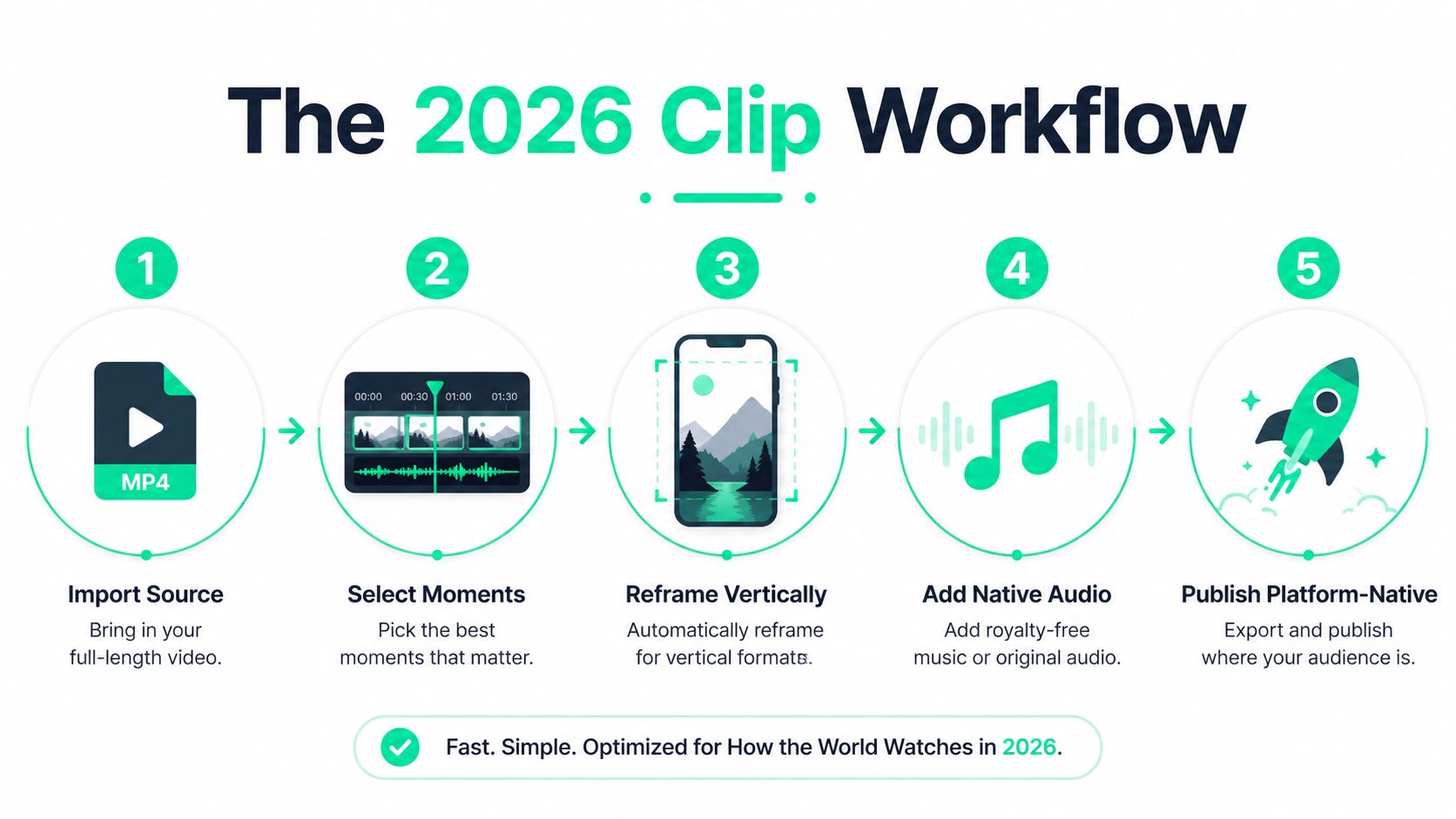
The practical result is simple. A single source recording can produce multiple viable clips when transcript scoring, tight openings, beat-aware cuts, reframing, captions, and reusable presets work together.
## Preparing Source Footage and Picking the Best Moments
Begin with the highest-quality master file available, not a compressed social download. Preserve the original audio peaks, organize the project, and generate a transcript with Whisper, Descript, or platform-side automatic speech recognition. Read that transcript beside the timeline so the search follows the speaker's ideas instead of a blind scrub from start to finish.
A strong visual thumbnail does not guarantee a strong clip. The best line may appear over a static shot, or a joke may depend on timing and vocal emphasis rather than a visible gesture. Check every candidate against four filters:
- **Clear payoff:** The idea reaches a useful conclusion within a short viewing window.
- **Standalone context:** The viewer understands who is speaking and what the point means.
- **Emotional movement:** Surprise, tension, humor, disagreement, or enthusiasm gives the segment energy.
- **Quotable phrasing:** The strongest sentence can become a hook, title card, or caption emphasis.
Mark timestamps with consistent labels such as `C01_hook`, `C02_demo`, and `C03_reaction`. These names keep batch edits organized when several editors or automated tools work from the same source.
### Shortcuts that save time
Remove filler and hedging phrases before scoring candidates. Repeated pauses, soft openings, and unnecessary qualifiers can hide the actual payoff. Reuse a moment spreadsheet across the back catalog, with fields for source name, timestamp, transcript excerpt, theme, candidate hook, and status. A [back-catalog clip planner](https://blitzreels.com/guide/back-catalog-clip-planner) keeps that library searchable instead of turning each recording into a one-off hunt.
Thumbnail-only selection wastes retention opportunities. It favors obvious facial expressions and action shots while missing audio-led insights, punchlines, and surprising statements.
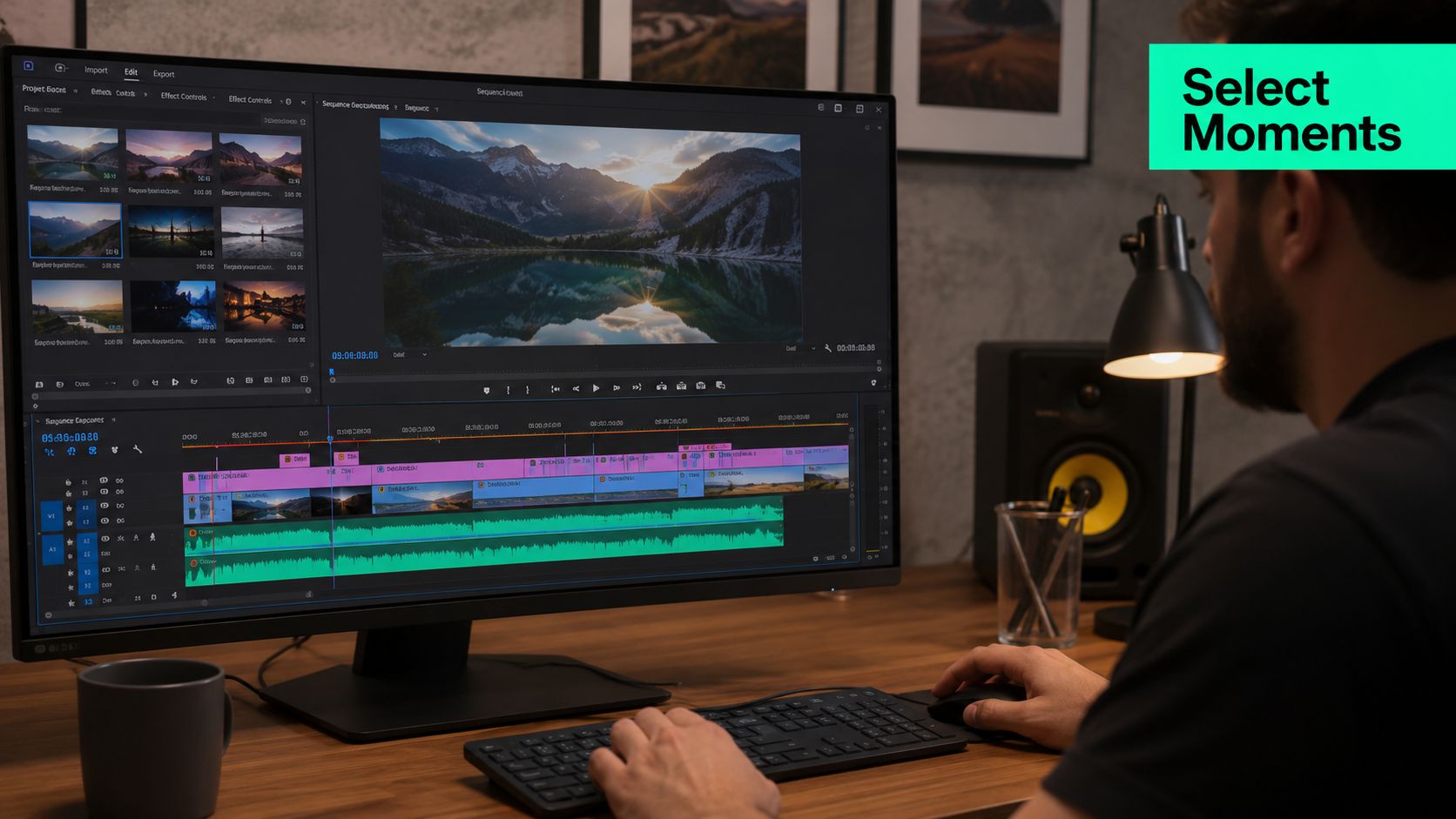
Generic automated highlights rarely work. Always verify candidates against the full transcript before committing them to a project. Then check whether the moment has enough context, a sharp opening, and a complete ending for a platform-native version.
## Trimming and Cutting With Precision
Once a moment is selected, the edit should feel intentional from its first frame. Use the J-K-L scrub method to move through the master timeline, mark in and out points, and inspect the speech onset frame by frame. A ripple edit keeps later material aligned when the editor removes dead space or a weak sentence.
The opening usually needs more pressure than the source recording gives it. Cut **1 to 2 seconds** before the natural start when that removes a breath, setup phrase, or empty look toward the camera. The ending should land on a reaction frame, punchline, visual change, or completed thought. Cutting mid-breath makes the upload feel unfinished, even when the central idea is strong.
### Cut against sound and structure
The waveform provides a second map. Place blade markers on transient peaks, speech onsets, or clear beat changes, then test whether each cut supports the sentence. A cut on a meaningful audio event feels deliberate. A cut a few frames late can make the clip drag, while a cut too early can remove the consonant that makes the line understandable.
Common shortcuts vary by editor, but the underlying actions remain familiar:
- **B:** Select the blade tool.
- **Shift+I and Shift+O:** Mark in and out points.
- **Ctrl+K:** Cut at the playhead.
The exact command can differ between applications, so the timeline controls in [BlitzReels documentation](https://blitzreels.com/docs/timeline) should be checked when using its browser-based workflow. Editors comparing other lightweight creation tools may also find this [Twitter GIF creator 2026 guide](https://xburst.app/blog/twitter-gif-creator) useful for understanding how short, loopable media is prepared for social sharing.
Length decisions should happen during the trim, not after the edit is finished. The planned workflow keeps TikTok clips under **60 seconds**, Reels under **90 seconds**, and Shorts under **60 seconds**, while targeting **15 to 45 seconds** when the idea can be delivered cleanly. Accidental head and tail frames deserve a final inspection. Source metadata, empty frames, or a flash of the original horizontal composition can appear when a vertical export starts or ends on the wrong frame.
## Reframing and Resizing for Vertical Platforms
A horizontal source doesn't become vertical merely because the canvas changes. The editor has to decide what the viewer should see, then keep that subject readable as the shot develops. Manual keyframes provide control for interviews, two-person conversations, and reaction moments. Auto-tracking tools such as Premiere's Auto Reframe, DaVinci Resolve's Smart Reframe, and CapCut's auto-reframe options accelerate routine work, but every result still needs visual review.
For a speaker, leave roughly **5 to 10%** of the frame above the head and place the eye-line near the upper third. If the subject walks across the original frame, motion-track the face or body instead of locking the crop to the opening position. Static wide shots may need a subtle parallax treatment or a tighter crop on the reaction beat, particularly when the original composition leaves too much unused space.
Interface elements create another framing constraint. On TikTok and Reels, usernames and call-to-action controls occupy roughly the bottom **250 pixels** of a **1080×1920** frame, while Shorts places engagement icons along the right rail. Keep captions, title cards, logos, and important gestures away from those areas. For Instagram Reels, a [2026 aspect-ratio guide](https://imgshifter.com/blogs/instagram-aspect-ratios-2026) recommends a centered safe zone of roughly **1080×1650** for on-video text.
Short-form production benefits from separating the crop decision from the resize decision. First preserve the subject and action. Then apply the target canvas, title-card placement, caption position, and export preset. A [vertical video framing workflow](https://blitzreels.com/blog/ai-tools-for-perfect-vertical-video-framing) can speed up that process when several platform versions come from the same source.
Before rendering the full batch, export a **3-second** test, place it into the target app, and check the composition with the interface visible. This catches hidden buttons, clipped captions, and misplaced title cards before the editor spends time rendering every variant.
## Adding Captions, Hooks, and Title Cards
A short clip competes with a one-thumb scroller who may never turn on sound. Captions aren't decorative text. They carry the argument, clarify the audio, and give the viewer a reason to keep watching. A consumer study of **5,616 U.S. adults** reported that **80%** were more likely to watch a video to the end when captions were available, as summarized by [QuickReel's caption retention report](https://quickreel.io/blog/captions-boost-retention).
Captions still need restraint. A controlled eye-tracking study found that subtitles changed visual behavior, increasing time to first fixation on the area of interest from **547.11 ms** without subtitles to **693.95 ms** with subtitles, while total fixation duration fell from **1032.62 ms** to **615.17 ms**. The [eye-tracking study PDF](https://dialnet.unirioja.es/descarga/articulo/9738479.pdf) supports a practical conclusion: captions that are too large, too central, or badly timed can compete with the speaker or action.
### Build the first seconds around the strongest line
Place hook text in the first **1 to 2 seconds**, usually as **3 to 5 words** pulled from the clip's most compelling phrase. Keep the type large enough for a phone, use a sans-serif face such as Inter or Montserrat, and add a high-contrast outline or drop shadow. Yellow or white fills can work when the background stays controlled, but the text should remain legible without overpowering the subject.
Word-by-word captions work well in the middle of the frame when each chunk stays within **2 lines**. Keep captions out of the bottom **25%** of the image, where platform controls and visual clutter often compete for attention. Auto-generated transcripts save time, but punctuation, names, jargon, crosstalk, and emphasis require editorial correction. Hand-typed captions make sense when the exact phrasing is itself the hook.
> **Caption rule:** The text should guide attention toward the speaker or action, not become a second subject.
A title card or loop-back frame can rescue a clip with a weak opening, but it shouldn't delay the payoff. Question hooks work when the clip answers a clear problem. Contrarian hooks suit a segment that challenges a familiar assumption. Payoff hooks fit moments where the result, reveal, or punchline can be previewed without giving away the entire clip. The hook must match the strongest beat identified during transcript scoring, or the packaging will promise a different video from the one the viewer receives.
Editors who want reusable caption styles, subtitle timing, and burned-in text can use the [BlitzReels captions workflow](https://blitzreels.com/docs/captions) alongside their existing timeline or template system.
## Export Settings for TikTok, Reels, and Shorts
A reusable export preset prevents the same clip from being rendered repeatedly with slightly different settings. H.264 remains a safe common choice across TikTok, Instagram Reels, and YouTube Shorts. H.265 can reduce file size, but older mobile networks and upload paths may handle it less reliably.
The practical default is **1080×1920 at 30fps**. Use **60fps** when the footage depends on fast movement, such as gaming, sport, or action. YouTube Shorts uses a vertical **9:16** format, and [current Shorts dimension guidance](https://recast.studio/blog/youtube-shorts-dimension) identifies **1080×1920** as the recommended size. Shorts can also accept square **1:1** video, but 9:16 remains the standard target for phone viewing.
| Setting | TikTok | Reels | Shorts |
|---|---|---|---|
| Canvas | 1080×1920, 9:16 | 1080×1920, 9:16 | 1080×1920, 9:16 |
| Codec | H.264 | H.264 | H.264 |
| Frame rate | 30fps default, 60fps for motion | 30fps default, 60fps for motion | 30fps default, 60fps for motion |
| Length planning | Under 60 seconds for this workflow | Under 90 seconds for this workflow | Under 60 seconds for this workflow |
| Audio | AAC, clean levels | AAC, clean levels | AAC, clean levels |
Platform mechanics can change, so length should be checked against the current upload destination. YouTube Shorts expanded to **up to 3 minutes** for videos uploaded on or after **October 15, 2024**, according to [Shorts aspect-ratio and length guidance](https://posteverywhere.ai/blog/youtube-shorts-aspect-ratio). That longer allowance doesn't mean every clip should use it. The story still needs enough substance to justify the duration.
Use **AAC at 320kbps**, keep peaks around **-2dB**, and export in Rec.709 SDR. HDR can appear inconsistent across mobile screens. MP4 with the moov atom first supports faster parsing during mobile upload. Save one master preset, then create platform-specific copies only where caption zones, descriptions, or branding require changes.
## Batch Clipping and Troubleshooting for Faster Publishing
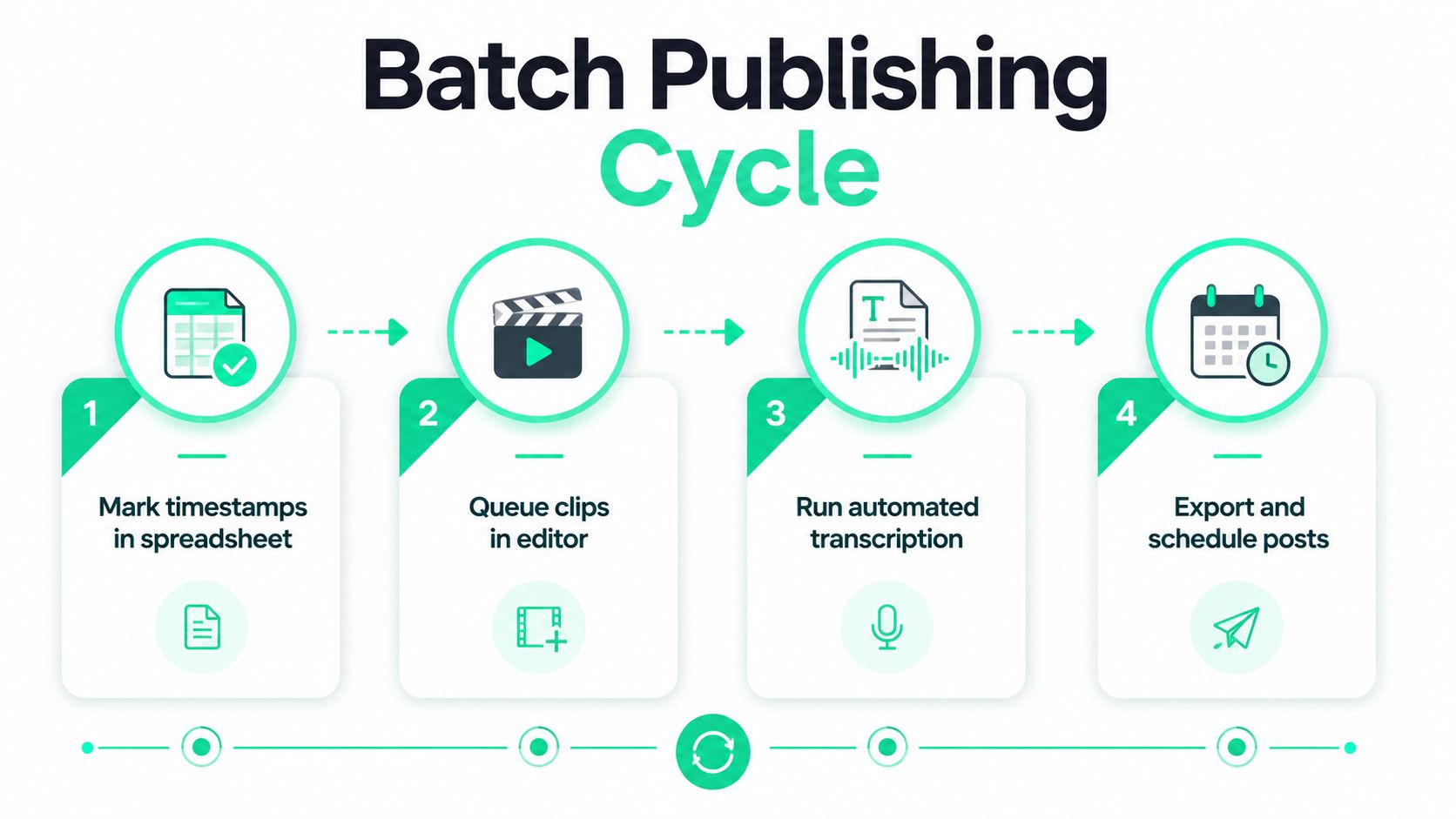
Batch clipping works when decisions happen before the editor starts rendering. Mark timestamps in a spreadsheet, run one automated transcription pass over the source, queue candidate segments, and duplicate a project template that already contains branding, caption styling, title-card placement, and export presets.
Fully automated clippers provide speed, but they often select generic highlights without enough context. Manual selection takes longer and gives the editor better control over the payoff, hook, and ending. A practical compromise is to let automation suggest moments, then make the final choice through transcript, waveform, and full-frame review.
### Troubleshooting before publishing
- **Mid-sentence endings:** Extend the out point until the thought resolves, then remove the extra pause.
- **Caption drift:** Reflow the captions after reframing and check that every line stays in the intended safe zone.
- **Distorted audio:** Inspect peaks and reduce the mix before platform normalization changes the balance.
- **Mobile upload failures:** Confirm MP4 encoding, file integrity, and the saved mobile-friendly preset.
- **Unexpected 16:9 exports:** Check the sequence canvas after cross-posting and before the final render.
Keep a clip bank containing rendered masters, project files, transcripts, and caption files. That archive turns future repurposing into a quick selection and packaging task instead of a complete rebuild. The strongest workflow isn't the one with the most automation. It's the one that preserves editorial judgment while removing repetitive resizing, captioning, and export work.
---
BlitzReels can help creators turn source videos into short clips with transcript-based selection, captions, vertical reframing, resizing, templates, and platform-ready exports for TikTok, Instagram Reels, and YouTube Shorts. Visit [BlitzReels](https://blitzreels.com) to upload a video and build a repeatable clip workflow that moves from source footage to publishable variations with less manual editing.