---
title: "How to Do Highlights That Actually Stop the Scroll"
canonical: "https://blitzreels.com/blog/how-to-do-highlights"
---
# How to Do Highlights That Actually Stop the Scroll
URL: https://blitzreels.com/blog/how-to-do-highlights
Markdown URL: https://blitzreels.com/blog/how-to-do-highlights.md
Published: 2026-08-07
Author: BlitzReels
Learn how to do highlights for short-form video with a fast, repeatable workflow that covers hooks, captions, reframing, pacing, and export presets.
Tags: how to do highlights, short-form video, video captions, auto reframe, BlitzReels

The hard part isn't opening the editor. It's staring at a finished long video, a silent content calendar, and a vague plan to “clip the good parts” without knowing which ten seconds deserve the cut. That's where **how to do highlights** gets practical, because the job isn't to shorten everything, it's to choose the moments that survive on their own.
On short-form platforms, a highlight isn't a summary in the academic sense or a visual accent in the design sense. It's the **8-to-15 second clip** that earns a second of attention, then another, then a follow-through. The best short clips usually move through the same workflow, source clips, hook selection, edit and caption pass, then export for each platform. BlitzReels' hook-focused guidance on [scroll-stopping video hooks](https://www.blitzreels.com/blog/the-science-of-scroll-stopping-video-hooks) fits that logic, because the opening line carries more weight than any later polish.
The rest of this guide treats highlight-making as a repeatable editorial system. The work is less about finding “gold” in a timeline and more about making fast, ruthless decisions that keep the strongest line, the cleanest frame, and the right pacing for the platform.
## Table of Contents
- [Why Most Highlights Die in the First Three Seconds](#why-most-highlights-die-in-the-first-three-seconds)
- [Highlights are not the whole story](#highlights-are-not-the-whole-story)
- [Sourcing Clips and Spotting the Moments Worth Cutting](#sourcing-clips-and-spotting-the-moments-worth-cutting)
- [Scan for lines that already sound like hooks](#scan-for-lines-that-already-sound-like-hooks)
- [Use the payoff to choose the opening](#use-the-payoff-to-choose-the-opening)
- [Anatomy of a Highlight That Holds Attention](#anatomy-of-a-highlight-that-holds-attention)
- [Build the clip around four jobs](#build-the-clip-around-four-jobs)
- [Make the captions carry the same structure](#make-the-captions-carry-the-same-structure)
- [Clipping, Reframing, and Captioning the Edit](#clipping-reframing-and-captioning-the-edit)
- [Tight cuts come before fancy styling](#tight-cuts-come-before-fancy-styling)
- [Style the captions for speed, not decoration](#style-the-captions-for-speed-not-decoration)
- [Keep the edit modular](#keep-the-edit-modular)
- [Music, Pacing, and Export Presets for Each Platform](#music-pacing-and-export-presets-for-each-platform)
- [Match the pacing to the audience's feed](#match-the-pacing-to-the-audiences-feed)
- [Use exports that feel native to the platform](#use-exports-that-feel-native-to-the-platform)
- [A Reusable Template to Batch Highlights in Minutes](#a-reusable-template-to-batch-highlights-in-minutes)
- [A batch template that keeps the work moving](#a-batch-template-that-keeps-the-work-moving)
## Why Most Highlights Die in the First Three Seconds
A creator finishes a 42-minute podcast cut, opens the drive, and immediately sees the problem. There are too many “good parts,” none of them are shaped for mobile, and the next post date is already late. That's why so many clips fail, the editor is thinking like an archivist, not a short-form editor, and the viewer is judging the opening like a skeptic with a thumb ready to swipe.
### Highlights are not the whole story
Scientific publishing uses **highlights** as a compact discovery layer, usually **3 to 5 bullet points** and often **85 characters or less per bullet**, so readers can scan the paper fast and decide whether to keep going. That format works because it chooses the essential idea, not the whole abstract, and the same discipline matters in short-form video too. The clip has to earn attention immediately, which is why a loose, meandering opening kills more clips than weak footage does. [Source convention for scientific highlights](https://www.journal-publishing.com/blog/write-highlights-academic-scientific-paper/)
The same logic shows up in presentation design. Visualization guidance recommends making a few values stand out with **trend lines, averages, contrast, color, and outlier markers**, instead of treating every element equally. In short-form editing, the “accent color” is the hook line, the moment of tension, or the visual change that tells the viewer there's a payoff coming.
> **Practical rule:** If the first line doesn't promise a payoff, the rest of the clip is working uphill.
A highlight reel that works isn't trying to preserve context at all costs. It's stripping the source down to one idea people can grasp before their thumb decides the outcome. That's why the next pass has to focus on sourcing clips, not polishing them.
## Sourcing Clips and Spotting the Moments Worth Cutting
The cut starts before the edit timeline. Good sourcing means hearing the lines that can stand alone, spotting the moments where emotion rises, and noticing the sentence that makes a viewer think, “Wait, say that again.” A long recording can be useful, but only if someone is ruthless about marking what carries a clip.
### Scan for lines that already sound like hooks
A fast watch-through at **1.5x speed** makes it easier to catch the moments where a speaker shifts from setup into something quotable. Mark timestamps when a line sounds complete by itself, not just when it sounds interesting in context. That's the difference between a clip that needs the whole episode behind it and a clip that can survive in a feed.
The strongest candidates usually fall into a few hook shapes. A question works when it creates a gap. A bold claim works when it challenges a default assumption. A contrarian take works when it pushes against what most viewers already think. A mistake works because people love seeing what went wrong. A before/after works because the change is visible fast.
### Use the payoff to choose the opening
The first three seconds matter because the opening has to make a promise the rest of the clip can keep. If the payoff lands too late, the clip feels like a slow ramp instead of a sharp highlight. If the opening is too soft, the viewer never waits for the payoff in the first place.
> The best candidate clip usually starts one sentence earlier than the editor wants and ends one sentence sooner than the ego wants.
The educational opportunity here is simple. Scan for quotable lines, surprising numbers, and emotional peaks, then choose the segment where the viewer gets a clear reason to stay. If the timeline doesn't contain a sentence worth repeating, there isn't a highlight there yet.
For teams repurposing source material, [how to repurpose video content](https://www.blitzreels.com/blog/how-to-repurpose-video-content) is the right companion read because the sourcing stage decides whether the rest of the workflow saves time or wastes it.
## Anatomy of a Highlight That Holds Attention
A clip feels finished when the structure is clear before the viewer can name it. A strong highlight moves through a clean arc, hook, setup, payoff, and a quiet loop back into the call to action or the next beat. If that arc is missing, the clip can still look polished, but it will feel like a fragment instead of a complete beat. For techniques that tighten each part of that structure, see our guide to [quick pro techniques for polished short-form videos](https://www.blitzreels.com/blog/10-quick-pro-techniques-for-polished-short-form-videos).
### Build the clip around four jobs
A **15-second highlight** has to earn attention fast. The hook usually takes the first **2 to 3 seconds**, the setup stays lean, the payoff needs to arrive before attention drops, and the CTA or loop should be short enough that the ending still has shape. A **30-second version** can breathe more, but the logic stays the same, the opening earns the viewer, the middle earns the payoff, and the ending avoids dead air.
Pacing and motion matter here. A small zoom shift, a clean cut on a beat, or a quick reframing can keep the frame from feeling static while the words carry the main point. The viewer does not need constant movement, but the clip does need visible progression from one beat to the next.
### Make the captions carry the same structure
Caption density matters because a muted viewer still needs the same arc. Bold, on-beat captions help the hook land, while short callouts or emoji markers can reinforce the line that matters most. If the words carry context but the screen looks flat, the clip takes more effort to follow than it should.
> **Useful filter:** if the captions do not make the clip understandable on mute, the edit is underbuilt.
Strong highlights look deliberate because every element points to the same moment. The hook line sets the frame, the setup stays out of the way, the payoff lands cleanly, and the visual style keeps the viewer oriented. That structure keeps a clip from feeling like a random excerpt.
## Clipping, Reframing, and Captioning the Edit
The edit pass should move quickly. Upload the source video, let the transcript surface the candidate lines, trim in and out points around the strongest hook and payoff, then shape the frame for vertical viewing before the caption styling begins. That order matters because it prevents the editor from wasting time decorating a clip that still isn't cut tightly enough.
### Tight cuts come before fancy styling
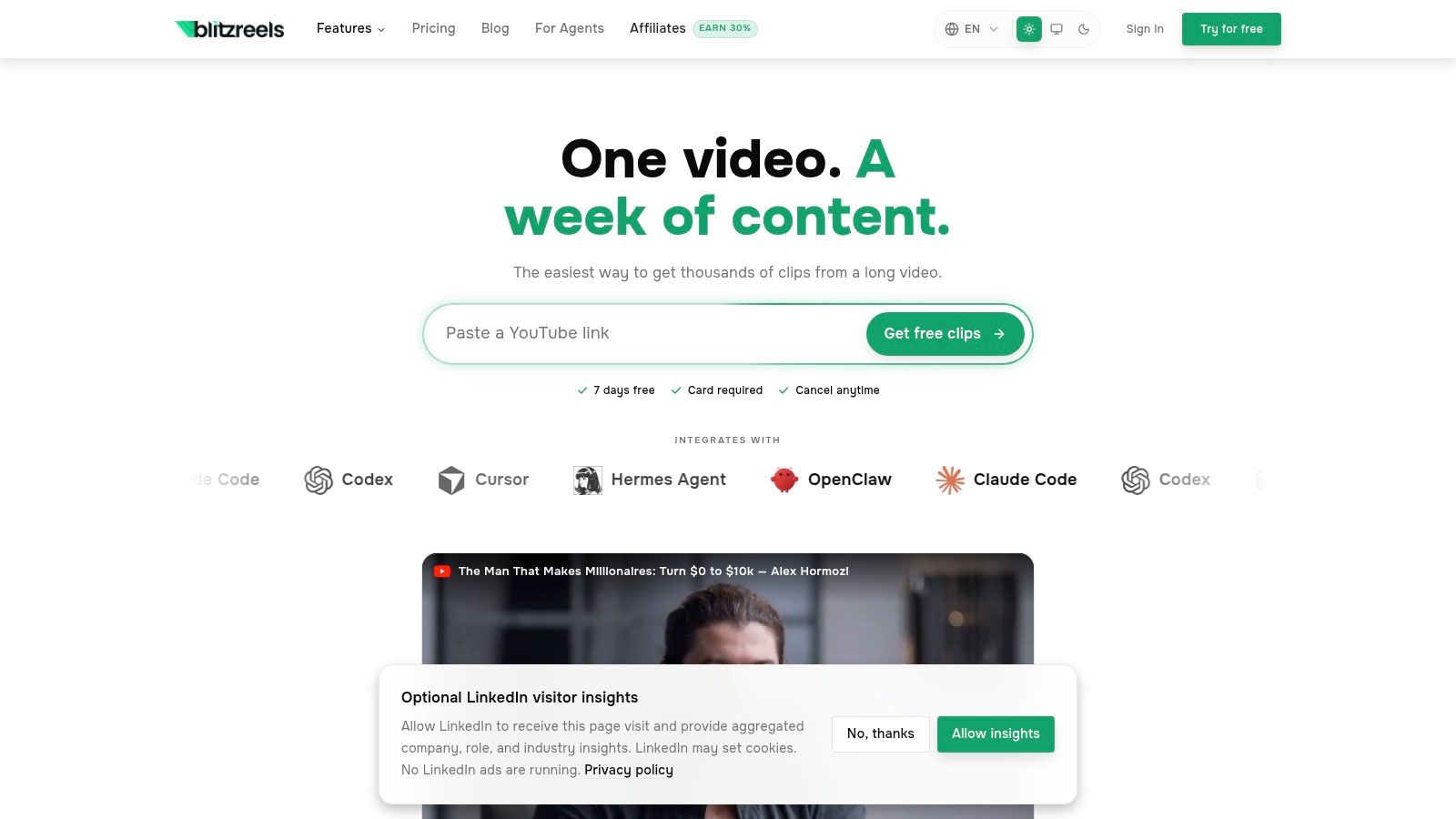
BlitzReels can handle the basic workflow in one place, including upload, transcription, trimming, caption styling, and export, which matters because the least glamorous part of the job is usually the one that saves the most time. The platform also supports auto-reframe and face-centered crop behavior, which keeps the speaker framed for **9:16** without manual keyframing. For creators who want to understand the larger repurposing flow, [turn long-form video into shorts](https://www.blitzreels.com/blog/turn-long-form-video-into-shorts) is a useful reference point.
The best order is simple. Find the line in the transcript, trim to the exact sentence boundary, then check the crop before adding visual polish. If the speaker drifts off-center, the viewer notices that before they notice a beautiful caption style.
### Style the captions for speed, not decoration
Captions should feel like a reading track, not a subtitle dump. Bold the words that carry the hook, keep the brand preset consistent, and use emoji callouts only when they match the spoken line instead of competing with it. A title card can be pulled from the strongest hook line so the opening frame and the spoken opening do the same job.
For creators who need captions as a separate asset, SRT export and subtitle editing are the practical finish line. That matters when the same clip needs native captions in one workflow and reusable subtitle files in another. The editor should preserve that flexibility instead of forcing one export path.
### Keep the edit modular
The cleanest highlight edits leave room for B-roll or visual inserts when a sentence runs long. That can rescue a clip that would otherwise feel static, but it shouldn't become a crutch for weak sourcing. If the line itself isn't sharp, overlays won't save it.
## Music, Pacing, and Export Presets for Each Platform
Music is not background decoration in short-form editing. It shapes rhythm, hides small dead spots, and helps the clip feel native to the platform instead of recycled from a different context. The point isn't to make every highlight loud, it's to make every highlight feel paced with intent.
### Match the pacing to the audience's feed
Beat-synced cuts make sense when the audio can support them, but the edit shouldn't become trapped by the track. A quick zoom, a cutaway, or a visual insert can cover a slow moment better than stretching a line past its useful length. If the audio's rhythm and the speech rhythm fight each other, the viewer feels the drag.
For creators comparing monetization and platform strategy around Shorts, a useful adjacent read is [YouTube creator earnings in 2026](https://flyp.space/blog/tag/youtube-creator-monetization). It's not a substitute for editing discipline, but it's a reminder that the clip has to work where it lives, not just where it was made.
### Use exports that feel native to the platform
| Platform | Aspect ratio | Resolution | Frame rate | Caption style |
|---|---|---|---|---|
| TikTok | **9:16** | **1080x1920** | Match the source's deliverable frame rate | Bold, mobile-first captions |
| Instagram Reels | **9:16** | **1080x1920** | Match the source's deliverable frame rate | Clean captions with readable spacing |
| YouTube Shorts | **9:16** | **1080x1920** | Match the source's deliverable frame rate | Title-forward captions and hook line |
| LinkedIn | Square or horizontal crop variant | Platform-ready export | Match the source's deliverable frame rate | More restrained captions for cleaner reading |
The important part is native feel. A clip that looks recycled loses momentum fast, especially when the crop ignores the platform's viewer behavior. Vertical video is the default for TikTok, Reels, and Shorts, while LinkedIn often benefits from a square or horizontal variant that reads cleanly in a professional feed.
A consistent preset also reduces decision fatigue. Once the caption style, crop strategy, and output formats are locked, the editor spends time on content choices instead of redoing technical settings for every post. That's where speed turns into repeatability.
## A Reusable Template to Batch Highlights in Minutes
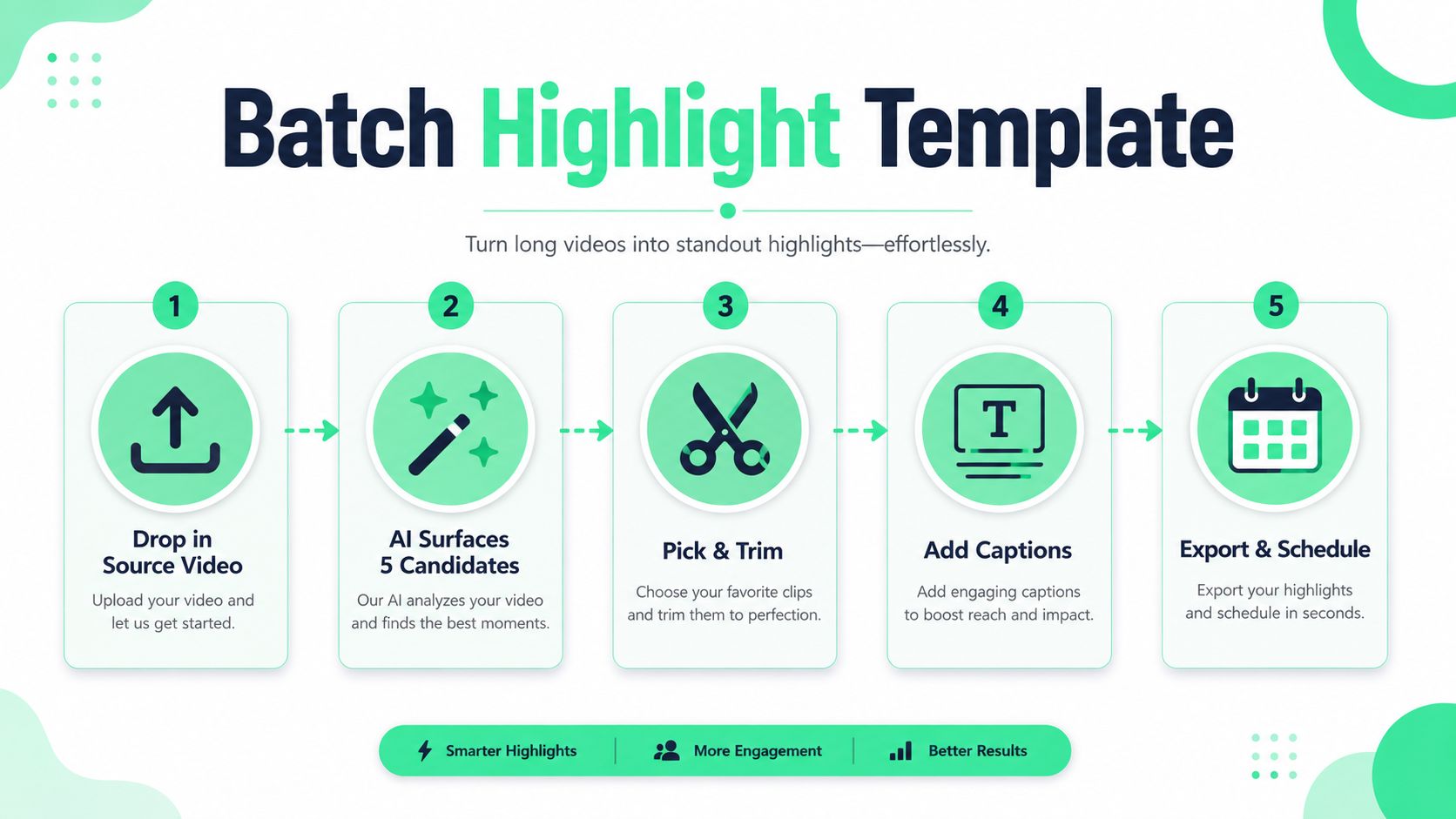
A good highlight workflow should feel almost boring once it's set up. Drop in the source video, let AI surface a few candidate clips, choose the strongest hook, apply a brand preset, snap the captions to the beat, and export the same edit in multiple aspect ratios. The point is not to make every clip identical, it's to remove the repetitive choices that slow posting down.
### A batch template that keeps the work moving
The best batching template is simple enough to repeat without thinking. A creator can open a source file, review the surfaced moments, choose the line with the clearest payoff, and let the export settings handle the platform-specific versions. That kind of loop is what BlitzReels is built around, with an AI editing flow that turns long footage into short-form cuts without forcing a full manual rebuild.
For teams trying to tighten their system, [the creator's guide to AI-powered batch editing for Reels](https://www.blitzreels.com/blog/the-creator-s-guide-to-ai-powered-batch-editing-for-reels) is the right next reference. It aligns with the practical goal here, turning one long recording into a week's worth of highlights without dragging every clip through a full edit cycle.
> **Short version:** source once, cut once, caption once, export for each platform.
That is the advantage of a reusable template. It gives editors a clean decision path, keeps the hook front-loaded, and makes the rest of the workflow predictable enough to ship fast. For short-form teams, predictability is what creates output.
---
If the goal is to turn long videos into short clips without rebuilding every edit by hand, BlitzReels gives creators a faster path from transcript to publish-ready highlight. Visit [BlitzReels](https://blitzreels.com) to try the clipping, captioning, reframing, and export workflow on your next short-form cut.