---
title: "Master How To Edit Videos On Phone For Social Media"
canonical: "https://blitzreels.com/blog/how-to-edit-videos-on-phone"
---
# Master How To Edit Videos On Phone For Social Media
URL: https://blitzreels.com/blog/how-to-edit-videos-on-phone
Markdown URL: https://blitzreels.com/blog/how-to-edit-videos-on-phone.md
Published: 2026-05-19
Author: BlitzReels
Master how to edit videos on phone for TikTok, Reels, & Shorts. Our guide covers a fast workflow: trimming, captions, audio, & AI tools.
Tags: how to edit videos on phone, mobile video editing, edit videos for tiktok, short form video, ai video editor

A lot of people searching **how to edit videos on phone** are already past the easy part. The footage is shot. The idea is clear. The problem starts when the edit drags on. Dead air has to go, captions need timing, the frame looks wrong for vertical, and a simple post somehow turns into a long session inside a cramped mobile timeline.
That's why basic mobile editing advice often feels incomplete. Trimming and exporting are useful, but they don't solve the actual job for social video. Creators need a workflow that turns raw phone footage into **watchable, vertical, captioned short-form content** without wasting hours on manual cleanup.
## Table of Contents
- [Why Most Phone Editing Workflows Are Broken](#why-most-phone-editing-workflows-are-broken)
- [Basic editing is no longer enough](#basic-editing-is-no-longer-enough)
- [The real bottleneck is workflow order](#the-real-bottleneck-is-workflow-order)
- [Choosing Your Mobile Editing App](#choosing-your-mobile-editing-app)
- [Three app categories that matter](#three-app-categories-that-matter)
- [Mobile Video Editor Comparison](#mobile-video-editor-comparison)
- [From Raw Clips to a Coherent Story](#from-raw-clips-to-a-coherent-story)
- [Start in Photos before opening the editor](#start-in-photos-before-opening-the-editor)
- [Build the assembly edit first](#build-the-assembly-edit-first)
- [Adding Visual Layers That Boost Retention](#adding-visual-layers-that-boost-retention)
- [Captions and hook text do the heavy lifting](#captions-and-hook-text-do-the-heavy-lifting)
- [Reframing decides whether the video feels native](#reframing-decides-whether-the-video-feels-native)
- [Final Polish with Audio and Color](#final-polish-with-audio-and-color)
- [Fix the audio before touching filters](#fix-the-audio-before-touching-filters)
- [Keep color and export choices simple](#keep-color-and-export-choices-simple)
- [The 10-Minute Workflow How to Publish Faster with AI](#the-10-minute-workflow-how-to-publish-faster-with-ai)
- [When manual editing stops making sense](#when-manual-editing-stops-making-sense)
- [A faster publishing loop](#a-faster-publishing-loop)
## Why Most Phone Editing Workflows Are Broken
Most phone editing tutorials still teach an old habit. Open the app, drop clips on a timeline, trim a little, add a filter, export. That works for a family video. It doesn't match how social content gets judged.
### Basic editing is no longer enough
Platform-native short-form video needs more than clean cuts. Many guides still center on trim, crop, and basic adjustments, while newer creator workflows focus on **picture-in-picture, dynamic captions, and auto-reframing** for short-form publishing, which shows a clear gap between basic mechanics and what modern social posts need, as reflected in [Google Photos editing guidance and the contrast with newer creator-focused workflows](https://support.google.com/photos/answer/10729480?hl=en&co=GENIE.Platform%3DAndroid).
That gap is why so many edits feel finished but not effective. A clip can be technically clean and still lose attention because the opening is weak, the text is too static, or the subject sits awkwardly inside a vertical crop.
> **Practical rule:** If a phone workflow only teaches trims, filters, and save settings, it's teaching completion, not performance.
### The real bottleneck is workflow order
The biggest problem usually isn't the app. It's the sequence people follow inside the app. They start polishing too early. They style captions before deciding which lines stay. They add transitions before tightening the pacing. They fight with crop settings before confirming the hook.
That creates rework. One cut changes. Then the captions shift, the music timing breaks, the hook card needs rewriting, and the whole edit slows down.
A better mobile workflow treats the phone like a fast production tool, not a tiny desktop replacement. That means:
- **Lock the story first:** choose the usable lines and best reaction moments before touching effects.
- **Package for the feed second:** add the hook, captions, reframing, and title card after the structure is solid.
- **Polish last:** audio balance, color cleanup, and export settings belong at the end.
Phone editing works well when the creator respects that order. It feels broken when every task happens at once.
## Choosing Your Mobile Editing App
The app choice matters less than people think. What matters more is whether the tool fits the publishing pace. Someone making one handcrafted edit can tolerate a slower timeline. Someone posting multiple shorts every week usually can't.
The broader trend makes that clear. The mobile video editing app market is projected to grow from **USD 1.37 billion in 2026 to USD 7.12 billion by 2035**, driven by short-form demand and the need to publish directly from a phone without a desktop workflow, according to [these mobile video editing market projections](https://electroiq.com/stats/video-editing-statistics/).
### Three app categories that matter
There are three practical buckets.
**Traditional timeline editors** like CapCut are built for manual control. They're useful when the creator wants to place every caption, zoom, image layer, and transition by hand. The downside is obvious after a few posts. Repetitive tasks stack up fast.
**Hybrid editors** like VN sit in the middle. They usually give enough control for cuts, text, overlays, and simple social edits without feeling as cluttered as a heavier editor. For some users, that's a comfortable balance.
**AI-automated workflows** are for speed. They're designed for clipping, captions, resizing, reframing, and packaging without requiring constant timeline work. That matters most when output matters more than handcrafted micromoves on every frame.
For creators comparing manual and automated social workflows, this breakdown of [CapCut vs BlitzReels for TikTok creators](https://www.blitzreels.com/blog/capcut-vs-blitzreels-which-video-editor-is-best-for-tiktok-creators-in-2025) is a useful reference point.
### Mobile Video Editor Comparison
| Feature | CapCut (Manual) | VN Editor (Hybrid) | BlitzReels (AI-Automated) |
|---|---|---|---|
| Editing style | Full timeline editing | Timeline editing with lighter workflow | Upload-first workflow with automation |
| Caption workflow | Mostly manual styling and placement | Manual to semi-manual | Auto-generated captions with editable styling |
| Reframing for vertical | Manual crop and repositioning | Manual crop with basic control | Auto-reframing workflow |
| Best use case | Detailed one-off edits | Balanced editing for regular posts | Fast clipping and repurposing |
| Templates | Strong social template library | Some reusable templates | Template-style packaging for short-form outputs |
| Time to publish | Slower when doing repeated edits | Moderate | Faster for repeated publishing |
> The best app isn't the one with the most buttons. It's the one that matches how often the creator needs to publish.
A manual editor makes sense when each video is custom and the edit itself is the craft. An automated workflow makes more sense when captions, resizing, and clipping are repeated every day.
## From Raw Clips to a Coherent Story
Most weak short-form edits fail before captions, transitions, or music even enter the picture. They fail at selection. Too many clips. Too much rambling. No clear sequence. The fix starts before the creator opens the main editing app.
### Start in Photos before opening the editor
A common beginner-to-intermediate workflow is to **organize and trim clips in the native Photos app first**, then import those selects into an editor like CapCut for the rough cut, because that reduces timeline clutter before detailed editing begins, as shown in this [phone editing course workflow](https://www.skillshare.com/en/classes/iphone-and-android-video-editing-how-to-edit-video-all-on-your-phone/857401595).
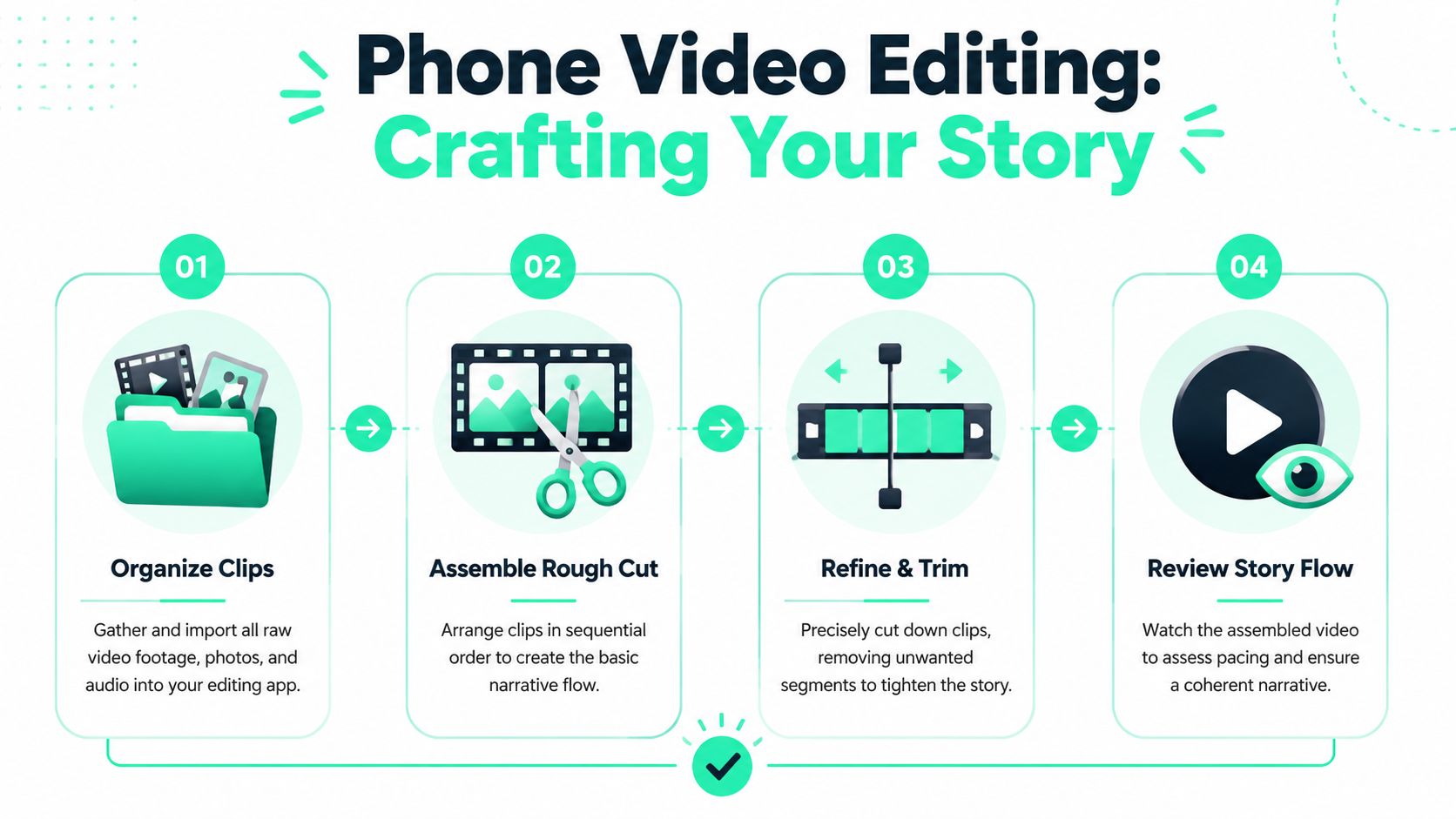
That first pass should stay simple:
1. **Delete obvious misses:** shaky starts, accidental recordings, and duplicate takes.
2. **Trim clip edges:** remove the awkward reach-to-record and reach-to-stop moments.
3. **Favorite the keepers:** mark only the clips that support the post.
4. **Leave style decisions alone:** no effects yet, no music, no caption design.
This step saves more time than many anticipate because it shrinks the timeline before the main edit begins.
### Build the assembly edit first
After import, the next job is the **assembly edit**. That means placing the selected clips in order and shaping the basic story before polishing anything.
A clean assembly pass usually looks like this:
- **Open with the strongest line or visual:** not the setup, not the greeting, not the throat-clearing.
- **Stack the A-roll first:** build the spoken or primary narrative backbone.
- **Drop in B-roll only where it clarifies or resets attention:** not on every sentence.
- **Cut for momentum:** if a line doesn't add tension, clarity, or payoff, it probably goes.
> The rough cut should answer one question: does this sequence make sense and hold attention without any decoration?
Length decisions belong here too. Different platforms reward different pacing, and creators trying to sharpen that instinct can use these [2025 short-form video length insights](https://www.shortimize.com/blog/video-length-sweet-spots-tiktok-reels-shorts) to pressure-test whether a cut is dragging or landing too abruptly.
For longer source material, repurposing is often more efficient than editing from scratch. This guide on [how to repurpose long videos with AI](https://www.blitzreels.com/blog/how-to-repurpose-long-videos-with-ai) is especially relevant when the raw material starts as a webinar, podcast, interview, or screen recording.
## Adding Visual Layers That Boost Retention
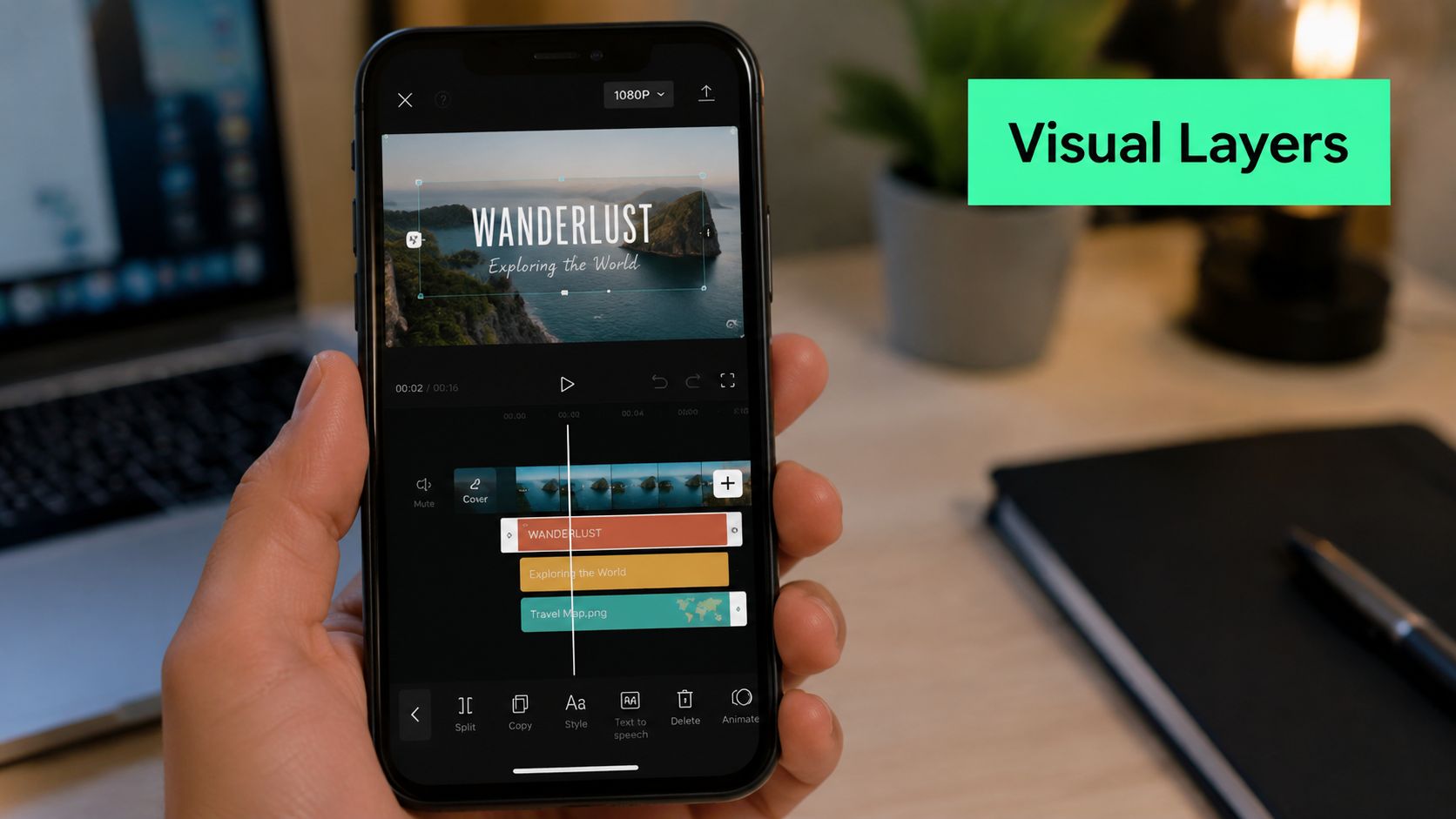
Once the story works, the edit needs packaging that reads instantly on a vertical feed. In this context, short-form video separates itself from basic mobile editing. The visual layers aren't decoration. They carry comprehension, pacing, and attention.
### Captions and hook text do the heavy lifting
Captions do more than transcribe speech. Good short-form captions create rhythm. They break long sentences into readable chunks, emphasize key words, and keep the video watchable when sound is off.
Three caption habits consistently help:
- **Use short phrase groupings:** full-sentence dumps are harder to track on a phone screen.
- **Highlight the important word:** color, weight, or emoji callouts can direct the eye.
- **Keep placement consistent:** moving captions around without reason makes the edit feel messy.
The first seconds matter just as much. A bold title card or opening text overlay should tell the viewer why the clip is worth watching now. Not vaguely. Not cleverly. Clearly.
For creators refining text treatment, this guide to [styling video captions for better readability and retention](https://www.blitzreels.com/blog/a-data-driven-guide-to-styling-video-captions) is useful because caption design affects how quickly the message lands.
A practical example helps here:
- Weak hook text: “A few thoughts on editing”
- Better hook text: “3 phone editing mistakes ruining short videos”
The second line creates a reason to stay.
### Reframing decides whether the video feels native
A lot of footage starts in the wrong shape. Horizontal clips, Zoom recordings, interviews, talking-head videos shot too wide. If the crop is lazy, the short feels recycled instead of native.
Useful reframing usually means:
| Problem | Better fix |
|---|---|
| Subject drifts out of center | Reposition the crop so the face stays dominant |
| Two speakers in landscape | Use split screen or punch-in cuts |
| Screen recording feels tiny | Crop tighter and add text callouts |
| Empty headroom wastes space | Push framing down and enlarge the subject |
This walkthrough shows the kind of layered short-form edit many creators aim for in practice:
The key test is simple. If the viewer can understand the clip without unmuting and without squinting, the visual layer is doing its job.
## Final Polish with Audio and Color
Most phone edits don't need advanced finishing. They need a disciplined final check. Audio problems are more damaging than imperfect visuals, and overdone color often makes mobile footage look worse, not better.
### Fix the audio before touching filters
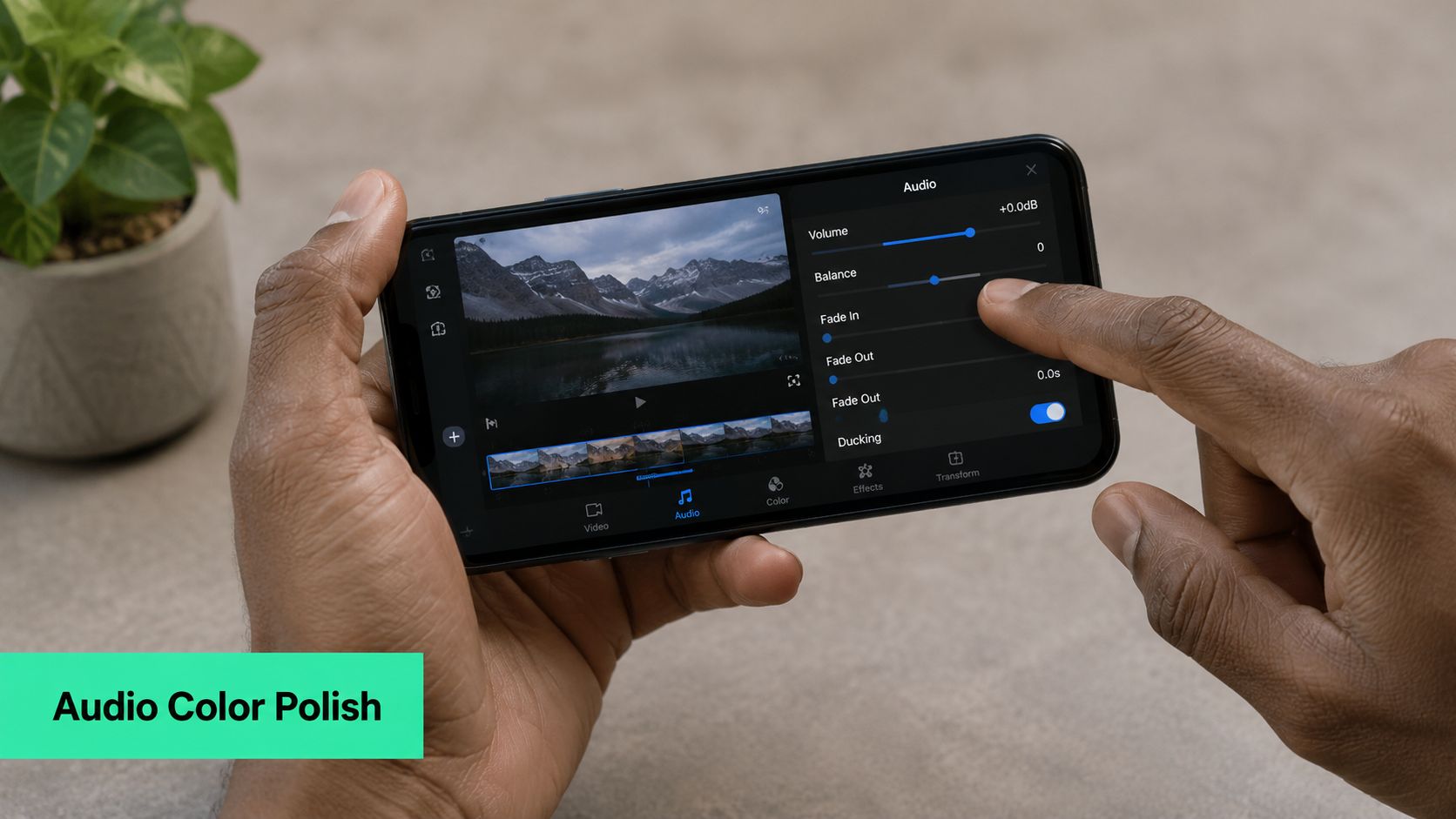
Start with spoken audio. If the voice isn't clear, the rest of the polish won't matter much.
Use this quick audio checklist:
- **Lower background music under speech:** the voice should stay dominant at every moment.
- **Trim harsh silences and breaths where needed:** not every pause needs removal, but dead space should feel intentional.
- **Use beat cuts carefully:** syncing visual changes to music can help, but only if it supports the message.
- **Monitor on decent headphones:** creators who want a better monitoring setup can compare options with this guide to [finding the best audio mixing headphones](https://digidevice.shop/blogs/updates/headphones-for-mixing).
For creators working with voiceovers, interviews, or external sound, this practical article on [syncing audio with video](https://www.blitzreels.com/blog/syncing-audio-with-video) covers the common issues that make phone edits feel slightly off.
> Clean audio makes a video feel professional faster than any filter does.
### Keep color and export choices simple
Color correction on phone should stay modest. Adjust exposure if the clip is too dark. Correct white balance if skin looks odd. Apply a consistent look if it matches the brand. That's enough for most shorts.
What usually doesn't help:
- **Heavy filters:** they can crush skin tones and make mixed footage inconsistent.
- **Oversaturated edits:** bright doesn't always mean polished.
- **Random style switching:** one clip warm, the next cool, the next high contrast.
For export, the safest move is to keep the file sharp, vertical, and platform-ready. Most creators should export in **vertical format**, confirm the text stays inside safe areas, and review the finished file once before uploading. If a platform compresses it later, at least the source export was clean.
## The 10-Minute Workflow How to Publish Faster with AI
There's a point where manual phone editing stops being a craft advantage and starts being a production bottleneck. That usually happens when the creator isn't making one short. They're making several every week, often from interviews, podcasts, demos, webinars, or talking-head recordings.
### When manual editing stops making sense
For creators and marketers, the practical question isn't just how to trim a clip on a phone. It's **when to stop manual mobile editing and use automation**. That trade-off matters even more because **YouTube Shorts reported over 70 billion daily views in 2024**, which makes speed and packaging central to short-form publishing, as noted in this [discussion of Shorts scale and automation-driven workflows](https://www.youtube.com/watch?v=FQ4VIhXI3hU).
Manual editing still has a place. It makes sense when a video needs custom comedic timing, frame-by-frame adjustments, or highly specific motion design.
But repeated short-form packaging is different. The repetitive tasks are predictable:
- **Clipping standout moments**
- **Generating captions**
- **Reframing to vertical**
- **Adding a hook and title treatment**
- **Resizing for multiple platforms**
### A faster publishing loop
That's where an AI-first workflow changes the process. Instead of building everything inside a timeline from scratch, the creator uploads footage and lets the system handle the repetitive parts first.
One practical option is **BlitzReels**, which can turn source footage into short-form edits with auto transcription, clipping, captions, resizing, and reframing for platforms like TikTok, Reels, and Shorts. For creators comparing this type of workflow, these [AI tools that halve your video editing time](https://www.blitzreels.com/blog/ai-tools-that-halve-your-video-editing-time) show where automation saves the most effort.
The same logic applies outside editing. Publishing breaks down when the content queue gets messy, which is why tools with [AI Scheduling features](https://agentreacher.com/features/ai-scheduling) can help teams keep the post pipeline moving after the edit is done.
The smart approach is simple. Use manual editing when precision is the point. Use automation when output consistency matters more than handcrafted timeline work. That's how creators keep posting without burning time on the same captioning, cropping, and clipping tasks every day.
---
Creators who want a faster way to create, caption, resize, and repurpose short-form videos can try [BlitzReels](https://blitzreels.com). It's built for turning raw clips, screen recordings, and longer videos into publish-ready social shorts without doing every step manually on a phone timeline.