---
title: "Master How to Make Video Compilations in 2026"
canonical: "https://blitzreels.com/blog/how-to-make-video-compilations"
---
# Master How to Make Video Compilations in 2026
URL: https://blitzreels.com/blog/how-to-make-video-compilations
Markdown URL: https://blitzreels.com/blog/how-to-make-video-compilations.md
Published: 2026-09-07
Author: BlitzReels
Discover how to make video compilations. Get workflows for clips, hooks, captions, transitions, music, and exports for Reels, TikTok & Shorts in 2026.
Tags: how to make video compilations, video editing workflow, short-form video, BlitzReels, social media video

Short-form video accounts for **58% of all time spent on social media worldwide**, while short-form videos generate about **2.5× more engagement than long-form content**, according to [industry reporting on short-form video statistics](https://vidico.com/news/short-form-video-statistics/). For marketers, the task is larger than combining clips. Each source must become a sequence, captioned cut, platform-ready frame, and reviewed version without losing attention in the opening seconds.
A strong compilation follows a promise and an intentional order. Captions must remain readable, framing should match each platform, and revisions should not require rebuilding the edit. The workflow below uses retention-focused sequencing across TikTok, Instagram Reels, YouTube Shorts, and other channels, then applies BlitzReels' agentic AI workflows to automate clip selection, formatting, and versioning while keeping human review in control.
## Table of Contents
- [Understanding Video Compilation Workflows](#understanding-video-compilation-workflows)
- [Sourcing Clips and Crafting Hooks](#sourcing-clips-and-crafting-hooks)
- [Build a searchable clip library](#build-a-searchable-clip-library)
- [Write the promise before polishing the edit](#write-the-promise-before-polishing-the-edit)
- [Pacing Clips and Creating Smooth Transitions](#pacing-clips-and-creating-smooth-transitions)
- [Use clip length as a pacing decision](#use-clip-length-as-a-pacing-decision)
- [Adding On Beat Captions and Emoji Callouts](#adding-on-beat-captions-and-emoji-callouts)
- [Make caption design part of the edit](#make-caption-design-part-of-the-edit)
- [Selecting Music and Navigating Licensing](#selecting-music-and-navigating-licensing)
- [Keep licensing data attached to the edit](#keep-licensing-data-attached-to-the-edit)
- [Export Settings for Reels TikTok and Shorts](#export-settings-for-reels-tiktok-and-shorts)
- [Create variants deliberately](#create-variants-deliberately)
- [Scaling Next Steps with BlitzReels](#scaling-next-steps-with-blitzreels)
## Understanding Video Compilation Workflows
Video compilation editing moved from physical film cutting to flexible digital timelines. In the late 1890s and early 1900s, editors cut and spliced film. The 1903 release of *The Great Train Robbery* helped introduce cross-cutting, the 1956 Ampex Quadruplex videotape recorder enabled tape-to-tape editing, and Avid Media Composer's 1989 launch made digital non-linear editing mainstream, as documented in this [history of video editing](https://www.vodpod.com/video-editing/history/).
That progression defines the current workflow. Editors can assemble clips, change their order, trim frames, create versions, and undo decisions without altering the original media. For TikTok, Instagram Reels, YouTube Shorts, and LinkedIn, the timeline becomes a testing surface. Keep the source intact while testing which sequence earns attention and retains viewers.
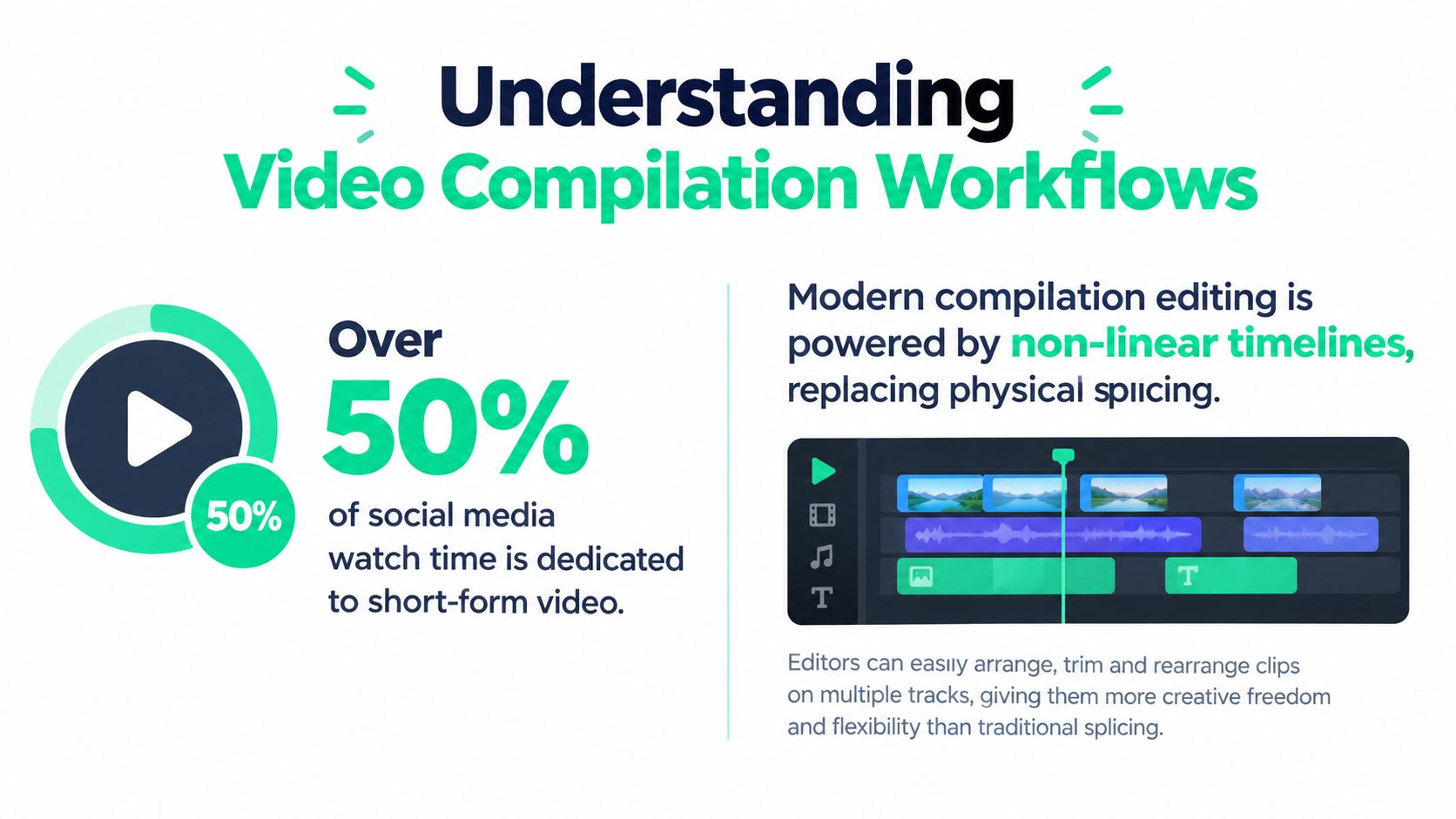
Compilation performance depends on the order of clips, the proof shown early, pacing, and readability with sound disabled. Engagement findings cited earlier explain the opportunity, but they do not guarantee results. Treat each platform version as a retention test, then adjust the opening and sequence rather than rebuilding the source edit.
A browser editor can manage basic assembly. An agentic workflow can inspect projects, find candidate moments, edit transcripts, add captions or media, validate output, start exports, and check render status. Teams comparing browser-based options can consult [essential Chromebook video editing for creators](https://podcast-generator.ai/blog/video-editing-programs-for-chromebook). The format is defined in this [short-form video glossary](https://blitzreels.com/glossary/short-form-video). BlitzReels can support the automation layer while human review controls the final cut: **sequence for retention first, then package for each platform**.
## Sourcing Clips and Crafting Hooks
A strong compilation starts with footage that already exists. Podcasts, webinars, interviews, customer calls, product demonstrations, and YouTube recordings can supply more usable moments than a team can locate by scrubbing manually. The practical task is separating a complete thought from a fragment that sounds interesting only in isolation.
### Build a searchable clip library
Review each source recording for four types of candidates:
- **Questions:** Questions that challenge a common assumption create context immediately.
- **Proof:** Demonstrations, results, product details, and specific explanations usually outperform broad commentary as opening material.
- **Emotional turns:** Mark surprise, disagreement, humor, relief, and changes in the speaker's pace.
- **Actionable statements:** A concise process or decision rule can carry a compilation more effectively than a general introduction.
BlitzReels supports this workflow as an agentic AI video editor. Its hosted OAuth MCP server lets compatible agents inspect projects and work with clips, transcripts, captions, media, timeline items, exports, and render status. The same operations can connect through its REST API, TypeScript SDK, CLI with structured JSON, OpenAPI documentation, `llms.txt`, and agent skills. Use the agent to find and group candidate moments, then review selections before approval.
Name files for batch production. A convention such as `source_topic_emotion_length_version`, for example `webinar-hooks-curious-22s-v1`, makes later searches faster. Add tags for audience, theme, speaker, platform, and review status. Keep selects, approved clips, rejected clips, and exported variants in separate locations. That separation prevents an unreviewed candidate from entering a final compilation.
### Write the promise before polishing the edit
The opening hook should state why the next moments deserve attention. Select footage around retention drop-off points, put the payoff promise within the first **1–3 seconds**, and remove context that arrives before the useful information, following the [guidance on Shorts length and retention](https://www.opus.pro/blog/ideal-youtube-shorts-length-format-retention). For cross-platform work, preserve the core promise while testing different first clips for TikTok, Instagram Reels, YouTube Shorts, and LinkedIn. A sequence that earns attention on one platform may need a different proof point on another.
Useful hook structures include:
- “The fastest way to fix this is…”
- “Three moments changed the entire launch.”
- “The customer noticed this before the team did.”
- “This answer explains why the first version failed.”
The wording does not need to sound sensational. It needs to create a clear information gap and close it quickly. Use the [scripts and hooks guide](https://blitzreels.com/guide/scripts-and-hooks) to standardize ideation, then have the editor verify that the selected footage delivers the opening promise. If it does not, replace the clip rather than decorating a weak introduction.
## Pacing Clips and Creating Smooth Transitions
A compilation loses energy when every clip includes its setup, pause, and conclusion. Preserve the moment that advances the idea, then remove the seconds that only explain how the speaker reached it. The goal is controlled momentum, not constant movement.
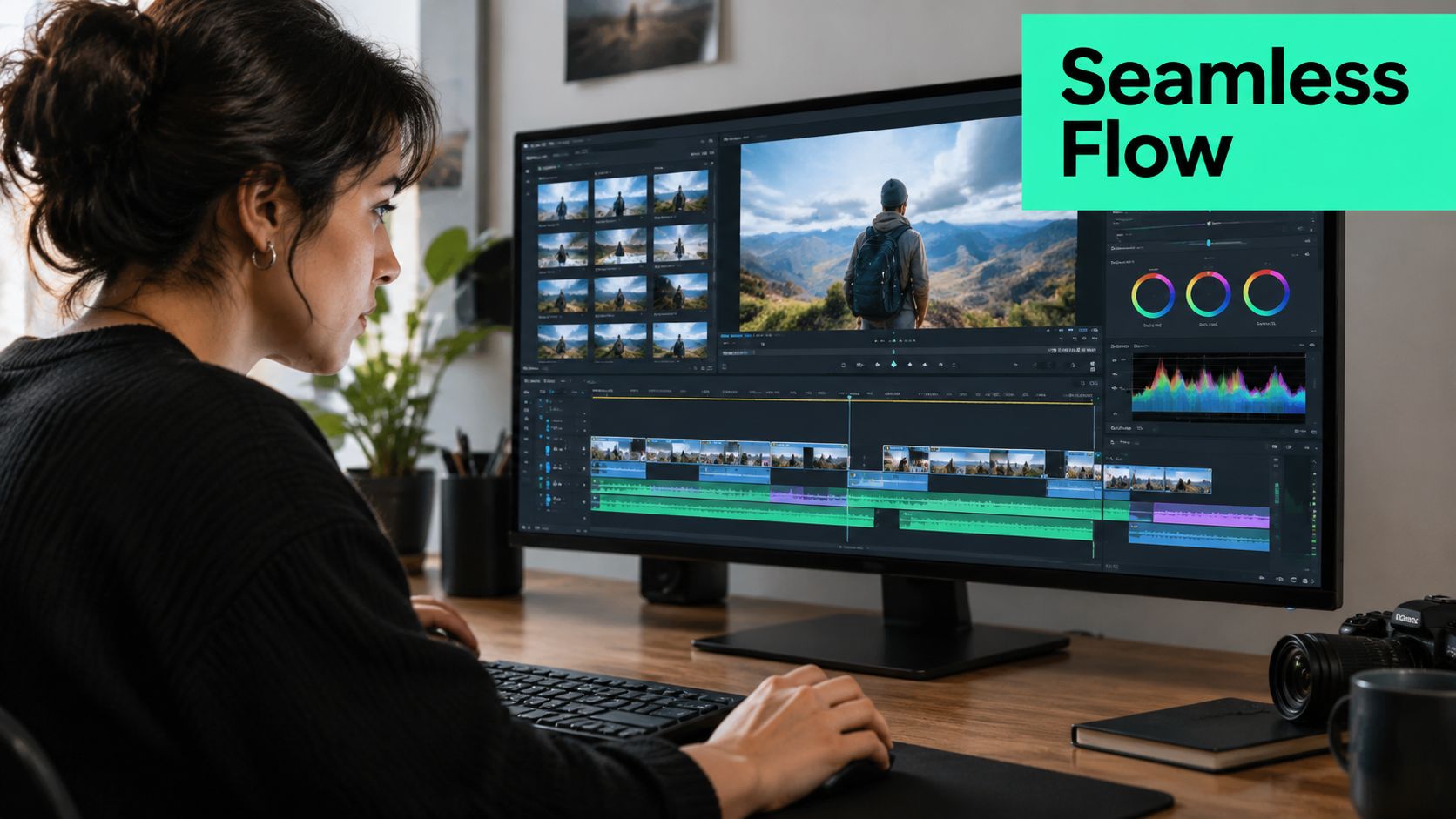
Mark the first meaningful word, visual change, or action. Trim into that point instead of leaving a greeting or a long breath. Trim out after the payoff unless the next clip needs a short reaction to keep the sequence clear.
### Use clip length as a pacing decision
Individual clips should support the platform and the idea rather than follow a fixed duration. Treat the commonly used Shorts range as an editorial reference, not an automatic target. A punchline may need only a few seconds, while a product explanation needs enough room to establish the problem and demonstrate the answer.
Sequence clips around retention. For TikTok, Instagram Reels, YouTube Shorts, and LinkedIn, keep the central promise consistent while testing different opening proof points. BlitzReels' agentic AI workflow can identify candidate moments, assemble variants, and let the editor compare which sequence earns stronger early attention.
A useful sequence often follows this pattern:
1. Open with the clearest proof or most surprising statement.
2. Follow with a visual or perspective that changes the texture.
3. Add supporting explanation after the viewer understands the premise.
4. End on the strongest emotional response, conclusion, or next action.
Jump cuts work when the speaker's delivery carries momentum. A crossfade can soften a deliberate mood change, but using one between every clip often weakens fast social edits. L-cuts, where audio from the next clip begins before the visual changes, connect clips without slowing the pace.
Add B-roll when a cut feels abrupt or a speaker repeats an idea that can be shown. Product close-ups, screen recordings, event footage, or reaction shots can cover a jump while giving viewers a fresh visual reason to continue.
Use the following walkthrough to compare trimming, transition, and timeline decisions in practice.
For a practical [guide to clipping videos](https://blitzreels.com/blog/how-to-clip-videos), review each cut against the promise established at the opening. The strongest edit feels faster because it removes hesitation, not because it adds motion everywhere.
> **Practical rule:** Every cut should introduce new information, a new visual, a stronger emotion, or a clearer payoff.
## Adding On Beat Captions and Emoji Callouts
Captions make a compilation understandable when viewers aren't listening with sound. They also reinforce the edit by highlighting the exact words that carry the hook, contrast, or conclusion.
Captioned videos are about **80% more likely to be watched to completion**, with average watch-time gains of **12–15%** and retention boosts of **8–28%**, according to caption retention research. The figures vary by styling and context, but the production implication is consistent: captions should appear early, remain synchronized, and be easy to read on a small screen.
### Make caption design part of the edit
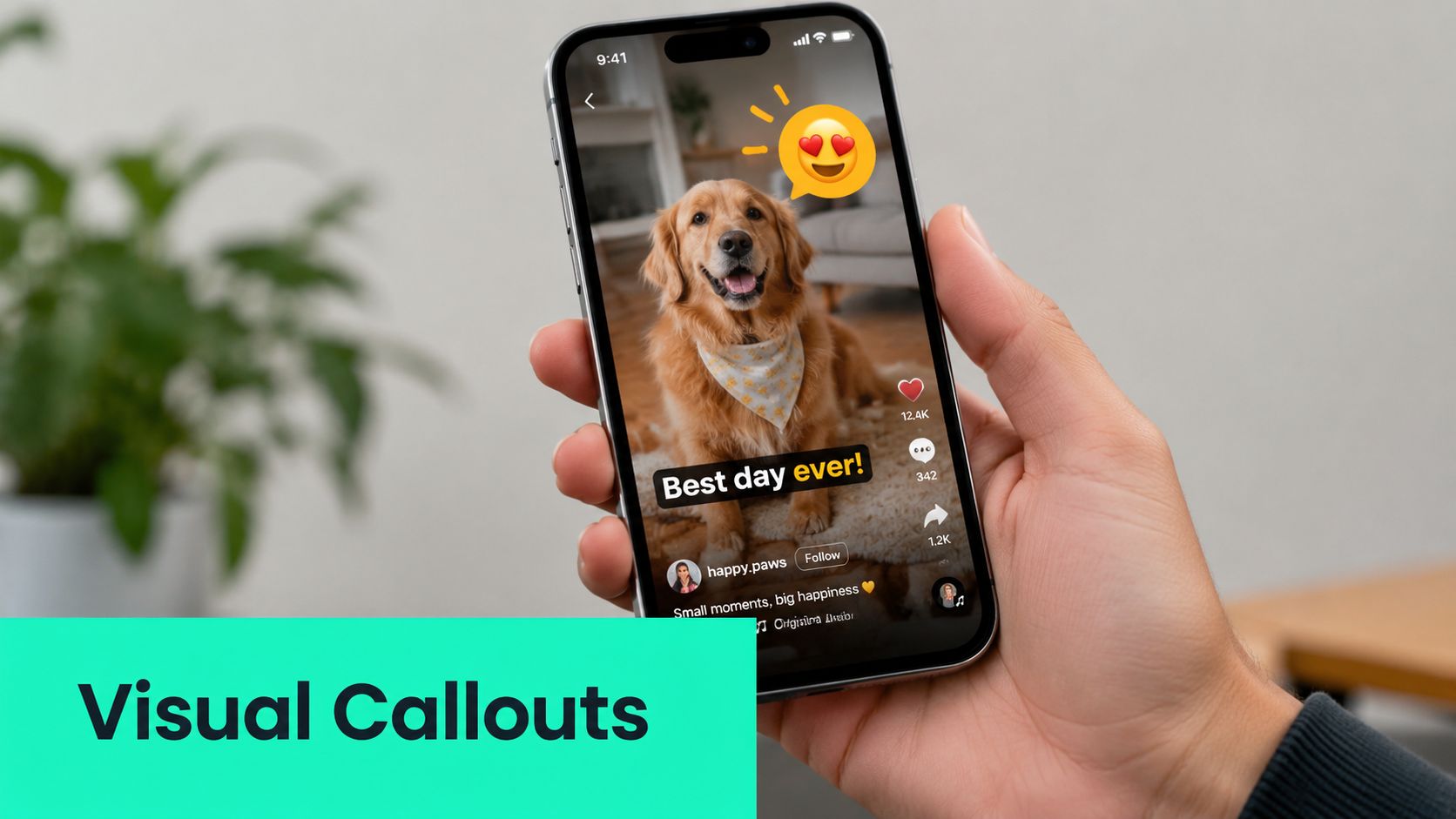
Use automatic transcription to create a first pass, then correct names, technical terms, and punctuation manually. Split long sentences into short readable phrases, keep the text away from interface controls, and use a consistent brand font, weight, contrast, and highlight treatment.
On-beat captions shouldn't animate on every syllable. Emphasize the word that changes the meaning of the sentence, such as “before,” “only,” “never,” or the key product term. Emoji callouts can reinforce a reaction or point to an object, but they should clarify the moment rather than decorate empty space.
A repeatable caption pass looks like this:
- **Transcribe:** Generate the initial text from the selected clip.
- **Correct:** Review names, numbers, jargon, and speaker changes.
- **Style:** Apply the brand preset and confirm contrast against every shot.
- **Synchronize:** Align each phrase to speech and remove delayed subtitle entrances.
- **Validate:** Watch the rendered version on a phone-sized preview before approval.
The [guide to adding captions to video](https://blitzreels.com/blog/how-to-add-captions-to-video) covers the production mechanics. Human review remains important because automatic captions can misread terminology even when the timing is good.
## Selecting Music and Navigating Licensing
Music should support the emotional direction of the clips, not compete with the spoken message. A fast sequence can work with a track that has clear rhythmic accents, while a testimonial compilation may benefit from a restrained bed that leaves room for the voice.
Start by defining the editorial need: energetic, tense, warm, playful, or reflective. Then search a licensed library by mood, genre, duration, and usage terms. Check whether the license covers the intended platform, territory, account type, and commercial use. A track that works for an internal draft may not be cleared for a paid campaign.
### Keep licensing data attached to the edit
Store the track name, creator, license identifier, permitted use, and source URL in project metadata. This makes later review easier when a team creates several platform versions or hands the project to another editor. It also prevents a common failure, replacing a licensed draft track with an unverified version during final revisions.
BlitzReels workflows can connect music metadata to a project through the REST API, TypeScript SDK, or CLI, while an agent using the hosted OAuth MCP server can inspect project information and help validate the selected media before export. The system should flag missing license fields for human review rather than treating metadata as legal approval.
Teams building a repeatable rights process can also consult this resource on [safeguarding artist copyrights](https://oohyeah.app/intellectual-property). The safest compilation is one built from original footage, properly licensed media, or clearly documented permissions.
> A music cue is part of the deliverable's rights record, not just an audio layer.
Keep the voice intelligible by lowering the music beneath speech and checking transitions at the actual cut points. If the track's strongest beat conflicts with the hook, move the edit or choose another track. A technically licensed song can still be the wrong editorial choice if it masks the information viewers need.
## Export Settings for Reels TikTok and Shorts
One source project should produce several platform-specific versions, not one file stretched into every feed. Framing, visible caption space, duration, and description limits affect how the compilation is perceived after export.
The gathered platform guidance specifies vertical delivery at **1080 × 1920** and **9:16** for Instagram Reels and TikTok, while YouTube Shorts accepts **9:16 or 1:1** and can run up to **3 minutes**, as summarized in this [YouTube Shorts specification guide](https://www.vidulk.com/video-specs/youtube-shorts).
| Platform | Resolution | Aspect Ratio | Max Duration | Caption Limit |
|---|---:|---:|---:|---:|
| Instagram Reels | 1080 × 1920 | 9:16 | Platform-dependent | 2,200 characters |
| TikTok | 1080 × 1920 | 9:16 | Platform-dependent | 2,200 characters, with about the first 150 characters visible before truncation |
| YouTube Shorts | Platform-specific vertical or square export | 9:16 or 1:1 | 3 minutes | Platform-dependent |
For TikTok, put the context and primary promise at the beginning of the description because only about the first **150 characters** are visible before truncation, according to the [TikTok video specification reference](https://labs.xo3d.co.uk/youtube-shorts-resolution/). For Reels, protect the lower and side interface areas when placing captions or title cards. For Shorts, don't export a wide **16:9** version when the intended destination is Shorts, because wider formats are treated as long-form.
### Create variants deliberately
Maintain separate timeline variants for:
- **Reels:** Preserve the 9:16 frame and keep captions clear of interface regions.
- **TikTok:** Rewrite the opening description so the visible text carries the hook.
- **Shorts:** Choose 9:16 or 1:1 based on the source framing and keep the opening visual intact.
- **LinkedIn:** Consider a calmer pace and stronger explanatory title card when the compilation targets professional viewers.
A podcast team can also review workflows designed to [create short videos from your podcasts](https://www.fame.so/clips/video-podcast-to-shorts). Before export, validate the aspect ratio, crop, caption positioning, audio mix, title card, and metadata for each version. The [vertical video specifications guide](https://blitzreels.com/blog/vertical-video-specs) provides a useful checklist for that final pass.
## Scaling Next Steps with BlitzReels
A one-off compilation needs editorial judgment. A repeatable pipeline needs structured operations and review checkpoints. The gap between the two is where agentic editing becomes useful.
BlitzReels can function as an **agentic AI video editor** with a native hosted OAuth MCP server, REST API, TypeScript SDK, CLI with structured JSON, OpenAPI, `llms.txt`, and agent skills. An agent can inspect a project, find candidate clips, create timeline items, edit transcripts, generate or refine captions, add B-roll or other media, validate the output, start exports, and verify render status.
A scalable workflow can follow this sequence:
1. Ingest a podcast, webinar, interview, call, or YouTube recording.
2. Ask an agent to identify moments by topic, speaker, emotional tone, and likely hook.
3. Generate several clip candidates with vertical reframing and caption presets.
4. Create separate Reels, TikTok, Shorts, and LinkedIn timeline variants.
5. Route every candidate to browser-based human review.
6. Export approved versions and verify render status before publishing.
Research on 2026 editing trends notes that public guidance often underexplains strategic sequencing and reliable multi-clip automation, while the Repurpose-10K dataset includes over **10,000 videos** and more than **120,000 annotated clips**, as discussed in [research on video editing trends](https://smoothyedit.com/blog/video-editing-trends-2026). Automation should reduce repetitive assembly, not remove editorial accountability. Human reviewers still decide whether the hook is credible, the clip fulfills its promise, the captions are accurate, and the final version feels native to its destination.
---
BlitzReels helps teams clip long recordings, edit transcripts and timeline items, add captions and B-roll, reframe footage, resize projects, and export platform-specific versions for TikTok, Instagram Reels, YouTube Shorts, and LinkedIn. Visit [BlitzReels](https://blitzreels.com) to build a retention-first compilation workflow with agent-powered automation and browser-based human review.