---
title: "Learn How to Post Youtube Video on Instagram: 2026 Guide"
canonical: "https://blitzreels.com/blog/how-to-post-youtube-video-on-instagram"
---
# Learn How to Post Youtube Video on Instagram: 2026 Guide
URL: https://blitzreels.com/blog/how-to-post-youtube-video-on-instagram
Markdown URL: https://blitzreels.com/blog/how-to-post-youtube-video-on-instagram.md
Published: 2026-06-13
Author: BlitzReels
Learn how to post youtube video on instagram as a Reel, Story, or Feed post. Our 2026 guide covers conversion, reframing, captioning, and optimization.
Tags: how to post youtube video on instagram, youtube to instagram, repurpose video, instagram reels, short-form video

A lot of creators search for how to post YouTube video on Instagram when what they really mean is this: there's already a solid long-form video on YouTube, and turning it into something Instagram users will watch feels slower and messier than it should.
That friction is real. The file isn't the hard part. The hard part is cutting the right moment, reframing horizontal footage into vertical, adding readable captions, and choosing whether the clip should live as a Reel, a Story, or a Feed post. A straight repost usually looks out of place. A native short clip can feel like it was made for Instagram from the start.
## Table of Contents
- [Why Simply Linking Your YouTube Video Is a Mistake](#why-simply-linking-your-youtube-video-is-a-mistake)
- [Choosing Your Format Reels vs Stories vs Feed](#choosing-your-format-reels-vs-stories-vs-feed)
- [Start with the goal, not the file](#start-with-the-goal-not-the-file)
- [A practical format comparison](#a-practical-format-comparison)
- [The Manual Method How to Download Edit and Repost](#the-manual-method-how-to-download-edit-and-repost)
- [What the manual workflow actually looks like](#what-the-manual-workflow-actually-looks-like)
- [Where manual repurposing usually breaks down](#where-manual-repurposing-usually-breaks-down)
- [The Smart Method Repurpose Video in Minutes with BlitzReels](#the-smart-method-repurpose-video-in-minutes-with-blitzreels)
- [What changes when the workflow is unified](#what-changes-when-the-workflow-is-unified)
- [What to automate and what to keep manual](#what-to-automate-and-what-to-keep-manual)
- [Optimizing Your Clip for Maximum Instagram Reach](#optimizing-your-clip-for-maximum-instagram-reach)
- [Build the first seconds for scroll-stopping retention](#build-the-first-seconds-for-scroll-stopping-retention)
- [Use Stories differently when the goal is traffic](#use-stories-differently-when-the-goal-is-traffic)
- [Posting Guidelines Copyright and Best Practices](#posting-guidelines-copyright-and-best-practices)
## Why Simply Linking Your YouTube Video Is a Mistake
A raw YouTube link feels efficient. It's also one of the weakest ways to distribute video on Instagram.
Instagram had **about 500 million daily active users in 2019**, and a cited 2026 social video reference says **52%** of social users gravitate toward **short-form video under 60 seconds on Instagram** in the cited tutorial from [this YouTube reference](https://www.youtube.com/watch?v=ozTnrBVn0GM). That combination matters. The audience is large, but the viewing behavior leans toward short, native, mobile-first clips.
A standard YouTube upload usually doesn't match that behavior. It's often horizontal, longer, slower to get to the point, and built for a platform where the viewer already expects a committed watch. Instagram users often make a decision in seconds.
> **Practical rule:** Don't treat Instagram like a traffic forwarding layer. Treat it like its own editing and packaging environment.
That's where many creators lose reach. They post the full video thumbnail, add a weak caption, and expect Instagram users to leave the app and watch somewhere else. Some followers will. Most won't unless the clip gives them a reason first.
The stronger move is to turn the source video into an Instagram-native asset. Pull one idea from the larger video. Put the strongest line at the front. Add captions. Reframe it vertically. Build curiosity instead of asking for a click upfront. The logic behind that approach is similar to the thinking in this piece on [why repurposed clips drive more engagement than originals](https://www.blitzreels.com/blog/why-repurposed-clips-drive-more-engagement-than-originals).
Three common mistakes show up again and again:
- **Posting the full YouTube link with no teaser:** Viewers see a request, not a payoff.
- **Uploading an unedited horizontal excerpt:** The framing looks wrong on a phone and wastes screen space.
- **Using the same intro from YouTube:** Long-form intros often lose Instagram viewers before the useful part starts.
The core mistake isn't technical. It's strategic. A YouTube video and an Instagram video can come from the same source material, but they usually shouldn't be the same asset.
## Choosing Your Format Reels vs Stories vs Feed
The first decision isn't how to export the file. It's where the video should live.
Instagram rewards different behaviors in different placements. A creator trying to get broad visibility should make a different post than a creator trying to drive taps back to a full YouTube episode. Most tutorials skip that and jump straight to editing.
### Start with the goal, not the file
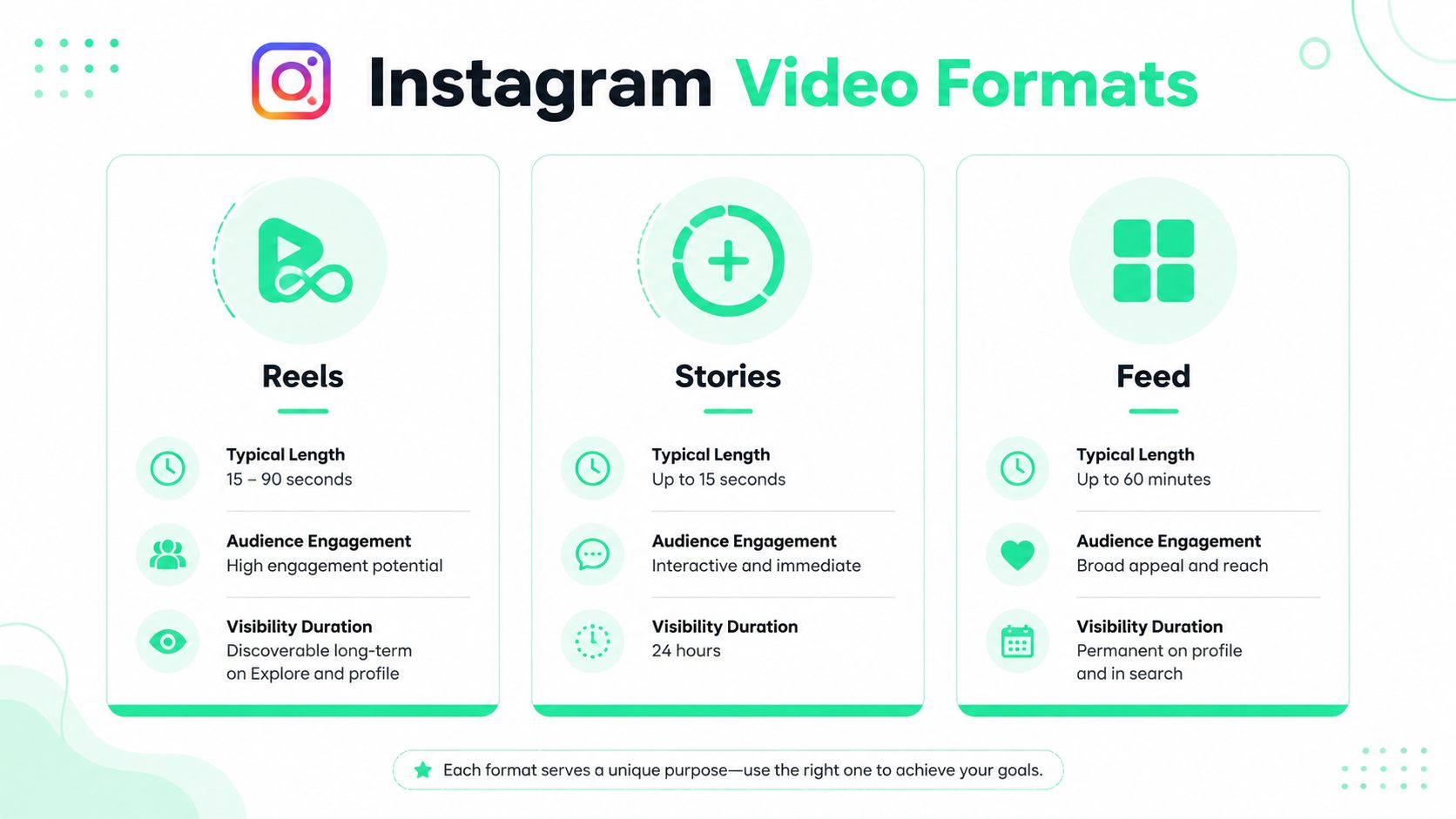
One of the most useful distinctions in creator workflows is simple: **Reels are for reach, Stories are for direct linking**. That strategic split is noted in [Clipchamp's guide to posting YouTube videos on Instagram](https://clipchamp.com/en/blog/how-to-post-youtube-video-instagram/).
That means the same YouTube source can produce three different Instagram outputs:
| Format | Best use | What usually works |
|---|---|---|
| **Reels** | Discovery and audience growth | A tight vertical clip with a fast hook, captions, and a strong cover |
| **Stories** | Timely promotion and click intent | A short teaser plus context and a clear next step |
| **Feed** | Evergreen profile presence | A concise clip that still makes sense to existing followers |
Creators doing interview clips, webinars, podcasts, and educational videos run into this choice constantly. Teams working to [repurpose podcasts for video](https://getupproductions.com/short-form-video-content/) often get better results when they separate awareness clips from traffic-driving clips instead of forcing one post to do both jobs.
### A practical format comparison
**Reels** usually make the most sense when the source video contains a sharp takeaway, controversial opinion, or visually clear moment. Such moments allow short-form repurposing to earn its keep. A good Reel doesn't feel like an excerpt. It feels complete.
**Stories** work better when timing matters. Launching a new YouTube episode, promoting a live stream replay, or nudging an existing audience to watch the full piece all fit Story behavior more naturally than Reel behavior.
> Reels earn attention inside Instagram. Stories can convert attention into action.
**Feed video** sits in a middle lane. It doesn't usually create the same discovery effect as Reels or the same urgency as Stories, but it can still work for polished clips that deserve a permanent place on the profile.
For creators building a repeatable system, this overview of [short-form video workflows](https://www.blitzreels.com/blog/short-form-video) is useful because it frames each clip as a packaging decision, not just an editing task.
A clean way to decide:
- **Choose Reels** when the clip can stand alone without explanation.
- **Choose Stories** when the viewer needs a direct CTA and a fast path to the full video.
- **Choose Feed** when profile presentation matters and the clip still works for followers who already know the creator.
Most weak reposts fail because they pick the destination last. Strong repurposing starts there.
## The Manual Method How to Download Edit and Repost
The DIY path works, but it's fragmented. A creator usually ends up bouncing between a downloader, an editor, a caption tool, an export window, and then Instagram itself.
That doesn't just slow the process down. It creates quality problems at every handoff.
### What the manual workflow actually looks like
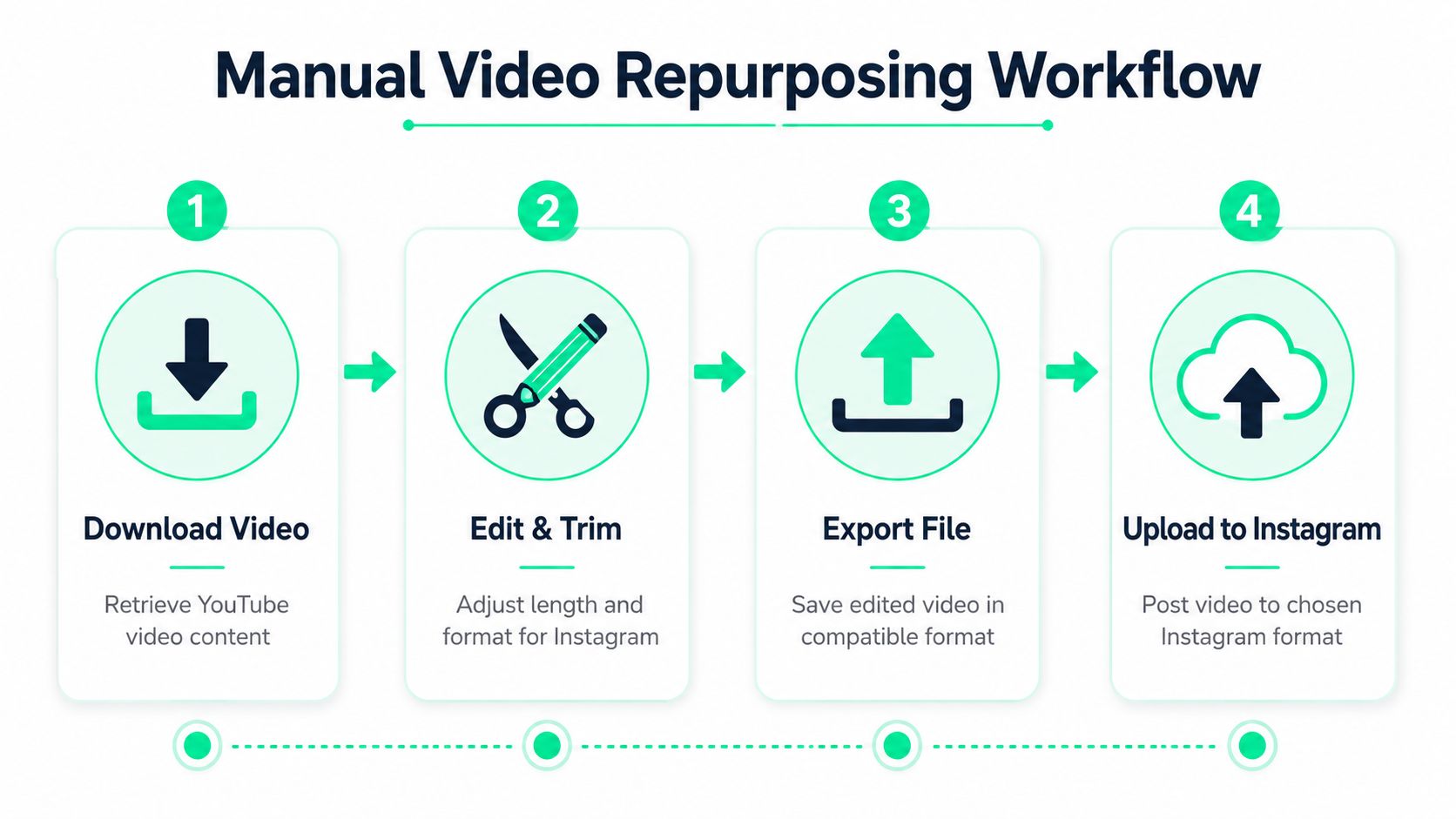
Instagram's format rules are rigid. Reels support **up to 90 seconds**, Stories run in **15-second segments up to 60 seconds total**, Feed video is listed as **up to 60 seconds**, and vertical placements are recommended in **9:16** while Feed tends to work better in **1:1** or **4:5**, according to [Sked Social's Instagram formatting guide](https://skedsocial.com/blog/post-youtube-video-to-instagram). That same guidance also recommends trimming clips to **60 to 90 seconds** and adding captions.
A manual workflow usually looks like this:
1. **Download the original video file**
The creator first needs access to the YouTube source as a usable file. If the original edit isn't already organized locally, this alone becomes a cleanup task.
2. **Find one clip worth isolating**
The strongest Instagram clip is rarely the opening of the YouTube video. Someone has to scrub through the timeline, find a self-contained moment, and cut away all the setup.
3. **Reframe from 16:9 to vertical**
Without proper reframing, many repurposed clips frequently fall apart. The speaker's face gets cropped, slides disappear, or the focal point shifts out of frame.
4. **Add captions manually**
Auto-generated captions from generic tools often need cleanup. Then someone still has to style font size, line breaks, colors, and placement so they don't cover faces or interface elements.
5. **Export for the destination**
Reels, Stories, and Feed don't want the same framing or runtime. One source clip can require multiple exports.
A lot of people searching for how to post YouTube video on Instagram are really looking for this entire chain, not just the final upload button.
For creators who are still clipping by hand, this guide on how to [clip YouTube video](https://www.blitzreels.com/blog/clip-youtube-video) is relevant because clipping is the bottleneck that determines everything downstream.
### Where manual repurposing usually breaks down
The friction isn't evenly distributed. Three parts usually take longer than expected:
- **Hook selection:** The best line for Instagram often appears in the middle of the original video.
- **Vertical reframing:** Horizontal interviews and screen recordings rarely convert cleanly without adjustment.
- **Caption timing:** Poorly timed subtitles make even good clips feel amateur.
> A manual workflow can produce strong results. It just asks the editor to make dozens of small decisions every time.
There's also a quality trap. When someone spends too much time on resizing and captions, they often settle for the wrong clip because they're tired of editing. That leads to safe excerpts instead of sharp short-form pieces.
Another issue is inconsistency. One clip gets bold captions. Another gets thin white subtitles. One cover has a title card. Another uses a random frame. The account starts to look assembled instead of designed.
The manual path still makes sense for occasional posting or creators who already edit in tools like Premiere Pro, Final Cut Pro, or CapCut and don't mind the extra production steps. But for repeatable repurposing, the number of decisions adds up fast.
## The Smart Method Repurpose Video in Minutes with BlitzReels
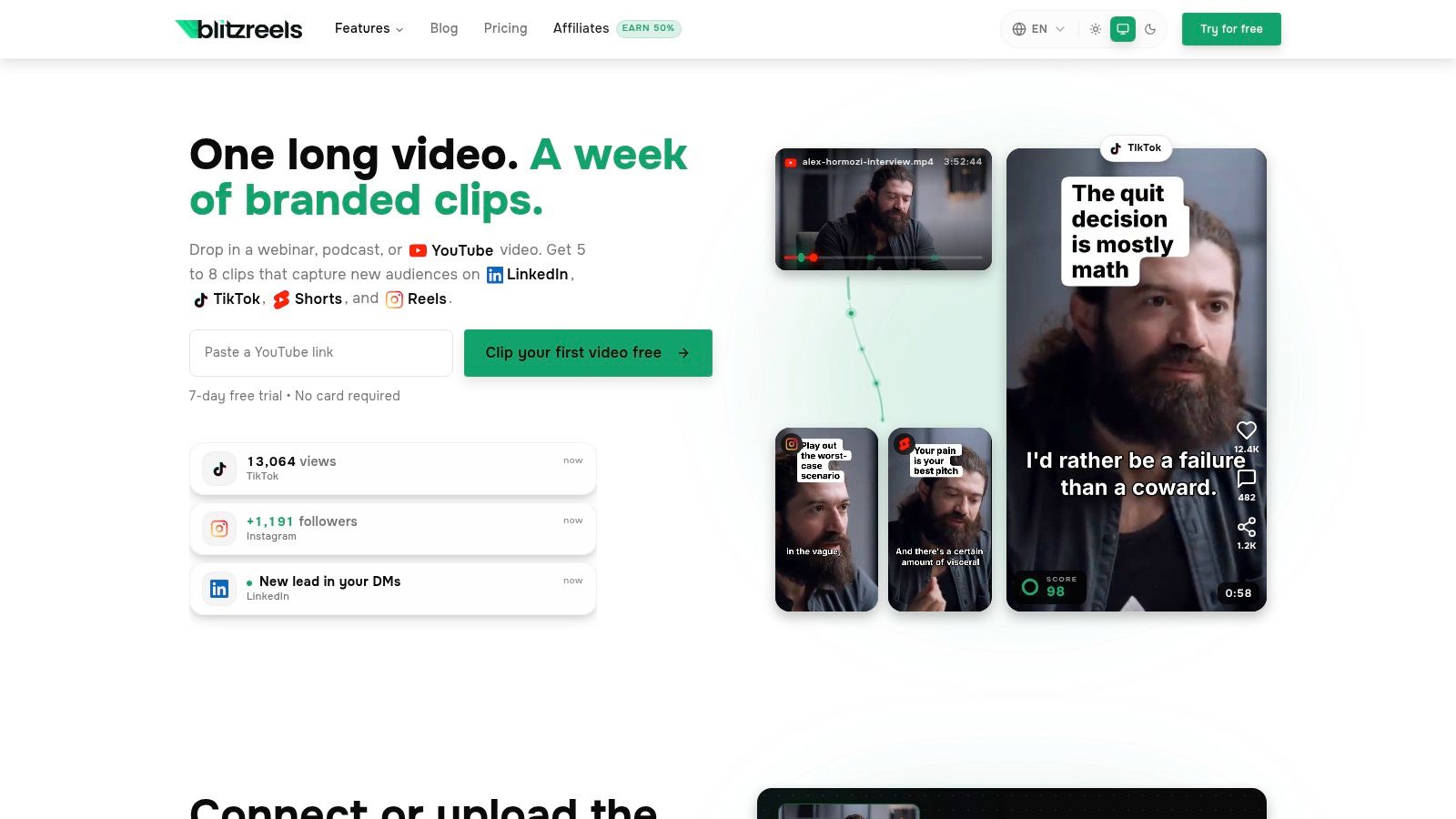
The cleaner option is a unified workflow that handles clipping, reframing, captioning, and resizing in one place.
### What changes when the workflow is unified
Instead of exporting from multiple tools, the editor starts with the source file and builds platform-ready variations from the same workspace. That changes the job from technical juggling to packaging.
A dedicated short-form editor like [BlitzReels for Instagram Reels](https://www.blitzreels.com/use-cases/instagram-reels) is built around that repurposing flow. The practical value isn't just convenience. It's that the same project can handle clipping, auto captions, title cards, templates, and vertical reframing without forcing the creator to rebuild the video three times.
The core workflow is straightforward:
- **Upload the video source:** MP4, MOV, screen recordings, and other common creator files work.
- **Pull the strongest segment:** Short-form editing starts with the moment that carries tension, payoff, or surprise.
- **Auto-generate captions:** Then clean up line breaks and styling instead of typing from scratch.
- **Reframe for vertical:** Keep faces centered and preserve the visual subject.
- **Add hook text or title cards:** This gives the viewer a reason to stay for the next sentence.
- **Export for Instagram:** Create a version sized for the intended placement.
A lot of creators are also looking at broader automation systems around content production. This overview of a [Magic Genie AI workflow for content](https://magicgenie.ai/blog/content-creation-automation) is useful context because it shows how teams are reducing repetitive editing steps across the pipeline, not just inside one post.
### What to automate and what to keep manual
The smartest setup doesn't automate everything blindly. It automates the repetitive work and keeps human judgment where it matters.
Keep these parts manual:
- **Clip choice:** Software can suggest segments, but the editor still needs to decide which moment creates curiosity.
- **Hook wording:** The opening line should sound native to the creator, not generic.
- **Cover frame and title card:** This affects click behavior and brand consistency.
Automate these parts whenever possible:
- **Caption generation and sync**
- **Silence removal and rough trimming**
- **Speaker-centered reframing**
- **Platform-specific resizing**
Here's what that looks like in motion:
The outcome is less about fancy AI language and more about removing production drag. A creator shouldn't have to spend most of the job fighting aspect ratios. The work should go into choosing the right idea, writing the right hook, and making the clip feel native to Instagram.
That's the difference between reposting and repurposing.
## Optimizing Your Clip for Maximum Instagram Reach
Uploading the clip is only half the work. The packaging around the clip often decides whether anyone watches long enough for it to matter.

### Build the first seconds for scroll-stopping retention
Most YouTube footage needs a new opening for Instagram. A long intro, branded bumper, or “today's video” setup usually kills momentum.
A stronger short-form opening often uses one of these patterns:
- **A direct claim:** Start with the conclusion, not the context.
- **A tension line:** Lead with the problem the clip resolves.
- **A curiosity hook:** Reveal enough to create forward motion, not enough to satisfy it instantly.
Captions matter here too. They shouldn't just transcribe. They should help pace the clip visually. Good caption styling makes key words easy to scan, keeps line breaks clean, and avoids covering the speaker's mouth or the most important on-screen element.
This article on [how captions drive engagement on TikTok and Instagram](https://www.blitzreels.com/blog/how-captions-drive-engagement-on-tiktok-and-instagram) is a useful reference because caption design affects readability as much as transcript accuracy.
> The best captions don't feel bolted on. They feel like part of the edit.
Small improvements also change how the clip lands:
| Element | Weak version | Stronger version |
|---|---|---|
| **Hook** | Generic intro | Immediate claim or payoff |
| **Cover** | Random frame | Deliberate title card |
| **Caption style** | Thin, hard-to-read text | Bold, clean, mobile-readable lines |
For creators tuning discovery strategy, these [strategies for more Reels viewership](https://www.veo3ai.io/blog/how-to-increase-instagram-reels-views) add useful context around packaging and attention, especially when the clip itself is already solid.
### Use Stories differently when the goal is traffic
If the goal is to send viewers to the full YouTube video, Stories are the direct path because they support the tappable Link sticker, as described in [Paperbell's guide to sharing YouTube videos on Instagram](https://paperbell.com/blog/how-to-share-a-youtube-video-on-instagram/).
That changes the creative approach. A Story shouldn't try to deliver the whole point. It should tease the payoff and make the tap feel worth it.
A better Story setup usually includes:
- **A short teaser clip:** Enough context to show what the video is about.
- **A visible CTA:** “Tap here” works better than hoping the viewer notices the sticker.
- **A clean layout:** The link sticker needs to stay visible and easy to tap.
- **A reason to leave Instagram:** Raw URLs without context usually underperform because the viewer hasn't been given a motive.
Stories and Reels shouldn't carry the same call to action. Reels are better at holding attention inside the app. Stories can ask for the click more directly.
## Posting Guidelines Copyright and Best Practices
All of these workflows assume the creator is repurposing **content they own or control**. That matters.
Downloading, clipping, resizing, and reposting a video that belongs to someone else can create copyright problems fast. The safer standard is simple. Use these methods for original YouTube videos, client-approved assets, licensed footage, or content with explicit permission.
A final pre-publish check helps prevent weak posts:
- **Check ownership:** Confirm rights before editing or reposting.
- **Check formatting:** Make sure the export matches the intended Instagram placement.
- **Check readability:** Review captions on a phone, not just on a desktop preview.
- **Check intent:** The post should have one clear job, either reach, profile value, or traffic.
The strongest answer to how to post YouTube video on Instagram isn't “download and upload.” It's “transform the source into a native short-form asset that fits the placement.” That's what makes the content feel right on Instagram instead of recycled from somewhere else.
---
If the goal is to turn one YouTube video into multiple usable shorts without juggling separate tools for clipping, captions, resizing, and reframing, [BlitzReels](https://blitzreels.com) is built for that workflow. It gives creators a faster way to package vertical videos for Instagram, TikTok, YouTube Shorts, LinkedIn, and similar platforms while keeping editing quality consistent.