---
title: "Instagram Reels Caption Generator: A Practical Playbook"
canonical: "https://blitzreels.com/blog/instagram-reels-caption-generator"
---
# Instagram Reels Caption Generator: A Practical Playbook
URL: https://blitzreels.com/blog/instagram-reels-caption-generator
Markdown URL: https://blitzreels.com/blog/instagram-reels-caption-generator.md
Published: 2026-09-01
Author: BlitzReels
Learn how an instagram reels caption generator actually works. Prompts, tone, length, and workflow tips to ship captions that earn watch time and reach.
Tags: instagram reels caption generator, reels captions, ai video captions, short-form video workflow, blitzreels

A Reel is ready to publish, but the caption field is still empty. The editor has already clipped the source video, resized it for vertical viewing, added a hook, and timed the on-video captions. Writing another caption from a blank screen feels small, yet repeated across a content calendar, it becomes a real production bottleneck.
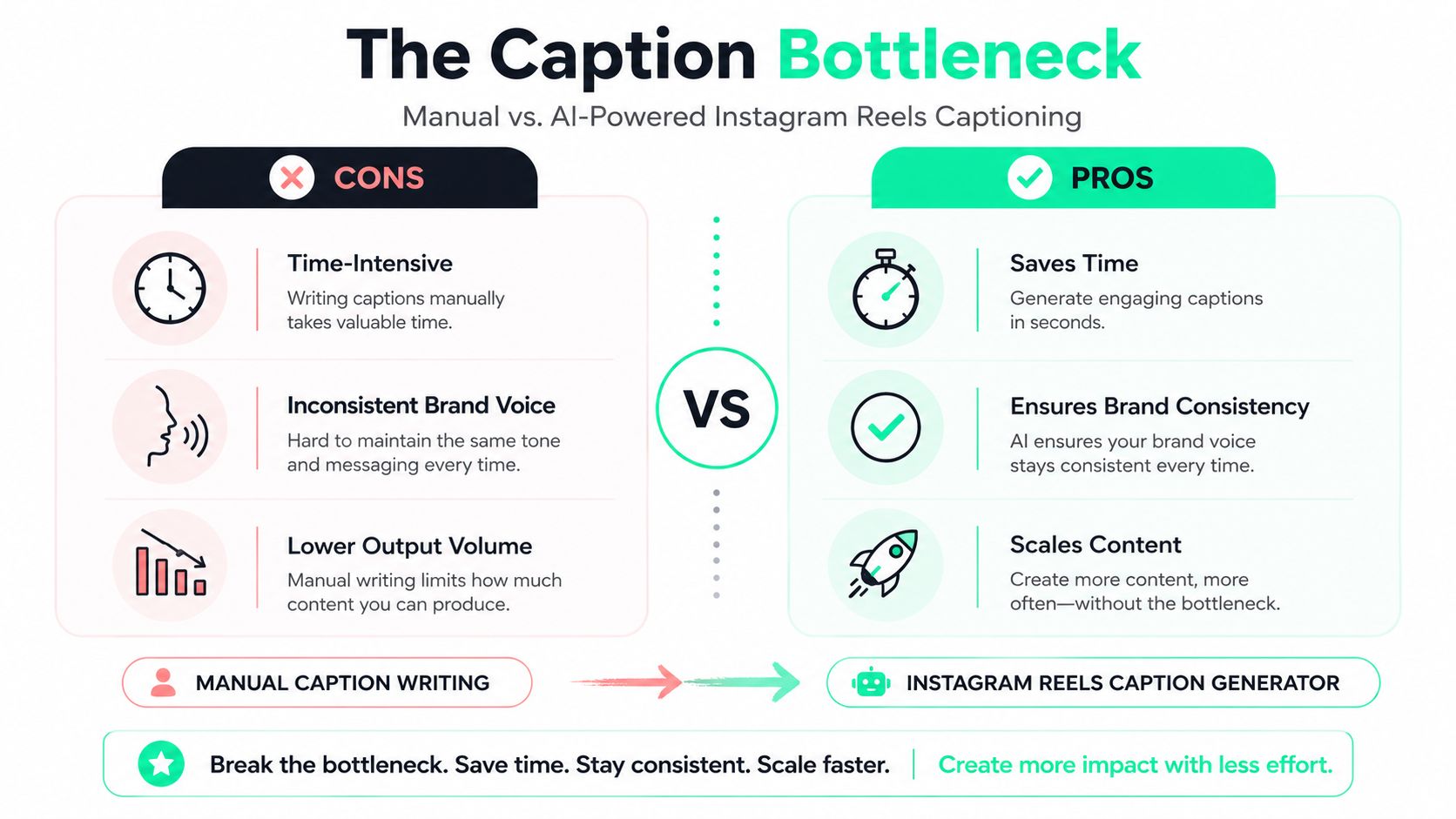
An **Instagram Reels caption generator** solves the repetitive first draft. It can turn a transcript, product brief, or rough idea into several caption angles, but it can't decide whether a claim is accurate, whether a joke fits the audience, or whether the first line sounds like the brand. The useful workflow treats generated copy as raw material that still passes through intent, editing, timing, and quality control.
## Table of Contents
- [Why You Need a Caption Generator for Reels](#why-you-need-a-caption-generator-for-reels)
- [When the generator earns its place](#when-the-generator-earns-its-place)
- [Anatomy of a Reels Caption That Performs](#anatomy-of-a-reels-caption-that-performs)
- [Match length to intent](#match-length-to-intent)
- [Prompt Patterns for Reels Caption Tools](#prompt-patterns-for-reels-caption-tools)
- [Four prompts that produce usable drafts](#four-prompts-that-produce-usable-drafts)
- [On-Video Captions, Timing, and Safe Zones](#on-video-captions-timing-and-safe-zones)
- [Build the text layer around the frame](#build-the-text-layer-around-the-frame)
- [Choosing Tone, Length, Hashtags, and Emojis](#choosing-tone-length-hashtags-and-emojis)
- [Use a decision tree, not a rigid template](#use-a-decision-tree-not-a-rigid-template)
- [Automating Captions with BlitzReels](#automating-captions-with-blitzreels)
- [Editing, A/B Testing, and a Repeatable Checklist](#editing-ab-testing-and-a-repeatable-checklist)
## Why You Need a Caption Generator for Reels
Short-form teams often publish several Reels each week, repurpose long-form recordings, and adapt the same idea for different audiences. Manual caption writing becomes the slowest part of the process, especially when every draft needs a hook, context, CTA, hashtags, and a consistent voice. An Instagram Reels caption generator absorbs that repetitive work so editors can spend more time on narrative, clipping, reframing, and on-video synchronization.
The format justifies a production system. Meta has reported that Reels are played **more than 200 billion times per day** across Instagram and Facebook combined, while users spend about **50% of their Instagram time** watching Reels globally, according to [reported Instagram Reels statistics](https://axis-intelligence.com/instagram-reels-statistics/). Independent coverage also reports that roughly **2 billion people engage with Reels monthly**, making caption accessibility and rapid iteration practical concerns rather than optional polish.
### When the generator earns its place
A generator is useful when a team needs to:
- **Scale output:** Draft multiple variants for a regular publishing schedule.
- **Repurpose transcripts:** Convert a podcast, webinar, interview, or call into short hooks and supporting copy.
- **Localize ideas:** Create versions with regionally natural phrasing instead of translating word for word.
- **Test controlled changes:** Vary the opening line, CTA, or hashtag group while keeping the footage consistent.
Manual writing still wins for a one-off personal story, sensitive subject matter, or a caption built around cultural context that the model hasn't been given. The best practice is simple: generate widely, select narrowly, and edit with human judgment. Teams that also need to [add captions to TikTok videos](https://www.remotionvideo.com/blog/how-to-generate-captions-on-tiktok) can apply the same separation between caption copy and the on-video text layer.
A generator is a **production tool, not an editorial replacement**. It should produce the first pass in a caption pipeline, not the final deliverable.
For the relationship between caption decisions and short-form performance, see this [guide to how captions drive engagement on TikTok and Instagram](https://blitzreels.com/blog/how-captions-drive-engagement-on-tiktok-and-instagram).
## Anatomy of a Reels Caption That Performs
The caption field has several jobs, and each job competes for limited attention. Instagram allows Reels captions to use up to **2,200 characters**, but only about the first **55 to 60 characters** are typically visible in the Reels preview, according to this [Instagram character limits guide](https://bundle.social/blog/instagram-character-limits-guide). That makes the opening line a distribution and conversion asset, not a decorative introduction.
A practical caption has four zones:
1. **Visible preview:** The first phrase must communicate the topic or tension before truncation.
2. **Hook line:** A direct question, strong opinion, or clear benefit creates a reason to expand.
3. **Supporting context:** The full caption gives the engaged viewer background, steps, proof, or narrative.
4. **Hashtag and CTA tail:** Hashtags, mentions, and the requested action occupy the remaining space.
Hashtags and @mentions count toward the same character cap, so a generator needs to budget for line breaks and discovery terms rather than treating the field as uninterrupted prose.
| Caption Zone | Character Range | Primary Job |
|---|---:|---|
| Visible preview | 55–60 characters | Stop the scroll and clarify relevance |
| Hook line | Front-loaded | Earn the tap to expand |
| Supporting context | 150–600+ characters | Explain, teach, or tell the story |
| Hashtag and CTA tail | Remaining space | Support discovery and action |
### Match length to intent
A story Reel generally needs **150–300 characters**, enough to establish the moment and invite a response. Educational and product Reels often benefit from **300–600 characters** because the audience needs context, a takeaway, or an objection handled. Captions longer than **600 characters** make sense when the copy is deliberately doing search and context work, not because longer text automatically performs better.
That structure creates a three-layer asset. The preview handles the scroll-stop, the expanded caption serves the interested viewer, and the structured tail supports distribution through relevant hashtags, mentions, and location. On-video captions perform a separate accessibility and comprehension function, which requires its own timing and design system. Practical styling guidance is available in this [data-driven guide to styling video captions](https://blitzreels.com/blog/a-data-driven-guide-to-styling-video-captions).
## Prompt Patterns for Reels Caption Tools
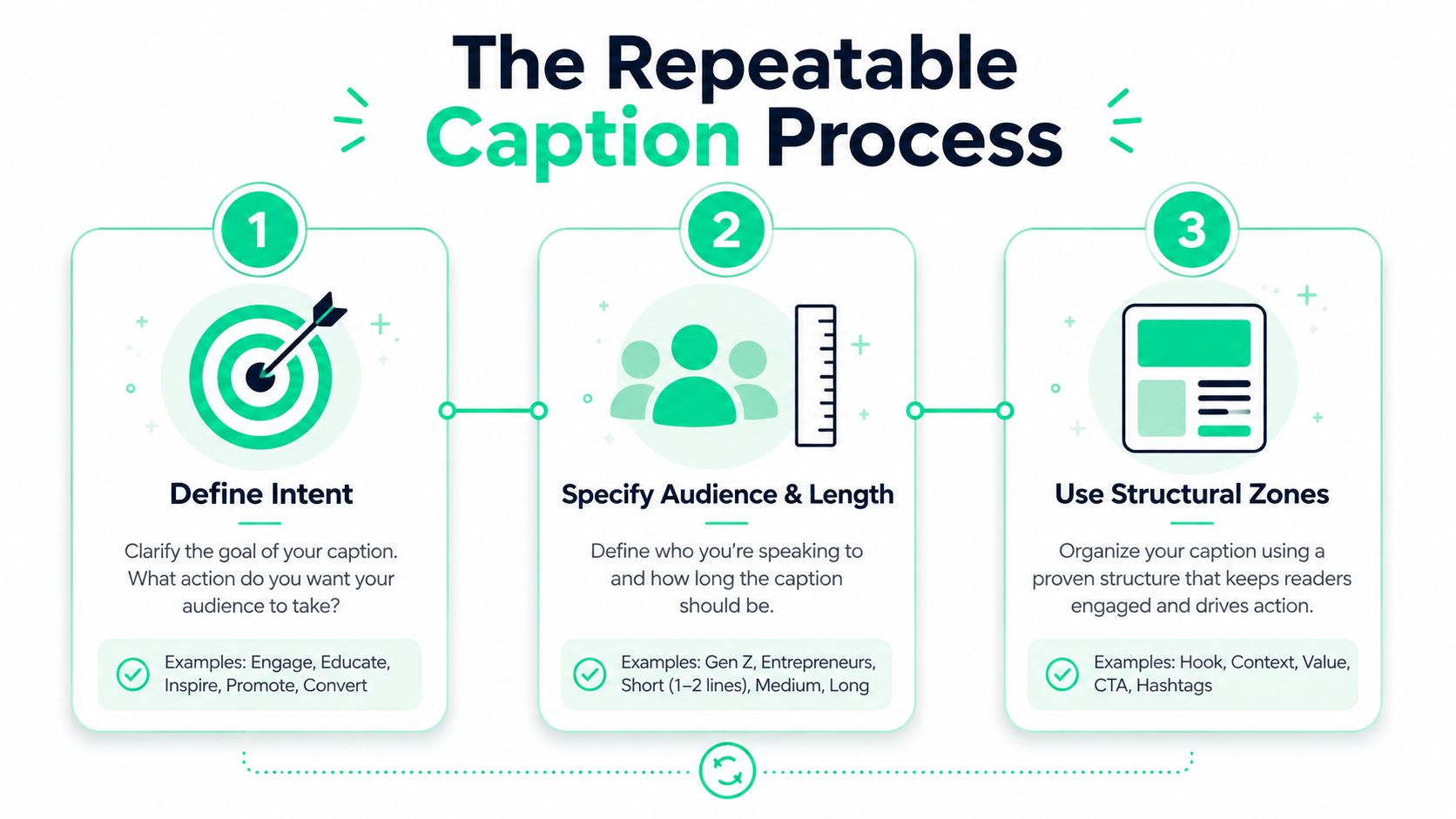
Weak prompts ask for “a good caption.” Strong prompts specify **intent, audience, format, length, voice, and output structure**. The model can't infer a brand's acceptable claims or the action a viewer should take unless the prompt supplies those variables.
### Four prompts that produce usable drafts
**Hook-first prompt**
> Write [number] Instagram Reels captions for [topic]. Audience: [audience]. Goal: [comments, saves, shares, clicks, or follows]. Tone: [tone]. Put the main benefit or tension in the first line. Keep the visible opening under [character limit]. Add supporting context, one CTA, and [hashtag preference]. Avoid [banned phrases or claims].
This pattern is useful for fast variants because it separates the scroll-stop from the explanation. The opening constraint matters more than asking for “viral” language.
**Storytelling prompt**
> Use this transcript or beat sheet: [paste transcript]. Write a first-person caption for [audience] with one clear tension point, a reflective or conversational tone, and a soft CTA. Keep it within [word range]. Preserve only facts stated in the source. Don't invent dialogue, outcomes, or personal details.
The source restriction protects the caption from confident but unsupported embellishment.
**Educational prompt**
> Write a caption for an educational Reel about [topic] for [specific audience]. Start by naming the problem the Reel solves. Use a numbered takeaway structure with [number] practical points. Define any technical term. End with a save-focused CTA. Tone: [tone]. Include [keyword] naturally and avoid broad claims.
This works because it tells the generator what the viewer should remember, not merely what the video discusses.
**Product or promotional prompt**
> Write [number] caption variants for [offer] aimed at [audience]. Audience pain: [pain]. Transformation: [outcome]. Proof points: [three verified points]. Lead with the transformation, not the product name. Use a confident, direct tone, include one clear CTA, and don't exaggerate beyond the supplied proof.
Temperature can change variation, while max tokens limits output length. Stop sequences can prevent unwanted sections when the tool supports them. These parameters matter less than the missing variables that make a draft generic.
> **Debugging rule:** When the output sounds interchangeable, add audience, intent, evidence, and exclusions before changing models.
For additional prompt structures, use this [collection of AI video prompts](https://blitzreels.com/guide/25-ai-video-prompts).
## On-Video Captions, Timing, and Safe Zones
The caption field below a Reel and the words burned into the video aren't the same asset. The first provides context and discovery support. The second must be readable at mobile size, synchronized to speech, and positioned where Instagram's interface won't cover it.
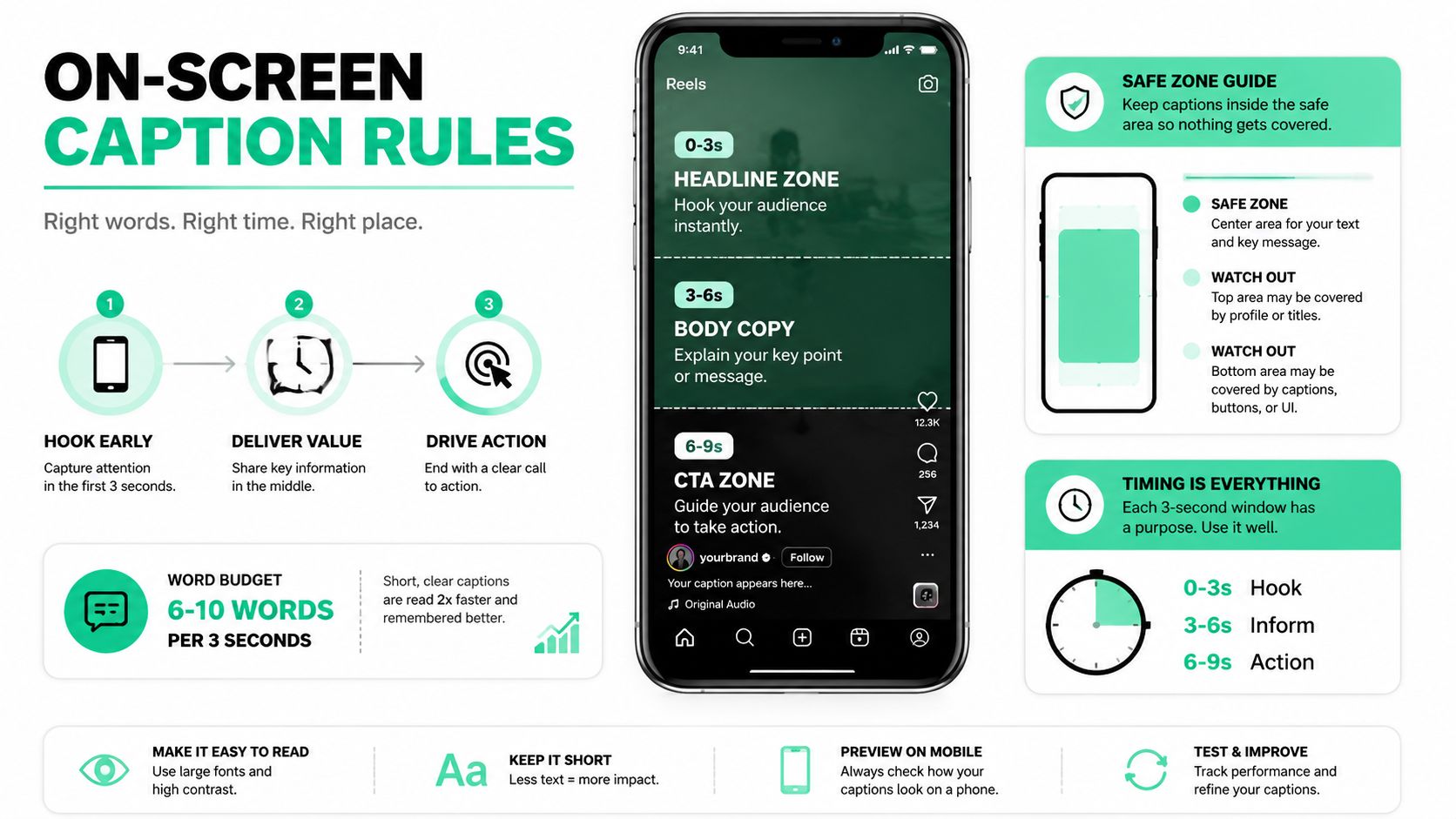
For open captions, a practical screen budget is roughly **3 to 7 words**, usually across one or two short lines. The words should arrive with the spoken audio, not several beats afterward. Accessibility guidance also recommends high contrast and checking that captions don't obscure important visual information, as discussed in this caption accessibility and workflow guidance.
### Build the text layer around the frame
Short-form video is normally delivered vertically at **9:16 and 1080×1920**, with important text kept in the central area to avoid interface overlays, according to this [short-video aspect-ratio guide](https://clipd.pro/blog/best-aspect-ratio-for-short-video). The lower region can contain usernames, action controls, and other UI elements, while the top and side areas may compete with status or navigation elements.
A reliable editing pass looks like this:
- **Transcribe first:** Create word-level timing from the spoken audio.
- **Split by meaning:** Break at clauses, emphasis, and natural breaths, not arbitrary character counts.
- **Follow visual cuts:** Let a new caption frame support a B-roll change or a deliberate visual beat.
- **Style for contrast:** Use a strong text and background combination. Add a fill or stroke when footage changes behind the words.
- **Preserve hierarchy:** Make the key phrase visually dominant without turning every word into an effect.
The [safe zone glossary](https://blitzreels.com/glossary/safe-zone) gives editors a useful reference for keeping text away from platform controls. Captions should be checked against the actual phone interface, not just a clean editing canvas.
A final quality-control pass should render at **1080×1920**, scrub at **1x speed**, and inspect the result on a real phone. Reviewers should check clipped words, late entrances, awkward line breaks, low contrast, and captions covering a face, product, or important action. For product teams preparing storefront footage, this resource on [Reels resolution for e-commerce](https://imaginevid.io/blog/instagram-reels-resolution) provides useful production context.
## Choosing Tone, Length, Hashtags, and Emojis
Caption variables should follow the Reel's job. A tutorial needs clarity and saves, a behind-the-scenes clip needs warmth, a product launch needs a direct offer, and a personal story needs room for reflection. A generator becomes more reliable when those choices are explicit rather than left to a generic “engaging” setting.
| Content Category | Tone | Length (words) | Hashtags | Emoji Density |
|---|---|---:|---:|---|
| Educational tutorials | Neutral-expert | 150–300 | 3–5 | Sparing |
| Behind-the-scenes | Warm-conversational | 80–150 | 1–3 | More frequent |
| Product launches | Confident-direct | 100–200 | 5–10 | Minimal |
| Personal stories | Reflective | 200–400 | 0–2 | Emphasis only |
The figures in this editorial framework are operating ranges, not platform guarantees. The first line usually changes the chance that a viewer understands the Reel's value. A question invites participation, while a statement delivers a promise quickly. Hashtag specificity helps classify the content more clearly than a broad pile of loosely related terms, and emojis work best as visual anchors rather than substitutes for meaning.
### Use a decision tree, not a rigid template
Start with the desired action. If the Reel should generate comments, open with a question or opinion. If it should earn saves, lead with a checklist or practical method. If it should support shares, use a recognizable story or situation. If it should drive a product action, state the transformation and then give the next step.
Next, choose the voice based on the relationship with the viewer. Expert instruction calls for restraint and clear definitions. Behind-the-scenes footage can tolerate more personality. Personal stories should sound specific, not manufactured. The generator can produce the options, but the editor should remove phrases that no one on the team would say aloud.
## Automating Captions with BlitzReels
A caption workflow has two outputs: the Instagram caption field and the captioned video file. BlitzReels is an **agentic AI video editor** that supports clipping, editing, captioning, resizing, reframing, title cards, templates, and repurposing for TikTok, Instagram Reels, YouTube Shorts, LinkedIn, and other social platforms. Its native hosted OAuth MCP server, REST API, TypeScript SDK, CLI with structured JSON, OpenAPI, `llms.txt`, and agent skills support operations such as inspecting projects, creating clips, editing transcripts and caption timeline items, adding B-roll or media, validating output, starting exports, and checking render status.
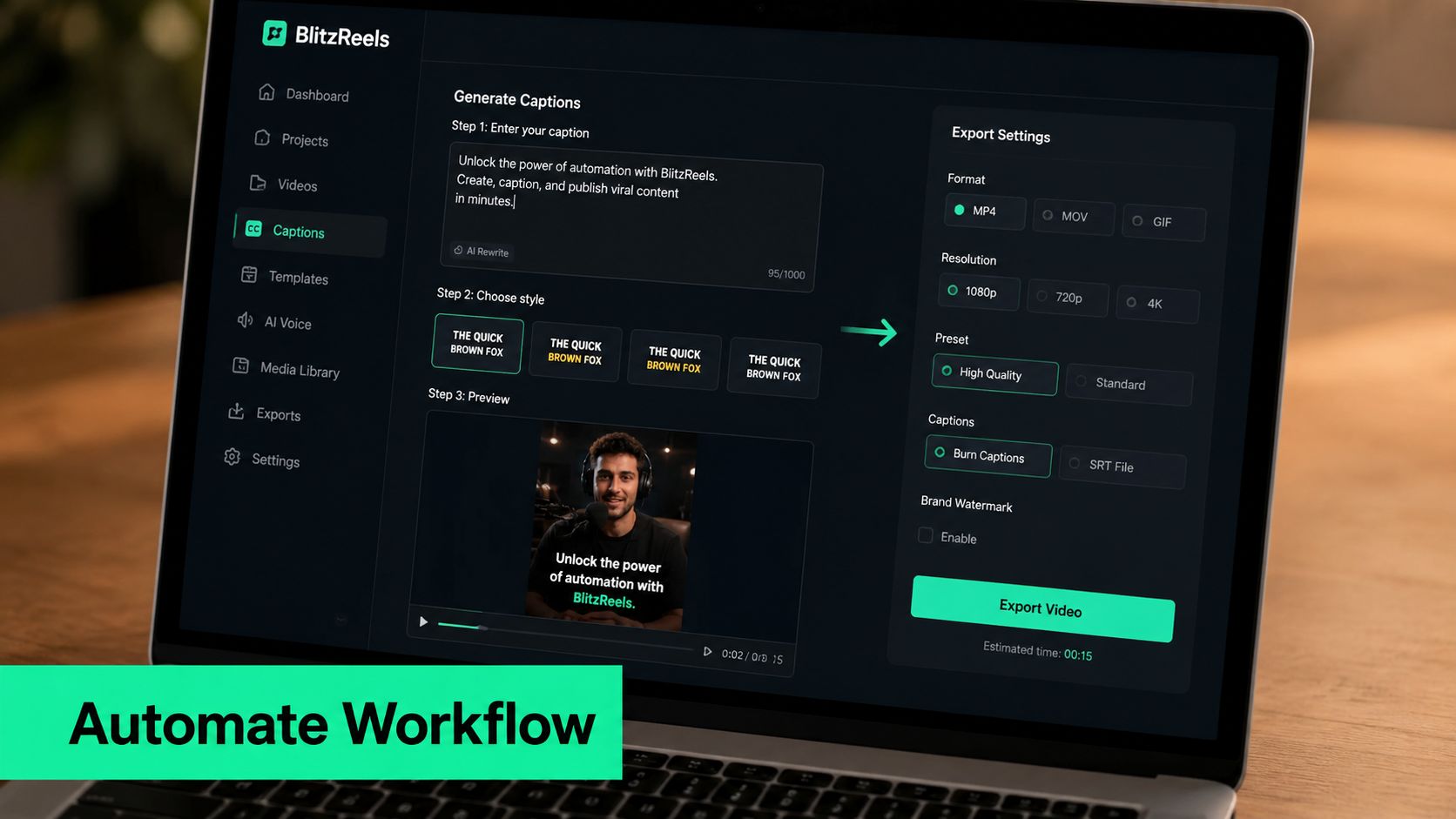
A practical implementation starts in the editor UI. The operator generates several caption-field variants, selects the one that matches the footage, runs auto-transcription, applies a Reels-appropriate caption style, and reviews the timeline before export. The CLI can batch similar jobs across a content calendar, while the hosted MCP server can let an agent chain project inspection, transcript edits, caption creation, validation, and export with human review still available in the browser.
A representative structured workflow can be expressed as:
1. **Inspect the source:** Identify the raw clip and its transcript.
2. **Create the short:** Select the clip range, resize to vertical, and add the hook or title card.
3. **Edit the transcript:** Correct names, terminology, and punctuation.
4. **Create caption frames:** Apply word-level timing and a safe-zone style.
5. **Validate:** Check duration, dimensions, text placement, and missing media.
6. **Export:** Start the render and verify its status.
7. **Write metadata:** Store the selected caption copy and variant identifier in metadata or a sidecar JSON.
Exact command names depend on the installed CLI and project configuration, so teams should use the [BlitzReels CLI documentation](https://blitzreels.com/docs) rather than copying an unverified command sequence. Versioned filenames or metadata should distinguish the hook, CTA, and hashtag variants. That makes A/B comparisons traceable instead of leaving editors to guess which copy shipped.
Teams collecting public content references should also review the legal and technical considerations in this guide to [scrape Instagram profiles and posts](https://scrapfly.io/blog/posts/how-to-scrape-instagram), particularly before building automated research inputs.
The [BlitzReels AI caption generator](https://blitzreels.com/ai-caption-generator) fits the caption pipeline when the same workspace needs copy, timed captions, editing, and cloud export. Fully automated steps include draft generation, transcription, resizing, and render-status checks. Human review still belongs on claims, brand voice, cultural phrasing, safe-zone judgment, and final footage quality.
## Editing, A/B Testing, and a Repeatable Checklist
A generated caption isn't finished because it reads smoothly. Generic phrasing often appears when the copy has no specific audience tension, no verified proof, or no clear action. The editor's job is to make the caption sound like the person or company behind the Reel, then make sure the text and video reinforce each other.
Edit in this order:
- **Tighten the opening:** Remove greetings and context that delay the point.
- **Restore voice:** Replace model-shaped phrasing with the team's real vocabulary.
- **Check every claim:** Delete unsupported outcomes, invented proof, and vague authority.
- **Change the CTA:** Match the action to the intent, such as save, comment, share, follow, or click.
- **Trim the tail:** Keep only relevant hashtags, mentions, and keywords.
A/B testing should change one copy variable at a time. Use identical footage for two Reels, then swap the first line, the closing CTA, or the hashtag set. Compare reach, retention, and saves after publication, while keeping a record of the exact caption variant and export version. The comparison won't prove that one sentence caused an outcome if other publishing conditions differ, but it can reveal patterns worth testing again.
> **Editorial standard:** A caption should add meaning to the video, not repeat every spoken word or decorate an otherwise unclear idea.
For the next ten Reels, use the same operating checklist:
1. **Define intent:** Choose comments, saves, shares, clicks, or follows.
2. **Set the audience:** Name the viewer and their immediate problem.
3. **Create prompt variants:** Request distinct angles, not identical rewrites.
4. **Test the hook:** Confirm the first line delivers value or tension quickly.
5. **Front-load relevance:** Put the topic and useful keyword near the opening.
6. **Review hashtags:** Remove broad or unrelated terms.
7. **Control emojis:** Use them as anchors, not filler.
8. **Verify safe areas:** Check the caption layer against the Reels interface.
9. **Prepare the A/B pair:** Change one copy variable and preserve the footage.
10. **Verify export:** Inspect the rendered file, metadata, dimensions, timing, and status.
That routine turns an Instagram Reels caption generator from a blank-page shortcut into a repeatable production line. The tool creates options. The editor protects accuracy, voice, readability, and intent.
---
BlitzReels brings caption generation, word-level on-video timing, clipping, reframing, resizing, editing, and export into one workflow, with browser review plus hosted MCP, API, SDK, and CLI paths for automation. Visit [BlitzReels](https://blitzreels.com) to build the next ten Reels with versioned caption variants and a review step before every render.