---
title: "Online Video Splitter: How to Create Viral Shorts in 2026"
canonical: "https://blitzreels.com/blog/online-video-splitter"
---
# Online Video Splitter: How to Create Viral Shorts in 2026
URL: https://blitzreels.com/blog/online-video-splitter
Markdown URL: https://blitzreels.com/blog/online-video-splitter.md
Published: 2026-07-21
Author: BlitzReels
Learn to use an online video splitter to turn long videos into viral shorts. Our guide covers AI-powered splitting, captions, hooks, and export settings.
Tags: online video splitter, split video, short form content, video editing, blitzreels

A long webinar ends. The recording is strong, the guest said several quotable things, and there are at least a few moments that could work on TikTok, Instagram Reels, YouTube Shorts, or LinkedIn. Then the main challenge begins. Someone has to scrub the timeline, guess where the clip should begin, trim pauses, add captions, reframe the speaker, resize for vertical, and export everything without breaking the pacing.
That old workflow is why so many good recordings never become short-form content. An online video splitter used to mean one thing: cut a file into pieces. For short-form teams, it now needs to do much more. It has to find the moment, shape the hook, keep the speaker in frame, and move from record to publish without adding hours of manual cleanup.
## Table of Contents
- [From Long Recording to Viral Short](#from-long-recording-to-viral-short)
- [Beyond the Timeline A New Way to Split Videos](#beyond-the-timeline-a-new-way-to-split-videos)
- [What semantic splitting actually does](#what-semantic-splitting-actually-does)
- [Why split, caption, and reframe belong together](#why-split-caption-and-reframe-belong-together)
- [How to Split Videos Online Using BlitzReels](#how-to-split-videos-online-using-blitzreels)
- [Start with the source file](#start-with-the-source-file)
- [Review the suggested clips](#review-the-suggested-clips)
- [Polish for short-form viewing](#polish-for-short-form-viewing)
- [Finalize and export](#finalize-and-export)
- [Optimize Your Clips for Maximum Engagement](#optimize-your-clips-for-maximum-engagement)
- [Build the first seconds correctly](#build-the-first-seconds-correctly)
- [Make captions and title cards do real work](#make-captions-and-title-cards-do-real-work)
- [Check retention instead of guessing](#check-retention-instead-of-guessing)
- [Export Settings and Common Troubleshooting](#export-settings-and-common-troubleshooting)
- [Export for platform fit](#export-for-platform-fit)
- [Fix the issues that usually break clips](#fix-the-issues-that-usually-break-clips)
- [Brief Look at Other Online Video Splitters](#brief-look-at-other-online-video-splitters)
## From Long Recording to Viral Short
An hour-long recording often contains several usable shorts, but they're buried inside setup, transitions, side comments, and dead air. The practical problem isn't lack of content. It's the time cost of turning one asset into multiple clean, publishable clips.
That matters more now because short-form viewing has overtaken long-form online viewing time. As of 2026, the average internet user spends **6 hours and 42 minutes per week** consuming short-form content, compared with **4 hours and 57 minutes per week** on long-form online video, according to [Synthesia's online video statistics roundup](https://www.synthesia.io/post/video-statistics). When the audience spends more time in feeds built around short clips, splitting stops being a finishing edit and becomes part of distribution strategy.
A founder recording a product webinar, a creator publishing a podcast, and a marketer cutting customer testimonials all run into the same friction. Manual clipping feels simple at first, then turns into repeated micro-decisions: where the idea really starts, whether the pause before the punchline should stay, whether the title card gives enough context, whether the crop still works on mobile.
> **Practical rule:** If a recording needs to become several social posts, the splitter can't just divide footage. It has to help identify moments worth publishing.
That's why the category has changed. A useful online video splitter for short-form content now sits much closer to a repurposing workflow than a scissors tool. Teams that regularly turn webinars, interviews, demos, and podcasts into shorts usually need transcript-based clipping, captions, reframing, resizing, and quick exports in one pass.
A useful reference on how fast that style of workflow is evolving is [Seedance AI video insights](https://www.seedance.tv/blog/how-to-make-viral-short-videos-with-seedance-ai-2026), especially for anyone comparing idea generation with actual post-production. For a more direct repurposing workflow, this guide on [turning long-form video into shorts](https://www.blitzreels.com/blog/turn-long-form-video-into-shorts) is the more relevant path.
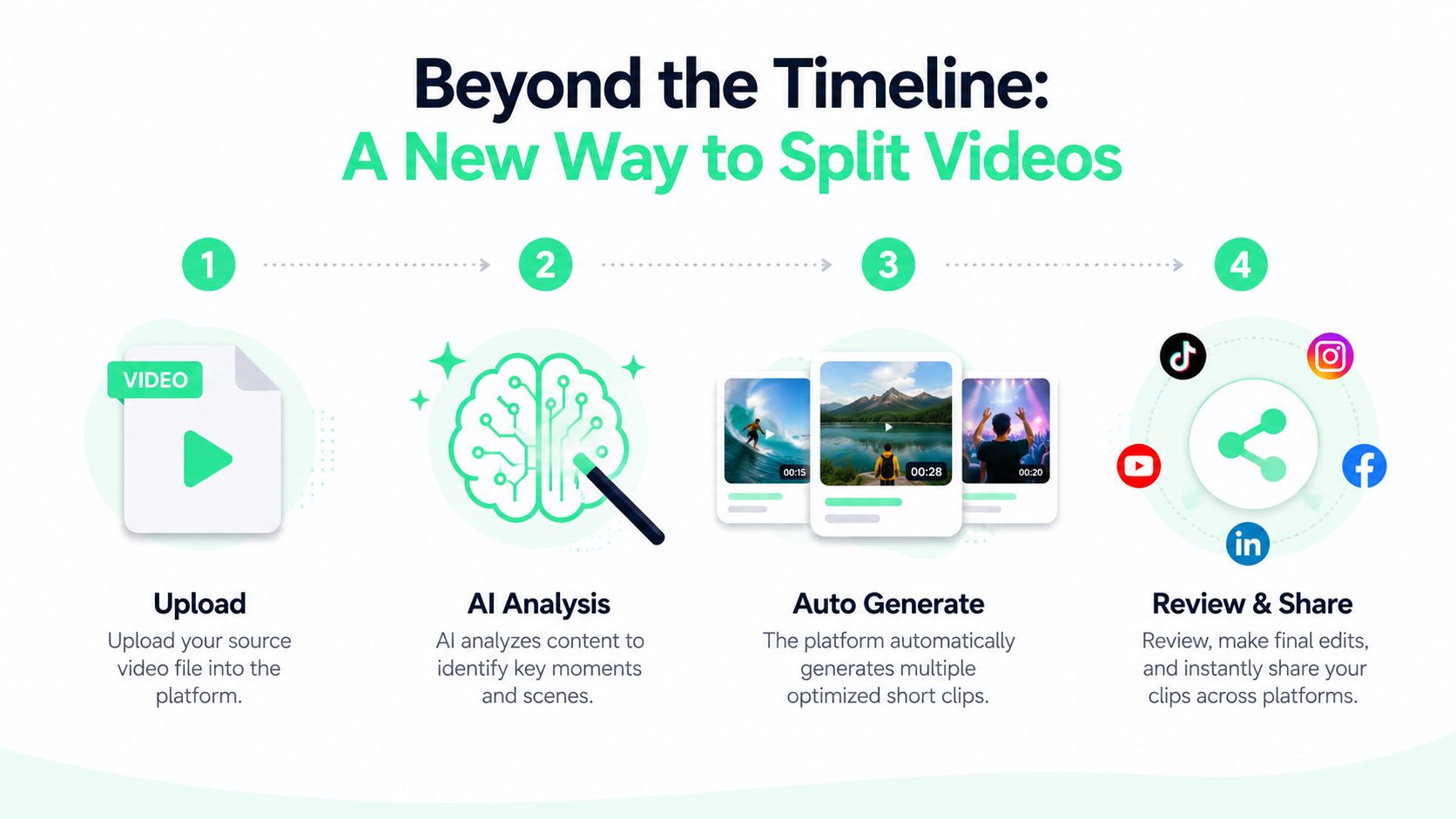
## Beyond the Timeline A New Way to Split Videos
Traditional splitters still treat editing like a mechanical task. The user uploads a file, drags a playhead across a timeline, clicks a razor or scissors icon, and repeats that process until the video is in pieces. That works for basic cuts. It doesn't work well for short-form publishing where the key question is which moments deserve to become clips.
The gap is clear in the way most articles cover the topic. Existing content still frames the online video splitter as a manual timeline tool, even though **73% of short-form creators now rely on AI to detect best cuts**, as noted in [Clipchamp's discussion of online video splitting](https://clipchamp.com/en/blog/split-video-online/). That shift matters because short-form editing isn't just about separation. It's about selection.
### What semantic splitting actually does
**Semantic splitting** looks for meaning, not just timestamps. Instead of asking where to cut the file, the system looks at what's being said and what's happening visually.
A practical semantic workflow usually does three things at once:
- **Transcript awareness:** It spots complete thoughts, strong claims, clean answers, and moments that can stand on their own without the rest of the recording.
- **Visual awareness:** It notices scene changes, speaker movement, and moments where the clip has natural energy.
- **Short-form packaging:** It pairs clipping with captions, reframing, and resizing so the result is closer to a publishable Short than a raw segment.
That's the key difference between old and new tooling. A timeline splitter gives fragments. An AI-first workflow tries to produce clips.
### Why split, caption, and reframe belong together
Short-form viewers don't experience these steps separately. They see one final post in a feed. If the clip starts too slowly, if the caption styling is weak, or if a face is awkwardly cropped out after resizing, the post underperforms no matter how accurately it was split.
> A split point that looks fine on a desktop timeline can still fail on a phone if the framing, captions, and opening beat don't land together.
That's why modern clipping tools bundle features that old editors treated as extras. Auto-captions aren't an optional layer. They're part of accessibility and retention. Reframing isn't a bonus. It's part of making horizontal footage native to a vertical platform. Templates aren't decoration. They speed up repeatable output when a team needs to publish regularly.
A good benchmark for evaluating tools is simple: does the platform only cut media, or does it help create social-ready clips? Anyone comparing approaches can use an [AI video clipping tool overview](https://www.blitzreels.com/blog/ai-video-clipping-tool) as a frame for that decision.
## How to Split Videos Online Using BlitzReels
A practical short-form workflow starts before the first cut. The source file needs to be clean enough for transcription, the speaker needs to stay understandable after trimming, and the final clip needs to hold up in a vertical feed. That's why the splitting step should happen inside a workflow that also handles captions, clipping, reframing, resizing, and fast editing.
### Start with the source file
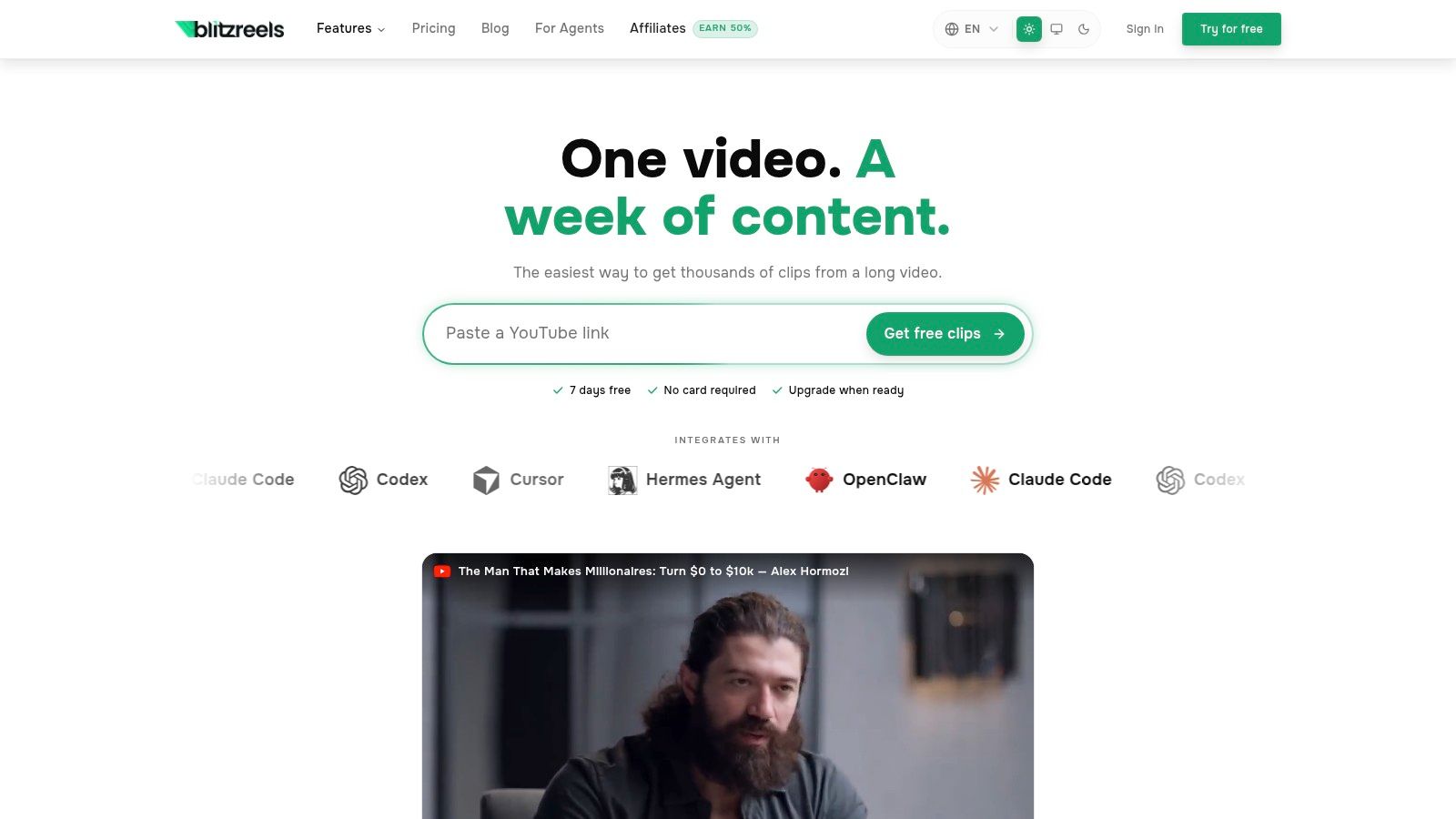
Upload the recording first. This can be a webinar, podcast video, demo, interview, testimonial, or screen recording. The important part is that the platform can read the spoken content, because transcript-aware clipping is what separates useful short-form splitting from basic file cutting.
After upload, the system transcribes the audio and begins suggesting clip candidates. Those suggested clips are usually based on moments that sound complete on their own. A concise answer, a bold opinion, a practical tip, or a clean before-and-after statement tends to travel better than a segment that depends on minutes of prior context.
An online video splitter proves itself to be more than a mere utility. Instead of manually deciding every in-point and out-point from scratch, the editor starts with a set of likely moments and then refines them.
### Review the suggested clips
The next step is selection, not blind exporting. Suggested clips still need judgment.
Use this review pass:
1. **Check the opening line**
If the clip takes too long to get to the point, trim harder. A strong short usually starts near the actual insight, not the sentence that warms up to it.
2. **Listen for complete meaning**
The clip should stand alone. If the speaker says “that strategy” or “this feature” with no context, add a title card or choose a different section.
3. **Watch the pacing**
Pauses, repeated words, and side detours slow down otherwise strong moments. Tight editing helps the final clip feel intentional.
4. **Keep the frame usable**
If the original recording is wide, the subject still needs to survive the vertical crop. Face-centered auto reframing helps, but it's worth checking before export.
A tool built for this workflow can combine clipping with caption generation and layout control in one editor. The [BlitzReels clipping workflow](https://www.blitzreels.com/clipping) is one example of that approach, with transcript-based selection, caption editing, and vertical output handled in the same place.
### Polish for short-form viewing
Once the rough clip is chosen, the editing work gets lighter and more specific. Teams then typically add the elements that make the clip feel native to TikTok, Reels, Shorts, and LinkedIn.
Common polish steps include:
- **Captions:** Use readable, on-beat captions. Bold emphasis and emoji callouts can help when they match the tone, but clutter hurts more than it helps.
- **Title cards:** Add a clear opening line when context is missing. This is especially useful for podcast clips and webinar excerpts.
- **Reframing:** Convert widescreen footage into a phone-friendly crop that keeps faces or key visual elements centered.
- **Resizing:** Make sure the output is built for vertical consumption rather than leaving it as a horizontal clip inside a tall canvas.
- **Templates:** Reusable styles help teams keep branding consistent without rebuilding each post from zero.
The walkthrough below shows the process in action.
### Finalize and export
Before exporting, do one last pass with sound on and captions visible. Watch it like a viewer, not an editor. If the title card feels late, if the caption breaks at an awkward place, or if the crop jumps, fix it before sending the clip out.
> Keep the final pass focused on viewer friction. Most weak shorts don't fail because the source material was bad. They fail because the edit still feels like a rough extract instead of a finished post.
At that point, the online video splitter has done its real job. It hasn't just divided a file. It has turned one long recording into several platform-ready short-form assets without dragging the team through a full manual timeline workflow.
## Optimize Your Clips for Maximum Engagement
Splitting creates the asset. Optimization decides whether people keep watching.
The strongest shorts usually feel obvious in retrospect. The hook arrives immediately, the title card gives context without overexplaining, the captions are easy to read, and the framing looks native to a phone screen. That package matters because TikTok and Instagram Reels favor content that feels made for the platform, not repurposed as an afterthought.

### Build the first seconds correctly
The opening has one job: stop the scroll. The hook structure for short-form content typically needs a pattern interrupt, bold statement, or visible motion in the first **0 to 3 seconds**, and the close commonly lands between **20 and 30 seconds**, according to [this short-form hook analysis](https://sahanrao.medium.com/the-secret-formula-behind-viral-short-form-videos-an-ai-consultants-analysis-of-content-creation-1f20ee3599b4).
For scripting and clip length, platform-native performance generally calls for **75 to 150 words** and a **9:16 aspect ratio**, as outlined by [ShortGenius on short-form video content](https://shortgenius.com/blog/short-form-video-content). That word-count range is a useful editing filter. If the selected clip needs too much setup to fit naturally inside that window, it probably isn't the right moment.
A practical hook checklist:
- **Lead with the claim:** Start where the useful idea begins, not where the speaker clears their throat.
- **Use visible movement:** Zooms, cuts, reframing shifts, or title card motion can create an immediate pattern break.
- **Remove context debt:** If the clip depends on earlier explanation, add a title card that catches the viewer up fast.
### Make captions and title cards do real work
Captions shouldn't just mirror speech. They should guide attention. Good caption styling highlights the important words, keeps line breaks readable, and matches the pace of the speaker.
Title cards matter just as much for repurposed content. A podcast clip often needs one sharp framing line before the spoken audio starts. A testimonial clip may need a brief label so viewers understand who's talking and why the statement matters.
> **Editing note:** If the spoken line is strong but slightly ambiguous, fix the context with a title card. Don't burden the clip with extra setup.
For teams producing ad variations and organic posts at the same time, [ShortGenius automated ad generation](https://shortgenius.com) is worth reviewing alongside an editing workflow, especially when the same core message needs several versions.
### Check retention instead of guessing
Vanity metrics can hide weak edits. A more useful approach is to track how many viewers remain at the **25%**, **50%**, **75%**, and **100%** marks, as explained in [this retention-focused YouTube breakdown](https://www.youtube.com/watch?v=k-X2gXSjS08). Those checkpoints reveal whether the script keeps attention through the payoff.
A quick post-publish review can look like this:
| Checkpoint | What it usually means |
|---|---|
| **Early drop** | The hook, title card, or first caption line didn't create enough curiosity |
| **Mid-clip drop** | The pacing slowed down or the clip repeated itself |
| **Late drop** | The payoff came too late or the ending felt soft |
For a deeper caption-specific workflow, this guide on [how captions drive engagement on TikTok and Instagram](https://www.blitzreels.com/blog/how-captions-drive-engagement-on-tiktok-and-instagram) is a useful companion.
## Export Settings and Common Troubleshooting
A clean edit can still break at export. That usually happens when the clip was cut manually at the wrong boundary, exported with unnecessary re-encoding, or pushed through a format that doesn't play nicely with the platform.
Manual splitting is one of the biggest failure points. **34% of manual timestamp-based splits fail due to user misalignment with exact frame boundaries**, which can create black frames or audio desync, according to [technical benchmarks summarized by iAmTypist](https://iamtypist.dev/tools/video-splitter). That's one reason duration-based or AI-detected clipping tends to produce cleaner results.
### Export for platform fit
For short-form distribution, keep the output vertically framed and visually simple. The clip should look native on a phone, with readable captions and no accidental letterboxing.
A practical final checklist:
- **Use vertical output:** Keep the export matched to a 9:16 layout if the destination is TikTok, Reels, or Shorts.
- **Preserve clarity:** Avoid unnecessary export cycles that soften text or degrade motion.
- **Check captions in preview:** Small caption issues often appear only in the exported file, not in the editor preview.
### Fix the issues that usually break clips
Some problems show up repeatedly:
- **Audio drifts after the cut**
This often traces back to manual frame misalignment. Recut from an AI-detected point or rebuild the split using a cleaner boundary.
- **The clip looks softer after export**
That usually means the file went through a full re-render when it didn't need to. If the tool offers a cleaner split path, use it.
- **The crop looks wrong on Instagram**
Review the vertical framing before export, especially if the source was a webinar or widescreen interview. A platform-specific guide to the [Instagram video file format](https://www.blitzreels.com/blog/instagram-video-file-format) helps when output settings create upload issues.
> Export problems are usually editing problems that didn't show themselves until the last step.
## Brief Look at Other Online Video Splitters
Not every project needs semantic clipping. Some jobs really are just about separating a file into parts.
**Clipchamp** fits that use case well when someone wants a familiar manual editor with a basic split function inside a broader video toolset. It's especially practical for straightforward timeline work, quick trims, and one-off edits where the user already knows the exact timestamps.
**Kapwing** is also useful for general online editing. It handles a wide mix of tasks, and it's often a reasonable choice for creators who want one browser-based workspace for subtitles, resizing, and lightweight visual edits.
The distinction is in the workflow goal. General editors offer splitting as one feature among many. An AI-first short-form workflow is built around finding strong moments, clipping them quickly, adding captions, reframing for vertical, and moving fast enough to publish consistently.
---
For teams that need that faster record-to-publish loop, [BlitzReels](https://blitzreels.com) is one option to evaluate. It's built for turning source videos into short-form clips with transcript-aware clipping, captions, resizing, reframing, templates, and export formats suited to TikTok, Reels, YouTube Shorts, LinkedIn, and similar social platforms.