---
title: "AI Podcast Clips Generator: Turn Episodes Into Viral Shorts"
canonical: "https://blitzreels.com/blog/podcast-clips-generator"
---
# AI Podcast Clips Generator: Turn Episodes Into Viral Shorts
URL: https://blitzreels.com/blog/podcast-clips-generator
Markdown URL: https://blitzreels.com/blog/podcast-clips-generator.md
Published: 2026-07-06
Author: BlitzReels
Use an AI podcast clips generator to turn long episodes into viral shorts. Our 2026 guide covers hooks, captions, & TikTok resizing.
Tags: podcast clips generator, repurpose podcast, video clipping tool, ai video editor, short form content

A lot of podcast episodes die after publish day.
The full episode goes live, the audio is solid, the conversation has real value, and then nothing happens beyond the core audience. Meanwhile, the strongest moments stay buried inside a long timeline that most new viewers will never open. That's the gap a good podcast clips generator is supposed to solve.
But clipping alone isn't the whole job. The teams getting real reach from podcast shorts don't just extract a segment and hit export. They package the segment for the feed with a hook, readable captions, proper reframing, clean resizing, and a publishing system that doesn't collapse after two weeks.
## Table of Contents
- [Unlock the Goldmine in Your Podcast Archives](#unlock-the-goldmine-in-your-podcast-archives)
- [Why archives outperform constant reinvention](#why-archives-outperform-constant-reinvention)
- [Finding Your Golden Nuggets with AI](#finding-your-golden-nuggets-with-ai)
- [What makes a segment clip-worthy](#what-makes-a-segment-clip-worthy)
- [Let AI do the rough sorting](#let-ai-do-the-rough-sorting)
- [From Raw Clip to Scroll-Stopping Hook](#from-raw-clip-to-scroll-stopping-hook)
- [Why most clips fail before the speaker even starts](#why-most-clips-fail-before-the-speaker-even-starts)
- [What a strong opening frame looks like](#what-a-strong-opening-frame-looks-like)
- [Designing Captions for Maximum Retention](#designing-captions-for-maximum-retention)
- [Captions are part of the edit, not a final add-on](#captions-are-part-of-the-edit-not-a-final-add-on)
- [A simple caption system that stays readable](#a-simple-caption-system-that-stays-readable)
- [Final Polish Resizing Reframing and Batching](#final-polish-resizing-reframing-and-batching)
- [Resize for the feed people actually watch](#resize-for-the-feed-people-actually-watch)
- [Batching turns clipping into a repeatable system](#batching-turns-clipping-into-a-repeatable-system)
- [Publishing Strategy and Common Pitfalls to Avoid](#publishing-strategy-and-common-pitfalls-to-avoid)
- [Publish clips like a series, not random leftovers](#publish-clips-like-a-series-not-random-leftovers)
- [Mistakes that quietly kill performance](#mistakes-that-quietly-kill-performance)
## Unlock the Goldmine in Your Podcast Archives
Most creators already have more usable content than they think. A backlog of interviews, solo episodes, roundtables, webinars, and video podcasts usually contains dozens of sharp moments that never got isolated for social. The archive isn't stale. It's under-packaged.
That matters because podcasting isn't a niche side channel anymore. The **global podcasting market reached USD 30.72 billion in 2024 and is projected to reach USD 131.13 billion by 2030**, with **619 million listeners projected in 2026**, according to [Grand View Research's podcast market analysis](https://www.grandviewresearch.com/industry-analysis/podcast-market). A growing audience creates pressure to publish in the formats people consume, and short clips are often the bridge between a long episode and a first-time listener.
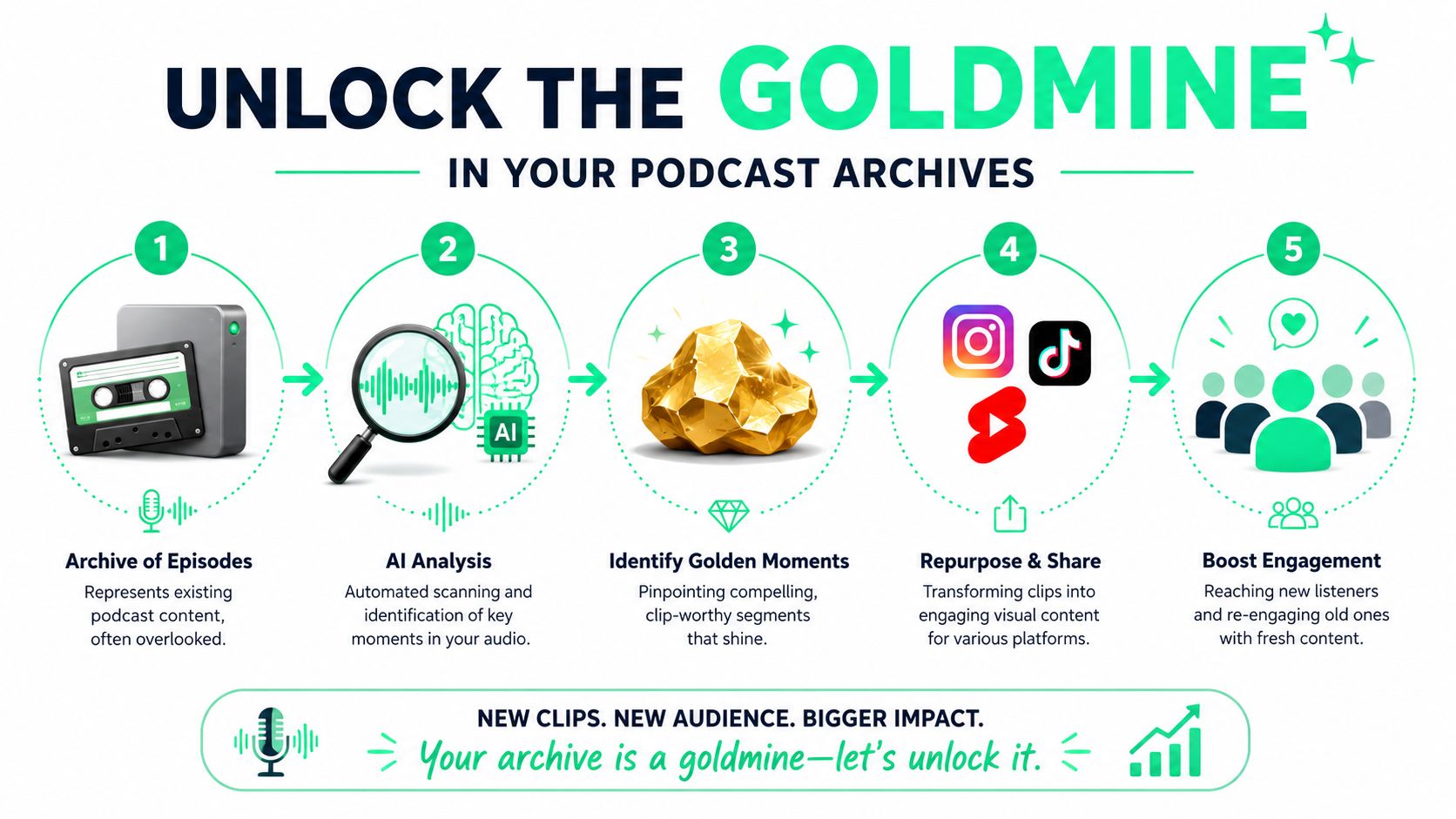
Manual clipping doesn't scale well. A creator has to listen back, mark timestamps, cut dead air, write captions, resize for vertical, and build a usable hook. That workload is why so many shows post one or two clips, then stop.
### Why archives outperform constant reinvention
Old episodes already contain tested ideas. They have finished conversations, complete arguments, and natural reactions that are hard to fake in a scripted short.
Three kinds of archive material tend to work best:
- **Clear opinion segments** that make a strong claim fast
- **Tactical teaching moments** where a host explains one useful concept cleanly
- **Emotional reactions** such as surprise, disagreement, or laughter that create immediate tension
> **Practical rule:** The best archive clip usually isn't the loudest moment. It's the moment that makes sense even when separated from the full episode.
A podcast clips generator helps at the point where the workflow usually breaks. It can surface candidate highlights, give the editor a transcript to work from, and remove the need to scrub through every minute manually. Creators who also need transcript-first workflows for repurposing can borrow ideas from this guide on [converting audio MP3 to text](https://www.blitzreels.com/blog/convert-audio-mp-3-to-text), because transcript quality shapes every downstream edit.
The shift is primarily mental. One episode is no longer one asset. It's raw material for a week or month of short-form publishing.
## Finding Your Golden Nuggets with AI
The first job of a podcast clips generator isn't editing. It's selection.
Searching for “good moments” in the abstract often wastes time. That produces clips the host likes, but not necessarily clips that survive in a feed. A better workflow starts by asking which moments can stand on their own, carry tension quickly, and still make sense to someone who has never heard the show before.

A strong AI system helps by scanning the transcript and spotting likely highlights faster than a person can. It can flag punchy exchanges, concise explanations, and places where the energy changes. That's a better starting point than dragging a playhead across an hour-long recording.
A single episode can also produce far more content than most creators assume. **One long-form video can be repurposed into 10 to 50 short-form clips**, which expands discovery and monetization opportunities, as noted in [this repurposing example on Instagram](https://www.instagram.com/p/DYBUt-bEasZ/).
### What makes a segment clip-worthy
A usable segment usually has four traits:
1. **It starts with tension**. A question, contrarian statement, confession, or surprising fact pattern.
2. **It stays on one idea**. The viewer shouldn't need extra setup from ten minutes earlier.
3. **It resolves cleanly**. Even a short clip needs a mini ending.
4. **It sounds natural when isolated**. If the first sentence is “like I said earlier,” it probably won't work.
A practical review process looks like this:
- **Scan the transcript first** instead of listening linearly
- **Shortlist more options than needed** so there's room to choose the strongest angle later
- **Reject segments with too much dependency** on the surrounding conversation
- **Tag clips by use case** such as education, opinion, story, or reaction
> A “good part” of a podcast isn't always a good short. Social clips need clarity faster than full episodes do.
### Let AI do the rough sorting
The useful role of AI is triage. It narrows the field.
That's why it helps to compare different content-generation workflows beyond podcast editing alone. [XBurst's 2026 AI generator guide](https://xburst.app/blog/best-ai-social-media-post-generator) is a useful reference for seeing how creators think about AI across social formats, not just video clipping. The lesson carries over. The best tools reduce repetitive production work so the editor can spend time on framing and judgment.
For creators evaluating dedicated clipping workflows, this overview of an [AI video clipping tool](https://www.blitzreels.com/blog/ai-video-clipping-tool) is worth reading because it shows how transcript-led selection speeds up the first pass.
The important trade-off is simple. AI is good at surfacing possibilities. A human still needs to decide which possibility has actual social potential.
## From Raw Clip to Scroll-Stopping Hook
Most podcast clips fail before the main sentence lands.
The segment might be smart, well-spoken, and useful, but if the opening frame doesn't orient the viewer immediately, the clip loses the scroll. That's where many podcast clips generator tools stop too early. They find a moment, but they don't package it.
A good clip needs context at the top. Not a long intro. Just enough framing so the viewer understands why the next line matters.
### Why most clips fail before the speaker even starts
Some of the strongest evidence in short-form editing points to the opening second. **Clips with hooks under 1.2 seconds retention loss have 3.4x higher share rates**, yet many generators still don't create a pre-hook headline. That missing framing can **reduce click-through by 42%**.
That's the hidden gap in most automated clipping workflows. They identify a “viral” segment based on transcript signals or energy, then export it cold. But a raw segment dropped straight into the feed often feels late. The viewer arrives mid-thought with no reason to care yet.
A better opening usually includes one of these:
- **A title card** that states the tension clearly
- **A direct on-screen claim** before the audio starts
- **A visual callout** that identifies the stakes of the clip
- **A quick cold open** using the strongest phrase first, then the fuller sentence
> **Editing note:** The hook doesn't need to explain everything. It needs to buy enough attention for the first spoken line.
The mechanics matter too. If the first frame is visually messy, the text is too small, or the speaker starts with throat-clearing language, the algorithm doesn't need to reject the clip. People already did.
### What a strong opening frame looks like
A practical hook for podcast shorts usually has three layers working together:
| Element | What it does | Common mistake |
|---|---|---|
| Title card | Creates instant context | Too vague to create curiosity |
| First subtitle line | Reinforces the promise | Starts too late |
| Visual framing | Keeps attention on one focal point | Wide crop with no obvious subject |
Here's the benchmark. If someone watches the first second with audio off, they should still understand the subject of the clip.
This walkthrough is useful for seeing how creators think about [scroll-stopping video hooks](https://www.blitzreels.com/blog/the-science-of-scroll-stopping-video-hooks) in practice.
A quick example helps. “He talks about burnout” is weak. “Why top performers burn out faster” is much stronger. The first describes the clip. The second frames a reason to keep watching.
Later in the workflow, strong hook building also supports title cards, thumbnail text, and platform-specific captions. The hook is not decoration. It's packaging.
A short demo helps show how this kind of framing works in a production flow:
## Designing Captions for Maximum Retention
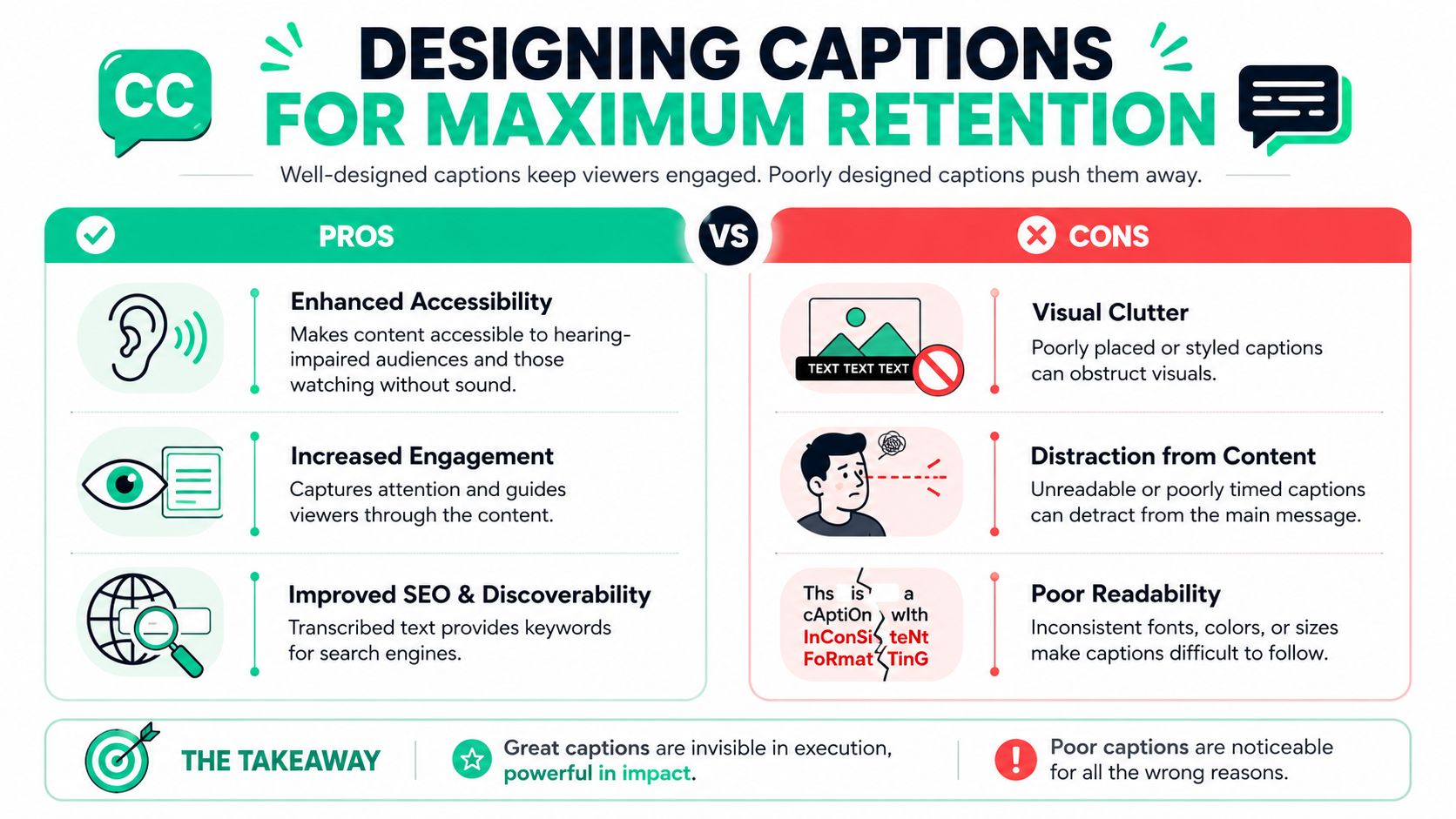
Captions do much more than transcribe speech. In short-form podcast clips, they control pacing, reinforce emphasis, and help the viewer stay with the argument even when the audio is off.
That's why flat captions usually underperform. If every word appears in the same weight, same size, and same position, the clip feels passive. Better captions behave like visual editing.
### Captions are part of the edit, not a final add-on
A lot of creators still treat subtitles as the last checkbox before export. That slows everything down and usually produces generic text blocks.
The better approach is to design a caption style once, then apply it repeatedly. That's where AI editing tools help most. They don't replace editors entirely. They replace the slow parts of the workflow and can help creators produce **up to 15 high-quality reels per week** without burning out, based on the workflow described in [this YouTube discussion on AI-powered editing](https://www.youtube.com/watch?v=wZeN5VnX5-E).
Useful caption choices for podcast clips include:
- **Keyword highlighting** for the one phrase that carries the point
- **Karaoke-style timing** so the eye moves with the sentence
- **Color contrast** to separate main words from supporting words
- **Emoji callouts** used sparingly, only when they support tone
- **Consistent placement** so text doesn't bounce around the frame
> Captions should guide attention, not compete with the speaker's face.
### A simple caption system that stays readable
The strongest caption templates are usually boring in the right ways. They're readable, repeatable, and easy to scan on a phone.
A practical template system often looks like this:
- **One main font family** across every platform
- **One accent color** for emphasized words
- **Two line maximum** on screen at once
- **Safe lower-third positioning** that doesn't cover the mouth
- **Consistent animation style** across all clips
What doesn't work:
- **Over-animated words** on every single beat
- **Too many colors** in one sentence
- **Tiny captions** that assume desktop viewing
- **Full transcript dumps** instead of phrase-based timing
There's also a brand benefit here. When templates are saved properly, every clip looks related even when the topic changes. That makes a podcast feed feel deliberate instead of assembled from leftovers.
For creators refining text styling, this guide to [styling video captions with data in mind](https://www.blitzreels.com/blog/a-data-driven-guide-to-styling-video-captions) is a practical reference.
Captions should carry the clip when the viewer can't listen, and amplify the clip when they can.
## Final Polish Resizing Reframing and Batching
The edit isn't done when the words are cut.
A podcast clip that looks good in a horizontal timeline can still fail on TikTok, Reels, Shorts, or LinkedIn if the crop is wrong, the speaker is drifting out of frame, or the subtitle placement gets crushed by platform UI. This last stage is where polished short-form creators separate themselves from people posting raw exports.
### Resize for the feed people actually watch
Most podcasts are recorded wide. Most social feeds are watched vertical.
That means a podcast clips generator needs to do more than crop. It needs to **reframe** intelligently. If there are two hosts in a wide shot, the crop has to pick the active speaker or create a layout that still feels intentional. If the clip uses a solo camera angle, the crop should keep the eyes in a stable position so the frame doesn't feel like it's floating.
A solid finishing checklist looks like this:
- **Resize for each platform** instead of posting one export everywhere
- **Check face position** after the auto crop
- **Leave space for captions and title cards**
- **Review the top and bottom edges** where app interface elements often sit
- **Export variants** when a square or horizontal cut still makes sense for a specific channel
AI reframing provides significant labor savings. The old workflow required timeline nudging, manual keyframes, and repeated exports. Current workflows can bring that process down from **over 3 hours to just minutes**, based on this [LinkedIn example of AI short-form editing speed](https://www.linkedin.com/posts/virgile-rietsch_how-i-cut-video-editing-time-from-3-hours-activity-7427747273977053185-DANn).
### Batching turns clipping into a repeatable system
Significant efficiency gains come from batching, not just automation.
Instead of editing one clip from start to finish, a stronger workflow processes multiple clips in passes:
1. **Select all candidate segments**
2. **Write hooks for the best few**
3. **Apply one caption template across the set**
4. **Resize and reframe in a batch**
5. **Export platform variants together**
> **Workflow shortcut:** Batch by task, not by clip. Selection mode, hook mode, caption mode, and export mode are faster than constant tool-switching.
Consistency doesn't come from motivation. It comes from reducing friction. Teams that build a repeatable batch process are far more likely to keep publishing after the first burst of enthusiasm.
For creators working heavily with vertical formats, this guide to [AI tools for vertical video framing](https://www.blitzreels.com/blog/ai-tools-for-perfect-vertical-video-framing) is a practical next read.
## Publishing Strategy and Common Pitfalls to Avoid
A polished clip still needs a publishing plan.
Podcast shorts work best when they're treated as an ongoing distribution channel, not as leftover promo for the full episode. That shift changes what gets posted, how often the clips appear, and how the series is framed over time.
Short clips matter because they drive discovery. Professional production data cited by [Podcast Studio Glasgow's article on podcast clips as a growth engine](https://www.podcaststudioglasgow.com/podcast-studio-glasgow-blog/podcast-clips-are-your-real-growth-engine-why-professional-production-matters-from-day-one) says they can account for **20% to 40% of new listener discovery for video shows**, in a podcast ad market projected to reach **$4.46 billion in 2025**.
### Publish clips like a series, not random leftovers
The strongest feeds feel coherent. Even when each clip covers a different point, the viewer can tell they all come from the same show.
That usually means building recurring publishing patterns such as:
- **One insight clip** that teaches something quickly
- **One opinion clip** that sparks discussion
- **One story clip** with a narrative payoff
- **One guest quote clip** built around a strong line
This is also where broader video-marketing thinking helps. The resources collected under [AI Optimization Services on video marketing](https://aioptimization.services/tag/video-marketing/) are useful for seeing how teams approach distribution, not just production.
A practical publishing rule is to write the post copy and title around the clip's promise, not around the episode title. The episode title is for subscribers. The clip title is for strangers.
### Mistakes that quietly kill performance
Most weak podcast shorts fail for one of three reasons:
- **They start too late.** The interesting sentence arrives after the viewer has already moved on.
- **They lose context.** The clip assumes the viewer heard the earlier setup.
- **They stitch together unrelated moments.** The edit becomes efficient for the producer but confusing for the audience.
That last problem shows up often when creators try to force multiple fragments into one short. The result feels jumpy and incomplete. A self-contained idea usually beats a collage.
Another common mistake is over-exporting. If a generator produces a large batch of candidates, that doesn't mean every candidate deserves publishing. Better to release fewer clips with stronger hooks, cleaner titles, and better framing than to flood the feed with half-finished cuts.
> The best publishing strategy is simple. Fewer weak clips. More clearly packaged ones.
The compounding value of a podcast clips generator doesn't come from automation alone. It comes from using automation to maintain quality at a pace that's realistic week after week.
---
BlitzReels fits this workflow well because it doesn't stop at clipping. It helps turn raw podcast moments into finished short-form assets with captions, hooks, resizing, reframing, templates, and fast editing for TikTok, Instagram Reels, YouTube Shorts, LinkedIn, and more. Creators who want a faster record-to-publish loop can explore [BlitzReels](https://blitzreels.com) to turn long episodes into polished social clips without getting stuck in a traditional timeline.