---
title: "Podcast Clips Maker: Create Viral Shorts in Minutes"
canonical: "https://blitzreels.com/blog/podcast-clips-maker"
---
# Podcast Clips Maker: Create Viral Shorts in Minutes
URL: https://blitzreels.com/blog/podcast-clips-maker
Markdown URL: https://blitzreels.com/blog/podcast-clips-maker.md
Published: 2026-07-05
Author: BlitzReels
Learn how to use an AI podcast clips maker to turn long episodes into viral shorts. Our step-by-step guide covers transcription, captions, visuals, and more.
Tags: podcast clips maker, podcast to video, video repurposing, ai video editor, social media clips

A lot of podcast teams are sitting on a content archive that should be producing daily short-form videos, but instead it's acting like a storage unit. Episodes get recorded, published, maybe promoted once, then buried under the next release. Meanwhile, TikTok, Instagram Reels, YouTube Shorts, and LinkedIn all reward frequent, native clips that meet viewers where they already spend time.
That gap usually isn't a lack of ideas. It's a workflow problem. Manual clipping takes too long, generic automation produces weak hooks, and most podcasters end up choosing between speed and control. A good podcast clips maker fixes the repetitive part of the process, then leaves the important decisions, hook selection, title cards, captions, reframing, and final polish, in human hands.
## Table of Contents
- [The Untapped Goldmine in Your Podcast Archive](#the-untapped-goldmine-in-your-podcast-archive)
- [What actually changes with a smarter workflow](#what-actually-changes-with-a-smarter-workflow)
- [From Raw Episode to Actionable Transcript](#from-raw-episode-to-actionable-transcript)
- [What the first pass should produce](#what-the-first-pass-should-produce)
- [How the AI is useful, and where it isn't](#how-the-ai-is-useful-and-where-it-isnt)
- [Identifying and Sharpening Your Viral Hooks](#identifying-and-sharpening-your-viral-hooks)
- [Run every clip through a three-second test](#run-every-clip-through-a-three-second-test)
- [Weak hooks versus strong hooks](#weak-hooks-versus-strong-hooks)
- [Adding Your Brand with Captions and Templates](#adding-your-brand-with-captions-and-templates)
- [Captions should be readable first, branded second](#captions-should-be-readable-first-branded-second)
- [Templates should standardize the repetitive parts](#templates-should-standardize-the-repetitive-parts)
- [Reframing and Adding Visuals for Mobile Viewing](#reframing-and-adding-visuals-for-mobile-viewing)
- [Reframing should protect clarity on a small screen](#reframing-should-protect-clarity-on-a-small-screen)
- [Visuals should clarify the point, not decorate the clip](#visuals-should-clarify-the-point-not-decorate-the-clip)
- [Exporting and Distributing Clips for Maximum Reach](#exporting-and-distributing-clips-for-maximum-reach)
- [Export cleanly for each destination](#export-cleanly-for-each-destination)
- [Distribution works best when it's selective](#distribution-works-best-when-its-selective)
## The Untapped Goldmine in Your Podcast Archive
Most podcasts already have enough raw material for weeks of short-form content. The problem is that long-form expertise doesn't automatically translate into short-form discovery. Great conversations often stay trapped inside hour-long episodes that new viewers never see.
That's a costly miss in a category that's still expanding fast. The global podcasting market reached **$30.72 billion in 2024** and is projected to reach **$131.13 billion by 2030**, with a **27.0% CAGR from 2025 to 2030**, according to [Grand View Research's podcast market analysis](https://www.grandviewresearch.com/industry-analysis/podcast-market). More listeners, more distribution platforms, and more competition all point to the same conclusion. Repurposing isn't optional anymore.
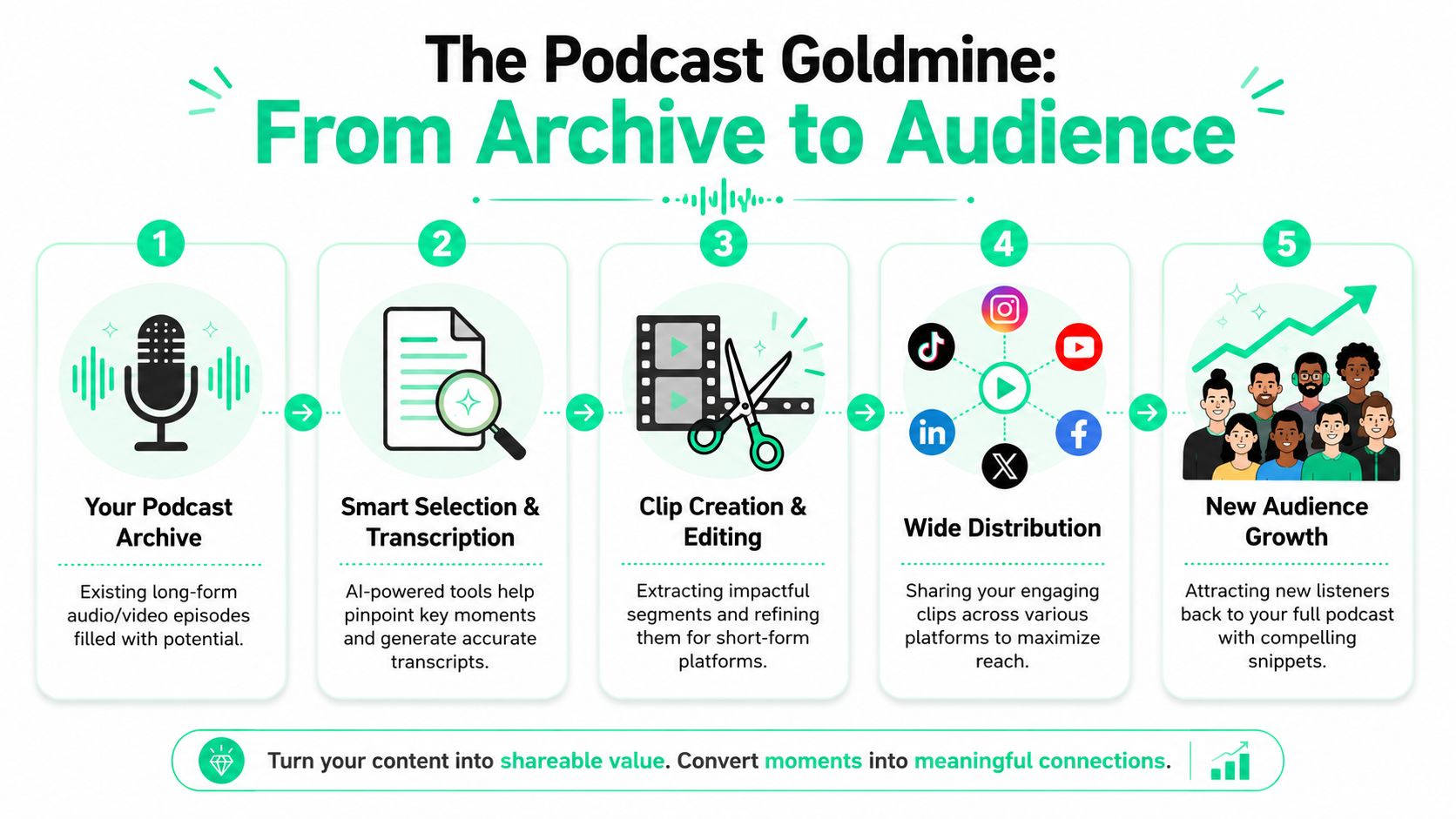
A podcast clips maker is useful because it changes the bottleneck. Instead of scrubbing a full episode line by line, the tool handles the heavy lifting first: transcription, rough clipping, speaker tracking, resizing, and export prep. That gives the editor room to focus on decisions that effectively move performance, like whether the opening line has enough tension, whether the title card earns the first second, and whether the clip feels native to the platform.
> **Practical rule:** The archive isn't dead content. It's unfinished distribution.
A lot of teams improve results by building a repeatable repurposing habit. [Rooy Development's repurposing tips](https://podcast-generator.ai/blog/how-to-repurpose-content) are a good reference for turning one recording session into multiple useful assets. For a short-form angle, the same logic applies even more strongly when clips are cut for platform-native viewing, which is why [repurposed clips often drive more engagement than original social posts](https://www.blitzreels.com/blog/why-repurposed-clips-drive-more-engagement-than-originals).
### What actually changes with a smarter workflow
- **Less manual review:** The editor starts from suggested moments instead of a blank timeline.
- **More surface area:** One episode can feed multiple platforms without rebuilding the clip from scratch each time.
- **Better creative focus:** Time goes toward hooks, captions, branding, and visuals instead of repetitive trimming.
## From Raw Episode to Actionable Transcript
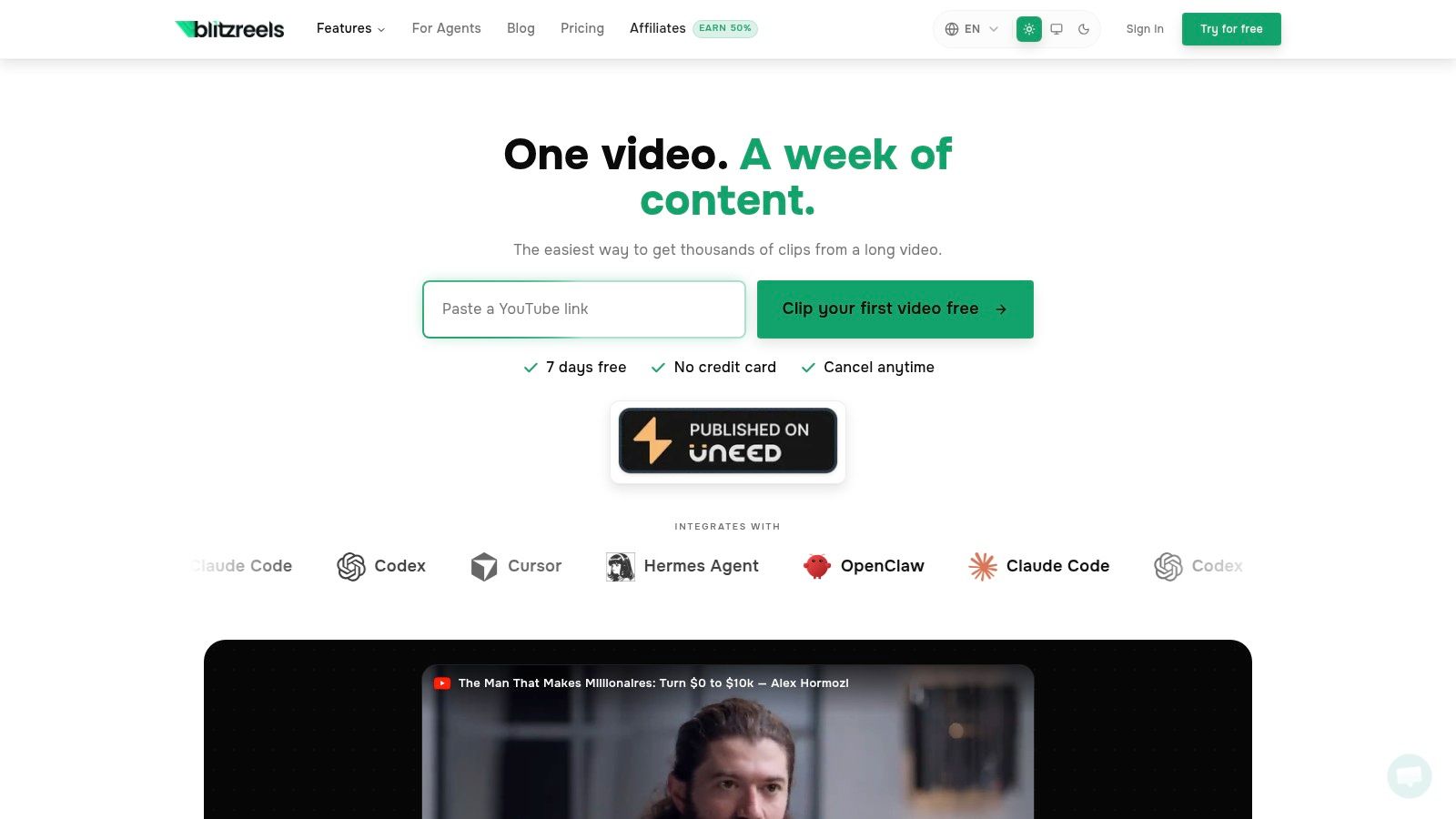
Open a 60-minute episode and the first bottleneck is rarely the final edit. It is getting the conversation into a form you can scan, search, and judge fast. A good podcast clips maker handles that first layer well. It gives you a transcript, rough clip candidates, and enough structure to stop hunting through the timeline blindly.
For podcasters working from video, that starts with uploading the full recording and letting the tool process speakers, timestamps, and captions. Audio-first shows follow the same path. They just make visual decisions later in the workflow. If the recording setup needs work before clipping starts, a practical gear roundup like [affordable USB microphones for gamers](https://budgetloadout.com/best-budget-usb-microphones/) can help creators improve source quality without overspending.
### What the first pass should produce
The first pass should give the editor four things quickly:
- **A searchable transcript** so strong lines are found by text, not memory.
- **Suggested moments** based on topic shifts, pacing, and changes in delivery.
- **Rough clip ranges** that can be tightened, instead of built from zero.
- **Basic caption output** that can be corrected and styled later.
That package saves time because it separates machine work from editor work. AI can transcribe, label, and surface likely highlights in minutes. The editor can then spend that time on higher-value choices, such as whether the setup is clear, whether the quote needs one line of context, and whether the clip earns attention before the viewer swipes away.
[Amber Figlow's workflow breakdown](https://www.amberfiglow.com/blog/streamline-video-workflow) is a useful reference here. She explains how AI tools reduce editing time by automating scene detection, smart trimming, and captioning. For weekly podcast teams, that kind of workflow is the difference between maintaining a publishing cadence and letting episodes pile up.
### How the AI is useful, and where it isn't
AI is strong at pattern recognition. It can spot pauses, speaker changes, emotional spikes, and likely segment boundaries faster than any human editor wants to. It can also generate transcripts and draft captions with enough accuracy to make review efficient.
Its weakness is judgment.
> The transcript is the working surface. The clip suggestions are only a draft.
Editors who get the best results read before they cut. A transcript makes weak openings obvious. It also reveals where a suggested moment sounds sharp on its own but lacks the setup a cold social viewer needs. That is the balance worth protecting. Let the tool do the sorting and transcription. Keep hook selection, context trimming, and framing in human hands.
For teams building a text-first clipping process, [transcribing video to text before editing](https://www.blitzreels.com/blog/how-to-transcribe-video-to-text) is often the fastest way to reduce review time and make clip selection more deliberate.
## Identifying and Sharpening Your Viral Hooks
The biggest mistake with a podcast clips maker is assuming the AI's best highlight is also the best opener. Those are not the same thing.
A quotable insight might perform well in the middle of a clip. It often performs badly in the first second. Social platforms judge the opening faster and harsher than podcast listeners do, so every suggested clip needs to be re-evaluated through a short-form lens.
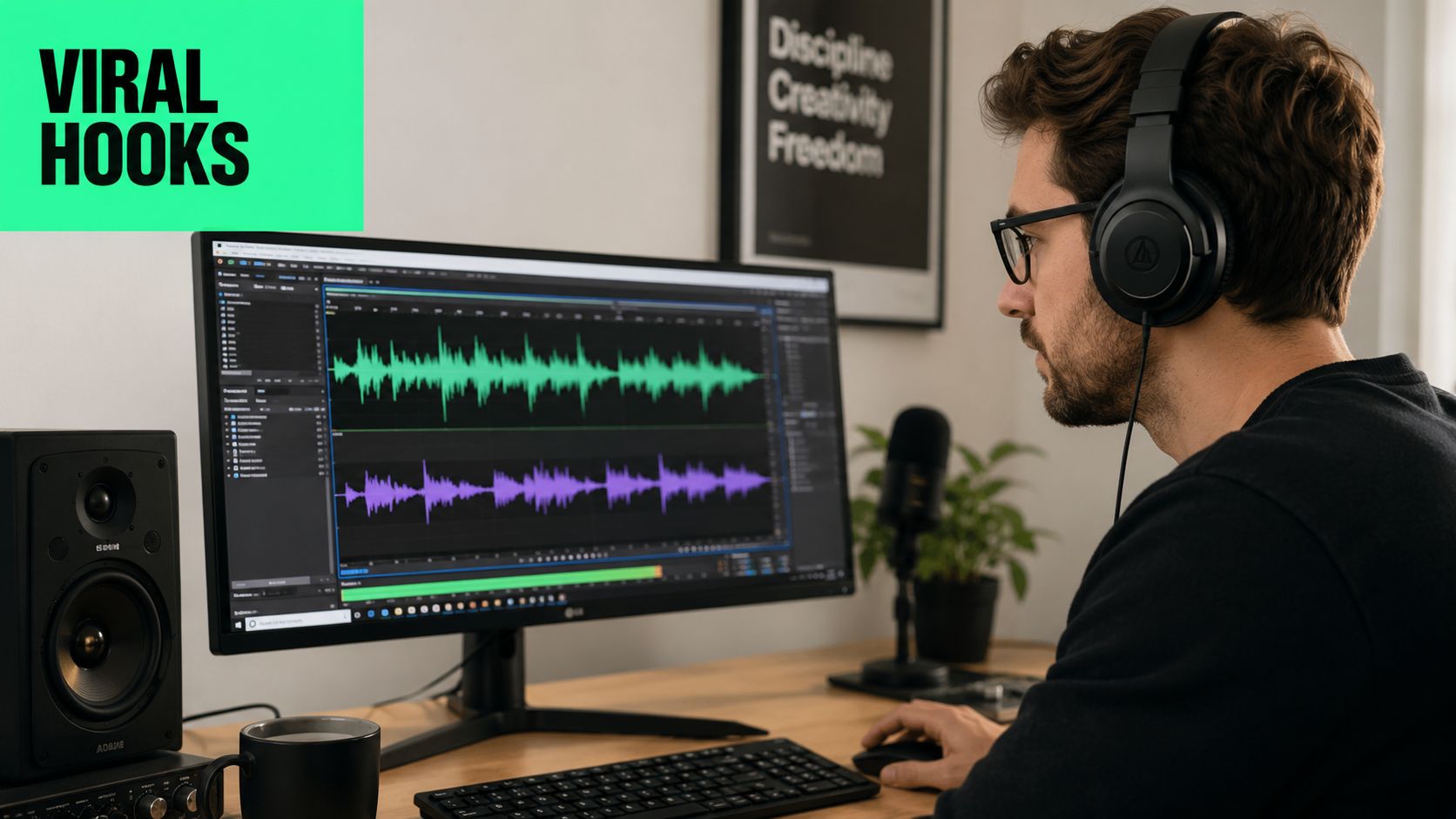
The gap is real. [Swell AI's analysis of podcast clip makers](https://www.swellai.com/blog/podcast-clip-maker) points out the disconnect between automated highlight detection and platform-specific retention. It cites a **2025 Meta Creators report** showing that **68% of vertical video abandonment happens within the first 3 seconds**. The same piece notes that many AI clip makers prioritize quotable moments or surprising statements rather than openings built for platform behavior.
For a quick market scan of competing tools, [Klap App features](https://www.flaex.ai/tool/klap-app) offer a useful comparison point because they show the kinds of auto-clipping and reframing features creators often stack up side by side.
### Run every clip through a three-second test
A simple rule works well here. Mute the clip, then play the first three seconds. Then play it again with sound. If neither version creates curiosity immediately, the hook probably needs to be rebuilt.
Questions that help:
- **Does the first line create tension?**
- **Does the title card clarify what's at stake?**
- **Does the frame show the speaker clearly enough for vertical viewing?**
- **Does the viewer understand why this matters before the setup drags in?**
Many AI-selected clips start too early. They include throat-clearing, host setup, or a polite transition that made sense in the full episode but kills momentum in a short.
### Weak hooks versus strong hooks
A weak podcast hook often sounds like this:
- **Weak:** “So one thing we talked about before recording was how teams handle content distribution...”
- **Better:** “Most teams don't have a content problem. They have a packaging problem.”
Another common miss:
- **Weak:** “To answer that, it probably depends on the type of business.”
- **Better:** “For most brands, posting more isn't the fix. Better hooks are.”
That doesn't mean every clip needs fake drama. It means the opening should land on conflict, surprise, clarity, or consequence. If the strongest sentence arrives eight seconds in, the editor should cut to it and use captions or a title card to restore context.
A useful benchmark for hook writing is [scroll-stopping video hook psychology](https://www.blitzreels.com/blog/the-science-of-scroll-stopping-video-hooks), especially for creators turning interview-style podcasts into cold-audience clips.
A good visual example helps when reviewing edits:
> Good hooks don't summarize the clip. They create a reason to keep watching it.
## Adding Your Brand with Captions and Templates
You have a strong moment picked. Now the clip needs to look like it came from a real show, not a rushed export from a batch tool.
This is the point where a podcast clips maker should save time without flattening your identity. AI can transcribe, place captions, and apply a base template in minutes. The creator still needs to make the decisions that affect recall: which words get emphasis, how aggressive the branding should be, and whether the opening frame builds curiosity or gives too much away.
Captions do more than improve accessibility. They carry comprehension in muted autoplay, noisy commutes, and fast scrolling. If the subtitle timing lags, the line breaks feel clumsy, or the contrast is weak, viewers feel friction right away and drop.
### Captions should be readable first, branded second
A practical caption setup usually includes:
- **High-contrast text:** Keep captions readable on small screens and messy backgrounds.
- **Phrase-level line breaks:** Split by thought, not by full sentence, so the viewer can process each line quickly.
- **Selective emphasis:** Highlight the word that carries the claim, tension, or payoff. Not every third word.
- **Safe placement:** Keep text clear of platform UI, progress bars, and auto-generated buttons.
The order matters. Caption styling should be part of the clip workflow before final export, not a cleanup step at the end. Good tools make that easier by letting you save caption presets, apply brand colors, and reuse layout settings across episodes. That is where AI earns its keep. It handles the repetitive formatting work so you can spend your time judging readability and tone.
> **Editorial note:** Verbatim captions are not always the best captions. Clean up filler words and awkward breaks if the meaning stays intact and the clip becomes easier to follow.
Title cards can also earn their place, but only when they add context the opening line does not. A useful title card frames the idea before the speaker lands the point. A weak one repeats the sentence the audience is about to hear.
Examples that usually help:
- **“Why podcast clips lose viewers in the first second”**
- **“The editing shortcut that hurts retention”**
- **“Why strong insights still flop on social”**
### Templates should standardize the repetitive parts
Templates work best when they lock in the production decisions that do not need debate every time.
| Element | What the template should standardize | What should stay editable |
|---|---|---|
| Captions | Font, weight, placement, animation style | Highlight words, line breaks |
| Title card | Position, spacing, transition | Headline text |
| Branding | Colors, logo treatment, end card style | Whether branding appears at all |
| Layout | Margins and safe zones | Clip-specific visual choices |
That balance matters. If every clip uses the same oversized headline, the same caption animation, and the same highlight pattern, the feed starts to look automated. Viewers may not name the problem, but they notice the sameness.
The better system is simple. Use templates to remove repeated setup work. Keep the creative choices manual. I usually treat captions and templates as a production floor, not a creative ceiling. The AI handles consistency. The editor decides what deserves emphasis and what should stay quiet.
For a closer look at [how captions drive engagement on TikTok and Instagram](https://www.blitzreels.com/blog/how-captions-drive-engagement-on-tiktok-and-instagram), review platform-specific examples before you lock your caption style across every channel.
## Reframing and Adding Visuals for Mobile Viewing
A clip often breaks at the framing stage.
The transcript is clean. The hook is strong. Then the vertical crop cuts off the guest's eyes, leaves too much dead space above the host, or misses the speaker switch by a beat. On a phone screen, that sloppiness reads as low-value content fast.
### Reframing should protect clarity on a small screen
Podcast video is usually recorded wide. Social platforms are not. That creates a practical editing problem. The editor has to turn a horizontal conversation into a vertical clip without making the shot feel cramped, jumpy, or careless.
In multi-speaker edits, face tracking helps, but it should not run unattended. Tools that let you set tracking boxes and keep the active speaker centered save real time, especially in interview clips. The trade-off is simple. Automation gets you 80 percent of the way. The last 20 percent still needs a human check at every speaker change, laugh, lean-in, or overlap.
A framing workflow that holds up in production usually looks like this:
1. **Choose the platform layout first.** Start in 9:16 if the clip is meant for Shorts, Reels, or TikTok.
2. **Review every handoff between speakers.** Auto-crops miss subtle reactions and side glances more often than editors expect.
3. **Check the safe zones.** Captions, title cards, and face position have to fit the same frame without crowding each other.
4. **Fix drift before export.** A crop that slowly slides off-center hurts retention even if the audio is strong.
For teams building a repeatable vertical workflow, [AI tools for perfect vertical video framing](https://www.blitzreels.com/blog/ai-tools-for-perfect-vertical-video-framing) explains which reframing features reduce manual cleanup.
### Visuals should clarify the point, not decorate the clip
Talking-head footage can carry a lot of clips on its own. It stops working when the idea gets abstract, the sentence runs long, or the viewer needs context that the audio alone does not provide.
That is where supporting visuals earn their place. A single well-timed insert can reset attention and make the clip easier to follow without pulling focus from the speaker.
Useful inserts include:
- **A stat graphic** when the speaker references a number or trend already discussed in the episode
- **A product screenshot** when the clip mentions a tool, dashboard, or interface
- **A short screen recording** when the speaker explains a process
- **A contextual image** when the conversation shifts into something conceptual
I usually tell editors to treat visuals as clarification, not cover. If a clip needs stock footage layered over every pause to feel watchable, the underlying problem is usually the clip choice or the pacing.
One clean visual at the right moment usually beats five decorative cuts. That balance is the whole job here. Let the software handle the repetitive crop and tracking work. Keep the creative calls, what to show, when to interrupt the talking head, and what deserves emphasis, in human hands.
## Exporting and Distributing Clips for Maximum Reach
A strong edit can still lose momentum at the last step if export settings are sloppy or distribution is unfocused. At this point, creators either turn a finished clip into a repeatable growth system, or flood their channels with too many versions and learn nothing.
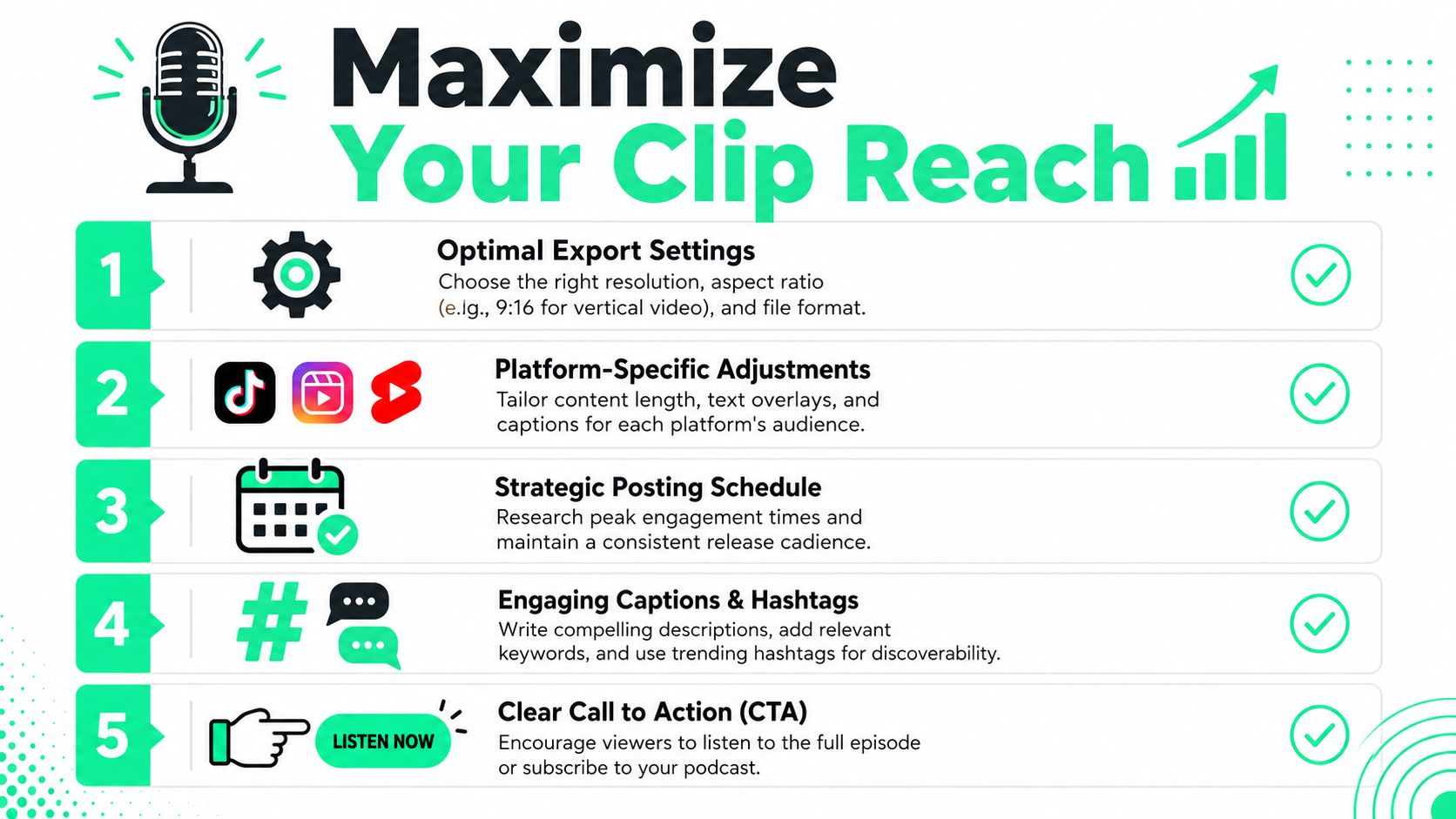
Platform-specific editing matters because clip length and format expectations differ. The same [YouTube workflow breakdown on podcast clips](https://www.youtube.com/watch?v=Q7RafCnJv_0) notes that **Instagram and TikTok favor 30 to 60 second clips**, while **LinkedIn and YouTube support 60 to 90 seconds**. It also warns that the **spray-and-pray** approach tends to underperform compared with **targeted manual clips of 30 to 45 seconds** built for engagement.
### Export cleanly for each destination
One technical detail gets ignored more than it should. [This export-focused YouTube guide](https://www.youtube.com/watch?v=toF9bBI-gnQ) notes that short-form exports for TikTok, Reels, and Shorts should stay at a **maximum bitrate of 25 megabits per second** to meet platform restrictions while maintaining quality.
A practical export checklist:
- **Aspect ratio:** Use vertical for mobile-first destinations.
- **Bitrate:** Keep exports within platform-friendly limits.
- **Caption review:** Catch broken line wraps and timing errors before upload.
- **Title-safe spacing:** Make sure text doesn't collide with platform interface elements.
### Distribution works best when it's selective
Good distribution is less about posting everywhere and more about matching the clip to the platform. A hard-edged contrarian take might fit TikTok or Reels. A more developed insight may hold better on LinkedIn or YouTube Shorts.
A simple posting system works better than improvising every week:
| Step | What to decide |
|---|---|
| Clip choice | Which audience this clip is for |
| Platform | Where that audience is most likely to stop and watch |
| Post copy | One sentence that sharpens the context, not repeats it |
| CTA | What action the viewer should take next |
Calls to action should stay simple. “Watch the full episode.” “Listen to the full conversation.” “Subscribe for the next interview.” The CTA works best when it extends the curiosity created by the hook instead of interrupting it.
One final trade-off matters here. Automation can resize, caption, and package quickly. It still won't know which two clips from an episode deserve a real distribution push. That's an editorial decision, and it's where the best creators separate speed from strategy.
---
BlitzReels helps creators turn podcast episodes and other long videos into short-form clips without getting stuck in a heavy editing workflow. It handles transcription, clipping, captions, reframing, resizing, title cards, templates, and fast exports for TikTok, Instagram Reels, YouTube Shorts, LinkedIn, and more. Teams that want a faster record-to-publish loop can explore [BlitzReels](https://blitzreels.com) to turn raw footage into polished shorts in minutes.