---
title: "Subtitle Synchronization That Actually Works"
canonical: "https://blitzreels.com/blog/subtitle-synchronization"
---
# Subtitle Synchronization That Actually Works
URL: https://blitzreels.com/blog/subtitle-synchronization
Markdown URL: https://blitzreels.com/blog/subtitle-synchronization.md
Published: 2026-08-27
Author: BlitzReels
Master subtitle synchronization for short-form video with practical SRT/VTT tips, timing rules, and a faster workflow using BlitzReels tools.
Tags: subtitle synchronization, SRT editor, video captions, short-form video, BlitzReels

The export looked finished until the creator watched it on a phone. The speaker said the first line, then the caption arrived a beat late. Every jump cut made the mismatch more obvious, and the upload window was closing.
That's the short-form version of a subtitle synchronization failure. A small timing error can dominate a vertical clip because viewers see the caption, the speaker's mouth, and the edit rhythm at the same time. On a long film, a half-second offset may feel tolerable for a moment. On a fast reel, the first missed phrase can make the video feel broken.
Professional subtitle synchronization is governed by more than visual approximation. Standards work around TTML began in 2003, an early draft appeared in November 2004, TTML1 was finalized in November 2010, TTML2 followed on November 8, 2018, and WHATWG selected WebVTT in 2010. The FCC later recognized the SMPTE captioning standard as a safe-harbor interchange and delivery format for online video in February 2012, milestones summarized in the [Timed Text Markup Language history](https://en.wikipedia.org/wiki/Timed_Text_Markup_Language). Those developments established why timestamps, frame alignment, and interchange formats matter across broadcast, web, and social workflows.
## Table of Contents
- [The Moment Your Captions Go Out of Sync](#the-moment-your-captions-go-out-of-sync)
- [Why drift feels worse in short-form video](#why-drift-feels-worse-in-short-form-video)
- [The cost of a rushed fix](#the-cost-of-a-rushed-fix)
- [Preparing Transcripts and Source Audio](#preparing-transcripts-and-source-audio)
- [Build a clean alignment source](#build-a-clean-alignment-source)
- [Lock the timebase before timing cues](#lock-the-timebase-before-timing-cues)
- [Automatic Alignment vs Manual Editing](#automatic-alignment-vs-manual-editing)
- [SRT and VTT Cue Best Practices](#srt-and-vtt-cue-best-practices)
- [Timing the cue, not just the sentence](#timing-the-cue-not-just-the-sentence)
- [How BlitzReels Speeds Up the Workflow](#how-blitzreels-speeds-up-the-workflow)
- [On-beat captions for edited clips](#on-beat-captions-for-edited-clips)
- [Troubleshooting the Most Common Sync Problems](#troubleshooting-the-most-common-sync-problems)
- [Captions drift later over the clip](#captions-drift-later-over-the-clip)
- [Individual words arrive late](#individual-words-arrive-late)
- [One cue lingers into the next](#one-cue-lingers-into-the-next)
- [The platform rejects or retimes the file](#the-platform-rejects-or-retimes-the-file)
- [A Repeatable Subtitle Sync Checklist](#a-repeatable-subtitle-sync-checklist)
## The Moment Your Captions Go Out of Sync
A creator exports a 60-second interview clip, opens the final file, and immediately notices the captions trailing the speaker. The transcript is accurate. The font is on brand. The hook is strong. Yet the first sentence appears after the speaker has already moved to the next cut.
That failure often gets blamed on the caption generator, but short-form edits create several separate timing traps. Jump cuts remove pauses that an alignment model expected to hear. B-roll hides the mouth while the speech continues. A second camera may introduce a different audio start point. Music and sound effects can also make the waveform look active even when the relevant dialogue begins later.
### Why drift feels worse in short-form video
Short-form captions have to perform several jobs at once. They must identify the spoken words, reinforce the hook, survive a small mobile screen, and land with enough precision to support the cut. A late cue can make a punchline feel weak, while an early cue can reveal the conclusion before the speaker delivers it.
Subtitle synchronization is also an accessibility concern, not merely a visual polish issue. The [practical discussion of subtitle synchronization](https://www.free-codecs.com/guides/how_to_synchronize_subtitles.htm) distinguishes a fixed offset from drift. If the gap stays consistent, a global shift can solve it. If the gap grows throughout the clip, the source and subtitle file may use different frame rates, and one delay setting won't repair the whole track. Synchrony problems can also increase cognitive load even when viewers don't consciously identify the mismatch.
### The cost of a rushed fix
Creators often respond by dragging captions until the opening looks right. That may repair the first cue while leaving later cues wrong. Other common shortcuts include re-running transcription without cleaning the source audio, exporting repeatedly, or applying a delay to a file whose real problem is variable timing.
The good news is that a clean fix is usually fast once the workflow separates **transcript accuracy**, **global alignment**, and **manual finishing**. Automatic alignment is useful when the words are dependable and the audio is clean. Manual frame-level editing is better when cuts, speakers, lyrics, or effects make the speech pattern irregular. Both approaches become more reliable after the transcript and source audio are prepared properly.
## Preparing Transcripts and Source Audio
Subtitle synchronization starts before the subtitle file exists. A noisy mixed master, an unchecked transcript, and an unreliable timebase create problems that no editor can remove elegantly later.
### Build a clean alignment source
The first practical step is to create a dialogue-focused audio export. A normalized WAV is preferable when available, while a high-bitrate MP3 can work for lighter workflows. The source should come from the dialogue track or a dialogue-focused bus rather than the final mix, because music, impacts, room tone, and sound design can confuse speech detection.
The transcript needs the same treatment. Correct obvious recognition errors, repair names and product terms, and assign filler words to the speaker who said them. Run-on sentences should be split at natural breaths, not at arbitrary character limits. A clean transcript gives an aligner meaningful word boundaries instead of forcing it to reconcile a paragraph with a rapidly edited waveform.
> **Practical rule:** If the transcript is wrong, better timing only produces a more precisely timed mistake.
Mark the edit points that affect reading rhythm. B-roll inserts, speaker handoffs, abrupt silence, and mid-word cuts should be visible in the working transcript or timeline. These markers help an editor decide whether a cue should follow the spoken phrase, the visual cut, or both.
### Lock the timebase before timing cues
Confirm the source frame rate and timecode start before generating SRT or VTT. Netflix's timing guidance expects a subtitle to begin on the first frame of audio or as close as possible, with **1 to 2 frames** considered acceptable, as documented in its [Timed Text Style Guide](https://partnerhelp.netflixstudios.com/hc/en-us/articles/360051554394-Timed-Text-Style-Guide-Subtitle-Timing-Guidelines). The same guide uses frame-aware timing rather than rough visual matching.
The BBC recommends **160 to 180 words per minute**, equivalent to about **0.33 to 0.375 seconds per word**, and advises a minimum on-screen duration of roughly **0.3 seconds per word**, according to the same published Netflix timing reference. These constraints matter even for social clips because a cue can be perfectly aligned and still be unreadable.
For teams choosing a speech-to-text service, the [API accuracy and latency explained](https://vibetyper.com/blog/speech-to-text-api) resource provides useful context for evaluating transcript output before it becomes caption timing. BlitzReels users can also review and edit transcript data through the [transcript documentation](https://blitzreels.com/docs/transcript), keeping text correction close to the video timeline.
## Automatic Alignment vs Manual Editing
Automatic alignment and manual editing solve different problems. The right choice depends on the condition of the audio, the complexity of the edit, and how much of the generated transcript can be trusted.
Automatic alignment works well for a single-speaker, monolingual talking-head clip with steady pacing and limited background noise. Whisper-based workflows, VTT-generating models, and BlitzReels' subtitle generator can produce a useful draft quickly. They're especially effective when the transcript contains the right words in roughly the right order and sits within about **two seconds** of the actual speech.
Manual editing earns its place when the timeline is irregular. Multi-speaker exchanges, lyrics, SFX-heavy openings, code-switching, clipped phrases, and cuts inside a word can all defeat assumptions built into automated alignment. A human editor can watch the mouth, read the waveform, identify the phoneme onset, and choose whether the cue should follow the speech or the editorial beat.
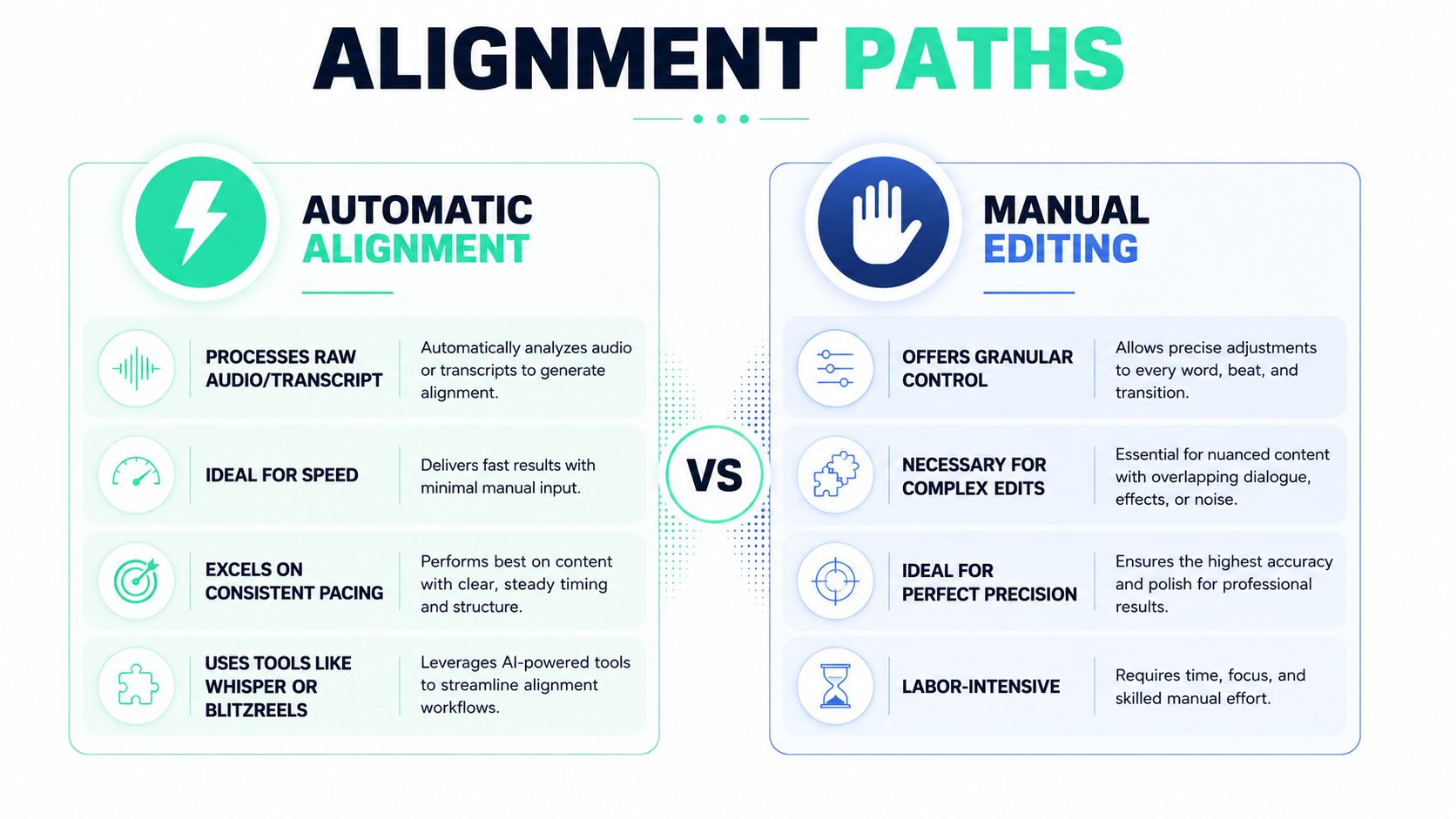
| Criterion | Automatic Alignment | Manual Editing |
|---|---|---|
| Best source | Clean dialogue with a dependable transcript | Complex edits, multiple speakers, lyrics, or effects |
| Main advantage | Fast first pass and consistent global timing | Precise control over individual cue boundaries |
| Main risk | Inherits recognition errors and assumes continuous speech | Consumes editor time and attention |
| Finishing method | Review exceptions and patch local failures | Verify every cue against picture and waveform |
| Useful tool category | Whisper, subtitle generators, word-level aligners | SRT editors, waveform timelines, frame-based NLE tools |
A practical timing test helps prevent over-editing. If the draft SRT has the right words in approximately the right sequence, automatic alignment can establish the baseline before manual cleanup. If the text is mangled, several people speak at once, or the audio contains long non-speech sections, the SRT editor should become the primary workspace.
The trade-off is concrete. Automatic alignment can take a 60-second short through generation and cleanup in roughly **five minutes**, while full manual synchronization can take **20 to 30 minutes per minute of finished video**, figures described in the [word-level subtitle synchronization workflow](https://c.pgdm.ch/notes/subtitles-synchronization-1/). Those timings aren't a promise for every project, but they explain why hybrid editing is usually the practical middle ground. The [word-level sync glossary](https://blitzreels.com/glossary/word-level-sync) is useful when a workflow needs to reason about individual word boundaries instead of treating each subtitle event as one indivisible block.
## SRT and VTT Cue Best Practices
SRT and VTT look simple because both are text-based formats. Their timestamp syntax is strict, and one punctuation mistake can make a platform ignore a cue or reinterpret the file.
SRT uses `HH:MM:SS,mmm`, with a comma before milliseconds. VTT uses `HH:MM:SS.mmm`, with a dot. A file that contains the wrong separator, an extra timestamp digit, or malformed cue ordering may load partially or fail without an obvious warning.
The BBC documents `HH:MM:SS.fraction` syntax and explains that EBU-TT-D end times are exclusive. That means adjacent subtitles can touch by setting one cue's end time equal to the next cue's begin time. For social video, the important lesson is to avoid accidental overlaps and unexplained gaps while still leaving enough time for the viewer to read.
### Timing the cue, not just the sentence
Cue-in should follow the first audible onset, not the moment the complete sentence becomes obvious. Netflix guidance places the start on the first frame of audio or within **1 to 2 frames**, while its style guidance also sets a minimum duration of **five-sixths of a second**, approximately **20 frames at 24 fps**, and a maximum event duration of **7 seconds**, as summarized by [Klap's subtitle synchronization guide](https://klap.app/blog/subtitle-synchronization). The BBC's reading-speed guidance adds a second constraint, because a cue can meet the frame rule and still disappear too quickly.
Editors working at 24, 25, or 30 fps should inspect the actual project timebase rather than converting by eye. A cue that begins a few frames before a syllable may feel responsive, but moving it too far forward makes the caption anticipate the speaker. Similarly, the end should avoid lingering after the word has finished. Short-form editors often use a trailing gap in the **80 to 120 millisecond** range as a practical finishing target, but it should be checked against readability and adjacent cues.
| Format / Platform | Timestamp Syntax | Max Cue Length | Position Control | Quirk |
|---|---|---|---|---|
| SRT | `HH:MM:SS,mmm` | Keep cues concise and readable | Limited and player-dependent | Broad compatibility, strict punctuation |
| VTT | `HH:MM:SS.mmm` | Keep cues concise and readable | Supports web-oriented positioning | Uses dot-decimal timestamps and cue settings |
| TikTok | Platform-rendered or burned in | Platform-dependent | Burn-in placement dominates | Imported subtitle positioning may not control the final display |
| Instagram Reels | Platform-rendered or burned in | Platform-dependent | Visual safe area matters | Long clips and imported cues should be checked after upload |
| YouTube Shorts | Platform caption system or burned in | Platform-dependent | Player and upload settings apply | Caption behavior can differ between uploaded tracks and burned-in text |
| LinkedIn | Platform-rendered or burned in | Platform-dependent | Composition controls placement | Sentence case generally reads more naturally than ALL CAPS |
Cue identifiers and sequence order aren't the same thing. SRT numbering helps players process the file, while VTT cue identifiers can carry separate labels. Numbering gaps may be tolerated by some players, but malformed order can produce silent drops. Sound effects also need editorial judgment. An overlapping `[music]` cue shouldn't orphan the next spoken line or cover the phrase that carries the hook.
For browser workflows, the [browser-based subtitle editing tips](https://www.mykaraoke.video/blog/best-subtitle-editor-software) offer useful guidance on inspecting timing and format behavior. Teams that need a visual waveform and bulk cue operations can use the [BlitzReels SRT editor](https://blitzreels.com/tools/srt-editor) before exporting the final caption file.
## How BlitzReels Speeds Up the Workflow
A short-form caption workflow becomes faster when transcription, timing, styling, and export stay close to the edit. BlitzReels provides an editor for creating, captioning, resizing, and repurposing clips for TikTok, Instagram Reels, YouTube Shorts, LinkedIn, and other social destinations.
The first operation is subtitle generation. A raw transcript or audio file can produce an SRT draft, with silence gaps used as natural cue breaks. That removes the tedious first pass of guessing where each block should begin and end, while leaving a human editor responsible for names, line breaks, and exceptions.
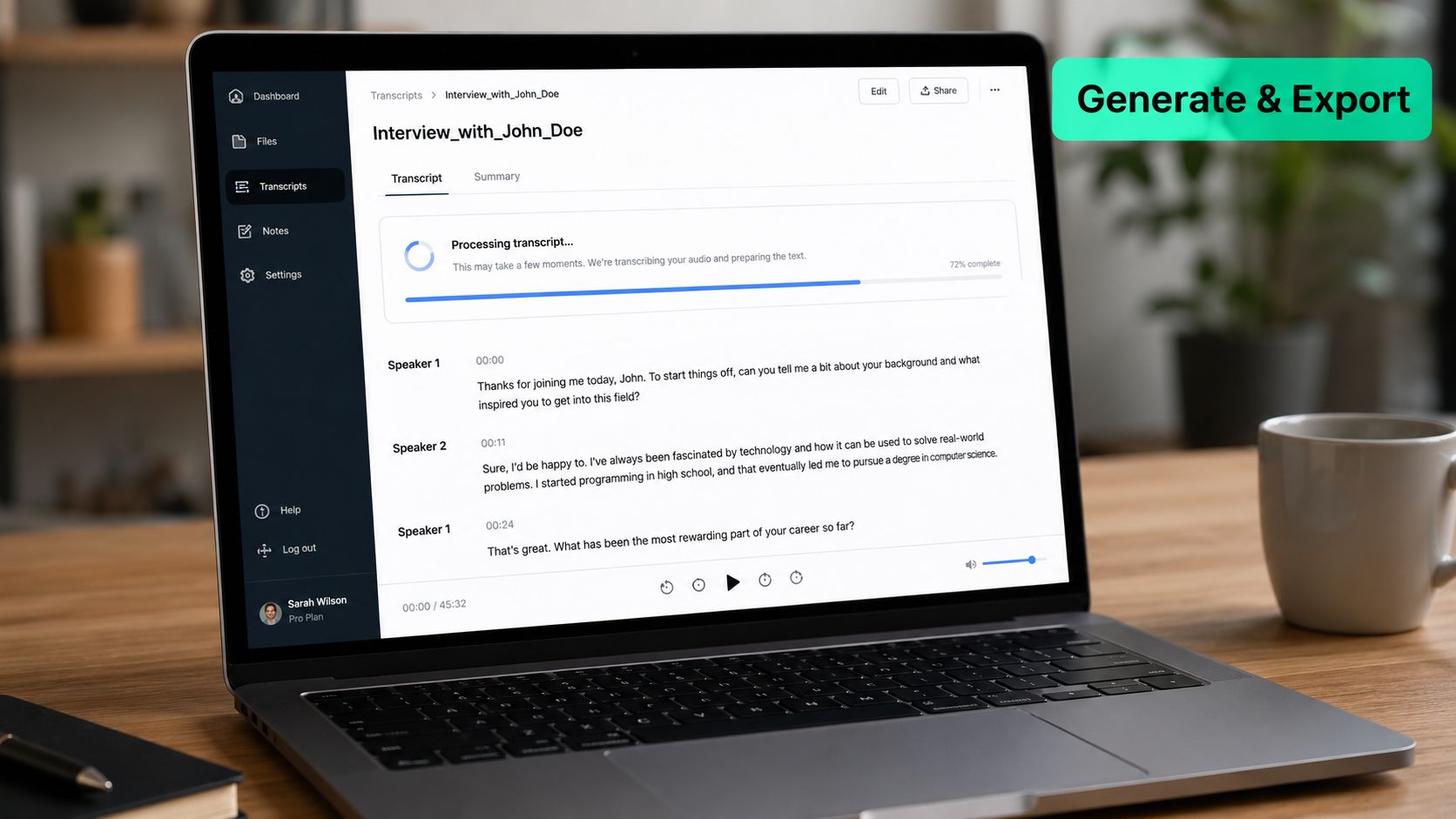
The SRT editor then places cues over a waveform timeline. Editors can drag cue-in and cue-out handles with sub-frame snapping, bulk-shift selected cues by a chosen millisecond value, and split a long cue at the playhead without manually renumbering the remaining file. Those operations address the two failures that consume the most time in social production, global offset errors and local cue exceptions.
### On-beat captions for edited clips
On-beat captioning adds an editorial layer beyond speech accuracy. The feature extracts a beat track from the audio and rebases cue midpoints toward nearby downbeats. The caption still needs to preserve word intelligibility, but the visual arrival can better support a hook, cut, title card, or reaction beat.
That distinction matters because a caption can be technically synchronized and still feel disconnected from the edit. Short-form videos often combine clipping, reframing, resizing, B-roll, templates, and branded caption styling. The timing pass has to survive those changes rather than treating the subtitle file as an isolated asset.
A practical walkthrough of the editor and its surrounding workflow is available through the [BlitzReels AI caption generator](https://blitzreels.com/ai-caption-generator).
The agentic workflow adds another route for repeatable corrections. BlitzReels has a native hosted OAuth MCP server and supports REST API, TypeScript SDK, CLI with structured JSON, OpenAPI, `llms.txt`, and agent skills. An agent can inspect a project, create clips, edit transcripts and captions, add B-roll or media, modify timeline items, validate output, start an export, and verify render status. A plain-language request such as “shift every cue after 00:14 by +180 ms and shorten line two of cue 7” can become a reversible edit rather than a sequence of disconnected manual actions.
This approach replaces much of the usual chain between transcription, alignment, subtitle editing, audio cleanup, and re-export. It doesn't eliminate review. Human editors still need to watch the first hook, inspect difficult cuts, confirm platform-safe placement, and approve the final render.
## Troubleshooting the Most Common Sync Problems
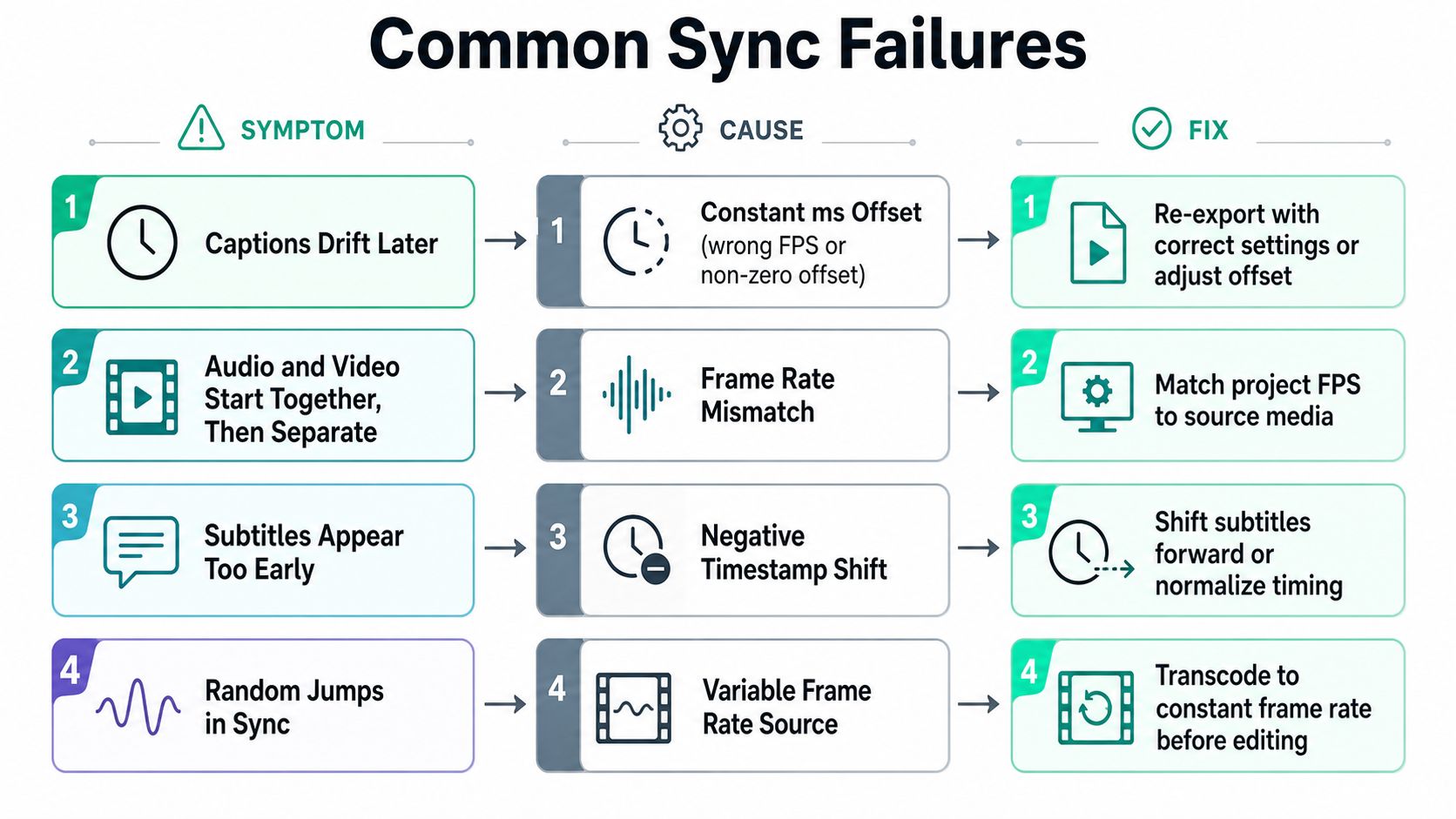
Most short-form sync failures fall into a small set of recognizable patterns. Diagnosis should begin with the shape of the error, not with random cue dragging.
### Captions drift later over the clip
A growing delay usually points to a frame-rate mismatch, a non-zero timeline start, or a source and subtitle track built from different timing assumptions. Measure the gap near the beginning and end. If the difference is constant, select the affected cues and apply a uniform shift. If it grows, correct the timebase or retime the section rather than applying one delay.
Verification is simple. Play the first cue, a middle cue, and the final cue against the dialogue. All three should preserve the same relationship to the spoken onset.
### Individual words arrive late
When most captions look right but certain words pop in late, the aligner may have trusted a pause instead of the phoneme onset. Zoom into the waveform, find the transient where the word begins, and drag the cue-in earlier by **2 to 4 frames**. Recheck the preceding cue so the adjustment doesn't create an overlap.
### One cue lingers into the next
A long cue may extend beyond the actual word, or a sentence may need a line break and split at a natural pause. Shorten the cue-out, split the text at the pause, and preserve a trailing separation of roughly **80 to 120 milliseconds** where the platform and reading speed allow it. Playback should confirm that the next line appears cleanly without a flash or collision.
### The platform rejects or retimes the file
Malformed timestamps, incorrect encoding markers, and cues that exceed platform limits can cause silent re-timing or partial import. Run the SRT or VTT through a validator, confirm the file encoding, and inspect the exported caption track after upload rather than trusting the local preview.
> **Verification habit:** A file isn't finished when it validates. It's finished when the uploaded video still matches the final audio, cuts, and caption placement.
## A Repeatable Subtitle Sync Checklist
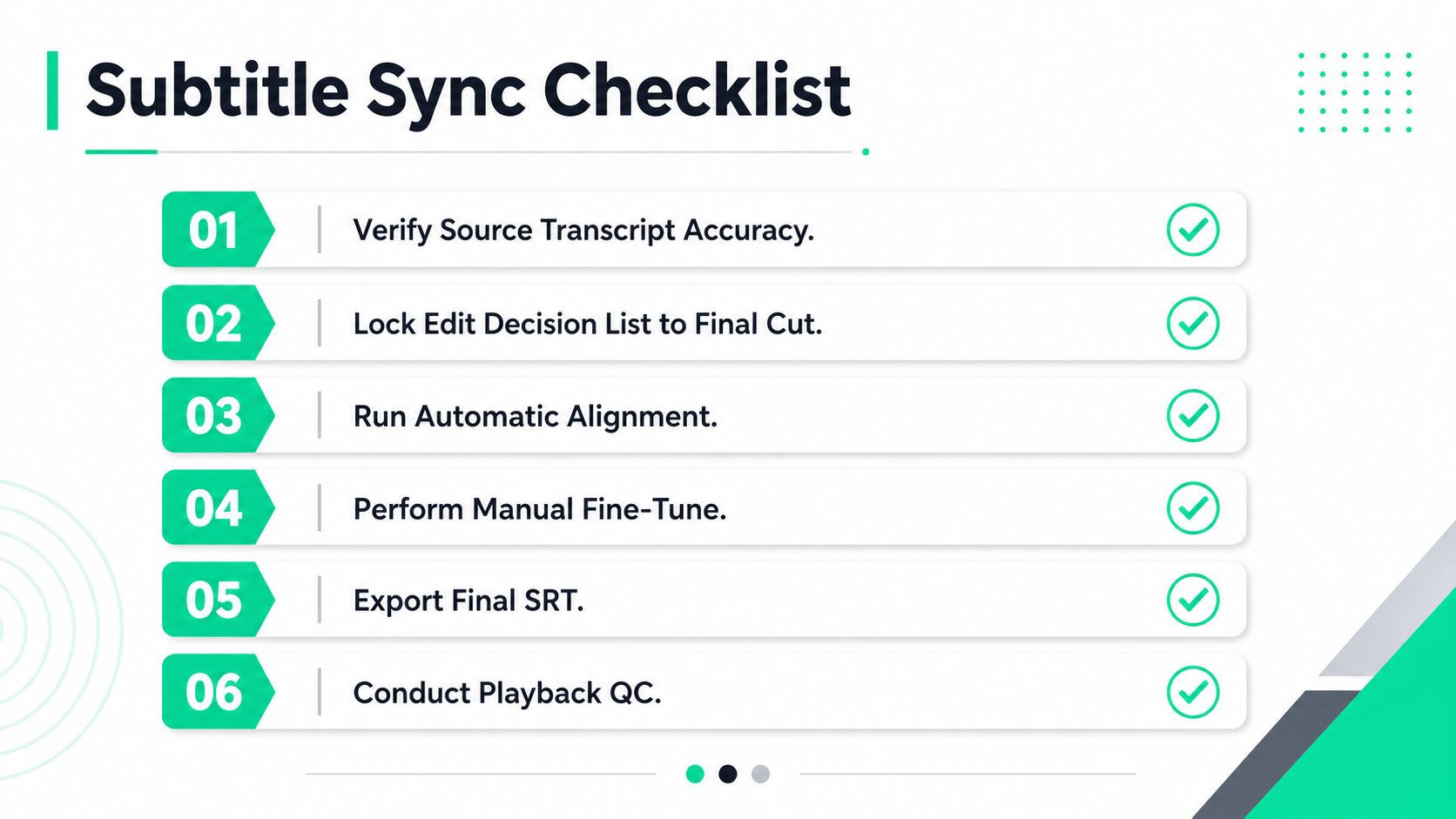
A reliable workflow treats subtitle synchronization as a production checkpoint, not an emergency repair after export. The sequence below keeps automated speed and human judgment in the same pass.
1. **Verify the source transcript.** Correct names, terminology, speaker ownership, filler, and obvious recognition errors before timing begins.
2. **Lock the final cut.** Make sure the edit decision list matches the actual export, including B-roll, removed pauses, reframing, title cards, and any changed audio.
3. **Run automatic alignment.** Use the clean dialogue source and transcript to establish a draft, then identify sections that require direct editorial attention.
4. **Perform manual fine-tuning.** Review the first and last cues of each edited segment, inspect frame-level starts, repair mid-word cuts, and apply on-beat snapping only where readability remains intact.
5. **Validate the export file.** Check SRT or VTT syntax, cue order, encoding, line breaks, display duration, and platform-specific behavior.
6. **Conduct playback QC.** Watch the final render at reduced speed, then review it normally on a mobile-sized frame. Confirm the opening hook, speaker changes, fast phrases, sound cues, and final caption.
Automatic alignment should be skipped when heavy background noise, multilingual code-switching, or mics-off sections make the speech model unreliable. Those clips need cue-by-cue editing, with waveform inspection and on-beat caption snapping used selectively.
Archive the final SRT beside the project and record recurring drift patterns. The next clip may reveal the same camera offset, timebase mistake, or transcript issue. A living [publishable clip QA checklist](https://blitzreels.com/guide/publishable-clip-qa-checklist) turns those lessons into a repeatable handoff for editors, marketers, and agent-powered production teams.
---
BlitzReels combines transcript editing, word-level captions, waveform-based SRT control, on-beat captioning, reframing, templates, and cloud exports in one short-form workflow. Visit [BlitzReels](https://blitzreels.com) to prepare, synchronize, review, and publish social clips without sending every caption fix through a separate tool.