---
title: "How to Turn Long Video Into Shorts in 2026"
canonical: "https://blitzreels.com/blog/turn-long-video-into-shorts"
---
# How to Turn Long Video Into Shorts in 2026
URL: https://blitzreels.com/blog/turn-long-video-into-shorts
Markdown URL: https://blitzreels.com/blog/turn-long-video-into-shorts.md
Published: 2026-06-07
Author: BlitzReels
Learn a step-by-step workflow to turn long video into shorts. Find clips, add hooks, caption, and resize for TikTok, Reels, & YouTube quickly in 2026.
Tags: turn long video into shorts, video repurposing, content repurposing, short-form video, video clipping

Most creators already have the raw material. It's sitting in Zoom folders, podcast recordings, webinar archives, interview libraries, Loom walkthroughs, and long YouTube uploads that took real effort to make. The problem usually isn't a lack of ideas. It's that long-form assets rarely get mined with enough discipline to become a steady stream of short-form content.
That's why the ability to **turn long video into shorts** matters so much now. A single strong recording can produce multiple clips, each with a different hook, title card, caption style, and platform angle. The creators who do this well don't just cut random highlights. They identify high-potential moments first, package them for vertical feeds second, and protect the original meaning so the short still makes sense on its own.
## Table of Contents
- [The Hidden Goldmine in Your Long-Form Content](#the-hidden-goldmine-in-your-long-form-content)
- [How to Find High-Potential Clips in Your Footage](#how-to-find-high-potential-clips-in-your-footage)
- [Start with the transcript, not the timeline](#start-with-the-transcript-not-the-timeline)
- [What to look for during manual review](#what-to-look-for-during-manual-review)
- [Crafting a Hook That Stops the Scroll](#crafting-a-hook-that-stops-the-scroll)
- [Weak openings versus useful openings](#weak-openings-versus-useful-openings)
- [A simple hook framework that travels well](#a-simple-hook-framework-that-travels-well)
- [Editing for Retention and Vertical Viewing](#editing-for-retention-and-vertical-viewing)
- [Reframe for phones first](#reframe-for-phones-first)
- [Captions, text overlays, and context repair](#captions-text-overlays-and-context-repair)
- [Optimizing and Exporting for TikTok Reels and Shorts](#optimizing-and-exporting-for-tiktok-reels-and-shorts)
- [What changes by platform](#what-changes-by-platform)
- [A final export checklist](#a-final-export-checklist)
- [Building a Sustainable Repurposing Workflow](#building-a-sustainable-repurposing-workflow)
## The Hidden Goldmine in Your Long-Form Content
A lot of teams treat old recordings like finished projects. Publish the webinar. Upload the interview. Post the podcast. Move on. That habit leaves a surprising amount of usable content untouched.
A better way to look at long-form footage is as a **source library**, not a single asset. One product demo might contain a sharp objection-handling answer. One interview might contain a clean hot take. One webinar might include several concise teaching moments that work better as short videos than they ever did buried inside a longer recording.
That shift in thinking lines up with how short-form video evolved. A major milestone came in **2013**, when Vine pushed the modern clip-first format with **6-second** videos, and by **2017** Vine had shut down. But the creative pattern stayed. It helped normalize ultra-short, loopable content across platforms, and today's short-form feeds reward fast hooks, vertical framing, and repeat viewing rather than a slow narrative build-up, as noted in this overview of [how short-form video evolved from Vine to modern clipping workflows](https://wayin.ai/tools/long-video-to-short-video/).
> Long-form content still holds the ideas. Short-form platforms simply demand a different packaging layer.
That matters for creators, agencies, and brands running a podcast or interview-based content engine. A well-planned recording session can feed both long-form authority content and short-form distribution. Anyone building that kind of system can learn a lot from this guide to [B2B video podcast strategy](https://www.podmuse.com/post/video-podcast-production), especially if the goal is to design recordings that are easier to repurpose later.
There's also a practical efficiency angle. Repurposing usually works better than trying to invent fresh short videos from scratch every day. The strongest clips already come with proof of thought, a coherent point of view, and a speaker who's operating with more depth than they would in an improvised one-minute take. That's one reason [repurposed clips often outperform original short-only recordings](https://www.blitzreels.com/blog/why-repurposed-clips-drive-more-engagement-than-originals) when the source material is strong.
## How to Find High-Potential Clips in Your Footage
Finding clips is where most of the advantage lies. If the selection is weak, no amount of stylish editing can rescue the short. If the selection is strong, the edit becomes much faster.
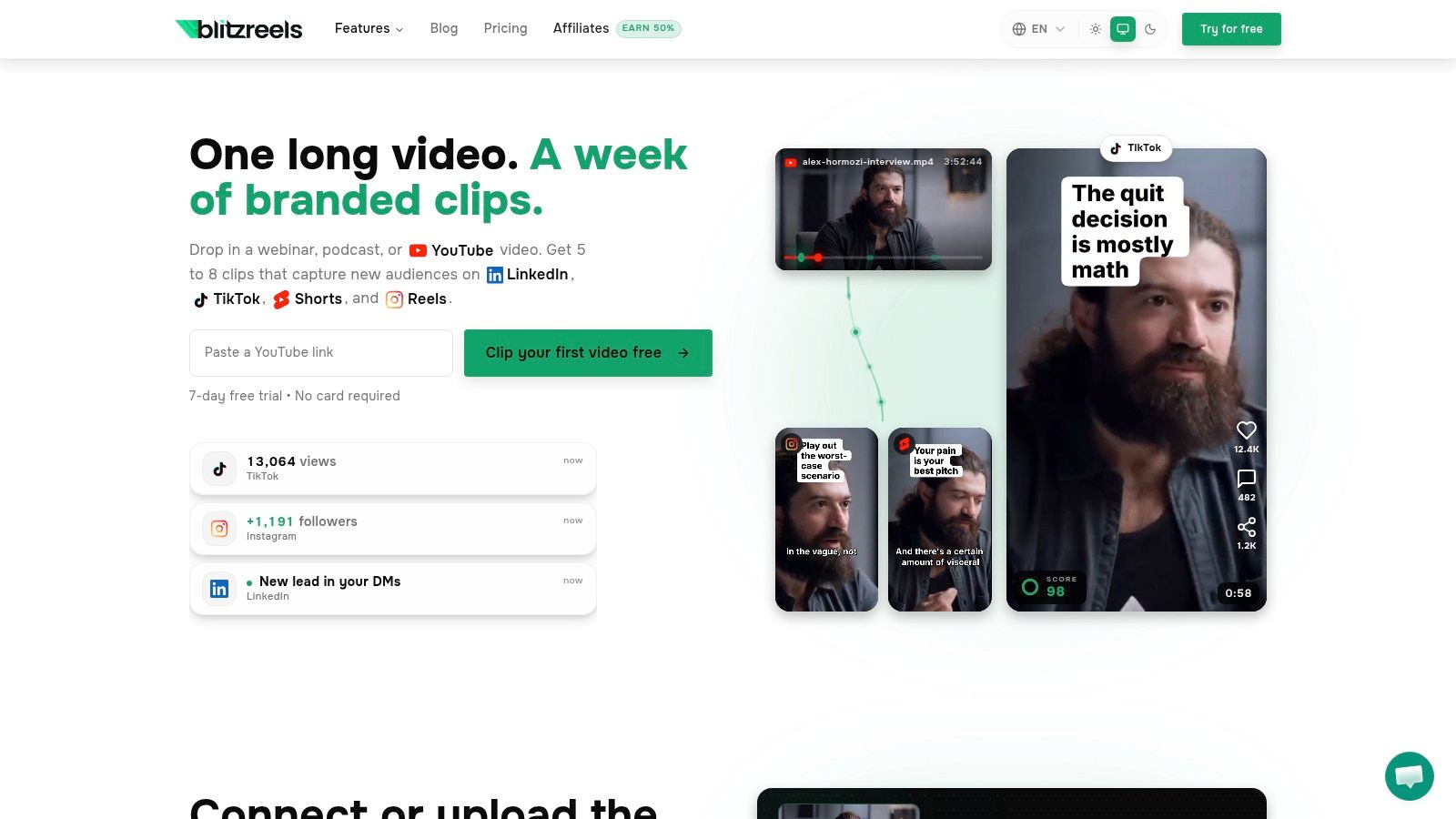
Independent guidance on long-to-short workflows recommends a sequence that looks like this: upload the source video, let AI produce candidate clips with hook or virality scoring, then review the opening seconds of each option before adjusting captions, branding, and vertical formatting. That guidance also argues the clipping stage is mostly **curation first**, with editing as the smaller piece of the work, using an **80/20** split and a hook-value-CTA structure for the final short, as explained in this article on [turning long-form videos into YouTube Shorts at scale](https://quso.ai/blog/how-to-turn-long-form-videos-into-youtube-shorts-at-scale).
### Start with the transcript, not the timeline
Scrubbing manually from minute zero is slow and inconsistent. A transcript gives structure to the search.
That's why tools that generate a searchable text layer are useful. Platforms such as Descript, OpusClip, CapCut, and BlitzReels all help in different ways, but the key capability is the same: turn spoken content into something that can be scanned for questions, claims, transitions, and concise teaching moments. For anyone building that process, this explainer on [what video transcription does for editing workflows](https://www.blitzreels.com/blog/what-is-video-transcription) is worth reviewing.
A practical first pass usually looks like this:
1. **Scan for self-contained ideas**. Look for answers that make sense without a long setup.
2. **Mark tension-heavy lines**. Contrarian statements, mistakes, and surprising reframes often carry their own hook.
3. **Ignore polish at this stage**. Bad framing can be fixed later. Weak substance can't.
4. **Check the first sentence**. If the clip starts slowly, it's probably not a top candidate.
### What to look for during manual review
AI can surface candidates quickly, but manual review is still where judgment shows up. The editor needs to decide whether a moment is merely interesting inside the full video or whether it can survive alone in-feed.
Useful clip candidates usually fall into a few repeatable categories:
- **Direct answer clips**. A speaker answers a specific question in plain language.
- **Mistake clips**. The segment opens with what people are doing wrong.
- **Framework clips**. The recording contains a clean step, checklist, or process.
- **Story payoff clips**. The lesson lands fast, without needing a long backstory.
- **Reaction clips**. The speaker's tone, expression, or phrasing creates natural energy.
> **Practical rule:** Review the first few seconds before doing any serious editing. If the opening doesn't earn attention, move on.
A lot of editors waste time improving mediocre excerpts instead of filtering harder. The fastest workflow usually uses AI to surface volume, then human review to cut ruthlessly.
This walkthrough shows the kind of interface and decision-making that makes that process easier:
## Crafting a Hook That Stops the Scroll
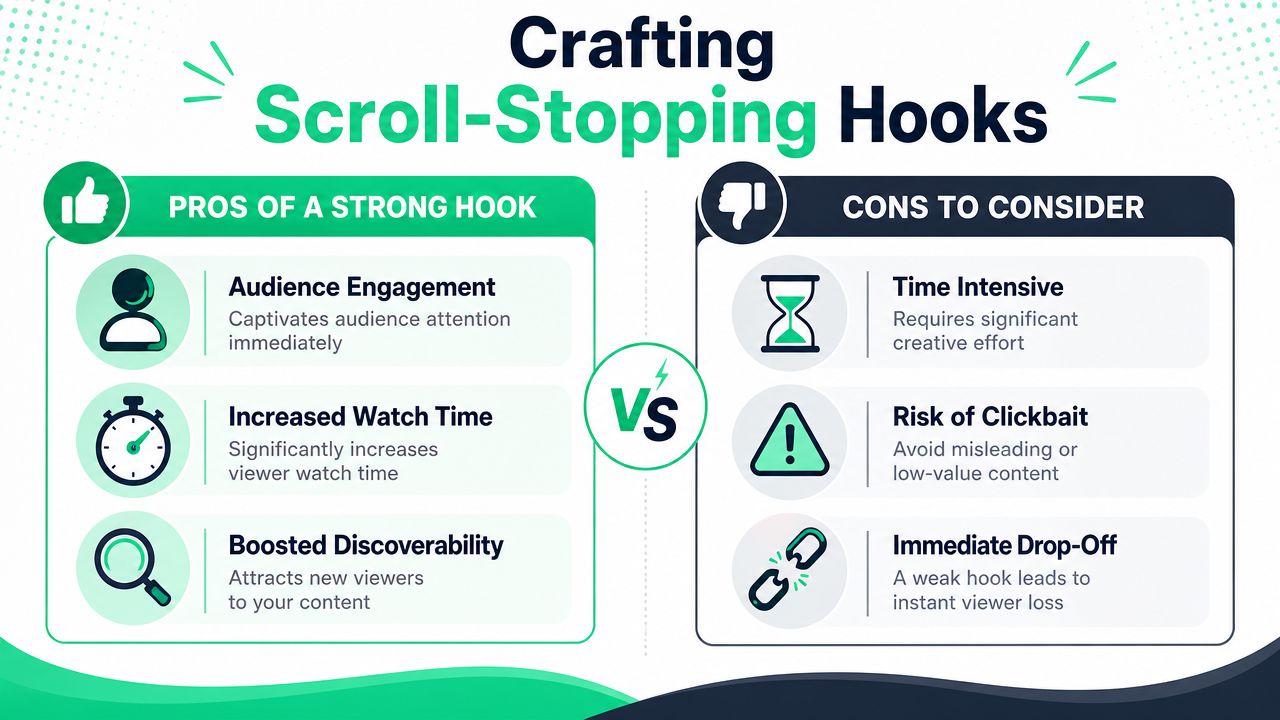
A good clip still fails if the opening is flat. The feed doesn't care that the middle of the video is smart. The viewer decides almost immediately whether to keep watching.
That's why the hook usually deserves separate attention from the clip itself. The editor isn't just trimming. The editor is deciding what the audience sees first, reads first, and understands first.
### Weak openings versus useful openings
Weak hooks usually sound like leftovers from long-form content. They begin with setup, throat-clearing, or context the viewer didn't ask for.
Examples of weak opening patterns:
- **“So in this podcast episode…”**
Too slow. It describes the content instead of delivering value.
- **“A lot of people ask me about this…”**
Better than an intro, but still indirect.
- **“Today, we're going to talk about…”**
Fine for a webinar. Bad for a feed.
Stronger hooks move straight to tension or payoff:
- **“Clips are often cut in the wrong order.”**
- **“This one edit makes a good clip watchable on mute.”**
- **“If the first sentence needs context, it's the wrong clip.”**
These work because they create immediate orientation. The viewer knows what the clip is about and why it matters before deciding to swipe.
For a deeper breakdown of opening-line structure, pacing, and on-screen hook design, this article on [the science of scroll-stopping video hooks](https://www.blitzreels.com/blog/the-science-of-scroll-stopping-video-hooks) is a useful companion.
### A simple hook framework that travels well
A reliable short-form hook often follows a small pattern:
| Hook type | Example | Why it works |
|---|---|---|
| Question | “Why do some clips feel confusing even when the advice is good?” | Opens a curiosity loop |
| Contrarian | “The edit isn't the first job. Clip selection is.” | Challenges a common assumption |
| Outcome-first | “Turn one webinar into multiple usable shorts without filming again.” | Signals practical value quickly |
| Mistake-first | “Stop starting your short with background.” | Creates urgency |
Title cards help reinforce the hook, especially when the spoken first line isn't perfect. A short title card should do one job only. It should clarify the promise of the clip.
> A title card shouldn't summarize the whole video. It should make the next few seconds feel worth watching.
The easiest mistake here is overpromising. If the hook sounds dramatic but the clip delivers a mild point, retention drops hard. Good hooks don't just attract attention. They make an honest promise the clip can keep.
## Editing for Retention and Vertical Viewing
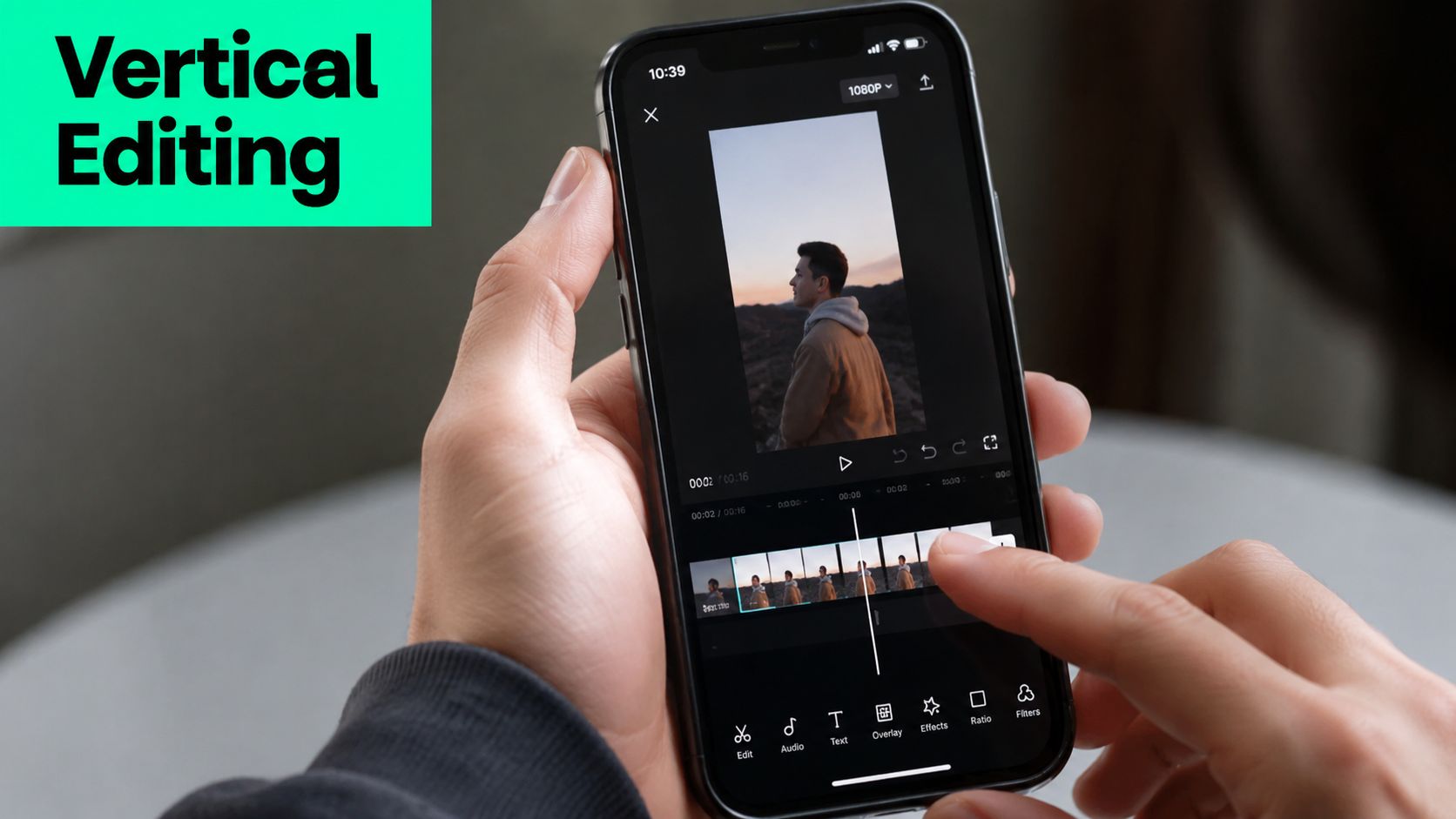
Once the clip and hook are chosen, editing becomes less about decoration and more about keeping the point legible on a phone. Most long-form footage wasn't framed, paced, or captioned for vertical feeds. That's why shorts need a deliberate second pass.
### Reframe for phones first
Widescreen footage rarely translates cleanly into 9:16 without intervention. If the speaker is off-center, the frame feels awkward. If two people are talking, one may disappear. If the original recording relied on slides or a screen share, the important visual can become unreadable.
Auto-reframing helps, but it still needs review. The editor should check:
- **Face position**. Keep the speaker centered or intentionally offset.
- **Visual priority**. Decide whether the face, product, or screen needs the dominant crop.
- **Cut points**. Reframes that jump at the wrong moment feel messy.
- **Title-safe placement**. Leave room for captions and platform UI.
For teams comparing software built for this kind of crop-and-follow work, this roundup of [top AI video editing tools for 2026](https://photomaxi.com/blog/best-ai-video-editing-software) gives a broad view of the current array of tools. A more focused look at face tracking and crop logic is covered in this guide to [AI tools for perfect vertical video framing](https://www.blitzreels.com/blog/ai-tools-for-perfect-vertical-video-framing).
### Captions, text overlays, and context repair
Captions do more than improve accessibility. They help short videos survive silent autoplay and make spoken points easier to track. But plain transcription isn't enough. Captions need hierarchy.
A practical caption setup usually includes:
- **Primary spoken captions** with clean timing
- **Highlighted keywords** to signal the key idea
- **Short title text** near the top for orientation
- **Occasional support text** when a term needs quick clarification
That said, retention editing isn't just a design exercise. It's also where a lot of shorts lose accuracy.
YouTube's own guidance says Shorts should be standalone rather than simple excerpts, and it recommends pulling out a single actionable tip or “wow” moment while keeping the short enjoyable on its own. That makes the risk clear: if the setup is removed carelessly, the clip can become confusing or distort the original point, as explained in YouTube's guidance on [transitioning long-form content into Shorts](https://blog.youtube/creator-and-artist-stories/transitioning-your-long-form-content-to-youtube-shorts/).
Editors need to exercise restraint. A clip can be short without becoming misleading.
A few ways to preserve context without slowing the pace:
- **Add one line of setup text** when the speaker refers to something outside the clip.
- **Use B-roll or screenshots** to identify the product, page, or example being discussed.
- **Trim caveats carefully**. If the caveat changes the meaning, it stays.
- **Choose one point per short**. Don't force a broad argument into a tiny container.
> If the audience needs the full video to understand what the speaker meant, the short isn't finished yet.
Some AI editors can help here. BlitzReels, for example, can transcribe, detect cuts, generate captions, reframe for vertical viewing, and add visuals or B-roll between spoken lines. That's useful for speed. But the final judgment still belongs to the person deciding whether the clip is clear and fair.
## Optimizing and Exporting for TikTok Reels and Shorts
The edit may be done, but export choices still affect performance. A strong clip can get buried by poor text placement, awkward formatting, or a platform mismatch that could've been avoided in the last five minutes.
### What changes by platform
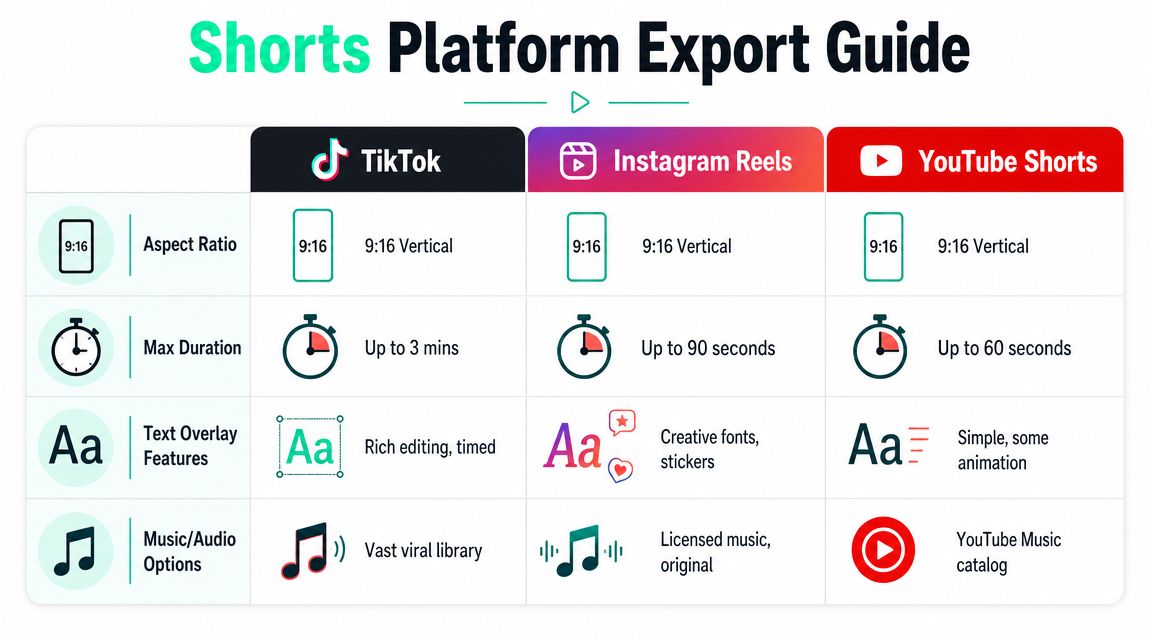
Even when the core clip stays the same, packaging should shift.
| Platform | What matters most | Common mistake |
|---|---|---|
| TikTok | Fast payoff, native-looking text, direct hook | Over-polishing footage so it feels stiff |
| Instagram Reels | Clean captions, visual consistency, save-worthy framing | Letting text sit too low under interface elements |
| YouTube Shorts | Strong standalone value, searchable angle, channel tie-in | Uploading a fragment that depends on long-form context |
For YouTube Shorts, there's one platform-specific limitation worth remembering. The built-in **Edit into a Short** flow can take **up to 60 seconds** from the creator's own uploaded video, so the selected segment has to be strong and trimmed carefully inside the editor. YouTube tutorials also note that linking the Short back to the original long video can increase downstream views, which makes clip choice and the related-video step strategically important, as shown in this [YouTube walkthrough of the Edit into a Short workflow](https://www.youtube.com/watch?v=1AFTGSZAPes).
Anyone using shorts in a paid growth mix should also understand how short-form creative behaves inside ad ecosystems. This breakdown of [strategies for TikTok ad success](https://www.thewojomedia.com/press/tiktok-ads-best-practices) is useful because it sharpens the distinction between organic-style hooks and promotional overload.
### A final export checklist
Before publishing, a short should pass a simple review:
- **Check the crop**. Faces, screens, and product shots should read instantly on mobile.
- **Check caption safe zones**. Don't let platform UI hide the first line or CTA.
- **Check the opening frame**. The first frame should already communicate the topic.
- **Check the ending**. End on a clean final thought, not a clipped inhale or half-sentence.
- **Check platform packaging**. Rewrite the caption and CTA for the channel instead of reposting blindly.
A creator doesn't need a new edit for every platform. But a creator usually does need a new wrapper.
## Building a Sustainable Repurposing Workflow
A one-off clipping sprint won't change much. A repeatable system will. The creators who get steady output from long-form content usually make one decision early: consistency matters more than polishing every short like a flagship campaign.
That's why batching works. One recording session becomes a source asset. One review pass identifies candidate clips. One editing block handles captions, reframes, title cards, and resizing. One export session creates a ready-to-post library. Anyone building that kind of cadence should look at [AI-powered batch editing for Reels](https://www.blitzreels.com/blog/the-creator-s-guide-to-ai-powered-batch-editing-for-reels) because the logic applies to Shorts, TikTok, and LinkedIn video as well.
> The easiest workflow to maintain is the one that separates finding clips from editing clips.
A sustainable system also needs feedback. After publishing, review which clips held attention, which openings felt too vague, which title cards improved clarity, and which shorts needed more setup. Then feed those lessons back into the next clip-selection round.
Three habits usually keep the process manageable:
- **Batch by source video**. Finish one recording before jumping to another.
- **Create templates**. Reuse caption styles, title card layouts, and framing presets.
- **Track pattern wins**. Note which kinds of moments consistently become usable shorts.
The goal isn't to flood every platform with random excerpts. It's to build a content engine that turns strong long-form thinking into short-form assets that are clear, watchable, and easy to publish.
---
BlitzReels is built for that workflow. It helps creators upload long videos, generate candidate clips, add captions, reframe for vertical formats, resize for TikTok, Reels, YouTube Shorts, and LinkedIn, then export fast without getting stuck in a traditional timeline. See how it works at [BlitzReels](https://blitzreels.com).