---
title: "Vertical Video Editor: The Ultimate Guide for 2026"
canonical: "https://blitzreels.com/blog/vertical-video-editor"
---
# Vertical Video Editor: The Ultimate Guide for 2026
URL: https://blitzreels.com/blog/vertical-video-editor
Markdown URL: https://blitzreels.com/blog/vertical-video-editor.md
Published: 2026-06-17
Author: BlitzReels
Learn what a vertical video editor is and how it can transform your short-form content workflow. A complete guide to features, use cases, and tips.
Tags: vertical video editor, short form video, video editing tips, content creation, ai video editor

The bottleneck usually isn't recording short-form video anymore. It's turning raw footage into something that fits TikTok, Instagram Reels, YouTube Shorts, and LinkedIn without burning hours on resizing, recropping, caption cleanup, and exports.
That's where a vertical video editor changes the job. Instead of treating short-form as a side format squeezed out of traditional editing software, it treats vertical content as the default workflow. That shift matters for creators posting every day, marketers repurposing webinars and demos, and small teams trying to publish more without adding another editor to the process.
## Table of Contents
- [The Growing Need for Speed in Video Editing](#the-growing-need-for-speed-in-video-editing)
- [Defining the Vertical Video Editor](#defining-the-vertical-video-editor)
- [Why this is different from a traditional editor](#why-this-is-different-from-a-traditional-editor)
- [Core Features That Accelerate Your Workflow](#core-features-that-accelerate-your-workflow)
- [Reframing solves the first big bottleneck](#reframing-solves-the-first-big-bottleneck)
- [Captions and title cards carry more weight than most teams expect](#captions-and-title-cards-carry-more-weight-than-most-teams-expect)
- [Templates and clip selection turn editing into a repeatable system](#templates-and-clip-selection-turn-editing-into-a-repeatable-system)
- [Common Workflows for Creators and Marketers](#common-workflows-for-creators-and-marketers)
- [The creator turning one long video into a week of shorts](#the-creator-turning-one-long-video-into-a-week-of-shorts)
- [The marketer repurposing expert content for social](#the-marketer-repurposing-expert-content-for-social)
- [The podcaster building visual posts from spoken content](#the-podcaster-building-visual-posts-from-spoken-content)
- [Practical Tips for Faster Short Form Production](#practical-tips-for-faster-short-form-production)
- [Shoot for the edit you actually need](#shoot-for-the-edit-you-actually-need)
- [Batching beats constant context switching](#batching-beats-constant-context-switching)
- [Templates reduce decisions, not creativity](#templates-reduce-decisions-not-creativity)
- [How to Choose the Right Vertical Video Editor](#how-to-choose-the-right-vertical-video-editor)
- [A simple evaluation checklist](#a-simple-evaluation-checklist)
- [What to test before committing](#what-to-test-before-committing)
## The Growing Need for Speed in Video Editing
Most short-form teams face the same pattern. Recording is fast, ideas are everywhere, but editing turns into a pileup. One talking-head clip becomes five versions for different platforms. A webinar becomes a clipping project. A podcast becomes an endless sequence of subtitle fixes, crop adjustments, and export tweaks.
Traditional editing software can handle all of that, but it wasn't built around mobile-first publishing speed. Most timeline-heavy tools were designed for horizontal projects, longer runtimes, and meticulous manual control. That's useful for documentary cuts or polished brand films. It's much less useful when the job is shipping vertical posts consistently.
A dedicated vertical video editor changes the workflow by removing repeated setup work. Instead of rebuilding the same sequence every time, creators can move from upload to clipping, captions, reframing, and export in one flow. For teams under pressure to publish often, that's not a nice-to-have. It's the difference between having a content plan and executing it.
> **Practical rule:** If the team spends more time adapting footage to platform format than shaping the message, the workflow is backwards.
The market signals behind this shift are clear. The video editing market that includes vertical-video workflows was valued at **USD 3.54 billion in 2025**, is estimated at **USD 3.75 billion in 2026**, and is projected to reach **USD 4.99 billion by 2031**, representing a **5.88% CAGR from 2026 to 2031**, according to [Mordor Intelligence's video editing market report](https://www.mordorintelligence.com/industry-reports/video-editing-market). That doesn't describe a niche habit. It describes a real software category with sustained demand.
What matters in practice is less about “more features” and more about fewer interruptions. Good short-form systems cut handoff friction, reduce repetitive edits, and make it easier to publish clips while the topic is still relevant. Teams looking to tighten that loop can also review [AI tools that halve your video editing time](https://www.blitzreels.com/blog/ai-tools-that-halve-your-video-editing-time) to see where automation removes work instead of just adding buttons.
## Defining the Vertical Video Editor
A vertical video editor isn't just a normal editor with portrait dimensions switched on. It's a tool or workflow built around the way short-form content is created, viewed, and published on phones.
The foundation is the **9:16 portrait aspect ratio**, commonly rendered as **1080 × 1920**, because that format fills a smartphone screen without asking the viewer to rotate the device. Platform rules reinforce that mobile-first logic. In the cited context, TikTok supports videos up to **10 minutes**, while Instagram Reels caps uploads at **90 seconds**, which pushes editors toward concise cuts and stronger retention choices, as outlined in [Creative Frontiers' guide to vertical video](https://www.creativefrontiers.co/blog/vertical-video-benefits-challenges-and-tips-in-2025).
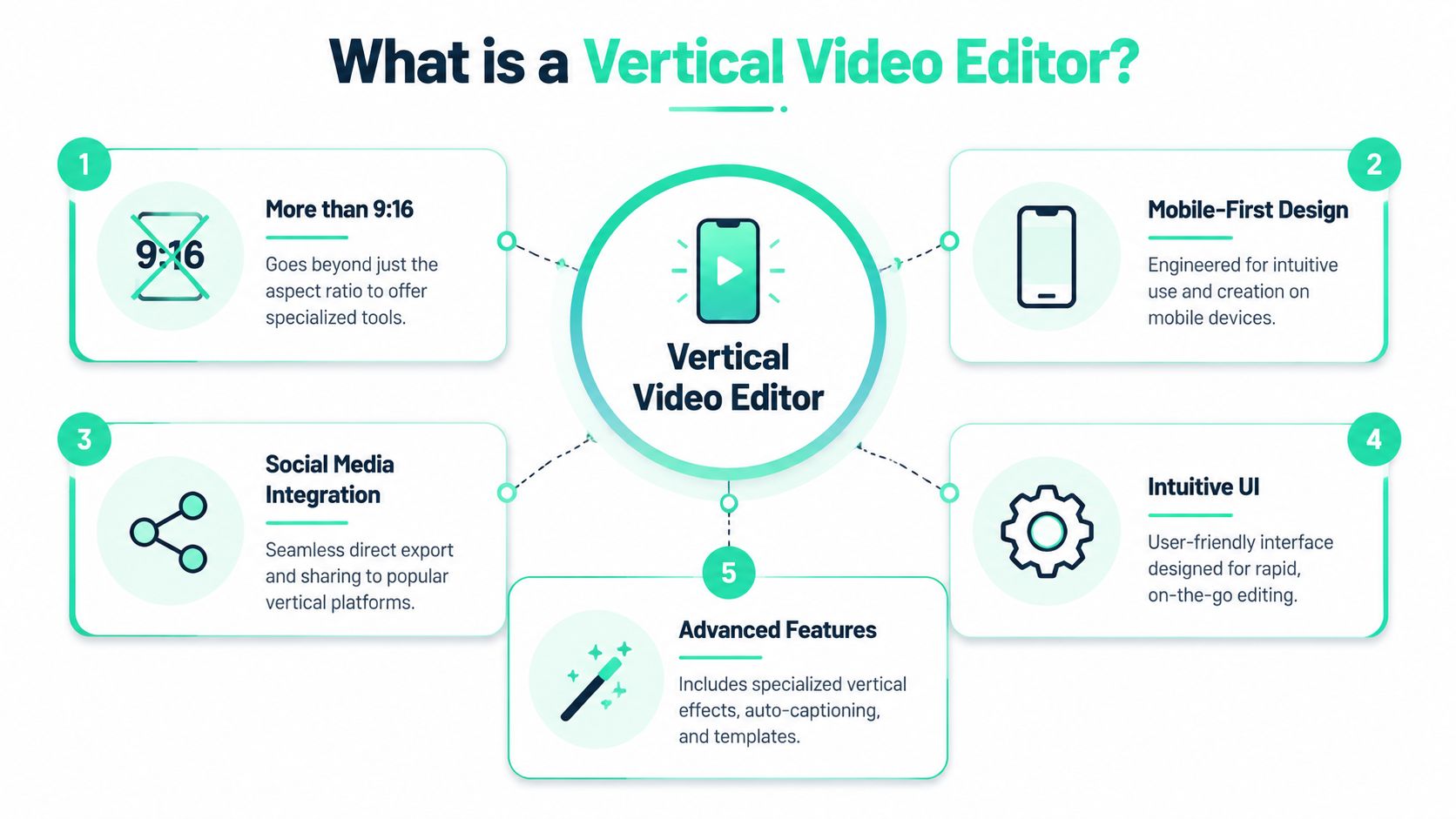
That seems simple until the editing implications show up. Once the frame is vertical, every choice changes. Subject placement matters more. Text placement matters more. Cropping errors become obvious faster because there's less horizontal room to hide them. Hooks need to land early, and title cards need to read clearly on a small screen.
### Why this is different from a traditional editor
A conventional non-linear editor prioritizes precision, layered timelines, and wide control over every asset. A vertical video editor prioritizes throughput. That usually means:
- **Faster reframing** for portrait crops
- **Built-in caption workflows** for spoken content
- **Quick resizing** across social formats
- **Templates** for recurring visual styles
- **Platform-ready exports** without repetitive setup
That's a different philosophy, not just a different canvas size.
A useful way to think about it is this: traditional editors help editors craft projects; vertical editors help creators and marketers run a publishing system. That's why the most effective ones focus on clipping, hooks, title cards, social-safe text placement, and repeatable outputs instead of making users assemble every short from scratch.
> A vertical workflow should reduce decisions that don't improve the video.
For anyone evaluating terminology and formats more closely, the [BlitzReels vertical video glossary](https://www.blitzreels.com/glossary/vertical-video) gives a concise reference point for how the format is defined in practice.
## Core Features That Accelerate Your Workflow
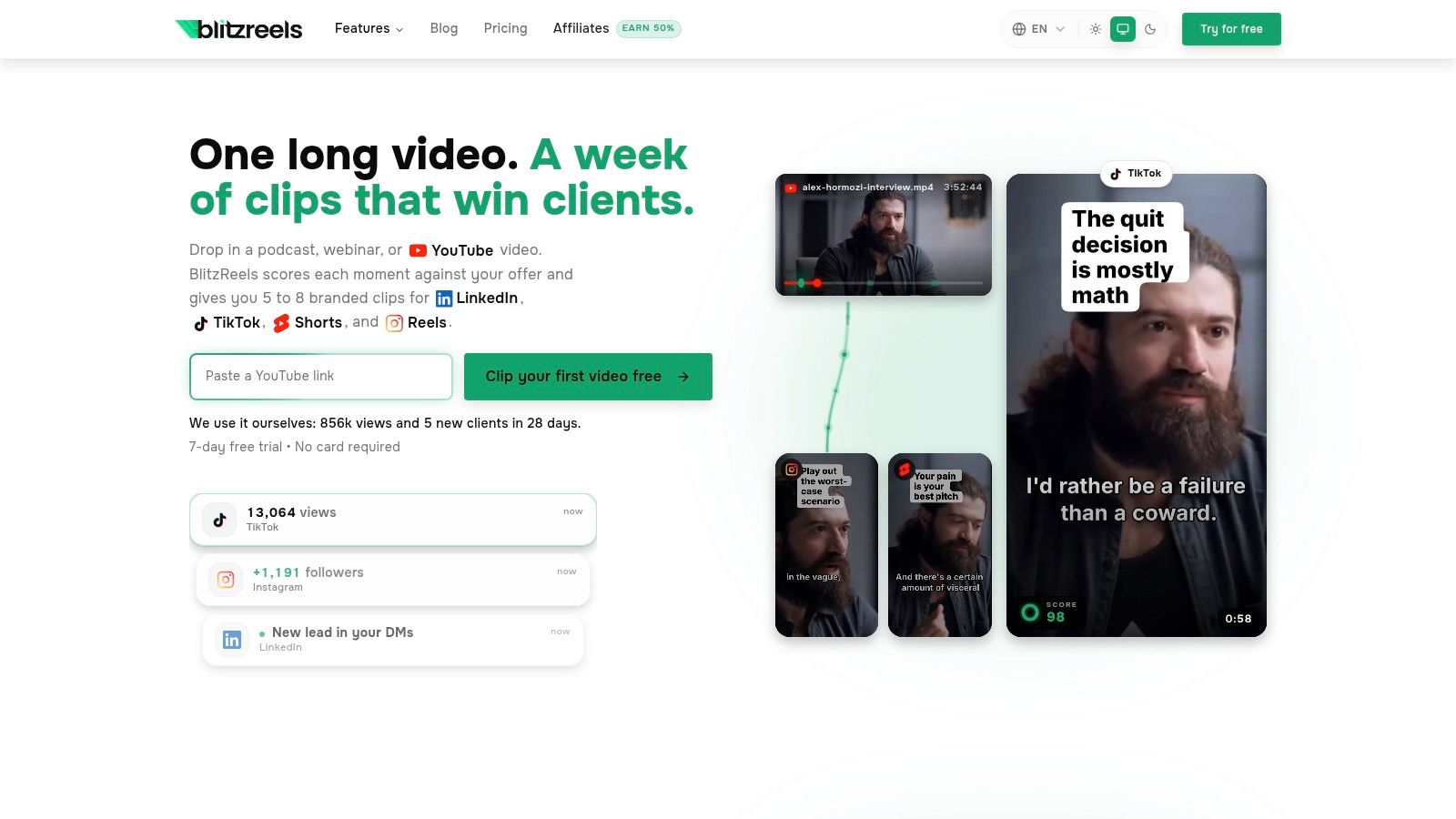
Speed in short-form editing comes from reducing repeat decisions, not from piling on more controls. A useful vertical video editor shortens the path from raw footage to a publishable clip by handling the repetitive work that slows creators and marketing teams every week.
The pressure points are predictable. Editors lose time reviewing long recordings for usable moments, correcting portrait crops from horizontal footage, styling captions so they read cleanly on a phone screen, and exporting multiple versions for different channels. The strongest tools treat those tasks as one production system instead of four separate jobs.
### Reframing solves the first big bottleneck
Horizontal source footage creates extra editorial work the moment it needs to fit a 9:16 frame. Someone has to decide what stays in view, what gets cut, and how to keep the speaker or action centered as the clip progresses.
Auto-reframing matters because it removes a large block of manual pan-and-scan work. For interviews, webinars, podcasts, and talking-head recordings, that saves time across every clip in the batch. It also reduces the common failure case where the face drifts off-center or key visual context disappears after the crop.
This is a workflow issue, not just a formatting issue.
A vertical editor that tracks subjects well gives the editor a usable first pass. That changes the job from rebuilding every crop by hand to checking and correcting only the clips that need attention. Over a week of production, that shift matters more than an extra panel full of controls.
### Captions and title cards carry more weight than most teams expect
In short-form video, captions do editorial work. They control readability, help viewers follow the argument with the sound off, and give the edit visual rhythm. Title cards do similar work at the opening. They clarify the hook fast and keep the first seconds from feeling unstructured.
A capable vertical video editor should make it easy to:
- **Generate captions quickly** so editors are not typing every line by hand
- **Restyle subtitle layouts** to match brand colors or platform norms
- **Highlight key words** when emphasis affects comprehension
- **Add title cards and opening hooks** without rebuilding text treatments for every clip
General-purpose timeline tools can handle all of this, but they often slow down high-volume short-form work because text styling becomes repetitive production labor. Teams publishing several clips a week usually need faster defaults, better presets, and fewer manual formatting passes.
Some teams also pair their main editor with specialized dialogue tools. For example, [Synchronicity Labs Inc.'s editing platform](https://sync.so/dialogue-editing) is useful context for spoken-content workflows where transcript structure, speaker changes, and line-level pacing shape the final cut.
A short demo makes the speed difference easier to picture:
### Templates and clip selection turn editing into a repeatable system
The teams that publish consistently standardize the parts that should stay consistent. Fonts, caption placement, intro cards, and export settings should not require a fresh setup on every video. That is how a tool becomes a production system rather than a one-off editor.
| Workflow need | What the feature should do |
|---|---|
| Opening hook | Insert a title card or text-led intro fast |
| Visual consistency | Reuse fonts, colors, placement, and caption style |
| Multi-platform publishing | Resize or export for different social destinations |
| Clip mining | Surface likely highlights from longer footage |
Clip selection is where AI changes the workflow most. Reviewing a full recording line by line is expensive work, especially for teams pulling multiple shorts from a webinar, podcast, interview, or creator upload. Starting with strong candidate moments is faster. The editor can spend time improving the cut instead of searching for it.
Tools such as [BlitzReels' AI agent editor](https://www.blitzreels.com/features/ai-agent-editor) are built around that model, combining transcription, clipping, reframing, and caption styling in one short-form workflow. That matters because the handoff points between separate tools are often where teams lose time, introduce errors, or abandon useful clips that take too much effort to finish.
One feature never fixes the whole pipeline. Auto-captions still need cleanup if speaker detection is messy. Auto-cropping still needs review if the source framing is poor. Good software speeds up decisions and removes repeated labor. The editor still decides what is worth publishing.
## Common Workflows for Creators and Marketers
Monday morning often starts the same way. A creator has a 40 minute upload, a marketer has a webinar recording, and both need several vertical clips ready before the next posting window. The editor that helps is not just the one with more features. It is the one that turns one source file into a repeatable short-form production system.

### The creator turning one long video into a week of shorts
A YouTube creator usually starts with a long recording and one practical question: which moments are strong enough to survive outside the full video?
The fast workflow is consistent. Pull likely highlights, cut to one idea, tighten the first two seconds, then apply a saved caption and text treatment. If the source was shot horizontally, centered framing usually makes repurposing easier because the subject holds up better in a vertical crop. That small production choice saves correction time later.
For this kind of creator, the main gain is compression of steps. One workspace for clipping, reframing, captions, and exports removes tool switching and reduces abandoned drafts. The workflow described in this guide on [turning YouTube videos into TikTok gold in 30 minutes](https://www.blitzreels.com/blog/the-30-minute-workflow-for-turning-youtube-videos-into-tiktok-gold) matches how many teams now handle high-volume repurposing.
### The marketer repurposing expert content for social
Marketing teams usually work from material that was not recorded as social-first content. The source is often a webinar, product demo, founder interview, sales call excerpt, or customer conversation. The job is not to find one entertaining clip. The job is to turn one recording into multiple assets with clear roles in the funnel.
That changes the edit.
One clip needs a pain-point hook for reach. Another needs a concise expert takeaway for trust. A third may need a product proof point for consideration. Vertical video editors help when they support templates, brand-safe caption presets, reusable opening structures, and quick format variations for different channels. Used well, those features reduce revision cycles and keep publishing from slowing down every time a stakeholder wants one more version.
A useful rule is to map clip type before editing. Educational clips need readability first. Opinion clips need a stronger opening line and faster pacing. Product clips need cleaner on-screen hierarchy so the viewer catches the point without sound.
Teams building those assets alongside profile and conversion paths often pair short-form distribution with [lnk.boo's video strategy for creators](https://lnk.boo/blog/link-in-bio-video) so the post does more than collect views.
### The podcaster building visual posts from spoken content
Podcasters have a different bottleneck. The raw material is often rich in ideas but visually flat.
A good vertical workflow adds structure fast. That can mean speaker-focused crops, readable subtitles, a title card that frames the takeaway, and selective cuts that remove throat-clearing and side trails. The clip needs to feel edited, not merely transcribed.
The strongest podcast shorts usually do one job well. They answer one question, make one argument, or deliver one sharp line with enough setup to stand alone.
Random excerpts rarely hold attention. Spoken content still needs shape, pacing, and a reason to stop scrolling.
Across all three workflows, the same pattern shows up. Good vertical video editors cut the time between source footage and publishable assets by reducing repeated setup, keeping styling consistent, and helping teams produce several usable variations from one recording session. That is the shift that matters. The editor stops being a place to trim clips and becomes the operating system for short-form output.
## Practical Tips for Faster Short Form Production
Speed in editing starts before the footage reaches the editor. Teams that publish consistently usually don't just edit faster. They record with clipping, reframing, and captioning in mind.
That means changing production habits, not only buying better software.
### Shoot for the edit you actually need
One recurring mistake is filming everything horizontally, then deciding later that it should become short-form vertical content. That can work, but it usually adds avoidable cropping and reframing. One consistent recommendation is to shoot in vertical from the start when the final destination is vertical, because forcing widescreen footage into 9:16 often creates extra edit work, as discussed in [this vertical shooting and repurposing walkthrough](https://www.youtube.com/watch?v=kcoF5ym9Zs8).
A simple decision rule helps:
- **Shoot vertical first** when the content is primarily for TikTok, Reels, Shorts, or LinkedIn mobile feeds.
- **Shoot horizontal first** when the main asset is long-form and short-form clips are secondary.
- **Plan dual use carefully** when one recording has to serve both. In that case, framing discipline matters more than gear.
> If a team already knows the final post will be vertical, capturing it that way usually saves edit time later.
### Batching beats constant context switching
Short-form production gets slower when every clip becomes its own mini-project. A better approach is batching by stage.
Record several pieces in one session. Build a small bank of opening hooks. Review rough clips together. Then process captions and exports in blocks. The editor stays in one mode longer, and the team spends less time reloading the same decisions.
This is also where content planning matters. Resources like [lnk.boo's video strategy for creators](https://lnk.boo/blog/link-in-bio-video) are useful because they tie video production to a wider publishing system instead of treating every post as a standalone asset.
### Templates reduce decisions, not creativity
Some teams resist templates because they think templates make content generic. Usually the opposite happens. Good templates remove low-value choices so attention can stay on script quality, hook strength, pacing, and clip selection.
Useful template components include:
- **Caption styles** for different content types
- **Title card formats** for educational, opinion, or product clips
- **Safe text zones** so overlays don't crowd the frame
- **Outro or CTA layouts** when the brand uses them regularly
The teams that move fastest usually know exactly which parts of the edit should never start from zero.
## How to Choose the Right Vertical Video Editor
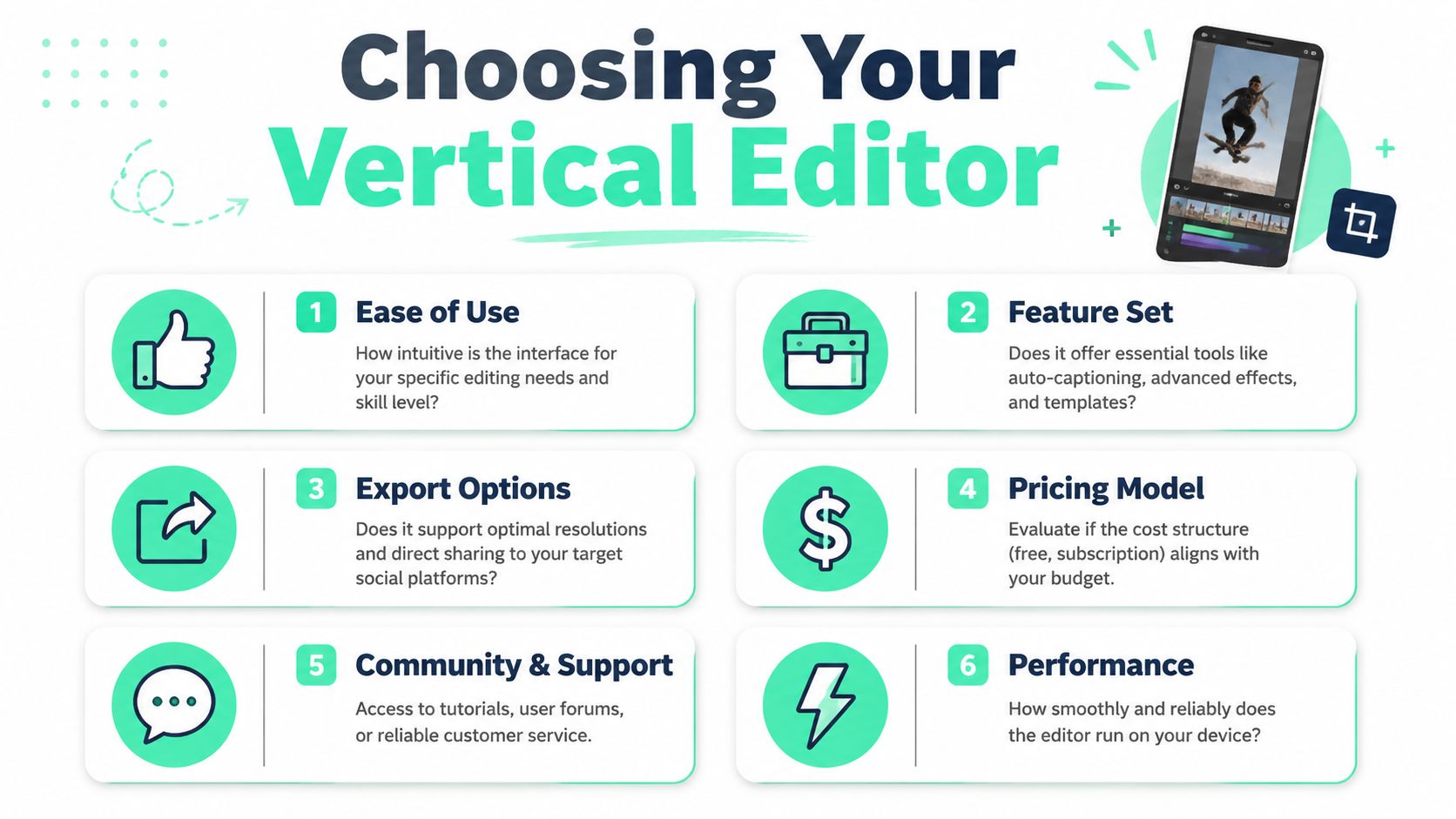
Choosing a vertical video editor is less about brand reputation and more about fit. The right tool depends on what kind of footage the team already has, how often it publishes, and how much manual cleanup it can tolerate.
A simple way to evaluate options is to test them against the workflow, not the feature list.
### A simple evaluation checklist
Start with the basics and get specific fast.
- **Can it handle reframing well** when the source footage is horizontal or loosely framed?
- **Are captions editable and styleable** without turning every revision into a manual design task?
- **Does it support templates and brand kits** so recurring posts look consistent?
- **Can it generate hooks, title cards, and resized versions** without rebuilding each clip for each platform?
- **Is clip selection efficient** for long recordings, interviews, webinars, or podcasts?
- **Are exports practical for the platforms that matter most** to the team?
If the answer to several of those is “yes, but with workarounds,” the tool may still be capable, but it probably isn't optimized for short-form throughput.
### What to test before committing
A trial run should use real footage, not a polished sample file. Take one webinar excerpt, one talking-head clip, and one wide-format video that needs a vertical crop. Then check how long it takes to get to a publishable result.
It's also worth reviewing independent roundups for market context. This list of [best TikTok video editing apps](https://viral.new/blog/best-video-editing-apps-for-tiktok) is useful for seeing how different app categories approach short-form editing, from mobile-first tools to more structured social workflows. Teams comparing options for Instagram specifically can also review [apps to make Reels](https://www.blitzreels.com/blog/best-apps-to-make-reels) to narrow the field by use case.
One practical option in this category is [BlitzReels](https://blitzreels.com), which focuses on turning uploaded videos into short-form clips with transcription, clipping, captions, reframing, and social-ready exports in one workflow. That kind of setup makes sense for teams that care more about publishing speed than timeline-level complexity.
---
Teams that need a faster way to create, caption, clip, resize, and repurpose short-form videos can explore [BlitzReels](https://blitzreels.com) for TikTok, Instagram Reels, YouTube Shorts, LinkedIn, and other social formats.