---
title: "Video Aspect Ratio Converter: A Creator's Guide for 2026"
canonical: "https://blitzreels.com/blog/video-aspect-ratio-converter"
---
# Video Aspect Ratio Converter: A Creator's Guide for 2026
URL: https://blitzreels.com/blog/video-aspect-ratio-converter
Markdown URL: https://blitzreels.com/blog/video-aspect-ratio-converter.md
Published: 2026-06-11
Author: BlitzReels
Learn to use a video aspect ratio converter to perfectly resize clips for TikTok, Reels, & Shorts. This guide covers cropping, padding, and AI reframing.
Tags: video aspect ratio converter, resize video, video resizer, short-form video, social media video

A strong clip often dies in the export window.
A creator records a clean product demo, a sharp customer testimonial, or a useful webinar moment in widescreen. It looks right on a laptop. Then it gets pushed toward TikTok, Instagram Reels, YouTube Shorts, or LinkedIn, and the problems start fast. The video sits awkwardly inside a vertical feed, the center crop cuts off faces or slides, and resizing turns into more work than the edit itself.
That's why a **video aspect ratio converter** matters. Not just as a utility that changes dimensions, but as the tool that decides whether a clip feels native on social or feels recycled. The difference usually comes down to one question. Was the video merely resized, or was it reframed for how people watch on phones?
## Table of Contents
- [Your Best Video Is in the Wrong Format](#your-best-video-is-in-the-wrong-format)
- [The real problem isn't resizing](#the-real-problem-isnt-resizing)
- [What actually works](#what-actually-works)
- [Understanding the Key Social Media Aspect Ratios](#understanding-the-key-social-media-aspect-ratios)
- [Why 16 9 became the starting point](#why-16-9-became-the-starting-point)
- [The social ratios that matter most](#the-social-ratios-that-matter-most)
- [The Big Decision Crop Pad or Reframe](#the-big-decision-crop-pad-or-reframe)
- [Crop when the frame is simple](#crop-when-the-frame-is-simple)
- [Pad when composition matters more than fill](#pad-when-composition-matters-more-than-fill)
- [Reframe when the subject moves](#reframe-when-the-subject-moves)
- [A Fast Workflow with a Video Aspect Ratio Converter](#a-fast-workflow-with-a-video-aspect-ratio-converter)
- [Step 1 start with the destination not the file](#step-1-start-with-the-destination-not-the-file)
- [Step 2 adjust framing before styling](#step-2-adjust-framing-before-styling)
- [Step 3 add captions hooks and final polish](#step-3-add-captions-hooks-and-final-polish)
- [Best Practices for Perfect Composition and Quality](#best-practices-for-perfect-composition-and-quality)
- [Protect the safe areas](#protect-the-safe-areas)
- [Keep the focal point obvious](#keep-the-focal-point-obvious)
- [From Resized to Published in Minutes](#from-resized-to-published-in-minutes)
## Your Best Video Is in the Wrong Format
The most common short-form bottleneck isn't a bad idea. It's a good idea trapped in the wrong frame.
A team records a useful clip in horizontal **16:9** because that's still the natural format for presentations, webinars, interviews, screen recordings, and desktop viewing. Then someone tries to turn that same asset into a vertical post. The speaker is suddenly off-center. On-screen text gets chopped. Captions compete with the app interface. What looked polished now looks improvised.

Many creators lose momentum when confronting this issue. Resizing sounds simple, but most tools only solve the canvas size. They don't solve the composition problem inside that new canvas.
### The real problem isn't resizing
A basic converter can make a file vertical in seconds. That doesn't mean the result is usable.
A centered crop works only when the important subject already sits in the middle and stays there. That's rare. In a product demo, the key interface element may be off to one side. In a podcast clip, two speakers may alternate across the frame. In a testimonial, brand graphics may sit exactly where the crop removes them.
> **Practical rule:** If the resized version needs manual correction on almost every shot, the tool didn't solve the workflow.
For creators repurposing longer recordings into short clips, the issue gets even sharper. One source file may need several outputs for different feeds, each with different text placement, hooks, and framing needs. That's why a proper [long-video-to-shorts workflow](https://www.blitzreels.com/blog/turn-long-video-into-shorts) matters as much as the resize itself.
### What actually works
The fastest path is to treat aspect ratio as an editing decision, not a final export setting.
That means choosing the target format early, protecting the subject, checking text placement, and deciding whether the clip should be cropped, padded, or intelligently reframed. Once that thinking is in place, a video aspect ratio converter becomes useful instead of frustrating.
## Understanding the Key Social Media Aspect Ratios
An **aspect ratio** is the relationship between width and height. It decides how much horizontal or vertical space a shot gets, and that directly changes how a viewer experiences the clip on a phone.
### Why 16 9 became the starting point
Most conversion work still begins with horizontal footage because **16:9** became the HDTV standard after the industry settled on it in the **1990s**, designed as a middle ground between older **4:3** television and wider cinematic formats. By the 2000s, it had become the default for major online video environments, which is why it remains the starting format for many creators today, as described in this [history of aspect ratios in film and TV](https://studentwork.prattsi.org/infovis/visualization/a-history-of-aspect-ratios-in-film-and-tv/).
That matters because a lot of source footage wasn't made for social first. It was made for YouTube, presentations, websites, course content, sales demos, or internal recordings. A creator usually isn't starting from vertical. A creator is converting from widescreen.
For a quick definition set, this [aspect ratio glossary entry](https://www.blitzreels.com/glossary/aspect-ratio) is useful if a team needs a shared baseline before editing.
### The social ratios that matter most
For short-form distribution, a few formats show up constantly:
| Aspect Ratio | Dimensions (Example) | Primary Platforms |
|---|---|---|
| 16:9 | 1920×1080 | YouTube, desktop video, webinar recordings |
| 9:16 | Vertical preset | TikTok, Instagram Reels, YouTube Shorts |
| 1:1 | Square preset | Instagram feed posts, some LinkedIn placements |
| 4:5 | Portrait preset | Instagram feed posts, mobile feed-focused content |
The practical choice usually depends on where the clip will live first.
- **9:16** works best when the goal is full-screen mobile viewing.
- **1:1** helps when a post needs to sit neatly inside a feed without going fully vertical.
- **4:5** offers more vertical space than square while still feeling feed-native.
- **16:9** still makes sense when the destination is desktop-first or horizontal by design.
> A video that fills the phone usually feels native. A video that preserves the old frame often feels repurposed.
For creators publishing specifically to Instagram, RemotionAI's [guide for perfect Instagram Reels dimensions](https://www.remotionvideo.com/blog/instagram-reels-resolution) is a useful companion because it narrows the decision down to how Reels should appear in-platform, not just how they export.
## The Big Decision Crop Pad or Reframe
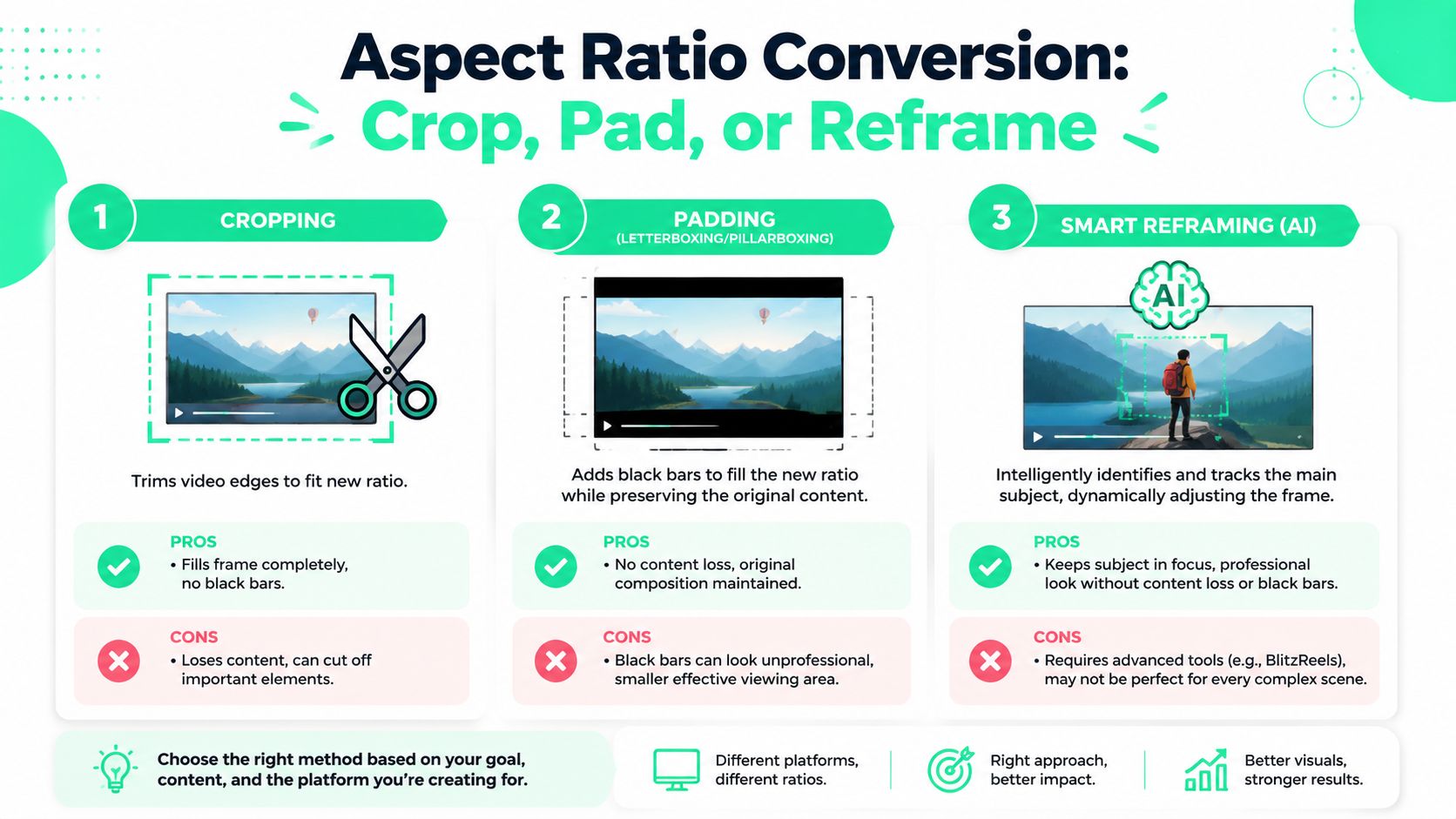
Changing the ratio is easy. Choosing **how** to change it is where the real editing happens.
### Crop when the frame is simple
Cropping fills the new frame by trimming the edges. It's the fastest option and often the cleanest looking one.
It works best when there's a single talking head, one product in the center, or a shot with a lot of empty space on the sides. In those situations, cropping can make the video feel intentional rather than reduced.
But the failure mode is obvious. If the action lives near the edges, crop destroys context.
- **Good fit:** A centered face-to-camera clip.
- **Bad fit:** A two-person interview, side-by-side podcast, or software demo with important UI panels near the edges.
### Pad when composition matters more than fill
Padding preserves the original frame and adds empty space around it. Some editors call this letterboxing or pillarboxing, depending on direction.
This is the safest visual option when the entire composition matters. It's common when a cinematic shot, detailed slide, or layout-heavy tutorial would break under a crop. The downside is attention. On vertical platforms, padded video often looks smaller and less immersive.
A quick analogy helps here. The same trade-off shows up in still images, and this breakdown of [AI Photo Generator image adjustments](https://www.aiphotogenerator.net/blog/2025/08/how-to-change-aspect-ratio-of-an-image) is helpful because it shows how aspect ratio changes affect composition even before motion enters the picture.
A short demo makes the comparison easier to see in motion.
### Reframe when the subject moves
Smart reframing is usually the best answer for dynamic short-form clips. Instead of locking one crop box in place, the tool follows the subject or the action over time.
That matters because a fixed crop can fail the moment a person leans, turns, or crosses the frame. The more advanced approach is content-aware. The ACM work on retargeting notes that naive fixed crops can remove narrative-critical content, while better systems use saliency tracking and temporal consistency so the subject doesn't jump during the resize, as described in this [research on content-aware video reframing](https://dl.acm.org/doi/fullHtml/10.1145/3505284.3529970).
> The safest rule is simple. If the important subject moves, the crop has to move too.
For a practical breakdown of manual versus automated options, this [guide on changing aspect ratio](https://www.blitzreels.com/blog/how-to-change-aspect-ratio) is a useful reference.
## A Fast Workflow with a Video Aspect Ratio Converter
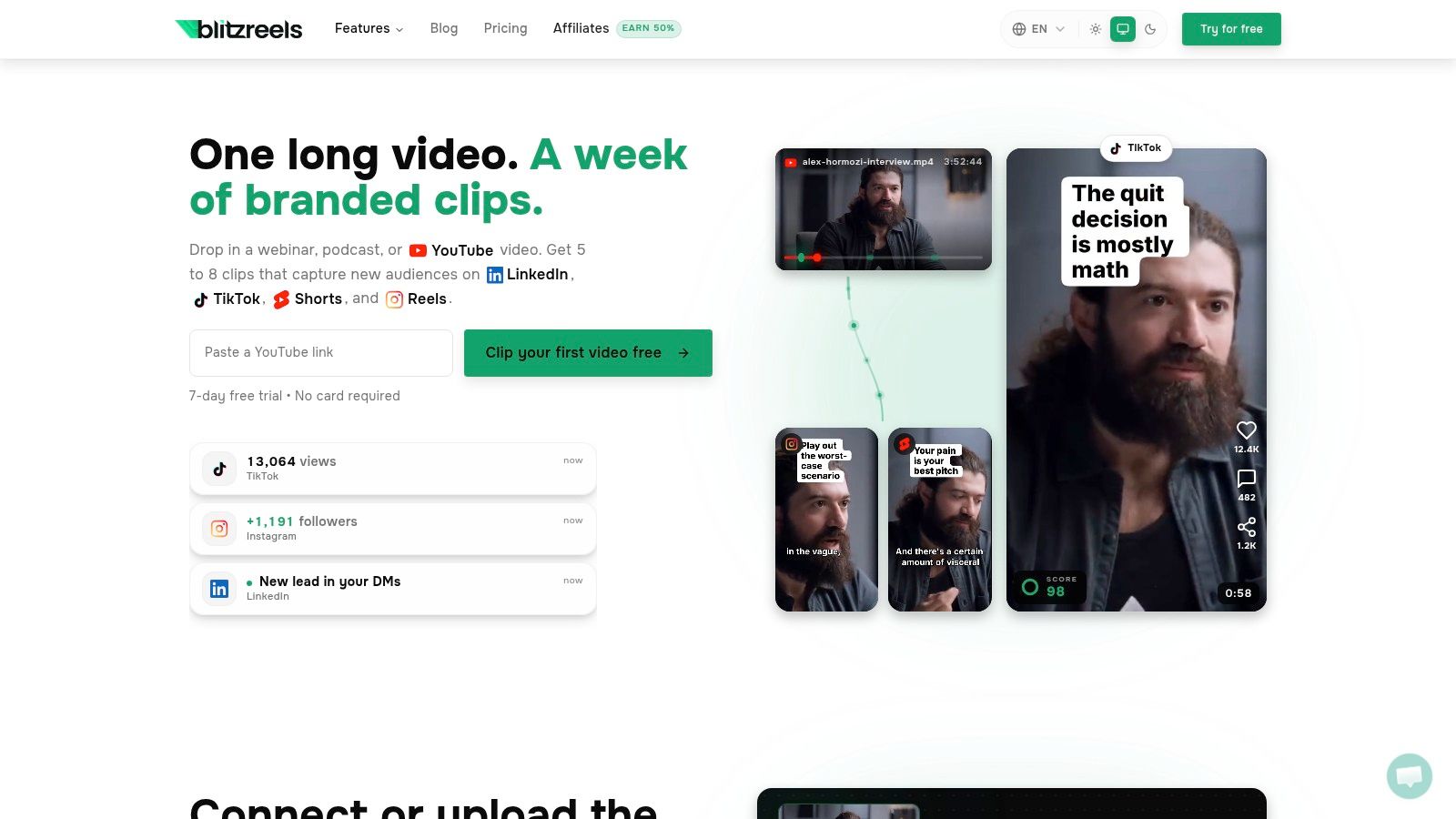
A good workflow starts before the first click. The editor needs to know the destination, the focal point, and whether text will sit inside the frame.
### Step 1 start with the destination not the file
Many creators open a project, drop in footage, and only decide on format at export. That's backwards for short-form.
The better move is to choose the target platform first. If the clip is heading to TikTok, Reels, or Shorts, the project should begin in a vertical preset. If it's for an Instagram feed post, square or portrait may make more sense. The point is to make framing decisions early, not after captions and graphics are already in place.
Most modern editors expose the same core controls. A target ratio preset, manual crop and position controls, and an export step that recalculates dimensions while preserving the output format. TechSmith also notes practical tool constraints such as free upload caps, duration limits, and the importance of maintaining proportional dimensions to avoid distortion in this [overview of aspect ratio editing workflows](https://www.techsmith.com/blog/aspect-ratio/).
For teams that want a direct starting point, a dedicated [video resize tool](https://www.blitzreels.com/tools/resize-video) is usually faster than building every version by hand in a general editor.
### Step 2 adjust framing before styling
Once the target ratio is set, the next job is framing. This phase accounts for most wasted time.
A strong process looks like this:
1. **Find the subject first.** The face, product, or screen element that carries the meaning should control the frame.
2. **Check edge loss.** Logos, hands, subtitles, slides, and interface panels often disappear first.
3. **Test movement.** Scrub through the clip and watch for any point where the subject drifts out of the new canvas.
4. **Choose the fallback.** If crop looks cramped, switch to padding or create a layout that uses background fill rather than forcing a bad zoom.
This part should happen before title cards, animated captions, or extra graphics are added. Otherwise the editor starts decorating a broken frame.
> **Editing habit:** Fix the composition first. Styling a poorly reframed clip only makes the mistake look more expensive.
### Step 3 add captions hooks and final polish
After the frame is right, then the short-form layer can go in.
That usually includes:
- **Captions:** Place them where they remain readable without fighting the app interface.
- **Hooks:** Add a title card or opening line that lands immediately in the first screen view.
- **Clip trimming:** Remove slow starts, repeated phrases, and dead air before export.
- **Templates:** Apply repeatable visual styles so every post doesn't need to be rebuilt from scratch.
A practical workflow often goes from source clip to resized vertical cut, then to captions, then to hook text, then to export checks. That order keeps technical corrections from breaking design work later.
## Best Practices for Perfect Composition and Quality
Getting the ratio right is only the first half of the job. A video can technically fit the platform and still feel wrong once it appears inside the app.
### Protect the safe areas
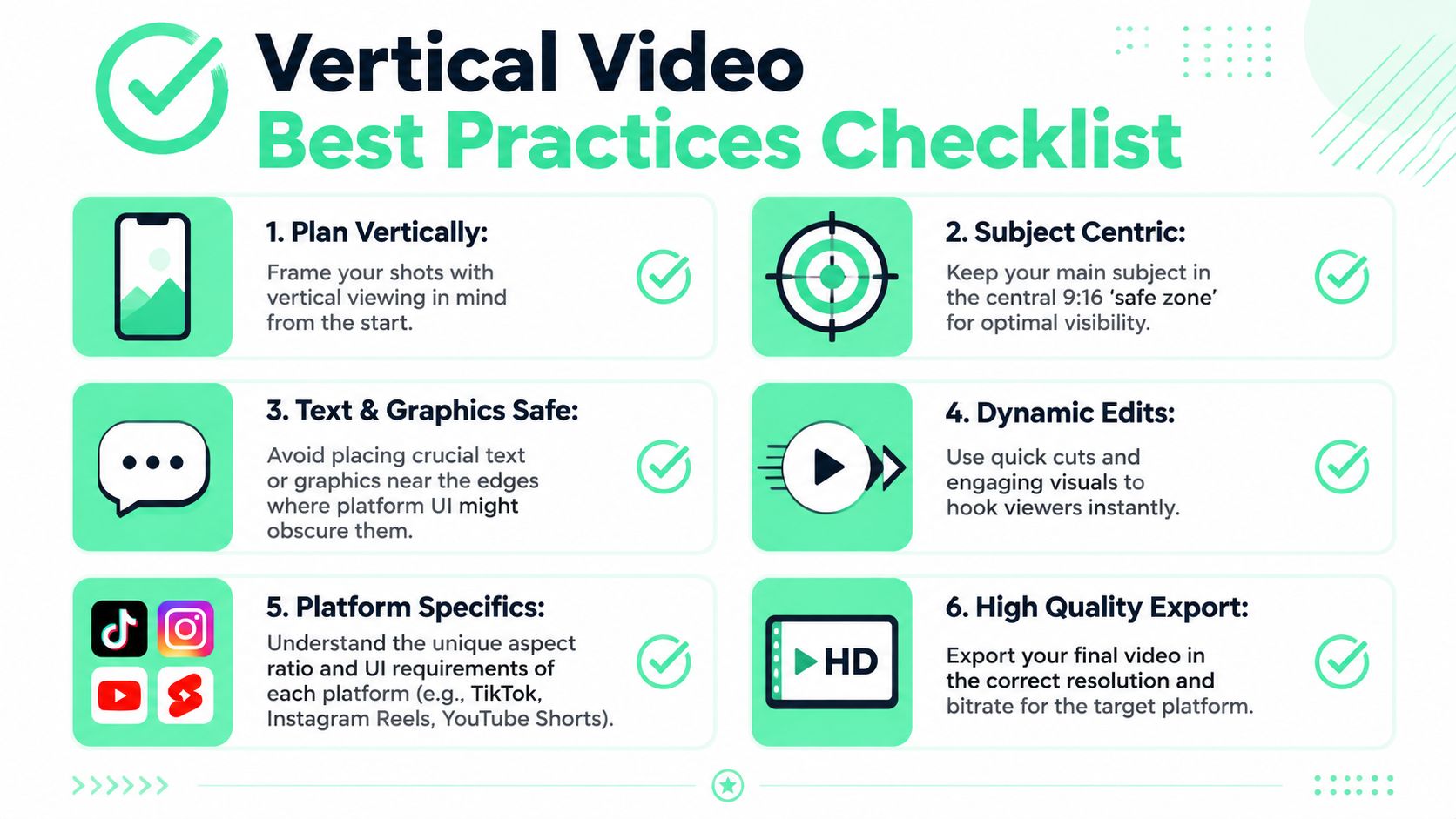
Short-form platforms add their own interface on top of the video. Usernames, buttons, captions, and overlays compete for the same space creators often use for subtitles and lower-third text.
That's why safe areas matter more than many resize tutorials admit. Canva's guidance highlights a common gap in these tutorials. Many stop at choosing **9:16** and don't address how captions, UI overlays, and speaker positioning interact with platform layouts, which is why creators need to preserve headroom and avoid aggressive crops when subtitles and emoji callouts occupy the lower part of the frame, as noted on Canva's [video resize feature page](https://www.canva.com/features/video-resize/).
A few rules help immediately:
- **Keep faces slightly higher:** A centered face often ends up too low once captions appear.
- **Leave room for subtitles:** Lower-frame text needs breathing room from platform UI.
- **Avoid edge-hugging graphics:** Stickers, callouts, and labels near the border are the first things to get obscured.
### Keep the focal point obvious
A resized clip shouldn't make the viewer search for the subject.
If the shot has multiple people, the editor should decide who matters in that moment. If the clip is text-heavy, the editor should choose whether the text or speaker is primary. If both are equally important, the answer may be a redesigned layout, not a tighter crop.
- **Talking-head clips:** Keep the eyes in a stable zone and avoid sudden scale changes.
- **Product demos:** Prioritize the interface area that supports the spoken point.
- **Caption-heavy shorts:** Reduce crop aggression so subtitles and emoji callouts don't crowd the frame.
> A vertical video fails when the viewer spends the first second figuring out where to look.
Quality checks matter too. Distortion usually comes from forcing exact width and height without respecting the underlying proportions. Softness usually comes from unnecessary rescaling and repeated exports. One clean export from the final composition is better than multiple generations of adjustment.
## From Resized to Published in Minutes
A video aspect ratio converter should remove friction, not create another editing chore.
The clips that publish fastest usually follow the same pattern. Choose the destination first. Decide whether the footage needs crop, pad, or smart reframing. Protect the subject, protect the captions, and export only after the frame works on a phone screen. That's what turns one source file into something that feels native on each platform instead of recycled from somewhere else.
For creators building a repeatable repurposing system, this [30-minute workflow for turning YouTube videos into TikTok-ready clips](https://www.blitzreels.com/blog/the-30-minute-workflow-for-turning-youtube-videos-into-tiktok-gold) is a strong next read.
---
BlitzReels helps creators skip the slow parts of short-form editing. Upload a video, generate clips, add captions, reframe for vertical formats, and export polished shorts for TikTok, Reels, YouTube Shorts, and LinkedIn from one workflow. For teams that want faster resizing, clipping, hooks, and publish-ready social videos, [BlitzReels](https://blitzreels.com) is built for exactly that.