---
title: "10 Best Video Editing Software Without Watermark (2026)"
canonical: "https://blitzreels.com/blog/video-editing-software-without-watermark"
---
# 10 Best Video Editing Software Without Watermark (2026)
URL: https://blitzreels.com/blog/video-editing-software-without-watermark
Markdown URL: https://blitzreels.com/blog/video-editing-software-without-watermark.md
Published: 2026-06-06
Author: BlitzReels
Find the best video editing software without watermark for your needs. We review 10 free and paid tools for creating professional, watermark-free videos.
Tags: video editing software without watermark, free video editor, no watermark video editor, short form video editing, video editing tools

You finish a vertical cut, tighten the pacing, burn in captions, and queue it up for TikTok, Reels, or Shorts. Then the export adds a watermark and the video suddenly looks like a draft instead of a publish-ready post.
That problem hits harder in short-form workflows because speed matters. If an editor slows down captioning, forces awkward resizing, or stamps branding on the final export, it breaks the repurposing process that creators rely on to turn one idea into multiple platform-ready versions. A good editor is not just watermark-free. It also needs to help you move fast from rough cut to published clip.
Watermark-free export is also no longer rare. Many editors now treat it as a baseline feature, not a premium surprise. Key differences show up elsewhere: how quickly you can create subtitles, reframe a 16:9 clip into 9:16, duplicate edits for different platforms, and export without adding friction to your posting schedule.
The market keeps expanding as more creators and small teams publish video every week. Analysts at DataIntelo project continued growth in video editing software demand, which lines up with what working creators already see: faster turnaround and cleaner exports matter as much as effects or advanced timelines ([DataIntelo video editing software market projection](https://dataintelo.com/report/global-video-editing-software-market)).
This guide focuses on editors that remove the watermark problem without ignoring the rest of the workflow. If fast repurposing is the priority, a [short-form video editor built for quick captioning and resizing](https://www.blitzreels.com/editor) is often a better fit than a traditional editor built mainly for long-form post. For another angle on free options, this roundup from [Tutorial AI on free video editors](https://www.tutorial.ai/b/best-free-video-editing-software) is also useful.
## Table of Contents
- [1. BlitzReels](#1-blitzreels)
- [Why it fits short-form production](#why-it-fits-short-form-production)
- [Where it works best](#where-it-works-best)
- [2. DaVinci Resolve](#2-davinci-resolve)
- [Best use case](#best-use-case)
- [3. Adobe Premiere Pro](#3-adobe-premiere-pro)
- [Where Premiere earns its keep](#where-premiere-earns-its-keep)
- [4. Final Cut Pro](#4-final-cut-pro)
- [Why short-form editors like it](#why-short-form-editors-like-it)
- [5. CapCut](#5-capcut)
- [Where CapCut is strong and where it gets messy](#where-capcut-is-strong-and-where-it-gets-messy)
- [6. Microsoft Clipchamp](#6-microsoft-clipchamp)
- [Where Clipchamp works well for short-form production](#where-clipchamp-works-well-for-short-form-production)
- [7. iMovie](#7-imovie)
- [When simple is the right call](#when-simple-is-the-right-call)
- [8. VN Video Editor](#8-vn-video-editor)
- [Who should use VN](#who-should-use-vn)
- [9. Shotcut](#9-shotcut)
- [Why some creators still choose it](#why-some-creators-still-choose-it)
- [10. OpenShot](#10-openshot)
- [Good for straightforward edits](#good-for-straightforward-edits)
- [Top 10 No-Watermark Video Editors, Comparison](#top-10-no-watermark-video-editors-comparison)
- [From Editor to Published Your Next Step](#from-editor-to-published-your-next-step)
## 1. BlitzReels
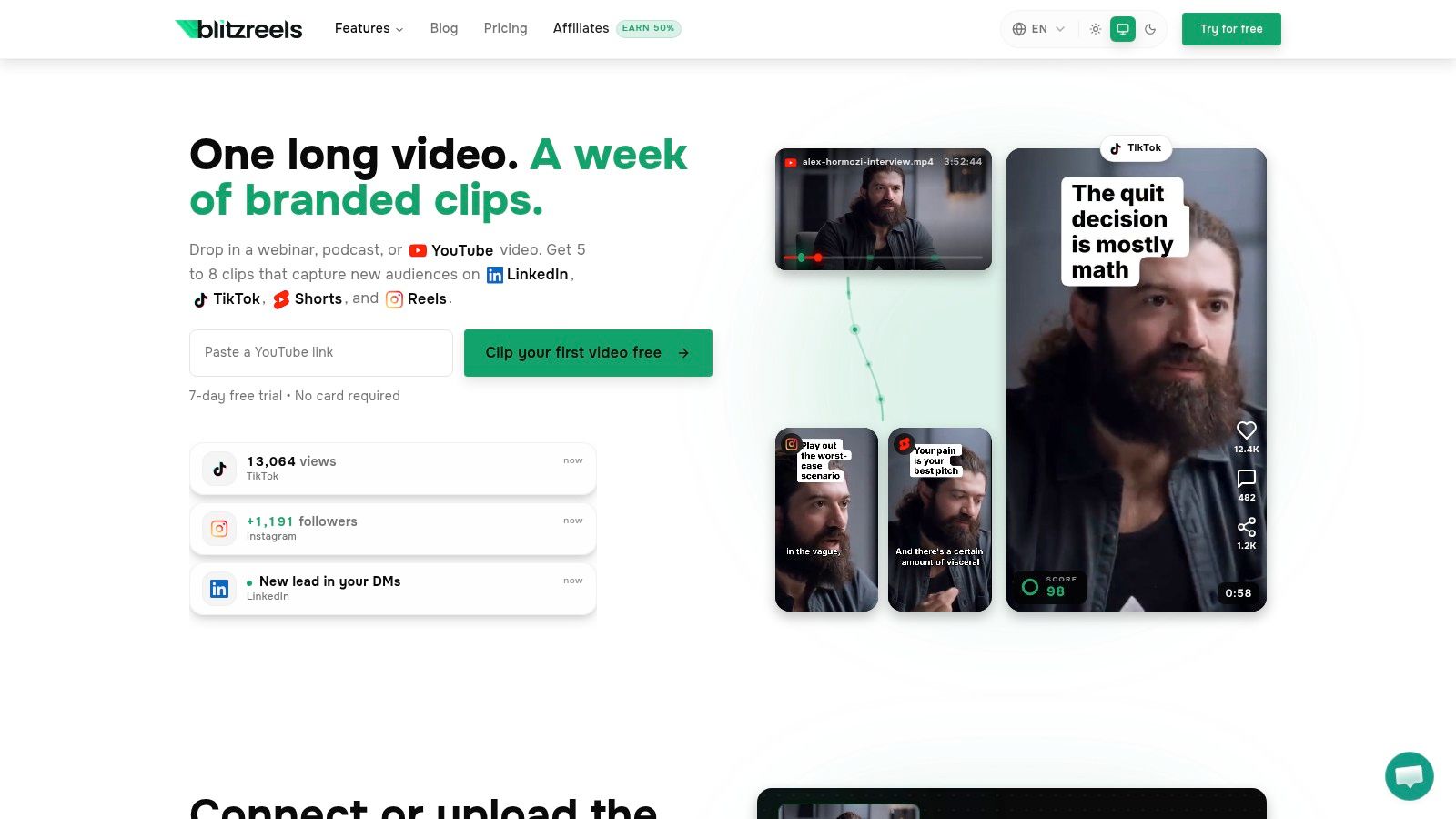
BlitzReels is the most workflow-focused option on this list for people making short-form content at volume. Instead of asking a creator to start with a blank timeline, it starts with source material such as interviews, podcasts, webinars, Zoom recordings, Loom videos, or talking-head footage and pushes it toward ready-to-publish clips.
That difference matters when the bottleneck isn't trimming a single video. It's clipping, captioning, reframing, resizing, and repackaging the same source across TikTok, Instagram Reels, YouTube Shorts, and LinkedIn. The [BlitzReels editor](https://www.blitzreels.com/editor) is built around that exact loop.
### Why it fits short-form production
BlitzReels automatically transcribes footage, identifies strong moments, builds hooks, adds bold captions, and reframes for vertical output. It also goes beyond clipping. The AI Studio supports faceless video creation, prompt-to-video workflows, visual styles, templates, and automatic B-roll insertion, which makes it useful for both repurposing and generating content.
For short-form creators, the practical win is fewer handoffs between tools. Subtitle generation, SRT editing, file conversion, compression, resizing, and visual packaging sit in one environment, so the edit doesn't stall every time a platform needs a different aspect ratio or caption style.
> **Practical rule:** If the content comes from a longer recording and the goal is consistent posting, speed usually matters more than frame-perfect manual editing.
### Where it works best
BlitzReels is strongest when a team needs output, not just editing flexibility. It suits founders clipping podcasts, agencies turning webinars into social snippets, and social managers building daily posts from recorded calls or interviews. Its automation is designed around retention elements such as opening hooks, on-beat captions, face-centered reframing, and visual pacing.
There are trade-offs. Creators who want highly specific comedic timing, advanced compositing, or deep manual sound design will still need a traditional editor at times. Pricing visibility also isn't as clear on the site as some buyers may prefer, so evaluating the trial first is the practical move.
A large part of its appeal is reducing friction. For fast short-form production, that's often more valuable than having the deepest timeline on the market.
- **Best for speed:** Turning long recordings into multiple social-ready clips quickly.
- **Best for repurposing:** Captions, reframing, resizing, and hooks are central, not secondary.
- **Watch out for:** AI still benefits from human review before publishing client-facing or brand-sensitive edits.
## 2. DaVinci Resolve
DaVinci Resolve sits at the opposite end of the spectrum from lightweight social editors. It's a full post-production environment with editing, color, audio, motion graphics, and visual effects in one application. For creators who care about polish, it's still one of the strongest options in video editing software without watermark.
That said, Resolve isn't fast just because it's powerful. It's fast only after the user knows where everything lives. New editors often underestimate how much setup and learning this tool demands before short-form production starts to feel smooth.
### Best use case
Resolve makes sense when a creator wants advanced control over footage, sound, and finishing. It's especially good for editors producing premium brand content, cinematic creator videos, or social ads that need stronger grading and cleaner audio than template-first editors usually provide.
A YouTube review of free editors highlights that DaVinci Resolve combines editing, color correction, audio post, motion graphics, and visual effects in one app, which helps explain why it competes with paid suites on capability rather than price ([YouTube review discussing Resolve and Kdenlive](https://www.youtube.com/watch?v=3hxkEEUcHf0)).
The trade-off is simple. Resolve can handle short-form work, but it doesn't remove much friction on its own. Captions, reframing, title cards, and platform resizing are possible, yet they aren't as efficient as they are in tools built specifically around vertical publishing.
> Resolve is excellent for creators who want to craft the clip. It's less ideal for creators who need ten clips before lunch.
- **Strongest advantage:** Professional-grade color, audio, and finishing in one place.
- **Best fit:** Editors who already know NLE workflows.
- **Main drawback:** Heavy system demands and a steeper learning curve.
A direct download and product overview are available on the [DaVinci Resolve website](https://www.blackmagicdesign.com/products/davinciresolve).
## 3. Adobe Premiere Pro
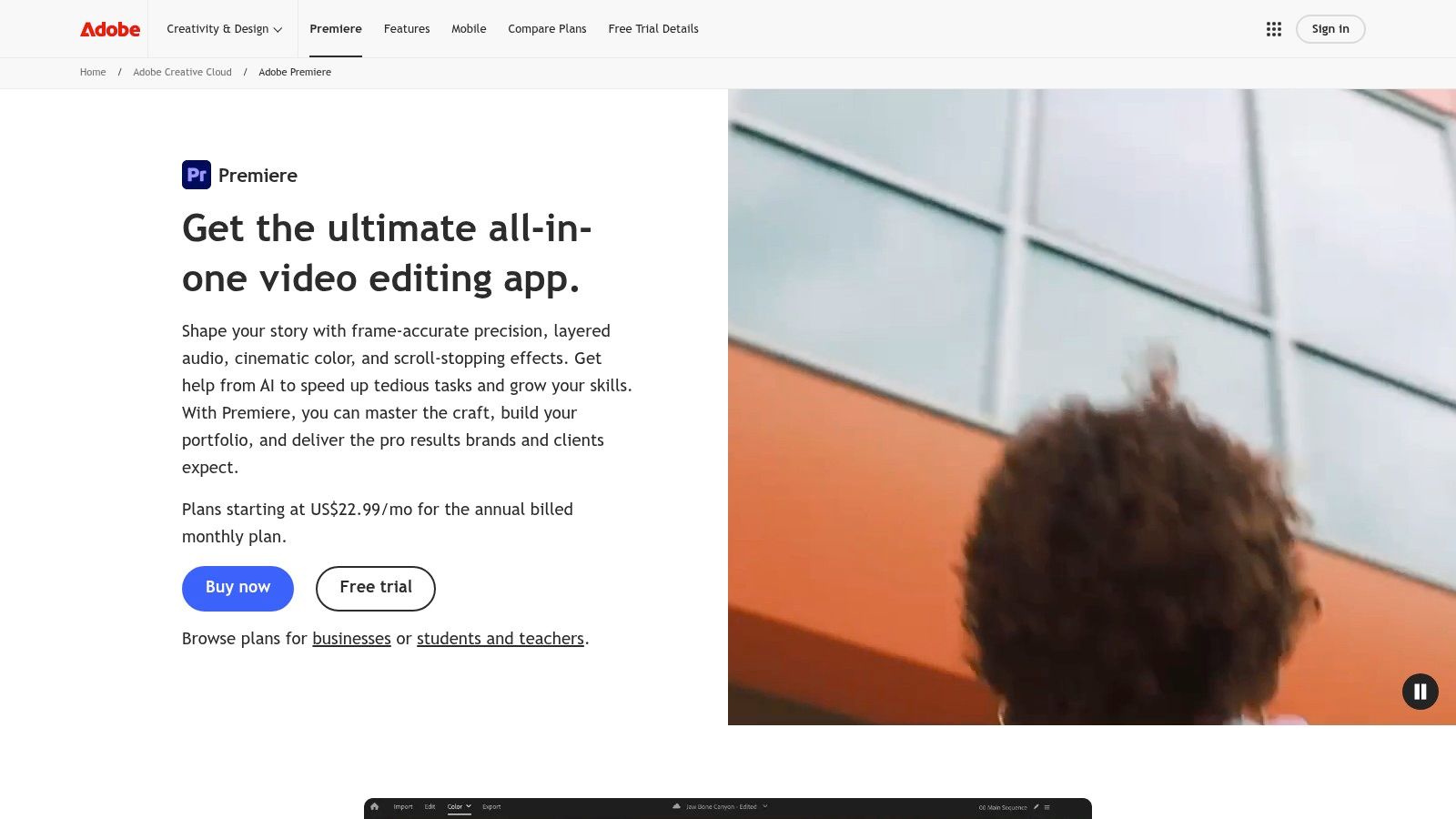
Adobe Premiere Pro remains the safest recommendation for editors who need a professional workflow that can stretch from social clips to commercial deliverables. It exports without a watermark on paid plans, and the surrounding Adobe ecosystem still matters if the workflow already includes After Effects, Photoshop, or Frame.io.
Premiere works well for short-form content when the team wants control without giving up convenience. Text-based editing, captions, proxies, review links, and strong multi-format export options make it easier to move between quick social cuts and more involved campaigns.
### Where Premiere earns its keep
Premiere is strongest when a creator isn't only making TikToks. It handles Reels, Shorts, client explainers, paid ads, and longer YouTube edits in the same environment, so teams don't have to rebuild the workflow later if content expands.
Aspect ratio changes are part of that reality. For anyone regularly shifting from horizontal to vertical, this guide on [how to change aspect ratio for social video](https://www.blitzreels.com/blog/how-to-change-aspect-ratio) is worth keeping nearby because reframing decisions affect captions, title cards, and headroom more than most editors expect.
The downside is cost over time. Premiere is subscription-only, and older machines can struggle once projects pile up with layered graphics, captions, and linked Adobe assets.
- **Best for mixed workloads:** Social, ads, client work, and longer edits.
- **Big advantage:** Deep ecosystem and strong collaboration options.
- **Main caution:** Subscription pricing and hardware demands add up.
The official product page is the [Adobe Premiere Pro website](https://www.adobe.com/products/premiere.html).
## 4. Final Cut Pro
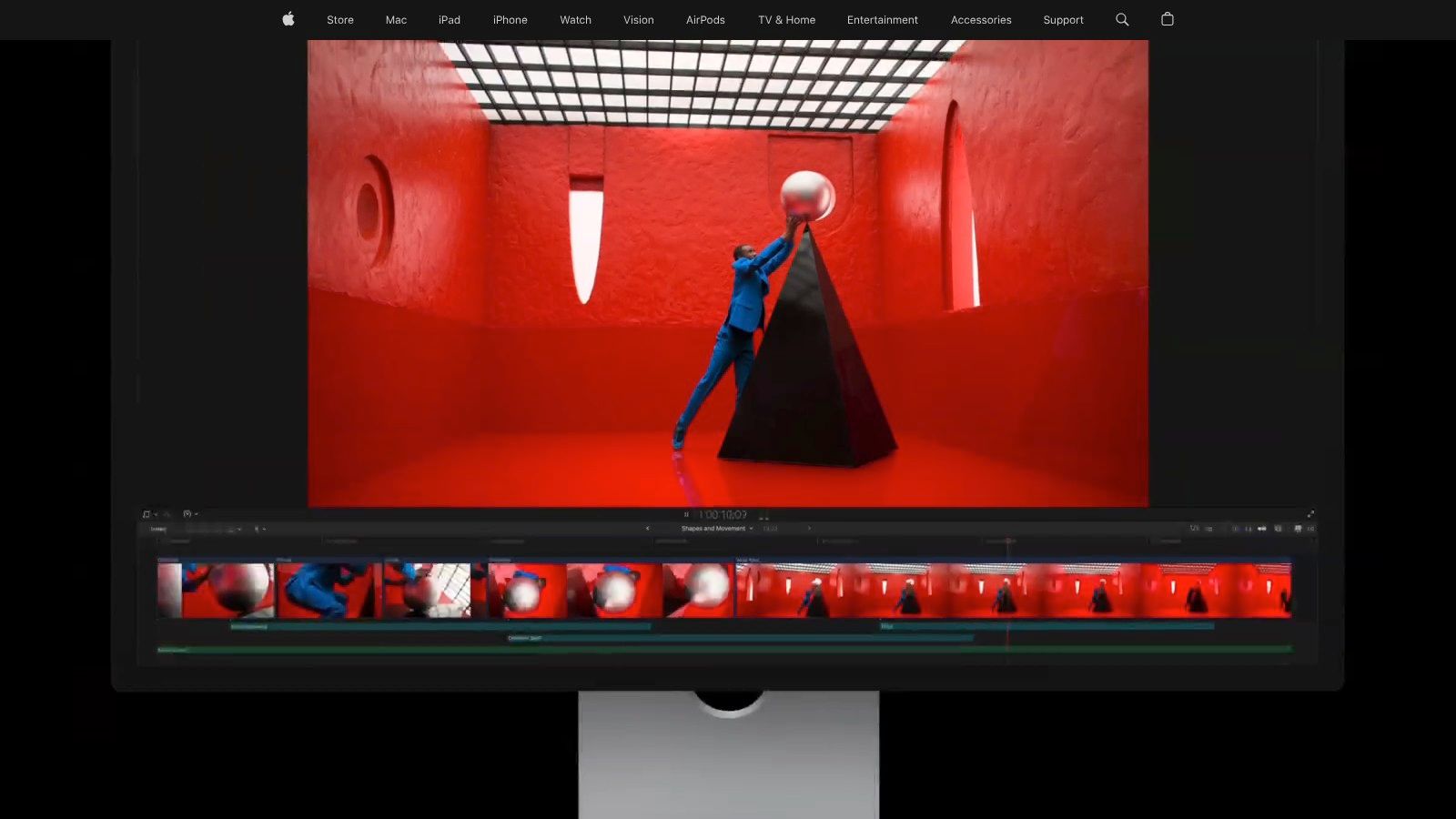
Final Cut Pro is one of the best answers for Mac users who want pro-level editing without a recurring subscription. On recent Macs, especially Apple silicon machines, it feels quick in a way that many editors immediately notice. That speed helps when short-form work means constant trim, review, export, and repost cycles.
Its magnetic timeline also divides editors. Some people love how fast it feels once learned. Others never quite trust it for detailed rearranging, especially when edits get dense.
### Why short-form editors like it
Final Cut Pro is well suited to batches of social content. Fast skimming, responsive playback, and a generally stable editing experience make it easier to cut vertical content, build title cards, and move through repeated export sessions without much friction.
For creators staying entirely in the Apple ecosystem, that's a real advantage. iPhone footage, Mac editing, and handoff into a more polished workflow can happen with minimal setup, which keeps social production moving.
There are limits. Final Cut Pro is macOS-only, and while it's strong for editing speed, some teams still prefer Adobe or Resolve for collaboration, motion graphics depth, or cross-platform consistency.
> A creator on Mac who values speed and stability over ecosystem breadth will often feel at home in Final Cut Pro.
- **Best fit:** Mac-based creators and editors handling frequent turnaround work.
- **Strong point:** Smooth performance and one-time purchase option.
- **Weak point:** Locked to Apple hardware.
The official overview is on the [Final Cut Pro website](https://www.apple.com/finalcutpro).
## 5. CapCut
CapCut is everywhere in short-form content for a reason. It's fast, accessible, and built around the editing patterns social creators use, including templates, captions, timing effects, beat-sync, and quick vertical formatting. For many creators, it's the first tool that makes short-form editing feel manageable.
Its biggest strength is momentum. A creator can drop in clips, add animated captions, test title cards, and get to export fast. That's a huge win when the content calendar matters more than perfect post-production.
### Where CapCut is strong and where it gets messy
CapCut works best for fast social-native edits. It handles talking-head posts, meme-style cuts, trend formats, and quick promotional clips well, especially when the team wants mobile and desktop flexibility.
The catch is that watermark behavior can vary depending on the feature, template, or plan. That's the part creators need to verify before building a repeatable workflow. This comparison of [CapCut vs BlitzReels for TikTok creators](https://www.blitzreels.com/blog/capcut-vs-blitzreels-which-video-editor-is-best-for-tiktok-creators-in-2025) is useful because it frames the decision around actual publishing needs, not just feature lists.
CapCut is a strong practical option in video editing software without watermark, but it isn't the most predictable option if a workflow relies heavily on premium assets or changing plan rules.
- **Best for:** Quick edits, trends, templates, and lightweight captioned videos.
- **Works well when:** Speed matters more than deep manual control.
- **Watch for:** Feature restrictions tied to Pro tools or specific templates.
The platform is available on the [CapCut website](https://www.capcut.com).
## 6. Microsoft Clipchamp
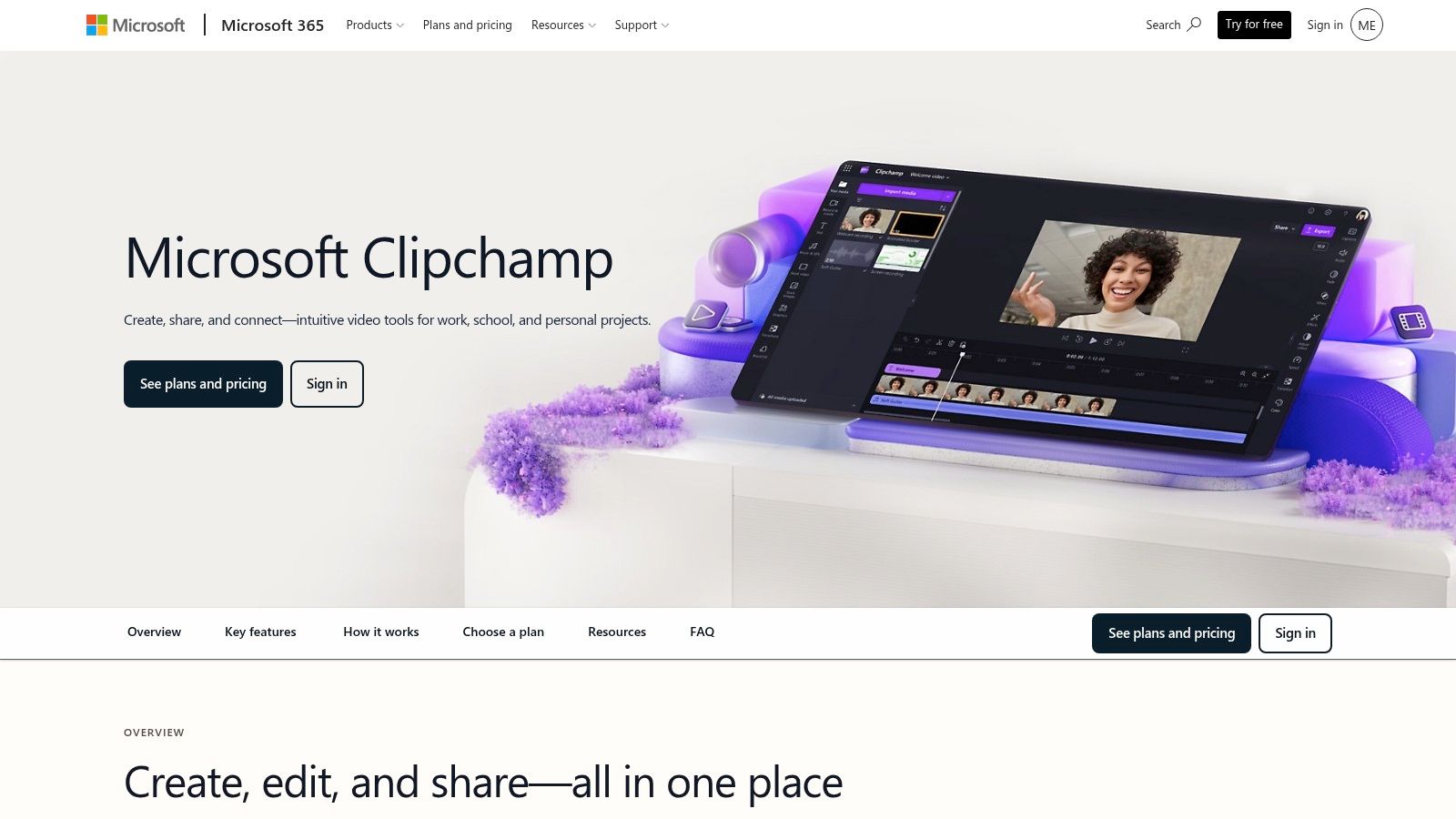
A common short-form workflow problem looks like this. A creator needs to trim a talking-head clip, clean up pauses, add a title card, resize for a second platform, and get the post out before the trend window closes. Clipchamp fits that kind of job better than many traditional editors because it starts fast, runs in the browser or on Windows, and does not bury basic social editing under a heavy interface.
For short-form creators, the appeal is less about advanced craft and more about throughput. Clipchamp is good at quick cuts, webcam recordings, screen captures, simple overlays, and social-ready exports. Teams that publish product updates, internal comms, tutorials, or founder content can hand it off without much training.
Watermark questions matter here because a clean export changes whether a tool is usable in a real publishing workflow. If a team is still sorting out the difference between branded exports and true clean files, this quick guide to [what a video watermark actually is](https://www.blitzreels.com/glossary/watermark) helps clarify the issue. Clipchamp is generally one of the clearer mainstream options in this category, but creators should still verify export settings and asset restrictions before building a repeatable process around it.
### Where Clipchamp works well for short-form production
Clipchamp is strongest when speed beats precision. It handles straightforward edits well, and the recording tools are useful for creators who batch webcam clips, demos, or voiceover-led explainers. That matters in short-form work, where the bottleneck is often getting from raw footage to a publishable first cut, not fine-tuning a complex timeline.
Its trade-off is ceiling. Caption styling, repurposing flexibility, and deeper finishing control are not as strong as what more social-focused or more advanced editors offer. If the workflow depends on heavy caption customization, fast multi-platform versioning, or polished motion work, Clipchamp can start to feel basic.
- **Best fit:** Webcam videos, explainers, internal content, and quick social edits
- **Strong point:** Fast onboarding and low-friction editing for simple publish workflows
- **Watch for:** Less control over advanced short-form packaging, especially when a team needs stronger captions or more aggressive repurposing
The product page is on the [Microsoft Clipchamp website](https://www.microsoft.com/en-us/microsoft-365/clipchamp).
## 7. iMovie
iMovie stays relevant because it solves a specific problem well. A creator with an iPhone, iPad, or Mac can cut a clean video quickly, add titles, make simple trims, and export without getting pulled into an advanced editing environment.
That simplicity is often dismissed too quickly. For a lot of short-form work, especially direct-to-camera content, product clips, basic testimonials, or quick event recaps, simple is enough.
### When simple is the right call
iMovie works well when the goal is publishing, not experimenting. It's stable, familiar to many Apple users, and good for clean edits that don't require advanced motion graphics, sound cleanup, or layered effects.
It also helps newer creators avoid a common misunderstanding about clean exports versus branded ones. This short explainer on [what a video watermark is](https://www.blitzreels.com/glossary/watermark) is useful if a team is still sorting out why some “free” editors brand the final file and others don't.
The limitation is ceiling, not reliability. Once the workflow needs stronger captions, more flexible templates, better audio control, or bulk content repurposing, iMovie starts to feel narrow.
> iMovie is often the right choice when the team needs to stop researching and publish something today.
- **Best for:** Apple users making straightforward social videos.
- **Big advantage:** Free, stable, and easy to learn.
- **Main drawback:** Limited advanced features.
The official download and overview are on the [iMovie website](https://www.apple.com/imovie).
## 8. VN Video Editor
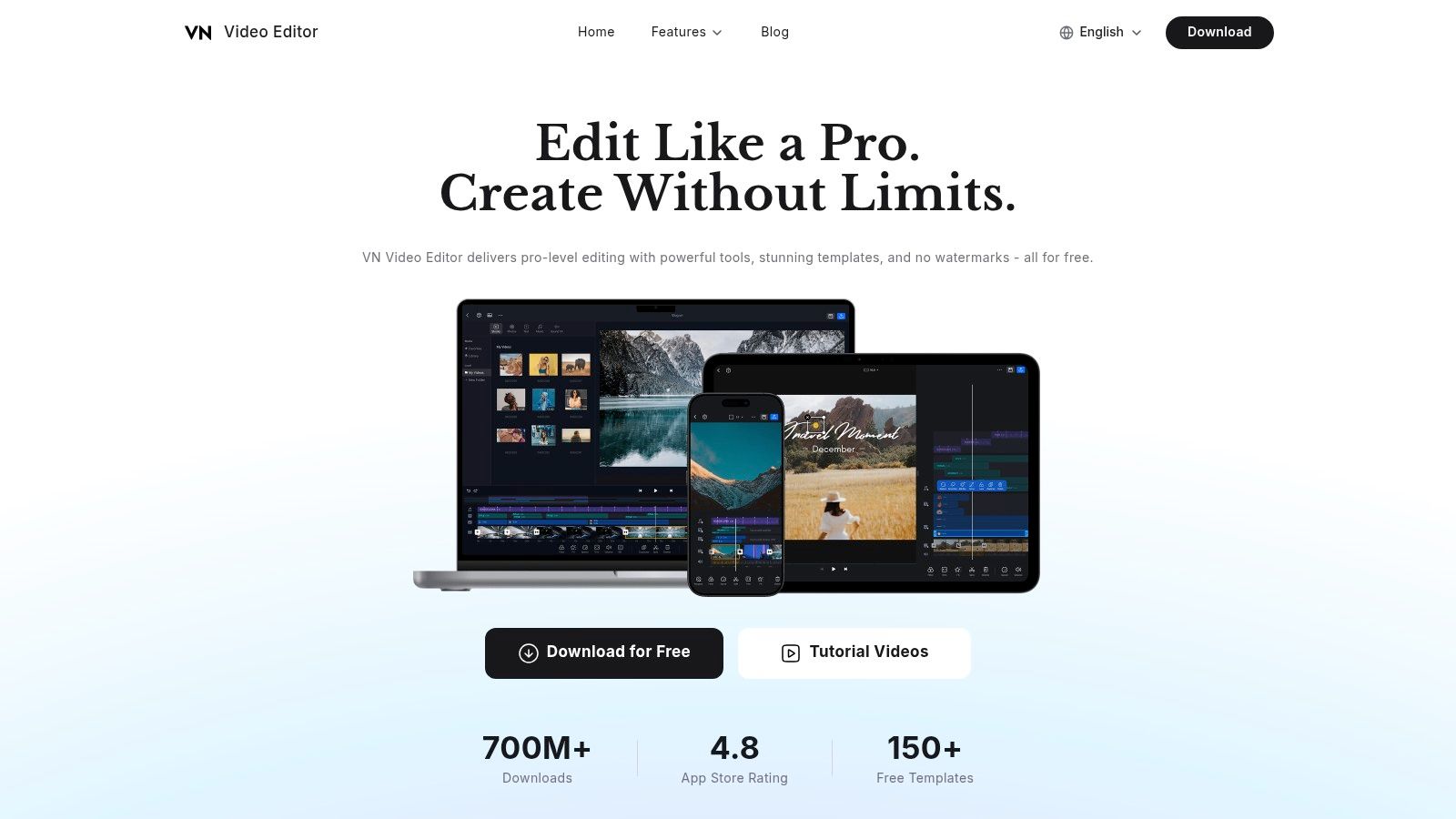
VN Video Editor sits in a useful middle ground. It's more feature-rich than the most basic mobile editors, but it still feels accessible enough for creators who want to work mainly from a phone or lightweight desktop setup.
That balance makes it attractive for short-form creators who need keyframes, speed changes, captions, text-to-speech, and flexible social exports without moving into a heavyweight editing suite.
### Who should use VN
VN fits creators who shoot and edit on mobile, vloggers who want more control than a template-only app offers, and social teams that care about speed but still want room to style the cut. It handles common short-form jobs well, including pacing edits, text overlays, quick zooms, and basic visual treatment.
The downside is that its advanced audio and effects tooling doesn't match pro NLEs. Teams producing polished ad creatives or high-end branded content may outgrow it once the edit requires more layered control.
Independent market research estimates the video editing market at USD 3.75 billion in 2026 and projects growth to USD 4.99 billion by 2031 at a 5.88% CAGR, while the same source says SMEs are adopting video at a 7.88% annual rate, which reinforces why practical, watermark-free tools like VN matter for lean teams publishing often ([Mordor Intelligence video editing market outlook](https://www.mordorintelligence.com/industry-reports/video-editing-market)).
- **Best for mobile-first creators:** More control than many beginner apps without a major learning jump.
- **Good at:** Fast social edits with captions and keyframe-based motion.
- **Less ideal for:** Deep finishing and advanced audio work.
The app is available on the [VN Video Editor website](https://vlognow.me).
## 9. Shotcut
Shotcut isn't flashy, and that's part of its appeal. It's an open-source editor that focuses on core editing tasks without trying to mimic a trend-heavy social app. For creators who just need reliable, watermark-free exporting and broad format support, that can be enough.
The interface is more utilitarian than polished. Some users will bounce off it quickly. Others will appreciate that it stays out of the way once the layout is set up.
### Why some creators still choose it
Shotcut is a practical option for creators on older machines, editors who prefer open-source software, and teams that don't need a big library of built-in templates. It handles trimming, layering, filters, and straightforward assembly work well.
It's not the best fit for creators whose short-form workflow depends on stylized captions, auto hooks, built-in title systems, or fast platform repackaging. Those features usually require more manual work here than they do in social-first editors.
Still, for basic clean exports, it does the job without subscription pressure or branding on the output.
- **Best for:** Open-source users and editors who want a dependable free desktop tool.
- **Strong point:** Wide format support and no watermark.
- **Weak point:** Less polished UX and fewer built-in social shortcuts.
The official home for the software is the [Shotcut website](https://www.shotcut.org).
## 10. OpenShot
OpenShot is the most beginner-friendly open-source option on this list. It uses a drag-and-drop approach that makes sense quickly, which is helpful for users moving off a watermarked mobile app and into a desktop editor for the first time.
For simple social content, that ease matters. A creator doesn't always need an advanced tool. Sometimes the primary need is a clean export, basic titles, and enough timeline control to cut a short video without friction.
### Good for straightforward edits
OpenShot works for simple marketing clips, quick testimonials, product snippets, and early-stage creator workflows. It's easier to approach than many open-source rivals, and that lowers the barrier for people who want video editing software without watermark but don't want to learn a complex interface.
Its limits show up on larger or more demanding projects. Complex color work, detailed sound shaping, and intensive multi-layer edits can feel cramped or unstable compared with stronger editors.
For users who want a faster path than traditional desktop editing, this overview of an [AI video editor free workflow](https://www.blitzreels.com/blog/ai-video-editor-free) is worth reading because it shows where automation can remove work that beginner desktop editors still require manually.
- **Best for:** New creators and simple desktop edits.
- **Strong point:** Easy learning curve and free clean exports.
- **Main limitation:** Less reliable for complex projects.
The official product page is the [OpenShot website](https://www.openshot.org).
## Top 10 No-Watermark Video Editors, Comparison
A clean export is the baseline. For short-form work, the key question is how fast each editor gets a clip from raw footage to TikTok, Reels, and Shorts without turning every step into manual labor.
That changes how these tools should be judged. Caption speed, vertical resizing, clip repurposing, and export friction matter more here than a long feature list.
| Product | Core features | Target audience | Unique selling points | Ease & Pricing |
|---|---:|---|---|---|
| **BlitzReels (Recommended)** | Auto-transcribe, segment scoring, auto-hook, on-beat captions, auto-reframe, AI Studio, auto B-roll | Creators, social managers, startups, marketers who scale short-form from long-form | Conversion-focused AI that finds high-performing clips, rapid record to edit to publish workflow, faceless and prompt-to-video tools | Very fast, trial: clip first free + 7-day free trial; pricing tiers via sign-up |
| DaVinci Resolve, Blackmagic Design | Multi-track NLE, advanced color, Fairlight audio, Fusion VFX, export presets | Professional editors, colorists, film/TV creators | Industry-grade color and VFX suite, strong free edition with no watermark | High learning curve, heavy system demands; free edition available, Studio paid license for extra FX |
| Adobe Premiere Pro | Extensive timeline, captions, proxies, Adobe ecosystem, generative AI tools | Professionals, agencies, Adobe users needing integrated pipelines | Deep integration with After Effects, Photoshop, and Frame.io, frequent AI updates | Subscription only, 7-day trial, steep learning curve, resource demanding |
| Final Cut Pro (macOS) | Magnetic Timeline, Apple silicon optimized, transcription, Motion, Compressor | Mac editors, fast-turnaround short-form creators | Extremely fast on Macs, one-time purchase option, direct Apple ecosystem handoff | macOS-only, one-time purchase or Apple Creator Studio subscription, easy-to-advanced workflow |
| CapCut | Templates, auto-captions, beat-sync, background removal, reframing | Short-form creators on mobile and desktop wanting quick edits | Strong short-form templates and beat-sync, good free feature set | Fast and user-friendly; free tier generally available, Pro features and some templates may require upgrade and can watermark |
| Microsoft Clipchamp | Social templates, screen and webcam recorder, auto captions, OneDrive | Casual creators, Windows users, educators | Browser-based, OneDrive integration, free 1080p exports if you avoid premium assets | Easy to use; free plan for 1080p, 4K and premium assets require paid tier |
| iMovie (iOS/macOS) | Templates, storyboards, 4K export, Final Cut handoff | Beginners on Apple devices, mobile editors | Free, simple, stable on Apple hardware, direct Final Cut handoff | Very easy; free on iOS and macOS, limited advanced features |
| VN Video Editor | Multi-track, keyframes, LUTs, auto-captions, 4K export | Mobile vloggers and creators wanting free, feature-rich tools | Free with emphasis on no watermarks, strong mobile workflow | Straightforward; free with capable mobile and desktop apps |
| Shotcut | Multi-track, GPU-accelerated filters, wide codec support (FFmpeg) | Budget-conscious editors, cross-platform users | Open-source, no watermark, wide format support | Moderate learning curve, free and lightweight to install |
| OpenShot | Unlimited tracks, keyframing, simple titles, Blender 3D title support | Beginners building simple social videos | Free, beginner-friendly, export without watermarks | Very easy to learn; free and open-source, less suited for complex projects |
## From Editor to Published Your Next Step
Choosing video editing software without watermark solves only the first problem. It removes the branding from the export, but it doesn't automatically create a workflow that helps a team publish consistently across TikTok, Instagram Reels, YouTube Shorts, and LinkedIn.
That distinction matters. Many editors can cut video. Fewer tools make captions fast, resizing painless, clipping repeatable, and reframing dependable enough to support a real posting schedule. For short-form creators, those details often decide whether content gets published or sits in draft folders.
The strongest option depends on where the friction lives. If the goal is professional finishing, DaVinci Resolve, Premiere Pro, and Final Cut Pro offer deeper control. If the goal is fast social production, tools like BlitzReels, CapCut, Clipchamp, VN, and iMovie reduce the time between recording and posting. Shotcut and OpenShot remain valid choices for users who want free desktop software and can accept a more manual workflow.
There's also a broader market signal behind this shift. Mainstream editing tools now treat clean exports as a baseline feature far more often than before, and the software market itself continues to expand, which means creators have more viable paths than the old “pay or accept a watermark” trade-off. That's good news for solo creators, marketing teams, and founders trying to turn recorded material into regular content.
The practical recommendation is simple. Pick the editor that matches the pace and format of the work, not the editor with the longest feature list. A creator making daily Shorts from webinars needs a different tool than an editor finishing polished brand campaigns. A social manager posting daily may benefit more from caption automation and auto-reframing than from node-based color tools.
For teams building short-form systems, the best editor is usually the one that removes the most repeat work. That means fewer manual subtitle passes, fewer resize problems, fewer export surprises, and fewer handoffs between tools.
For readers also comparing adjacent creative workflows, it's worth [exploring animation tools for data visualization](https://www.flowi.video/blog/the-10-best-motion-graphics-software-picks-for-2026/) when motion graphics and visual storytelling start to matter more in the content mix.
---
If the goal is fast, clean short-form publishing instead of spending hours inside a timeline, [BlitzReels](https://blitzreels.com) is the strongest place to start. It's built for turning recordings into captioned, resized, platform-ready clips quickly, which makes it a practical choice for creators, marketers, and teams that need more output with less editing friction.