---
title: "Video to Text Converter: How Modern Transcription Works"
canonical: "https://blitzreels.com/blog/video-to-text-converter"
---
# Video to Text Converter: How Modern Transcription Works
URL: https://blitzreels.com/blog/video-to-text-converter
Markdown URL: https://blitzreels.com/blog/video-to-text-converter.md
Published: 2026-09-13
Author: BlitzReels
A practical 2026 guide to video to text converters, covering accuracy, SRT/VTT outputs, captions, and how short-form creators get cleaner transcripts.
Tags: video to text converter, AI captions, SRT and VTT, short form video, video transcription

At 11 p.m., a creator can have a strong **90-second talking-head clip** ready for tomorrow's feed and still be nowhere near finished. The video needs captions, a useful opening hook, perhaps a shorter cut for another platform, and a final check for names, slang, and timing. Typing every line manually, scrubbing the timeline, and placing timecodes one cue at a time turns a quick publish into a late-night editing session.
A **video to text converter** removes that first bottleneck. It listens to a video's audio track and produces written text, usually with timestamps and sometimes with speaker labels. That transcript can become a caption track, a clipping map, a source for title cards, or a searchable document for repurposing. It still needs editorial judgment, especially when the final video must be readable, correctly timed, and suitable for TikTok, Instagram Reels, YouTube Shorts, or LinkedIn.
## Table of Contents
- [The Moment Every Creator Hits a Wall](#the-moment-every-creator-hits-a-wall)
- [The transcript is working material](#the-transcript-is-working-material)
- [How a Video to Text Converter Actually Works](#how-a-video-to-text-converter-actually-works)
- [Audio extraction and preparation](#audio-extraction-and-preparation)
- [Speech recognition](#speech-recognition)
- [Speaker labels and timestamps](#speaker-labels-and-timestamps)
- [Formatting and delivery](#formatting-and-delivery)
- [Output Formats and What to Do With Each One](#output-formats-and-what-to-do-with-each-one)
- [Plain text](#plain-text)
- [SRT](#srt)
- [WebVTT](#webvtt)
- [Why Headline Accuracy Numbers Mislead Creators](#why-headline-accuracy-numbers-mislead-creators)
- [Why timing changes recognition](#why-timing-changes-recognition)
- [What accuracy means in a finished caption](#what-accuracy-means-in-a-finished-caption)
- [Feature Checklist for Short Form Video Workflows](#feature-checklist-for-short-form-video-workflows)
- [Must-have capabilities](#must-have-capabilities)
- [Useful additions](#useful-additions)
- [Converting a Clip to Captions in BlitzReels](#converting-a-clip-to-captions-in-blitzreels)
- [Captions as an editing input](#captions-as-an-editing-input)
- [Best Practices for Readable On Platform Captions](#best-practices-for-readable-on-platform-captions)
- [Build cues for the mobile frame](#build-cues-for-the-mobile-frame)
- [Tune timing and punctuation](#tune-timing-and-punctuation)
## The Moment Every Creator Hits a Wall
The converter helps with the mechanical part of transcription, but it doesn't decide which sentence makes the best hook. It doesn't automatically know whether a brand name has been misspelled, whether a pause should become a cut, or whether a subtitle will be covered by a platform's interface. Those decisions belong in the editing workflow.
That distinction matters across formats. A polished YouTube interview may produce a long transcript with several speakers and overlapping answers. A vertical phone clip for TikTok or Reels may contain one person, background music, and a few seconds of unusable silence. Both can go through automatic transcription, but neither should be treated as a finished deliverable.
### The transcript is working material
A useful transcript gives an editor something to search, select, and reshape. A creator can find every mention of a product, identify a strong statement for a hook, remove filler from a spoken answer, or turn a long interview into several short clips. That makes the transcript an input for **caption styling, clipping, reframing, resizing, and compliance review**, not merely a block of copied dialogue.
For short-form production, the value often appears after transcription:
- **Caption creation:** Convert timed words into editable subtitle cues and then style them for mobile viewing.
- **Clip selection:** Search the transcript for a topic, phrase, or answer before cutting the source timeline.
- **Repurposing:** Turn spoken material into a social post, description, title card, or revised script.
- **Quality control:** Compare the written words against the audio before publishing.
> **Practical rule:** A transcript can save editing time, but it can't replace the final listening pass.
The broader shift toward accessible video helps explain why this workflow now feels essential. The [history of voice-first Mac workflows](https://macdaddy.io/articles/voice-first-mac-workflows/) describes the movement from trained, expensive dictation systems such as Dragon NaturallySpeaking in the 1990s and 2010s to cloud services and open models. Whisper became open source in September 2022 and was trained on **680,000 hours of multilingual audio**, a benchmark that illustrates how large audio datasets support modern transcription and captioning workflows.
Creators can learn more about turning long recordings into social cuts through this guide to [short-form video production](https://blitzreels.com/blog/short-form-video). The practical lesson is simple: automatic text gets the project moving, while an editor turns that text into something an audience can watch.
## How a Video to Text Converter Actually Works
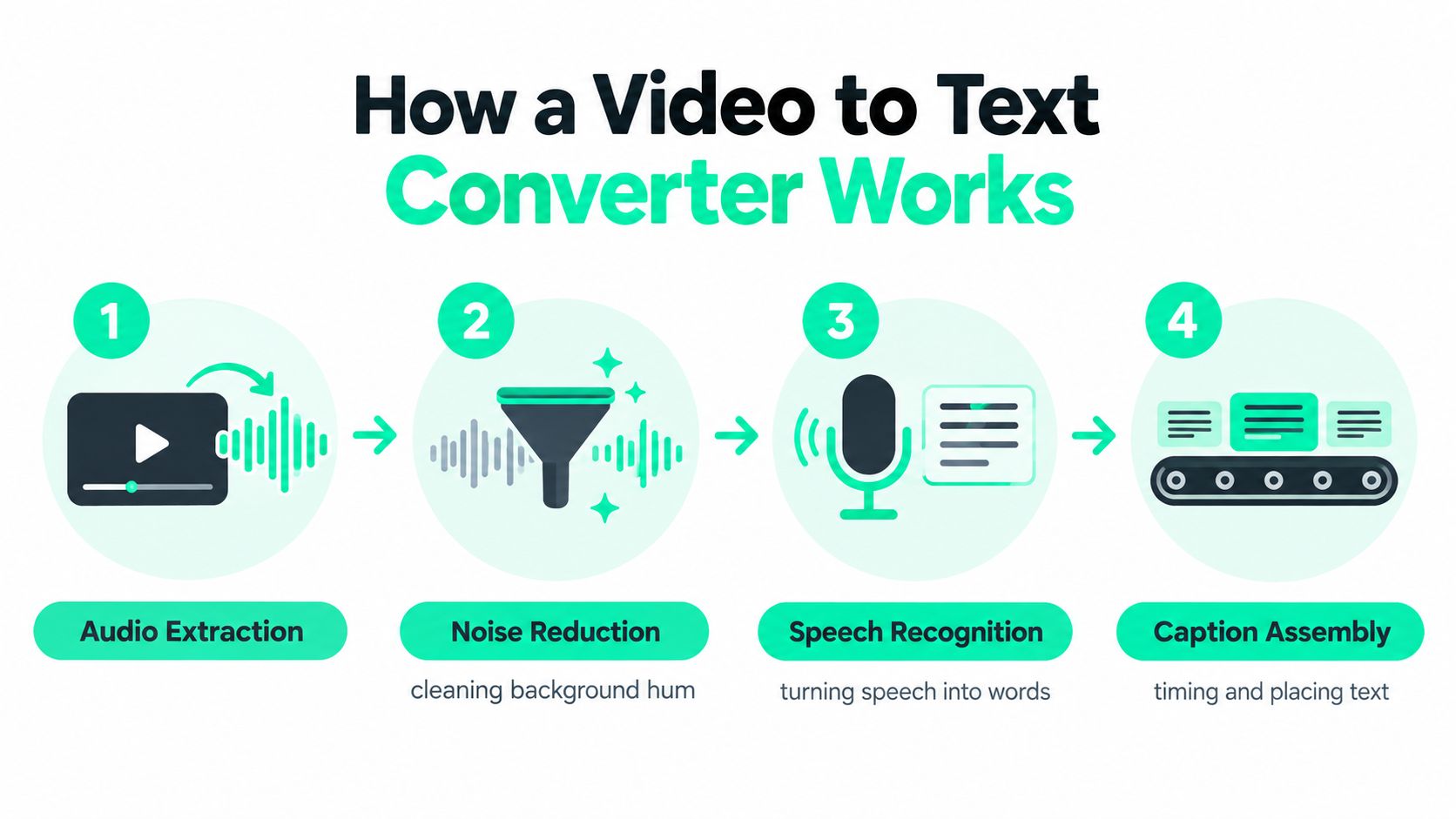
A converter behaves like a conveyor belt for subtitles. Each stage prepares material for the next one, and a weakness early in the process can appear later as a bad word, a misplaced speaker label, or an awkward caption break.
### Audio extraction and preparation
The system first accesses the audio track inside the video. It may separate dialogue from the visual file, adjust inconsistent volume, and reduce some background noise before recognition begins. Cleaner sound gives the speech model a better signal, but noise reduction can't recover words that were never captured clearly.
That's why microphone placement, room sound, and background music still matter. A converter can process a phone recording, interview, webinar, or screen capture, but the input conditions influence the usefulness of the output.
### Speech recognition
Automatic speech recognition, or **ASR**, analyzes the audio waveform and predicts spoken language. In simplified terms, it identifies sound patterns, considers likely phonemes and words, and uses language context to choose a plausible sequence.
The output is a draft, not a recording of what the model “understood” with human certainty. Names, acronyms, technical terms, accents, rapid dialogue, and unfinished sentences can all create uncertainty. A sentence that sounds obvious to a human editor may still produce an incorrect word if the audio contains a competing sound.
### Speaker labels and timestamps
Diarization estimates who spoke when. In a single-speaker clip, the feature may add little value. In a podcast or interview, it can help separate speakers, although crosstalk and interruptions make that separation difficult.
Timestamps connect words or phrases to moments in the video. The converter then groups those timed segments into caption cues. A transcript with timestamps can support editing far more effectively than plain paragraphs because the editor can jump directly from a phrase to its position on the timeline.
### Formatting and delivery
The final pass adds punctuation, capitalization, line breaks, and an export format. A creator may receive plain text for notes, SRT for subtitles, WebVTT for web players, or structured data for an editing or automation system. Browser-based and cloud converters may process the file remotely, while local tools can keep media on a device, so speed, privacy, and setup vary by workflow.
For teams building repeatable operations, transcription becomes one step inside a larger system. Resources about [AI employee deployment for founders](https://donely.ai/) can help teams think about where automation belongs, but the video editor still needs clear review points. BlitzReels documents its [transcript workflow](https://blitzreels.com/docs/transcript) for working with transcript data rather than treating recognition as the final creative step.
## Output Formats and What to Do With Each One
The file format determines what happens after transcription. Plain text is easiest to read and reuse, while timed subtitle formats preserve the relationship between words and video. Choosing the right output early prevents a creator from rerunning the same recording for every destination.
### Plain text
A plain transcript works well for show notes, blog drafts, searchable archives, SEO descriptions, and social copy. It strips away timing so the editor can concentrate on meaning, structure, and repurposing.
For example, a marketer can search a webinar transcript for a product explanation and turn that passage into a LinkedIn post. A producer can remove repeated phrases and use the revised text as a guide for a shorter voiceover. Plain text is also useful when an editor needs to feed spoken material into another writing or automation step.
### SRT
SRT is the familiar subtitle format for many editing and publishing workflows. It stores numbered cues, start and end times, and the text displayed during each interval.
Creators often choose SRT when they need editable captions for a desktop editor or a platform workflow. It's practical for short-form production because the cues can be reviewed, split, merged, and restyled before export. A separate guide to [creating an SRT file](https://blitzreels.com/blog/create-a-srt-file) can help when a platform or editor requires a subtitle file rather than rendered text.
### WebVTT
WebVTT is designed for web video players and can support styling hints and regions that SRT doesn't express in the same way. It suits HTML5 players, learning platforms, and workflows where positioning or browser-based presentation matters.
| Format | Best For | Platforms | Styling |
|---|---|---|---|
| Plain text | Notes, scripts, summaries, search, repurposing | Blogs, documents, social planning | No timing or subtitle styling |
| SRT | Editable subtitles and caption exports | Desktop editors and many social workflows | Basic timed cues |
| WebVTT | Web playback and structured caption delivery | HTML5 players, learning platforms, browser workflows | Supports styling hints and regions |
Some creators skip separate files and burn captions directly into the video. That approach guarantees that the words appear in the rendered image, but it removes easy editing and can place text under platform controls. Exporting plain text, SRT, and WebVTT from one reviewed transcript gives the project more flexibility without repeating recognition.
## Why Headline Accuracy Numbers Mislead Creators
A clean demo can make automatic transcription look finished. A short-form clip rarely behaves so neatly. A podcast excerpt may contain overlapping voices, an outdoor recording may carry fan noise, and a Reel may place music beneath the dialogue. Accents, jargon, names, and rushed speech create further error points.
Independent accessibility research reports that live automatic captions often average **60% to 70% accuracy**, while stronger systems can reach the **80s or low 90s** when speech is clean and well formed, as documented in this [live automatic captioning whitepaper](https://assets.ctfassets.net/yze1aysi0225/1C9aT8EbHzBlNDCt4DppA3/48fe48b037bb04bed71819867c1b1256/Live_Automatic_Captioning_Speechmatics_3PlayMedia_Whitepaper.pdf). The same research describes a comparative WER result between **3.76% and 7.29%**, with about **4 seconds of latency**. Accuracy and speed pull the workflow in different directions.
### Why timing changes recognition
Automatic captioning systems commonly buffer **1 to 3 seconds of audio** before decoding. Once diarization, formatting, and rendering are included, end-to-end delay can reach about **1.8 to 4.4 seconds**, according to this analysis of [live caption lag and speaker switching](https://www.alibaba.com/product-insights/why-do-ai-generated-captions-for-live-streams-lag-behind-speech-and-miss-speaker-switches.html).
Shorter audio chunks reduce delay but give the model less context. That can raise word error rates, especially with difficult accents or noisy recordings. Near-live captions therefore involve a practical balance among chunk size, network stability, incremental updates, and recognition quality.
### What accuracy means in a finished caption
A headline percentage does not show whether a caption is ready for publishing. Independent comparisons describe roughly **95% to 99% accuracy** on clean, single-speaker audio, compared with about **85% to 92%** in noisy or multi-speaker conditions. A separate 2026 analysis places real-world WER around **6% to 12%** for meetings, podcasts, and calls, as discussed in this [video transcription accuracy comparison](https://vidnotes.app/blog/144-Video-Transcription-Accuracy-Comparison-Benchmarks-2026).
| Audio Condition | Headline Claim | Real Caption Accuracy | Typical Error |
|---|---|---|---|
| Clean, single speaker | High benchmark result | Often strong enough for a quick review | Names, punctuation, specialist terms |
| Noisy or multi-speaker audio | Same model may still be marketed broadly | Usually less reliable | Crosstalk, missing words, speaker confusion |
| Live recording | Low-latency promise | Quality varies with buffering and context | Delayed cues, corrections, missed switches |
A single wrong word can reverse a short statement's meaning. Review time, rather than the largest number on a product page, determines whether captions work on TikTok, Reels, and Shorts. Treat the transcript as a workflow input: review its words and timing before styling captions, selecting clips, repurposing quotes, or sending the video through compliance review. An [automatic caption generator](https://blitzreels.com/blog/automatic-caption-generator) can format the reviewed text, but it cannot replace that editorial check. Post-recording transcription followed by human review remains the safer path for publishable captions.
## Feature Checklist for Short Form Video Workflows
A converter should be judged by the work it removes from the editing timeline. Recognition quality matters, but so do timestamps, exports, line breaks, language handling, and the ability to correct a word without rebuilding the project.
### Must-have capabilities
**Timestamp precision** lets editors jump from a phrase to the relevant frame and create usable cues. **SRT and WebVTT export** keeps one transcript available for different publishing environments. **Language detection or language selection** helps prevent a model from interpreting speech through the wrong language model.
Basic punctuation improves readability, but it still requires review. Safe-zone-aware line breaks are valuable for mobile video because a technically correct caption can become unreadable when it sits beneath interface controls.
### Useful additions
Speaker identification helps interviews and podcasts, although it isn't essential for a solo creator. Custom vocabulary can improve brand names, products, and specialist terms when the system supports it. Profanity filtering may help teams apply a consistent editorial standard, but it needs human oversight because context determines whether a word should be removed or retained.
API access matters more to teams that publish repeatedly or connect transcription to other systems. A solo creator posting several Reels each week may benefit more from fast browser editing than from developer features. A small team producing daily Shorts may value structured outputs, reusable templates, and automated validation.
| Feature | Solo Creator | Small Team | Notes |
|---|---|---|---|
| Timestamped cues | Essential | Essential | Supports editing and caption timing |
| SRT and WebVTT | Useful | Essential | Reduces format-specific rework |
| Punctuation | Essential | Essential | Speeds the review pass |
| Language handling | Useful | Essential for varied content | Prevents avoidable recognition errors |
| Speaker identification | Optional | Useful | Helps interviews and podcasts |
| Custom vocabulary | Useful for branded terms | Essential for specialist work | Requires a maintained word list |
| API access | Optional | Useful or essential | Depends on publishing automation |
| Safe-zone line breaks | Essential | Essential | Protects mobile readability |
The budget should follow the workflow. A solo editor needs reliable correction and export controls first. A team needs those controls plus repeatability, permissions, automation, and a clear human approval stage.
## Converting a Clip to Captions in BlitzReels
A practical example starts with a **45-second talking-head clip** inside a project. The editor drops in the video, lets the system detect the speech, and receives a timed transcript with punctuation. The first pass is useful because each caption cue becomes an editable timeline item instead of a paragraph that someone must manually place.
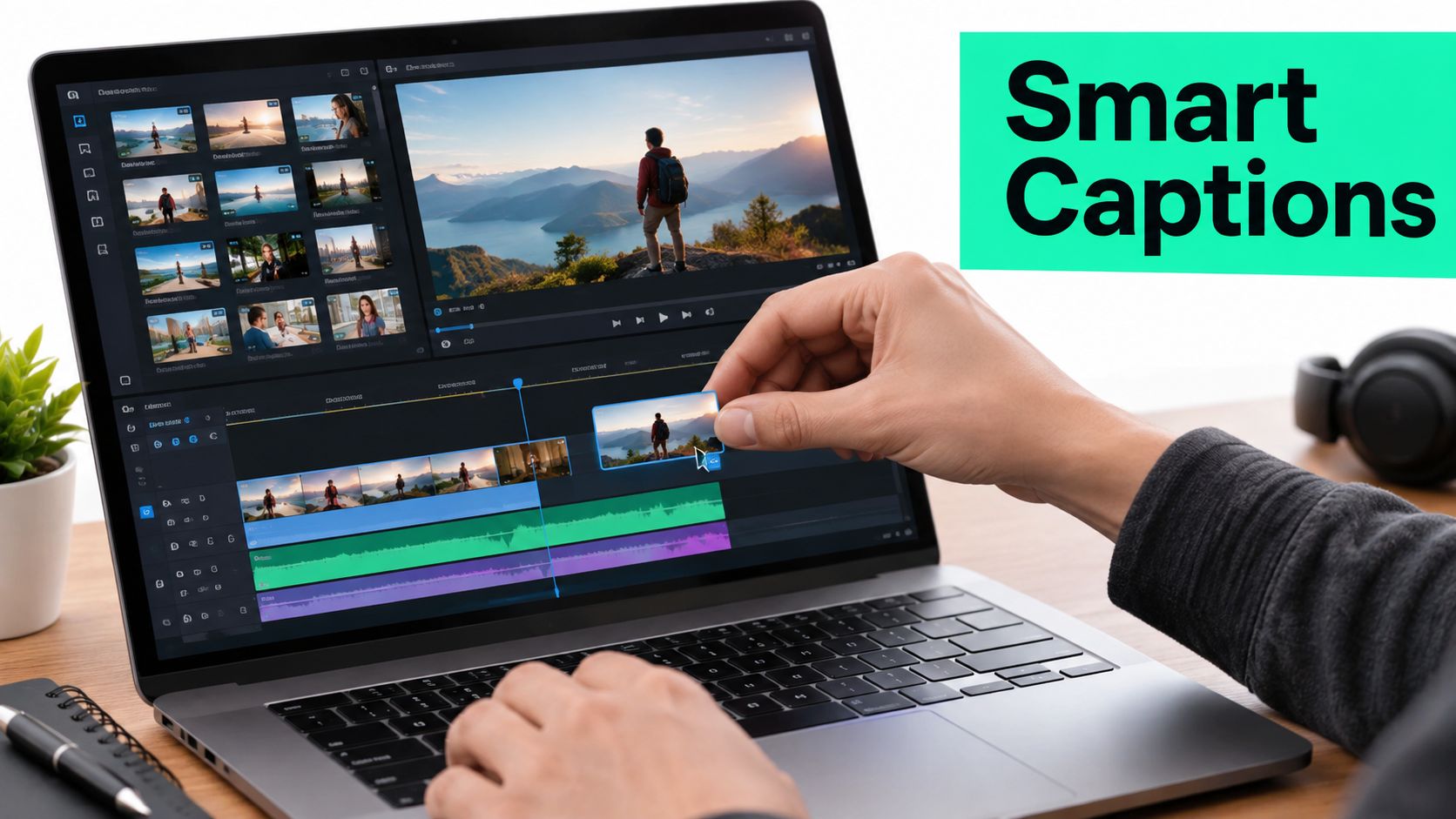
The editor listens while reading. A wrong product name can be swapped directly, a long cue can be split, and two awkward fragments can be merged. If a line appears too low for a Reel or Short, the editor can retime it and adjust its placement before the video reaches the export stage.
### Captions as an editing input
The transcript can also guide the rest of the cut. Searching the words can identify a stronger opening hook, locate a quotable answer, or show where a talking point changes. The editor can use those selections to create clips, add B-roll or media, build a title card, and prepare text for a social post.
BlitzReels is an **agentic AI video editor** with a native hosted OAuth MCP server and REST API. Through MCP, agents such as Claude, Codex, and Cursor can inspect projects, create clips, edit transcripts and captions, modify timeline items, add media, validate output, start exports, and verify render status. The same kinds of workflows are exposed through its TypeScript SDK, CLI with structured JSON, OpenAPI, `llms.txt`, and agent skills, while human editors retain browser-based review and final control.
A caption pass can therefore remain connected to clipping and repurposing instead of becoming a detached file conversion. The editor still checks the audio, because automation can suggest a correction without proving that the correction is right.
The final decision concerns delivery. A project may export an **SRT file**, a **WebVTT file**, or a video with **burned-in captions**. SRT and WebVTT preserve editability, while burned-in text provides a visible result inside the rendered frame. The appropriate choice depends on the destination and whether the platform's interface may cover the text.
The rendered workflow can be demonstrated separately after the initial review:
## Best Practices for Readable On Platform Captions
A transcript can be accurate and still produce poor captions. Mobile viewers need short visual units, strong contrast, sensible timing, and enough separation from interface controls to read the words without fighting the app.
### Build cues for the mobile frame
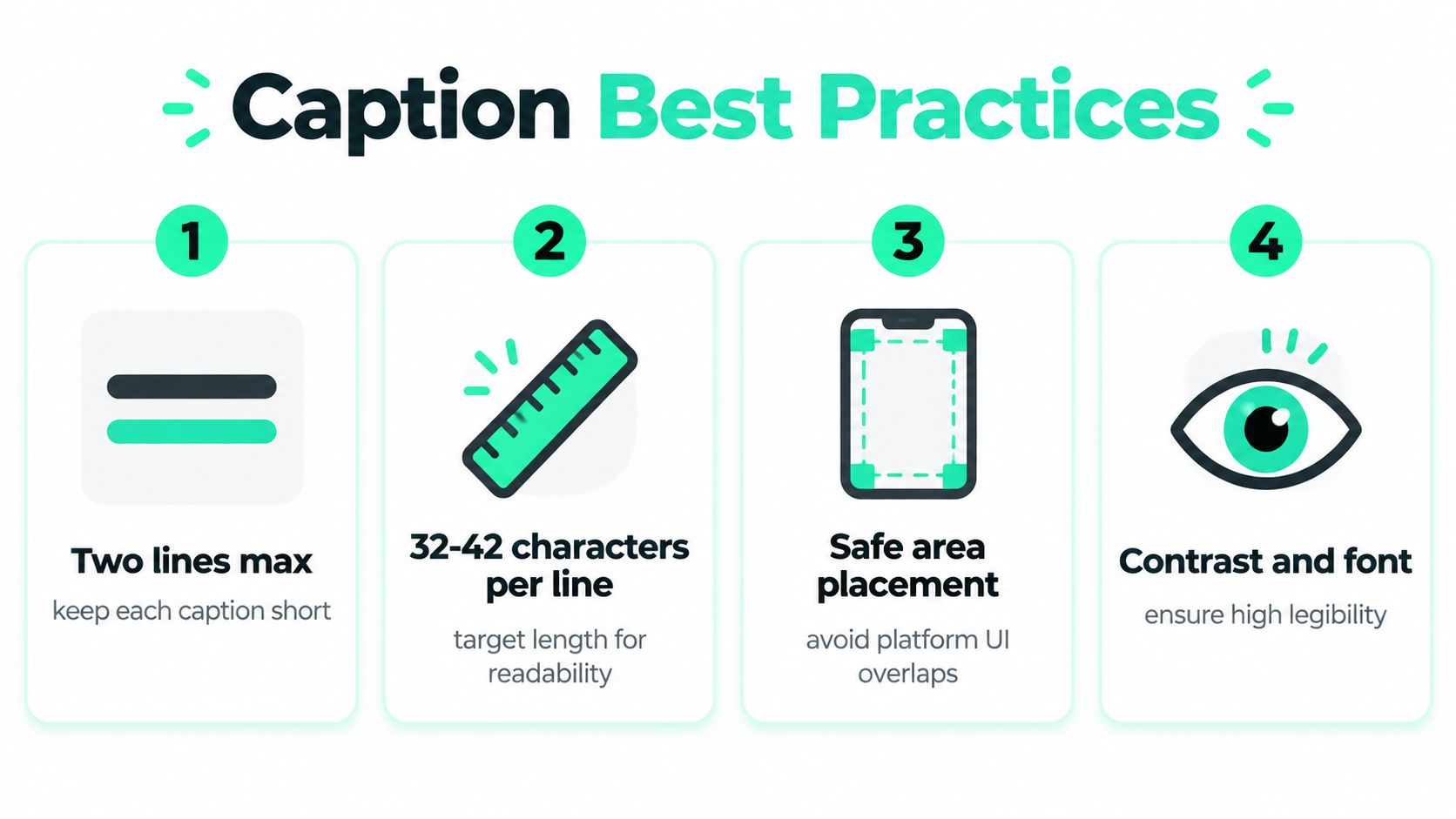
A practical caption cue should stay within **two lines** and target roughly **32 to 42 characters per line**. Those are editorial targets rather than guarantees, so the editor should shorten a crowded phrase or split it at a natural pause instead of breaking a clause in the middle.
TikTok recommends a vertical format of **1080 × 1920 pixels at a 9:16 aspect ratio**, and its standard uploads can run to **10 minutes**, according to these [TikTok media guidelines](https://cloudcampaignsupport.zendesk.com/hc/en-us/articles/42274647925267-TikTok-Media-Guidelines-Video-Specs-Captions-Limitations). Instagram Reels are also commonly specified at **1080 × 1920 pixels in a 9:16 frame**, with lower interface elements occupying part of the viewing area, as described in this [Instagram Reels dimensions guide](https://zeely.ai/blog/instagram-reels-dimensions-aspect-ratio-in-2026/).
- **Keep the safe area clear:** Move burned-in captions away from lower controls, action buttons, and other interface elements.
- **Use strong contrast:** Choose a readable font, background treatment, and size that survive bright screens and sound-off viewing.
- **Break at speech pauses:** Preserve meaning by placing a line break after a complete thought or natural pause.
- **Review the hook visually:** The opening title card and first caption should support each other rather than compete for the same space.
### Tune timing and punctuation
Captions should appear close to the spoken words, with a brief lead-in when the edit allows it, then leave when the phrase ends or the shot changes. A quick review should check whether a cue flashes too quickly, lingers after the speaker has moved on, or changes at an awkward frame.
Punctuation controls reading rhythm. Commas can preserve a short pause, ellipses can signal a trailing thought, and hyphens can clarify interrupted speech or a speaker change. None should be applied mechanically. The editor should read the caption at the pace of the intended viewer, then compare it with the audio.
YouTube Shorts can auto-generate captions for supported languages and accepts uploaded files such as SRT and SBV, while burned-in text near the bottom or right edge may be covered by the interface, according to these [YouTube Shorts specifications](https://www.vidulk.com/video-specs/youtube-shorts). That makes an editable subtitle file a safer working asset than relying only on rendered text.
A final quality check should cover slang, brand terms, profanity settings, speaker changes, and visual placement. Creators looking for additional [social media workflow hacks](https://sleekpost.com/blog/ai-social-media-caption-generator) can apply the same principle beyond transcription, automation should accelerate preparation while a human approves the public-facing result. The [guide to making captions](https://blitzreels.com/blog/how-to-make-captions) provides another practical reference for turning reviewed text into readable on-platform captions.
The repeatable workflow is straightforward: transcribe the video, correct the words, shape the cues, use the transcript to find clips and hooks, resize the composition, validate the safe zones, and compare the exported captions with the burned-in version before publishing.
---
BlitzReels helps creators turn video audio into editable transcripts, captions, clips, title cards, resized social versions, and reviewed exports for TikTok, Instagram Reels, YouTube Shorts, and LinkedIn. Visit [BlitzReels](https://blitzreels.com) to connect transcription with faster short-form editing and repurposing.