---
title: "What Is AI Video? Your Guide to Generative Tools"
canonical: "https://blitzreels.com/blog/what-is-ai-video"
---
# What Is AI Video? Your Guide to Generative Tools
URL: https://blitzreels.com/blog/what-is-ai-video
Markdown URL: https://blitzreels.com/blog/what-is-ai-video.md
Published: 2026-05-29
Author: BlitzReels
Unlock AI's power for content creation. Learn exactly what is ai video, how it works, and utilize generative tools for short-form creators.
Tags: what is ai video, ai video generator, ai video editing, short-form video, social media video

AI video is a technology that uses artificial intelligence to either create new video footage from text or other inputs, or automate the editing of existing video content. In practice, that means one set of tools invents visuals, while another helps creators cut, caption, resize, and repurpose videos faster.
That distinction matters because individuals searching for what is AI video typically aren't trying to make a sci-fi demo. They're trying to publish better short-form clips without spending hours inside a timeline. One creator wants to turn a podcast into Reels. Another needs captions, reframing, and title cards for Shorts. Someone else wants faceless explainer videos from a script. All of that gets called "AI video," even though the workflow, level of control, and risk are completely different.
The useful way to think about AI video isn't as one magical category. It's as a set of tools for different jobs. Some are good at generating footage from prompts. Others are better at the work most short-form teams do every week: clipping long recordings, finding hooks, adding captions, resizing for vertical formats, and getting content out the door quickly.
## Table of Contents
- [Beyond the Hype What Is AI Video Really](#beyond-the-hype-what-is-ai-video-really)
- [The Core Concepts Behind AI Video Technology](#the-core-concepts-behind-ai-video-technology)
- [Why this feels complicated](#why-this-feels-complicated)
- [What the models are actually doing](#what-the-models-are-actually-doing)
- [The Two Main Workflows Generative vs AI-Assisted Editing](#the-two-main-workflows-generative-vs-ai-assisted-editing)
- [Generative AI video](#generative-ai-video)
- [AI-assisted editing](#ai-assisted-editing)
- [Which workflow fits short-form creators](#which-workflow-fits-short-form-creators)
- [How AI Video Fits into a Short-Form Creator's Workflow](#how-ai-video-fits-into-a-short-form-creators-workflow)
- [The manual version](#the-manual-version)
- [The assisted version](#the-assisted-version)
- [Where the time savings actually show up](#where-the-time-savings-actually-show-up)
- [The Benefits and Risks of Adopting AI Video Tools](#the-benefits-and-risks-of-adopting-ai-video-tools)
- [Where AI video helps](#where-ai-video-helps)
- [Where AI video still breaks](#where-ai-video-still-breaks)
- [Getting Started with AI Video in 2026](#getting-started-with-ai-video-in-2026)
## Beyond the Hype What Is AI Video Really
Open any social feed and AI video is everywhere. Some clips are fully synthetic. Others are ordinary talking-head videos with sharp captions, quick cuts, reframed shots, and polished hooks that clearly had AI helping somewhere in the workflow.
That mix is where confusion starts. **AI video** doesn't mean one thing. It can mean a model generating footage from a prompt, or it can mean software taking a real recording and automating the edit. For creators, marketers, and social teams, that difference decides what kind of output is realistic.
A plain-English definition from [BlitzReels' AI video generation glossary](https://www.blitzreels.com/glossary/ai-video-generation) is useful here. The term covers tools that either create new visuals or speed up production tasks around existing footage. The first category is creative generation. The second is workflow acceleration.
> **Practical rule:** If the starting point is a prompt, image, or concept, that's generative AI video. If the starting point is a recorded clip, webinar, interview, screen recording, or podcast, that's AI-assisted editing.
For short-form creators, the second category is usually the one that pays off faster. Social workflows are full of repetitive work: trimming dead space, pulling clips, adding captions, resizing horizontal video into vertical, keeping faces centered, and testing stronger opening frames. AI can help with all of that without replacing creative judgment.
That doesn't make generative video unimportant. It just means the hype often points in one direction while the practical value for daily publishing points in another. The question isn't whether AI video exists. It's which version of it helps a creator ship more useful content this week.
## The Core Concepts Behind AI Video Technology
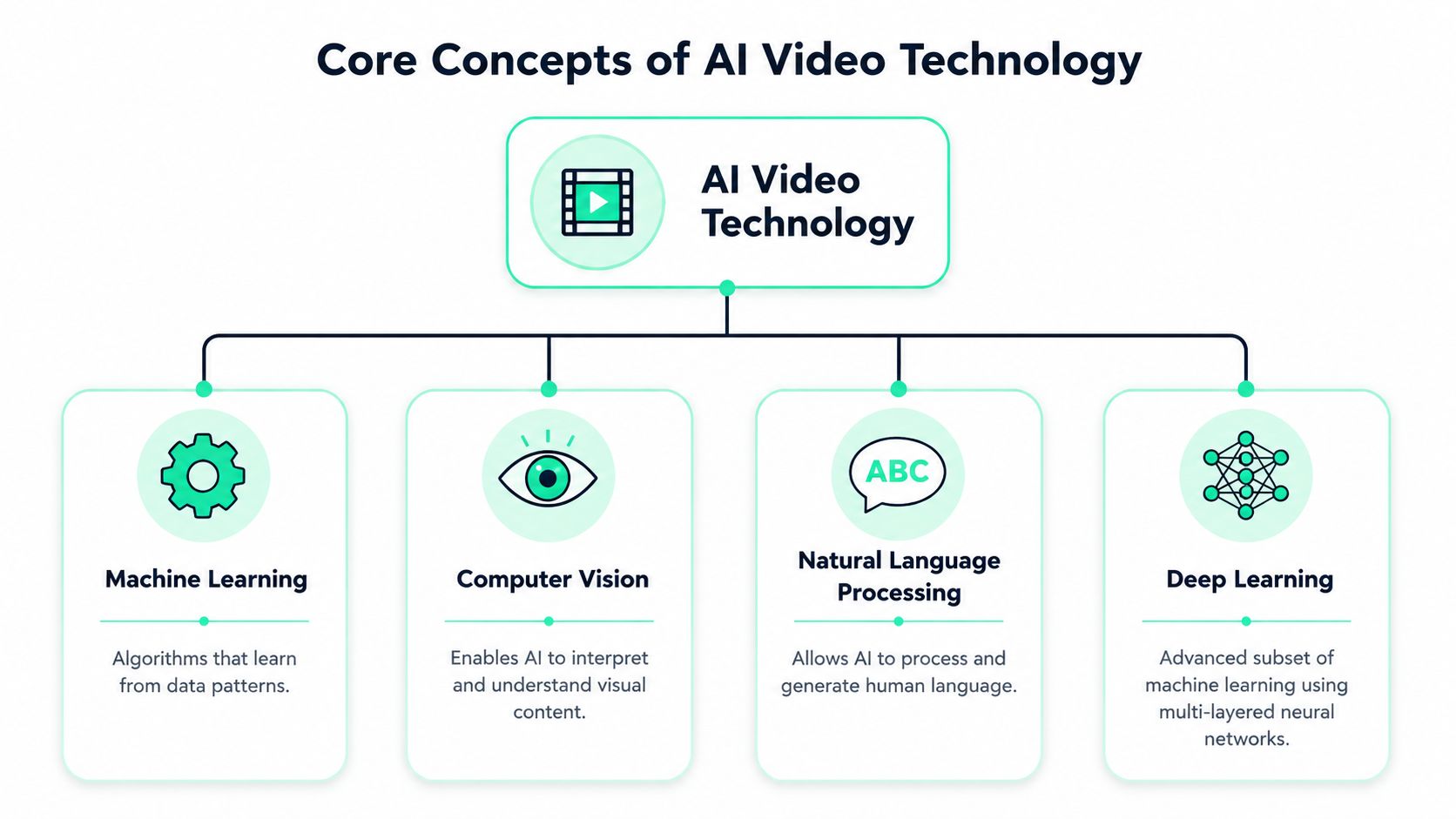
AI video is best understood as a **family of pipelines**, not a single tool or format. According to [Visla's plain-English explanation of AI video](https://www.visla.us/blog/guides/what-is-ai-video-a-plain-english-explanation/), these pipelines can either generate original footage from prompts or automate editing from source material. Common implementations include text-to-video diffusion or transformer models, image-to-video animation, and template-based systems that assemble voice, visuals, captions, and transitions.
### Why this feels complicated
A lot of AI video marketing makes it sound like the model "makes a video." That's too vague to be useful. In practice, several systems are doing separate jobs at once.
One part interprets text. Another predicts how visuals should change over time. Another handles speech, music, or timing. Some systems don't generate footage at all. They assemble existing assets into a finished sequence using templates, captions, transitions, and layout rules.
A helpful mental model is this:
- **Text understanding:** The system tries to map words to scenes, objects, actions, and tone.
- **Visual prediction:** It has to keep motion believable from one frame to the next.
- **Structural editing:** It arranges clips, voiceover, captions, and timing into something watchable.
- **Consistency control:** It tries to keep subjects, framing, and scene logic coherent across cuts.
For creators who want a more technical overview of these building blocks, [BlitzReels' guide to AI models](https://www.blitzreels.com/docs/ai-models) maps the model side of the workflow without drowning the reader in research jargon.
### What the models are actually doing
Diffusion and transformer models can sound intimidating, but their practical role is easier to explain than their math. A generative model is trying to predict what the next visual state should look like based on the prompt and the frames around it. An editing-focused model is trying to recognize what's being said, identify important moments, and package them into a cleaner final video.
> AI video tools don't just render frames. They also have to align meaning, motion over time, and audiovisual structure so the result doesn't fall apart scene by scene.
That last part is where quality rises or falls. A flashy first frame is easy. A coherent sequence with stable pacing, readable captions, clean cuts, and usable framing is harder. That's why two tools can both be called AI video while solving very different problems under the hood.
## The Two Main Workflows Generative vs AI-Assisted Editing
The most useful way to evaluate AI video is to split it into **two workflows**. As [Luma's overview of camera-angle and reframing workflows](https://lumalabs.ai/video-to-video/change-video-framing-and-camera-angles) points out, AI video coverage often conflates AI-assisted editing and clipping with fully generative video, even though repurposing a recorded podcast is a completely different job from inventing footage from text.

### Generative AI video
Generative AI video starts with a prompt, image, script, or reference. The tool creates footage that didn't exist before. This category often comes to mind first because it's visually dramatic. It's also where a lot of experimentation is happening around style transfer, character creation, image-to-video animation, and synthetic scenes.
This workflow makes sense when the creator doesn't have raw footage or wants visuals that would be hard to shoot. Faceless explainers, conceptual B-roll, product mood scenes, and stylized intros all fit here. A platform like [Wideo's AI video platform](https://wideo.co/ai-video-generator/) is a useful example of this side of the market because it helps teams generate video assets from ideas rather than edit a live recording.
The trade-off is control. Prompted footage can look impressive in isolated moments, but short-form creators often need repeatable outputs. They need the same character to stay recognizable, the same framing to carry across cuts, and the same style to match brand expectations. Generative tools are improving, but they still ask creators to accept more uncertainty.
### AI-assisted editing
AI-assisted editing starts with existing material. That could be a podcast, webinar, interview, customer call, tutorial, product demo, or talking-head recording. The tool helps identify usable moments, generate captions, reframe for vertical, create title cards, and package clips for TikTok, Reels, Shorts, or LinkedIn.
This is the category with the clearest short-term value for short-form teams because it targets production bottlenecks that happen every day. Instead of inventing a new scene, the software is helping turn raw footage into publishable social content.
Common tasks include:
- **Clip selection:** Finding the strongest moments in longer footage.
- **Captioning:** Turning spoken audio into readable, styled subtitles.
- **Reframing:** Cropping widescreen footage into vertical while keeping the speaker centered.
- **Hook packaging:** Building opening text, title cards, or visual emphasis around the strongest line.
- **Template cleanup:** Applying repeatable caption looks, transitions, and layouts.
A workflow reference like [let AI handle the edits in your new video workflow](https://www.blitzreels.com/blog/let-ai-handle-the-edits-your-new-video-workflow) shows how this category is less about novelty and more about removing repetitive editing labor.
### Which workflow fits short-form creators
For most short-form creators, **AI-assisted editing is the practical default**. It solves the boring work that slows publishing down. It also gives creators more predictable outputs because the source material is real and already aligned with the message.
Generative AI video fits narrower use cases:
| Workflow | Best for | Main limitation |
| --- | --- | --- |
| Generative video | Creating footage from prompts, faceless concepts, synthetic scenes | Less predictable consistency and control |
| AI-assisted editing | Repurposing recordings into social clips with captions and resizing | Still needs human review for taste and final cuts |
> The wrong question is "Which AI video tool is best?" The better question is "Am I generating footage or editing footage?"
That one decision usually narrows the tool list fast.
## How AI Video Fits into a Short-Form Creator's Workflow
The easiest way to understand what is AI video in a social workflow is to compare the old process with the assisted one. Most creators don't struggle with ideas. They struggle with the volume of editing steps between recording and posting.
### The manual version
A creator records a podcast episode, webinar, founder update, or product tutorial. Then the main work starts. Someone scrubs through the timeline looking for lines that might work as clips. They trim silence, cut rambling sections, rewrite the opening for a stronger hook, type captions, fix timing, resize the frame for vertical, and then export separate versions for each platform.
That workflow is slow not because any one step is impossible, but because there are too many small decisions in sequence.
A typical manual checklist looks like this:
- **Find the moment:** Review the full recording to identify a section with a clear payoff.
- **Tighten the pacing:** Remove filler words, awkward pauses, and side tangents.
- **Build the hook:** Add an opening line or title card that gives the clip context immediately.
- **Style the captions:** Make subtitles readable on a phone, not just technically accurate.
- **Resize for vertical:** Re-crop the shot so the subject still feels centered in a 9:16 frame.
- **Export variants:** Prepare versions for TikTok, Instagram Reels, YouTube Shorts, and LinkedIn.
None of that is glamorous. All of it affects whether the final video feels native to short-form feeds.
### The assisted version
An AI-assisted tool changes the shape of the work. The creator uploads the recording, lets the system transcribe the audio, flags likely clip moments, generates captions, and reframes the shot for vertical. Instead of editing from scratch, the creator reviews, rejects weak suggestions, tweaks the opening, and exports.
One practical example is [BlitzReels' AI video editor for TikTok](https://www.blitzreels.com/blog/ai-video-editor-for-tiktok), which focuses on short-form tasks such as clipping, captions, resizing, and platform-ready formatting from existing footage. That kind of workflow doesn't remove the editor. It shifts the editor's job toward judgment rather than manual assembly.
> **Editorial filter:** AI should handle first-pass labor. A human should still decide whether the clip has a sharp point, a clear hook, and a reason to earn attention.
This is also where templates matter. If a team already knows how its captions should look, what title cards should include, and how aggressive the cuts should feel, AI becomes much more useful. It can apply a visual system quickly instead of asking a human to rebuild one clip by clip.
A walkthrough helps make that concrete:
### Where the time savings actually show up
The biggest wins usually come from repetitive tasks, not from "creativity automation."
- **Captions get faster:** The creator edits wording and style instead of typing every line.
- **Reframing gets easier:** Auto-centering handles much of the crop work, then the editor fixes edge cases.
- **Clipping improves throughput:** The first pass is generated, so the team spends energy choosing rather than searching.
- **Repurposing becomes realistic:** One recording can produce multiple social-ready cuts without starting over each time.
That matters most for people publishing often. A creator making one cinematic brand film may not care. A team posting multiple short clips every week definitely does.
## The Benefits and Risks of Adopting AI Video Tools
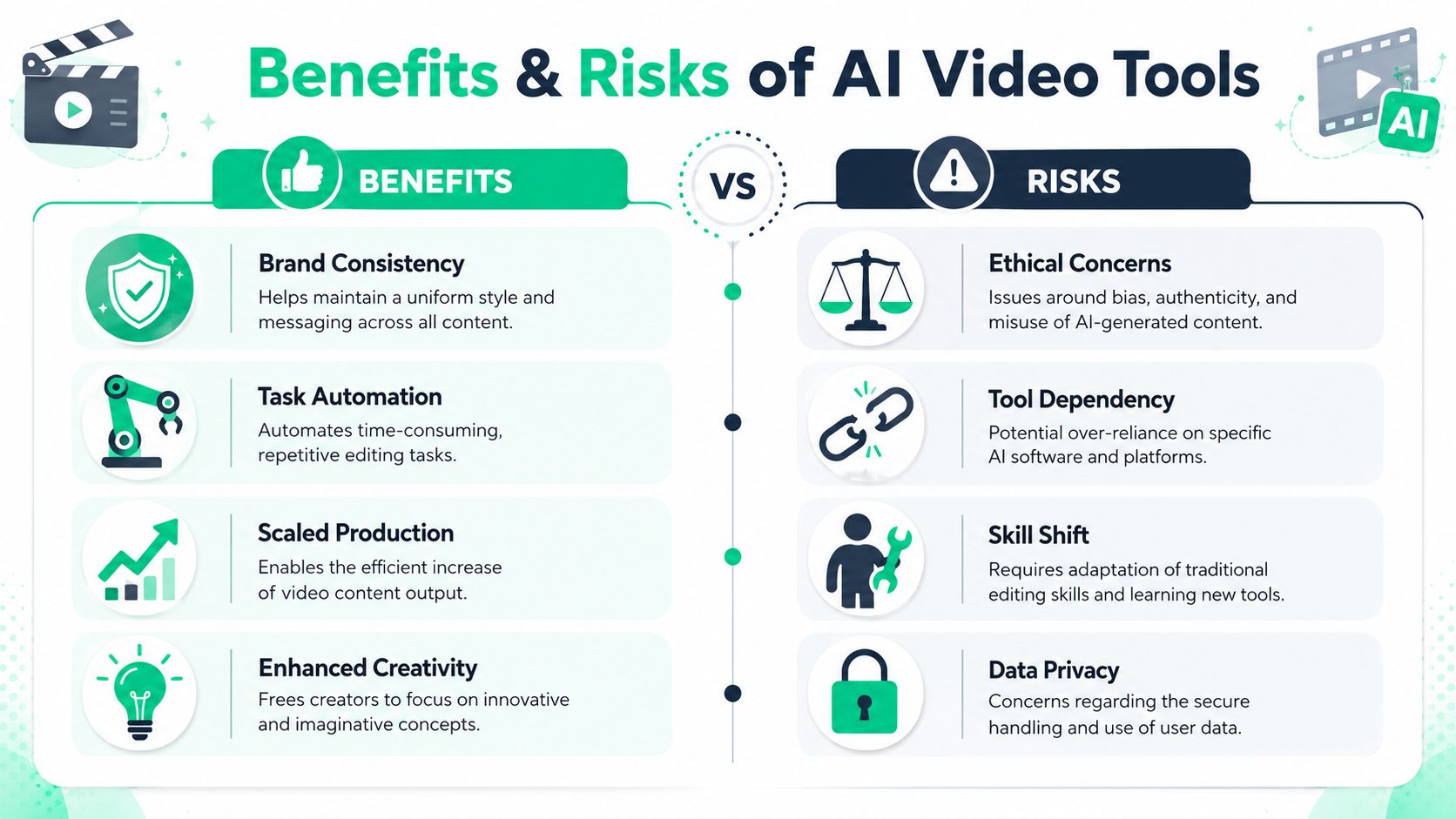
AI video tools help most when the bottleneck is repetitive production work. They help least when the project depends on absolute precision, visual continuity, or a highly specific creative standard that only shows up through manual craft.
### Where AI video helps
For short-form publishing, the benefits are pretty concrete.
- **Production becomes more accessible:** A non-editor can get from recording to usable draft without learning a full professional timeline.
- **Templates support consistency:** Caption styles, title cards, crops, and visual patterns can stay aligned across posts.
- **Volume gets easier to manage:** Teams can turn one source recording into multiple platform-specific outputs.
- **Creative energy shifts upward:** Less time goes to trimming pauses and aligning subtitle blocks. More time goes to hooks, scripting, and packaging.
These benefits are strongest in social contexts where the goal is regular output with a consistent visual system. That's why AI-assisted editing tends to outperform fully generative tools for creators who already have footage and just need speed.
### Where AI video still breaks
The biggest practical weakness isn't whether AI can make a video at all. It's whether the result holds together under real publishing pressure. A recent discussion of short-form consistency issues notes that creators care about whether AI can preserve identity, keep subjects centered, and produce usable cuts quickly enough for TikTok, Reels, Shorts, and LinkedIn, while also acknowledging that content rarely quantifies how often consistency features hold up or when manual editing is still faster in production [video discussion on AI consistency and framing](https://www.youtube.com/watch?v=hOK8XvN9VgQ).
That shows up in a few familiar failure modes:
| Risk | What it looks like in practice |
| --- | --- |
| Framing drift | The face moves off-center or the crop feels unstable |
| Identity inconsistency | A generated person or style changes across shots |
| Generic output | Captions, pacing, and visuals feel templated in a bad way |
| Overtrust | Teams publish the AI draft without checking accuracy, timing, or brand fit |
> Human oversight isn't optional. AI can give a fast draft. It can't guarantee taste, context, or responsible use.
There are also broader concerns around authenticity, consent, misleading synthetic media, and the blurring line between real footage and generated footage. Those issues matter more as teams move from captioning real recordings into generating scenes that viewers may interpret as real.
The safest posture is simple. Use AI to accelerate production. Keep a human responsible for review, final framing, and whether the content should be published at all.
## Getting Started with AI Video in 2026
For most creators, the easiest starting point isn't prompt-based generation. It's taking something that already exists and turning it into stronger short-form content. A webinar, screen recording, interview, product walkthrough, or podcast is enough.
A practical starting sequence looks like this:
1. **Start with real footage.** Recorded material gives better control, clearer messaging, and fewer surprises than fully synthetic scenes.
2. **Choose one platform-first format.** Make a clean vertical short before trying to produce every variation at once.
3. **Let AI do the first pass.** Use it for transcription, clipping, captions, resizing, and rough packaging.
4. **Edit the hook manually.** The first line, title card, and opening seconds still deserve human judgment.
5. **Keep a template library.** Reuse caption styles, color choices, crop preferences, and intro patterns.
6. **Test generative AI later.** Add it where it helps with B-roll, faceless explainers, or concept visuals, not as the foundation of every workflow.
Creators who want a wider view of how AI tools fit across publishing tasks can also look at this [AI content creation tool overview](https://scheduler.social/blog/ai-content-creation-tool), especially when the goal is connecting video production to a broader content system.
Another good next step is using an [AI video editor online](https://www.blitzreels.com/blog/ai-video-editor-online) so the workflow stays lightweight. That matters because the primary promise of AI video isn't novelty. It's removing enough editing friction that posting consistently stops feeling like a separate full-time job.
The best early goal isn't "make something impossible." It's "make the next useful short faster, cleaner, and easier to publish."
---
If the goal is turning existing videos into short-form clips without getting buried in manual editing, [BlitzReels](https://blitzreels.com) is a practical place to start. It handles workflows like clipping, captions, reframing, resizing, and template-based edits for social video, which makes it a fit for creators who need publishable Shorts, Reels, TikToks, and LinkedIn videos from footage they already have.